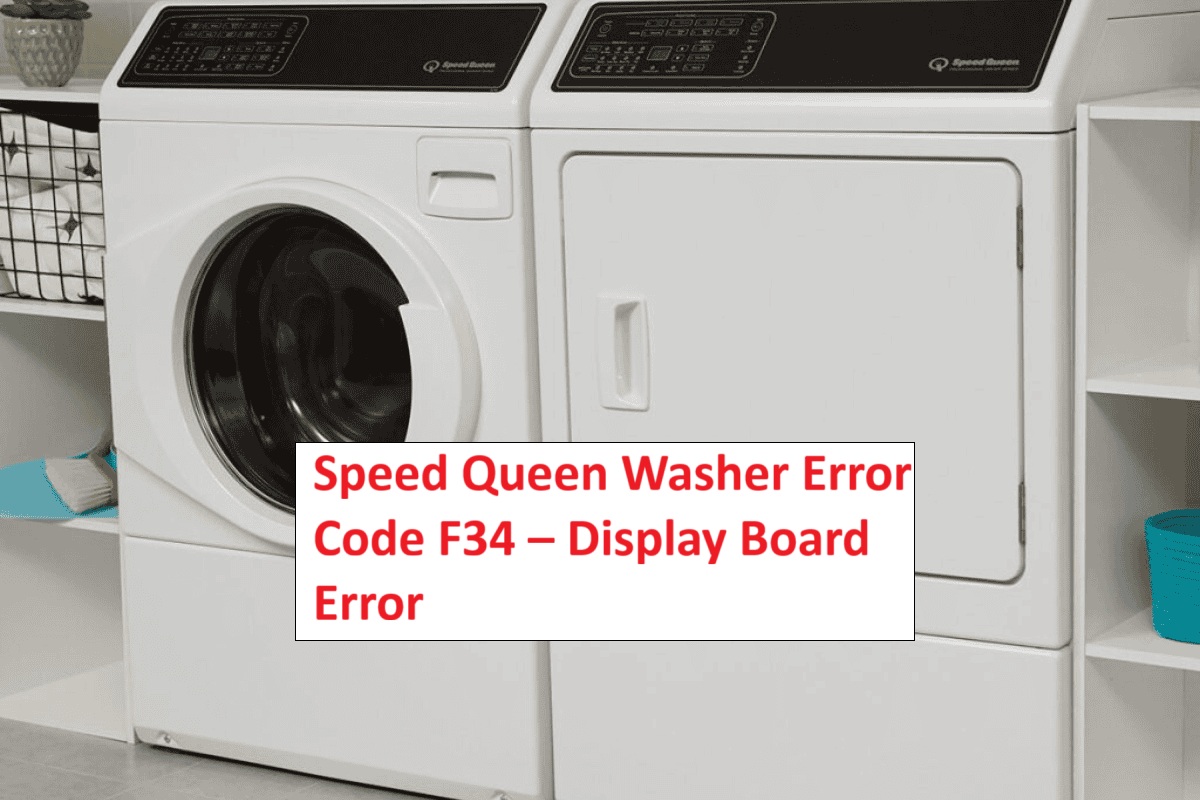
Are you feeling frustrated with your Speed Queen washer displaying the F34 error code? You’re not alone; many users encounter this issue.
The F34 code points to a problem with the display board, which often relates to the door lock mechanism. The good news is that this is a common issue, and many of its causes can be resolved with simple DIY solutions.
One common reason for the F34 error could be a malfunctioning door lock switch. A faulty or misaligned switch can prevent the washer from starting properly.
If you want to learn more about this error and discover additional causes and troubleshooting tips, be sure to read through the entire post. We’re here to help you get your washer back in working order!
What Does the Error Code Means?
When your Speed Queen washer shows the error code F34, it signals a problem with the door lock mechanism. This is an important safety feature; the washer won’t start or finish a cycle unless it confirms that the door is securely locked. To prevent this error, regular maintenance is key.
Start by inspecting the door latch and locking assembly for any signs of wear or damage. Check to ensure there are no obstructions preventing the door from closing properly, as even minor issues can trigger the F34 code. If you’ve taken these simple maintenance steps and the error persists, it may be time to refer to your user manual for specific troubleshooting tips or reach out to a qualified technician for a thorough diagnosis.
Keeping your Speed Queen washer in good working condition not only helps avoid the F34 error but also extends the life of your appliance. Remember, a little proactive care goes a long way in maintaining optimal performance. Additionally, understanding the door latch mechanism is crucial for effective troubleshooting and ensuring the washer operates smoothly.
Common Causes Behind Error Code
Identifying Common Causes of F34 Error Code. The F34 error code could be related to issues with the keypad or control board that may cause improper functioning of the washer.
Faulty Display Control Board
A faulty display control board is frequently the reason behind the F34 error code in Speed Queen washers. If you’re facing this issue, it often indicates a malfunction in the display board, which can disrupt your washer’s normal operation. You may notice symptoms such as flickering lights, buttons that don’t respond as expected, or incorrect cycle information appearing on the display.
Several factors can contribute to these display control problems. Common culprits include wear and tear from extended use, exposure to moisture, or even manufacturing defects. When the display control board is not functioning correctly, it can hinder the washer’s ability to communicate effectively with the user interface, resulting in operational difficulties. It’s essential to check for malfunctioning components that may further complicate the issue.
To address this issue, you may need to replace the display control board to restore your washer’s functionality. If you’re not comfortable working with electrical components or if you’re unsure about the process, it’s always best to consult with a professional technician. Ensuring safety and proper handling is paramount when dealing with appliance repairs. With the right approach, you can get your Speed Queen washer back to working smoothly.
Loose Wiring Connection
When dealing with the F34 error code in Speed Queen washers, it’s essential to understand that faulty display control boards aren’t the only culprits. A loose wiring connection can also disrupt the communication between various components, leading to this frustrating error.
During your inspection, take the time to carefully examine all wiring connections for any signs of looseness or wear. Even a slightly loose connection can compromise the stability of the circuit, causing intermittent faults that can be difficult to diagnose. Pay particular attention to the harnesses that connect to the control board and motor, as these are critical areas where loose wires can cause significant issues.
If you do identify any loose wires, make sure to securely reattach them. While you’re at it, inspect the connectors for any signs of damage, as this can further complicate matters. Addressing these loose connections is a straightforward yet effective way to potentially resolve the F34 error and restore your washer’s functionality. Additionally, a faulty temperature sensor can also lead to communication problems, similar to those caused by loose wiring.
Corroded Circuit Connections
While loose wiring connections can trigger the F34 error code, corroded circuit connections are another common issue that can lead to similar problems. Corrosion often occurs due to exposure to moisture, which can severely compromise the integrity of your appliance’s circuits. To prevent these issues, it’s essential to focus on regular circuit maintenance and implement effective corrosion prevention measures. Additionally, ensuring proper water supply issues can prevent the appliance from malfunctioning and help maintain optimal performance.
Here’s a breakdown of common causes of corrosion, along with practical prevention methods and maintenance tips to keep your appliance running smoothly:
| Cause of Corrosion | Prevention Method | Maintenance Tips |
|---|---|---|
| Moisture exposure | Seal connections with weather-resistant materials | Inspect connections regularly for signs of wear or moisture |
| Chemical exposure | Use corrosion-resistant materials when replacing parts | Clean connections with a suitable electronic cleaner to prevent buildup |
| Poor ventilation | Improve airflow around your appliance to reduce humidity | Ensure proper drainage to avoid water buildup around connections |
| Age of components | Replace old or worn parts proactively | Schedule regular checkups, especially for older appliances |
| Environmental factors | Store appliances in dry areas away from moisture sources | Use protective covers when appliances are not in use to shield them from the elements |
Faulty Wiring Harness
When you encounter the F34 error code on your Speed Queen washer, one of the key culprits often is a malfunctioning wiring harness. This harness is crucial as it connects various components within the washer, allowing the control board to communicate effectively with other parts of the machine. Damage, fraying, or disconnections in the wiring harness can disrupt this communication, leading to error codes like F34.
To diagnose the issue accurately, I recommend consulting the wiring diagram specific to your washer model. This diagram will guide you in tracing the connections and pinpointing any potential faults. If you find that the wiring harness is indeed compromised, it’s essential to replace it to restore your washer’s functionality. A faulty motor control unit can also lead to similar communication issues, so keep that in mind during your troubleshooting process.
When selecting a replacement harness, ensure that you purchase a part that is compatible with your specific model. Following the installation instructions meticulously is crucial for safety and to prevent future errors. If you have any doubts during the process, don’t hesitate to reach out for professional assistance. Your safety and the proper operation of your appliance are the top priorities.
Required Tools to Fix the Error
Essential Tools for Troubleshooting the F34 Error Code
When dealing with error codes such as F34, having the right tools is crucial for effective troubleshooting and repair. Inspect wiring connections to ensure they are secure and free of damage, as this can often be a contributing factor to display board errors.
Basic Tools
To effectively tackle the Speed Queen washer error code F34, having the right tools on hand is essential for a smooth and successful repair process. Here’s a list of what you’ll need:
- Multimeter: This tool is crucial for testing the electrical components of your washer. It will help you check for continuity and voltage, ensuring that parts like the door latch and control board are functioning properly.
- Screwdriver Set: A comprehensive screwdriver set, including both Phillips and flathead screwdrivers, is necessary for accessing the internal components of your washer. This will help you remove panels and gain access to the parts that might need attention.
- Pliers: A pair of pliers is invaluable for gripping and removing stubborn components. They can also be useful for bending or adjusting wires as needed during the repair process.
- Socket Wrench: This tool will come in handy for loosening bolts that secure various parts of the washer. Make sure you have the appropriate socket sizes for your specific model.
- Flashlight: Good visibility is key, especially in tight spaces. A flashlight will help you see clearly as you work on the internal components of the washer.
Before you begin, gather all these tools to optimize your repair efforts. Being well-prepared not only streamlines the process but also ensures your safety as you work on your appliance. Remember, taking the time to properly diagnose and address the F34 error code can save you both time and money in the long run. Additionally, ensuring proper voltage supply to the washer can prevent further electrical issues during repairs. Happy repairing!
Supplies
To effectively address the Speed Queen washer error code F34, having the right supplies is crucial. As a seasoned appliance repair technician with over 20 years of experience, I want to ensure you feel confident and prepared for this task. Here’s a detailed checklist of essential tools and supplies that will make your repair process smoother and more efficient.
- Multimeter: This tool is indispensable for testing electrical components and verifying connections. It helps you identify issues with wiring or faulty parts, ensuring you can pinpoint the problem accurately.
- Screwdriver Set: A good set of screwdrivers is critical for accessing the display board and other internal components of the washer. Ensure you have both flathead and Phillips screwdrivers in various sizes to tackle different screws you might encounter.
- Pliers: A sturdy pair of pliers will come in handy for gripping and maneuvering stubborn parts. They can help you remove or adjust components that may be difficult to handle by hand.
- Compatible Replacement Parts: It’s wise to have a selection of commonly needed replacement parts on hand. This might include fuses, connectors, or any specific components known to fail in your model of Speed Queen washer. Always refer to the user manual or manufacturer’s guidelines to ensure compatibility.
- Clean Cloth: Keeping your work area tidy is essential. A clean cloth can be used to dust off any debris inside the washer or wipe down parts before reassembly, which helps maintain the appliance’s longevity. Additionally, it’s beneficial to check for obstructions in the washer drum during your repair process to avoid further issues.
Pre-Safety Checklist Before Fixing
Before you begin troubleshooting the Speed Queen washer error code F34, it’s crucial to prioritize safety by conducting a thorough pre-safety checklist. This ensures a safe working environment and helps you work efficiently while minimizing potential hazards. Here are essential safety precautions to follow:
- Unplug the Washer: Always disconnect the washer from the power source before starting any repairs. This eliminates the risk of electric shock.
- Wear Personal Protective Equipment (PPE): Equip yourself with appropriate PPE, including gloves to protect your hands from sharp edges or chemicals, and safety goggles to shield your eyes from dust or debris.
- Check Your Workspace: Ensure that your working area is dry, well-lit, and free from clutter. A clean workspace helps prevent accidents and allows you to focus on the task at hand.
- Organize Your Tools: Gather and arrange all the necessary tools before you start working. Having everything at your fingertips will reduce distractions and keep you on track.
- Inspect for Electrical Issues: Make sure to check for loose electrical connections that could pose risks during repairs.
Diagnose the Error Code
Once you’ve ensured a safe working environment, let’s dive into diagnosing the Speed Queen washer error code F34. This particular error typically points to a communication issue between the display board and the control board, which can hinder the washer’s normal operations.
To start your troubleshooting, carefully check all wiring connections for any signs of corrosion or damage. Pay special attention to the connectors, as a loose or corroded connection can easily disrupt communication. Next, examine the display board for any visible signs of wear or malfunction, such as burnt traces or damaged components.
Carefully inspect all wiring connections for corrosion, and check the display board for any signs of wear or damage.
It’s also important to verify that the control board is receiving the proper voltage. You can do this with a multimeter, but make sure to follow all safety precautions when working with electrical components. If you’re not comfortable with this step, don’t hesitate to consult a professional or refer to the Speed Queen maintenance manual for specific diagnostic tests tailored to your model.
Identifying the root cause of the F34 error is crucial before proceeding with any repairs or replacements. This thorough approach will help ensure your washer operates at peak functionality, providing you with the reliable service you expect. Remember, taking the time to troubleshoot effectively now can save you from more significant issues down the line.
Step-by-Step DIY Troubleshooting Guide
Moving Forward: Next Steps in Troubleshooting
Inspect Display Board Connections
To effectively troubleshoot the F34 error code on your Speed Queen washer, let’s start by inspecting the connections on the display board. First and foremost, safety is paramount, so be sure to unplug the washer before you begin any work.
Once the machine is powered down, carefully remove the display board cover. Take your time with this step to avoid damaging any clips. Next, examine the wiring harness for any visible signs of damage, such as frayed wires or loose connections. It’s important to confirm that all connectors are seated properly; poor connectivity can lead to display board malfunctions.
If you notice any dust or debris around the connections, gently clean it to ensure a good electrical contact. This step can often make a significant difference in resolving error codes.
After you’ve completed your inspection and made any necessary adjustments, reassemble the board securely. Plug the washer back in and run a test cycle to check if the F34 error code still appears. This systematic approach not only helps in pinpointing the issue but also empowers you to handle similar situations in the future. Remember, patience and attention to detail are your best friends in appliance repair.
Secure Loose Wiring Connections
If you’ve already checked the display board connections and ruled out any issues there, it’s time to focus on securing any loose wiring connections within your Speed Queen washer. Safety is paramount, so start by unplugging the washer to ensure you can work without any risk of electrical shock.
Next, take a careful look at the wiring harnesses. These are the bundles of wires that connect various components of your washer. Look for any loose or disconnected wires that could be causing problems. If you find any loose connections, firmly reconnect them, making sure they fit snugly to ensure a stable connection.
To prevent future movement that might lead to disconnections, consider using zip ties or electrical tape to secure the wiring. This simple step can save you a lot of headaches down the line. While you’re at it, inspect the wires for any signs of fraying or damage. If you come across any damaged wires, they may need to be replaced to ensure safe and reliable operation.
Regular maintenance of your washer’s wiring is crucial for keeping it running at peak performance. Once you’ve secured all connections and ensured everything is in good condition, plug the washer back in and test it. This should help resolve the error code F34 and get your washer back to working order. Remember, taking these steps not only enhances the functionality of your appliance but also extends its lifespan.
Replace Corroded Circuit Connections
Corroded circuit connections can significantly hinder the performance of your Speed Queen washer, potentially triggering error codes like F34. To address this issue safely, start by unplugging your washer to ensure your safety while working on it. Next, access the control panel by removing any screws or fasteners that hold it in place.
Once you have access, take a close look at the circuit connections. Look for any signs of corrosion, which may appear as discoloration, rust, or a white powdery residue. If you come across corroded connections, carefully detach them using a screwdriver—be gentle to avoid damaging any components.
To clean the corroded areas, use a wire brush or sandpaper to remove the corrosion thoroughly. This step is crucial, as it ensures a good electrical connection when you reattach the components. After cleaning, it’s wise to apply an anti-corrosion spray to the connectors. This preventative measure can help protect against future corrosion.
Once the connections are clean and treated, securely reattach them, making sure they are tight to avoid any loose circuits. To maintain optimal performance and prevent future issues, I recommend regularly checking your washer’s circuit connections as part of your routine appliance maintenance.
Finally, plug your washer back in and run a test cycle. This will help you confirm that the error code has been resolved and your washer is functioning correctly. Remember, taking the time to address these issues can extend the life of your appliance and save you from more significant repairs down the line.
Repair Faulty Wiring Harness
Repairing a faulty wiring harness in your Speed Queen washer is crucial for resolving error code F34 and ensuring your machine operates smoothly. Here’s a step-by-step guide based on years of experience to help you tackle this safely and effectively.
- Safety First: Always start by unplugging the washer from the power source. This is essential to avoid any risk of electric shock while you work.
- Access the Control Panel: Carefully remove the control panel. This may involve unscrewing a few screws and gently prying it away from the main body of the washer. Take your time to avoid damaging any clips or connectors.
- Identify the Wiring Harness: Once the panel is removed, locate the wiring harness. You’ll typically see connectors linking the motor and the display board. Familiarize yourself with these components to understand how they interact.
- Inspect for Damage: Examine the wiring closely for any signs of wear, such as frayed or broken wires. Look for any burnt areas or corrosion, particularly around the connectors. These are common failure points that can lead to errors.
- Repairing the Wiring: If you find damaged wires, you have a couple of options. You can splice the wires using proper techniques—make sure to use heat-shrink tubing or electrical tape to insulate the splices securely. Alternatively, if the damage is extensive, consider replacing the entire harness to ensure long-lasting reliability.
- Check Connections: After making repairs, ensure that all connections are tight and free from corrosion. Loose or corroded connections can lead to intermittent issues, so this step is vital.
- Reassemble and Test: Reattach the control panel carefully, ensuring that all wires are tucked away to prevent pinching. Plug the washer back in and run a test cycle. Monitor the machine closely to confirm that the error code F34 is resolved and that everything functions as expected.
If the error code persists after your repairs, it may indicate issues with other components, such as the control board or motor. In such cases, further diagnostics will be necessary. Remember, safety is the priority, so if you’re ever unsure, don’t hesitate to consult a professional technician. Your washer’s longevity depends on proper repairs and maintenance, and I’m here to help you through it.
Call a Professional If
While addressing the F34 error code on your Speed Queen washer may initially seem straightforward, there are certain situations where it is prudent to call in a professional. If you’ve already inspected the wiring harness and the error continues to appear, you might be facing a more intricate problem that requires expert attention. Signs such as erratic display board behavior or the emergence of multiple error codes indicate that it’s time to seek professional help.
Moreover, if you feel uneasy working with electrical components or don’t have the right tools at your disposal, it’s best to consult an expert. Attempting repairs without sufficient knowledge can lead to further damage or pose safety risks. By enlisting a professional, you ensure that the issue is accurately diagnosed and effectively resolved, safeguarding both your appliance and your peace of mind. Always prioritize safety and seek assistance when in doubt—it’s a wise investment in the long-term health of your washing machine.