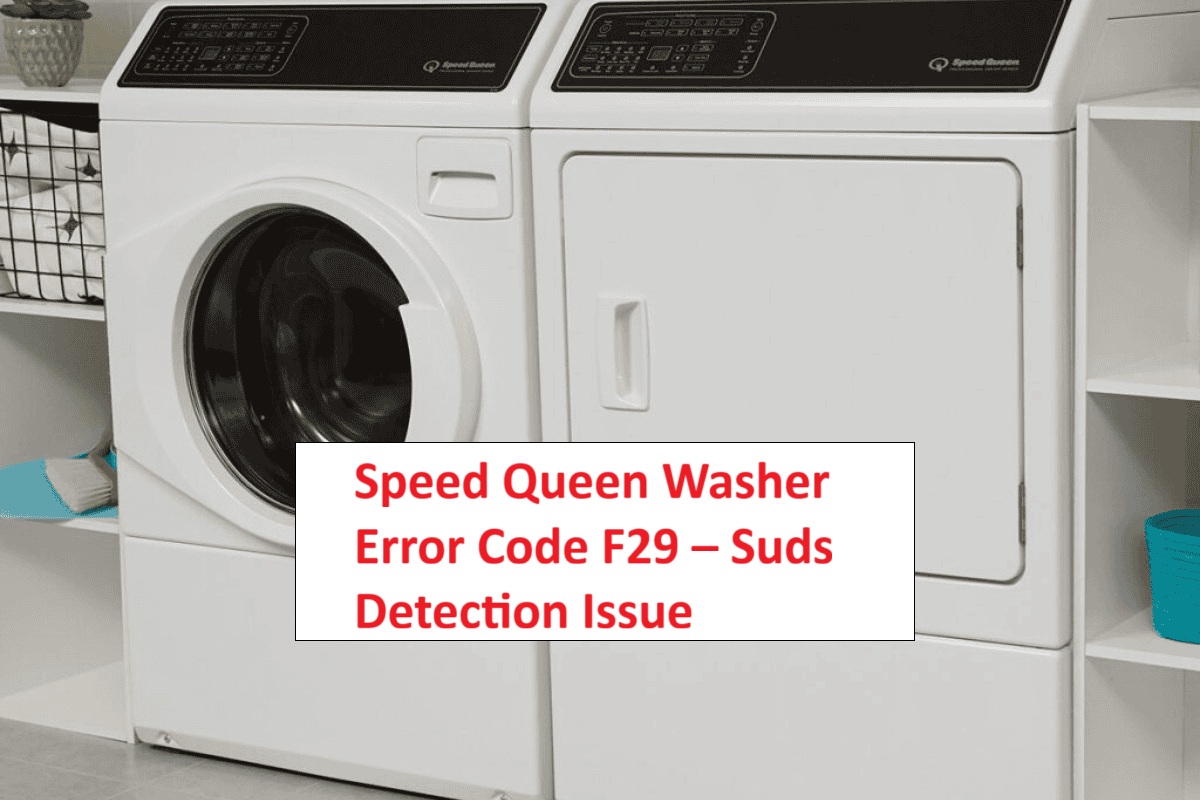
If you’ve encountered the F29 error code on your Speed Queen washer, you’re likely feeling frustrated and ready to tackle the issue head-on.
This specific code indicates a suds detection problem, which simply means that your machine has detected too many suds during a wash cycle.
Don’t worry—this is a common issue many users face, and often, the causes are easy to fix with a little DIY effort.
One of the most frequent culprits behind the F29 error is the use of too much detergent.
While it may seem like using more detergent will lead to cleaner clothes, it can actually cause excessive suds that trigger this error.
If you want to learn more about this issue and discover additional causes and solutions, keep reading the full post!
We’ll guide you through everything you need to know to get your washer back in working order.
What Does the Error Code Means?
When you see the F29 error code on your Speed Queen washer, it signals a problem with the machine’s drainage system. Specifically, this error indicates that the washer has detected an issue that’s preventing it from draining properly. This can lead to excessive suds and ineffective cleaning. It’s important to understand what this error means in order to troubleshoot your washer effectively.
To start addressing the F29 error, first, inspect the drain hose for any clogs or kinks. A blockage in the hose can significantly hinder drainage. Next, check the drain filter; if it’s clogged with debris, it can obstruct water flow. Cleaning the filter is a straightforward task that can often resolve the issue. Lastly, ensure that your washer is level. An uneven machine can impact drainage performance and lead to further complications. Additionally, it is recommended to use HE detergent as it helps in reducing suds buildup during the wash cycle.
Common Causes Behind Error Code
Understanding the F29 Error Code Causes
The F29 error code indicates a suds detection issue, often caused by excessive detergent use or the use of non-HE (high efficiency) detergent. Additionally, unbalanced load errors can also contribute to this problem as they may lead to improper rinsing and suds buildup in the washer.
Excessive Detergent Usage
Excessive detergent usage can cause your Speed Queen washer to display the F29 error code. This happens because using too much detergent creates an imbalance during the wash cycle. It’s important to pay attention to the type of detergent you’re using. For instance, high-efficiency (HE) detergents require precise measurements. If you use standard detergents in an HE washer, it can lead to excessive sudsing, which complicates the washing process.
To prevent these issues, always adhere to the manufacturer’s guidelines regarding both the type and amount of detergent. Additionally, improper washing techniques, such as overloading the washer, can trap suds and hinder effective rinsing. If you encounter the F29 error, take a moment to evaluate how much detergent you’re using and whether you’re using the correct type for your washer.
Adjusting your washing practices can significantly reduce the likelihood of these issues and help your appliance operate smoothly. Remember, when it comes to detergent, using less can often yield better results. Keeping your washer in top condition is all about making small adjustments that lead to big improvements. Furthermore, motor jam detection can also affect your washer’s performance if not addressed properly.
Blocked Drain Pump
If your Speed Queen washer shows the F29 error code, it’s likely due to a blocked drain pump. This issue typically occurs when debris, lint, or foreign objects interfere with the pump’s operation. During your routine maintenance, it’s essential to check for any clogs that might hinder proper water drainage.
Start by inspecting the drain hose for kinks or blockages that could obstruct water flow. Next, locate the pump filter—often found at the bottom front of the washer—and examine it for any trapped debris. If you discover anything obstructing these components, carefully remove it to restore normal functionality. Additionally, ensure that the drain hose is straight to prevent any potential blockages from occurring.
Incorrect Washer Settings
While a blocked drain pump is a common cause of the F29 error code in washers, it’s important to understand that incorrect washer settings can also lead to this issue. When the cycle you select doesn’t align with the type of load you’re washing, it can inadvertently trigger the suds detection system. For example, if you use a heavy-duty cycle for delicate fabrics or overload your washer, you might create excess suds that cause the machine to stop running.
To prevent this from happening, always choose the appropriate cycle based on the load size and fabric type. Delicate items require gentler settings, while heavier fabrics can handle more robust cycles. Additionally, be mindful of the detergent you are using. Using the wrong type or too much detergent can significantly increase sudsing, leading to potential error codes like F29. It’s also crucial to ensure that your water supply line pressure is sufficient, as low pressure can contribute to operational issues.
Before starting your wash, take a moment to double-check your settings and ensure they match your load. This simple step can save you time and frustration, keeping your washer running smoothly. Remember, a little diligence in selecting the right cycle and detergent can go a long way in maintaining your appliance’s performance.
Faulty Pressure Switch
A faulty pressure switch can significantly contribute to the F29 error code in your Speed Queen washer. This essential component is responsible for detecting water levels and ensuring the washer operates correctly. Pressure switches come in different types, each tailored for specific functions within the washing machine. When the switch malfunctions, it can misinterpret water levels, leading the washer to wrongly detect excessive suds.
To troubleshoot this issue, it’s important to test the pressure switch. Begin by examining the connections and hoses for any blockages or leaks, as these can impede proper function. Next, use a multimeter to check the continuity of the switch, ensuring it operates within the specified range. If the pressure switch does not pass these tests, it is likely the culprit behind the F29 error. Replacing the faulty pressure switch will restore your washer’s functionality, allowing it to operate efficiently once again.
Additionally, ensure that the water level sensing system is functioning properly, as this plays a crucial role in the overall operation of the washer. Always remember to disconnect the power before performing any repairs and consult your washer’s manual for specific guidance related to your model. This ensures not only your safety but also the longevity of your appliance.
Required Tools to Fix the Error
Gathering Essential Tools for Repair
In addition to the basic tools needed, having a multimeter for testing electrical connections can help ensure the drain pump is functioning correctly.
Basic Tools
When you encounter the Speed Queen washer error code F29, it’s important to approach the repair with the right tools and knowledge. With over 20 years of experience in appliance repair, I’ve seen how having the right equipment can make all the difference in efficiently diagnosing and fixing issues.
To start, ensure you have a basic toolkit on hand. A good screwdriver set is essential for accessing the internal components of your washer. You’ll also want a multimeter, as it’s crucial for checking electrical connections and continuity—key factors in diagnosing the F29 error. A pair of pliers will assist you in handling hose connections and securing fittings properly.
Additionally, remember that checking the door latch mechanism is vital in ensuring your washer operates correctly, as this can also be related to error codes like F5 E4. Don’t forget to have a bucket or some towels handy. These are invaluable for catching any residual water that may spill during your maintenance work, keeping your repair area tidy and safe.
Supplies
Having the right supplies is essential for effectively troubleshooting the Speed Queen washer error code F29. As you prepare to tackle this issue, ensure you have the correct types of detergents on hand. Using high-efficiency (HE) detergents is crucial, as they produce fewer suds and can help prevent this error from reoccurring.
In addition to detergent, gather a few handy tools: a soft cloth is important for cleaning various components of the washer, while a multi-tool will make accessing screws and clamps much easier during the repair process. A vacuum is also beneficial for removing any lint or debris that could hinder the washer’s performance. Additionally, it’s advisable to check the power supply to ensure that voltage fluctuations do not contribute to the issue.
Pre-Safety Checklist Before Fixing
Before you dive into troubleshooting the Speed Queen washer error code F29, it’s crucial to carry out a pre-safety checklist. This step ensures a secure working environment, allowing you to focus on effective maintenance while keeping safety at the forefront. Here’s a straightforward guide to help you prepare:
Prioritize safety by completing a pre-safety checklist before troubleshooting your Speed Queen washer error code F29.
- Unplug the Washer: Always start by disconnecting the power supply. This prevents the risk of electrical shock as you work on the machine.
- Check for Water Leaks: Carefully inspect all hoses and connections for any signs of leaks. Addressing potential leaks is vital to prevent water damage and ensure a dry working area.
- Clear the Area: Make sure to remove any items or obstructions surrounding your washer. A clear space not only allows for easy access but also minimizes the risk of tripping or accidents while you work.
- Wear Protective Gear: Equip yourself with gloves and safety goggles. These items shield you from sharp edges and debris that could pose a risk during repairs. Additionally, ensure you have a surge protector to maintain a stable voltage supply during operation.
Diagnose the Error Code
To effectively diagnose the Speed Queen washer error code F29, let’s take a systematic approach to identify the potential culprits behind this issue.
First and foremost, check the water level sensor. A malfunctioning sensor is a common trigger for suds detection errors, which can lead to this code appearing. Ensure that the sensor is clean and functioning properly, as any debris or damage can affect its performance.
Next, inspect the drain pump. Clogs or blockages in the pump can restrict water flow and cause excess suds to build up. Remove any lint or foreign objects that may be obstructing the pump, ensuring it operates smoothly.
It’s also crucial to consider the type and amount of detergent you’re using. Not all detergents are created equal, and using too much or a non-HE (high-efficiency) detergent can lead to over-sudsing. Refer to the manufacturer’s guidelines for the proper detergent type and dosage.
Additionally, take a moment to review the washer’s filters. Dirty or clogged filters can impede water flow and lead to performance issues. Regularly cleaning the filters will help maintain optimal functionality and prevent future errors.
Step-by-Step DIY Troubleshooting Guide
Next Steps for F29 Error Resolution
Reduce Detergent Amount
When your Speed Queen washer shows the F29 error code, one common culprit could be the excessive use of detergent. To address this, first, check the type of detergent you’re using. It’s best to use high-efficiency (HE) detergent, especially for front-load washers. It’s essential to measure the detergent carefully; most manufacturers recommend using only one to two tablespoons per load, depending on the size and soil level of your laundry. If you’re using detergent pods, limit yourself to one per load.
Using too much detergent can lead to an overabundance of suds, which can trigger the F29 error code. To help prevent this issue and maintain your washer’s performance, always follow the manufacturer’s guidelines. Adjust your detergent amount based on the size of your load and how soiled the clothes are. By doing so, you’ll not only enhance your washer’s efficiency but also minimize the chances of encountering future error codes. Remember, a little goes a long way when it comes to detergent!
Clear the Drain Filter
Clearing the drain filter is a crucial step in addressing the F29 error code on your Speed Queen washer. As a seasoned appliance repair technician with over 20 years of experience, I want to guide you through this process safely and effectively.
First, ensure your safety by unplugging the washer. This step is essential to prevent any electrical hazards while you work on the appliance. Next, locate the drain filter, which is typically situated at the front bottom of the unit. To manage any water that may spill out during this process, place a towel or a shallow pan underneath the filter area.
Now, carefully open the drain filter cover. You may need to twist or pull it gently, depending on the design. Once the cover is removed, you can take out the drain filter itself. Inspect the filter for any debris, lint, or clogs that could be contributing to the error code. If you find any obstructions, rinse the filter under warm water to clean it thoroughly.
After cleaning, reinsert the filter back into its compartment, ensuring it is secured properly to prevent leaks. Once the filter is in place, close the drain filter cover securely. Plug the washer back in to restore power.
To confirm that the F29 error code has cleared, run a short cycle without any laundry inside. This quick test will help determine if the issue has been resolved.
Regular maintenance of your drain filter is key to preventing future issues. Make it a habit to check and clean the filter periodically, as this simple step can save you from more significant problems down the line. Remember, a well-maintained washer is not only more efficient but also prolongs its lifespan. If you encounter any further issues or have any questions, don’t hesitate to reach out for assistance.
Adjust Washer Load Size
Adjusting the washer load size is crucial for addressing the F29 error code on your Speed Queen washer. Understanding your washer’s capacity is the first step; overloading can lead to suds detection issues, which are common culprits for this error. To ensure proper load balancing, make sure to distribute items evenly within the drum. It’s important to avoid large, bulky items that can hinder water circulation. If you find yourself with a hefty load, consider breaking it down into smaller batches to keep your washer performing at its best.
Always consult your user manual for specific load size recommendations tailored to your model. Additionally, using the correct amount of detergent is key; an excess can lead to too many suds, which may trigger the F29 error. By maintaining the appropriate load size and ensuring even weight distribution, you’ll not only improve your washer’s efficiency but also minimize the chances of encountering errors. Remember, a well-cared-for washer is a reliable washer, so take these steps to keep your appliance running smoothly.
Replace Faulty Pressure Switch
To effectively address the F29 error code in your Speed Queen washer, you may need to replace a faulty pressure switch. This task may seem daunting, but with the right approach, you can do it safely and successfully.
First and foremost, ensure your safety by unplugging the washer from the electrical outlet. This is a critical step to prevent any electrical hazards while you work. Next, locate the pressure switch, which is typically positioned near the water level hose on the control panel.
Before proceeding, it’s important to identify the type of pressure switch your washer uses. The most common types are mechanical and electronic, and knowing which one you have will guide you in selecting the correct replacement.
Once you’ve identified the switch, carefully remove the mounting screws holding it in place. Gently disconnect the wires, taking note of their configuration; you might want to take a photo for reference. Inspect the pressure switch for any signs of damage or wear. If it appears faulty, it’s time to purchase a compatible replacement from a reputable supplier.
When you have the new pressure switch, reconnect it by matching the wiring to the original configuration you noted earlier. Secure the switch back into place with the mounting screws, and don’t forget to reconnect the water level hose to ensure proper function.
Finally, plug your washer back in and run a test cycle. Monitor the machine closely to confirm that the F29 error code has been resolved and that your washer is operating smoothly again.
Call a Professional If
If you’ve done your best to troubleshoot your Speed Queen washer and the F29 error code is still showing up, it may be time to consider reaching out to a professional technician. Continuing to use the washer while it’s displaying signs of malfunction can lead to more significant issues down the road, which may increase your repair costs.
A skilled technician can identify problems that go beyond basic troubleshooting, such as issues with the control board or wiring—areas that require specialized knowledge and tools. They have the training to ensure that your washer is returned to optimal working condition safely and efficiently.
If you notice any unusual noises, water leaks, or persistent error codes, it’s important not to ignore these signs. Addressing them promptly with professional help can make a big difference in avoiding more complicated repairs later on. Relying on a qualified repair service not only gives you peace of mind but also reassures you that your washer will be functioning safely and effectively once again.