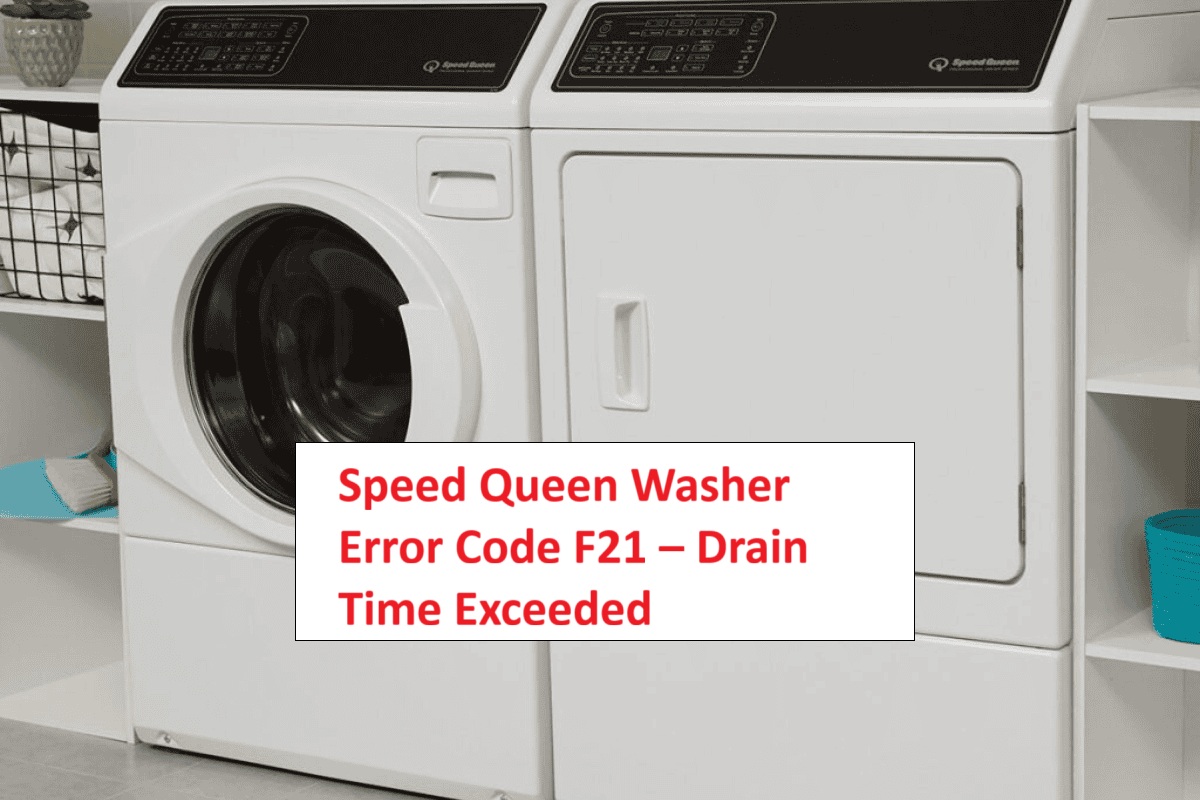
If you’ve ever found yourself frustrated by your Speed Queen washer displaying the F21 error code, you’re not alone.
This error code indicates that the washer is having trouble draining water properly – in simple terms, it means the machine isn’t getting rid of water like it should.
This is a common issue that many people face, and the good news is that there are often simple DIY solutions.
One common cause of the F21 error could be a clogged drain hose or pump filter.
Luckily, this is something you can easily check and fix on your own!
To fully understand the F21 error and explore other potential causes, be sure to read through the entire post.
We’ll provide you with all the information you need to tackle this problem effectively and get your washer back to working order.
What Does the Error Code Means?
The Speed Queen washer error code F21 indicates a drain issue during the washing cycle. When this code appears, it means your washing machine is struggling to drain water properly within the set time frame. Typically, this can occur due to a malfunctioning drain pump, a blockage in the drain hose, or a clogged lint filter that restricts water flow.
To effectively address the F21 error code, start by inspecting the drain hose for any kinks or obstructions. Ensure that it’s properly connected and free from any debris. Next, check the drain pump to make sure it is clear of any blockages and functioning correctly. If you find any buildup in the lint filter, clean it thoroughly to ensure optimal water flow. Additionally, checking for blockages in the drain system can help you identify any issues that may be causing the error.
Regular maintenance is key to preventing this issue from recurring. By keeping your washing machine in good condition, you can help it run smoothly and efficiently. It’s important to take this error seriously and address it promptly to avoid further complications down the line. If you’re unsure about any steps or need additional assistance, don’t hesitate to reach out for professional help. Your safety and the proper functioning of your appliance are paramount.
Common Causes Behind Error Code
Identifying the Sources of F21 Error Code. A systematic diagnostic process is recommended for troubleshooting, which includes inspecting the drain hose for clogs, kinks, or obstructions and checking the pump filter for debris or lint accumulation.
Clogged Drain Hose
If you’ve encountered the F21 error code on your Speed Queen washer, it’s likely that a clogged drain hose is to blame. This issue can result in serious drainage problems, preventing water from exiting the machine as it should.
Common culprits behind a clogged drain hose include lint buildup, foreign objects that may have slipped through during a wash cycle, or kinks in the hose that restrict water flow. To tackle this issue effectively, it’s essential to incorporate regular inspections and cleaning of the drain hose into your maintenance routine.
Start by disconnecting the washer from the power supply and then carefully inspect the drain hose for any visible obstructions. Clear out any lint or debris you find, and make sure there are no foreign objects lodged inside. Additionally, check for kinks in the hose; these can easily form if the hose is not properly positioned. Be mindful to use HE detergent in the correct amount to prevent excessive suds that could exacerbate drainage issues.
Faulty Drain Pump
A faulty drain pump is a common issue that can trigger the F21 error code on your Speed Queen washer. When the drain pump is not functioning correctly, it struggles to remove water from the drum, resulting in prolonged drain times. There are several reasons why a drain pump might fail, including debris that blocks the pump or wear and tear from regular use.
To tackle this problem effectively, it’s crucial to perform regular maintenance on your drain pump. Start by checking for any clogs that may obstruct the flow and ensure to clean the pump filter routinely. This proactive approach helps maintain optimal performance.
If you suspect that your pump may be faulty, you can take a couple of troubleshooting steps. First, use a multimeter to test the pump for continuity—this will help you determine if it’s receiving power. Additionally, pay attention to any unusual noises during operation; these can be signs of a malfunctioning pump. A malfunctioning pump may hinder effective water removal, which can exacerbate the issue.
Should the pump fail either of these tests, it likely needs to be replaced. Taking this step will not only resolve the F21 error code but also restore your washer’s functionality, ensuring you can get back to doing laundry without hassle. Always prioritize safety by unplugging the machine before performing any repairs, and consult your user manual for specific instructions related to your model.
Faulty Control Board
When dealing with the F21 error code on your Speed Queen washer, it’s important to recognize that a faulty control board is often a significant factor that can disrupt normal operation. If the control board is malfunctioning, it may not communicate effectively with the drain pump, which can lead to the washer exceeding its designated drain time.
To troubleshoot the control board, begin by carefully inspecting all connections. Look for any visible signs of damage, such as burnt spots or loose wires. Ensure that everything is securely connected, as a poor connection can often be the root of the problem.
If you’ve checked the connections and the issue persists, you may need to consider replacing the control board. Before you proceed with any repairs, I recommend consulting your user manual for the specific steps you need to follow and any safety precautions to take. It’s crucial to prioritize safety when working on electrical components. Environmental factors like humidity can also affect the control board’s performance, so inspect the area around the washer for moisture issues.
Addressing control board issues promptly is essential not only for restoring your washer’s functionality but also for preventing further complications during your laundry cycles. Remember, taking a methodical approach to repairs can save you time and help ensure that your appliance runs smoothly for years to come. If you’re ever in doubt, don’t hesitate to reach out to a professional technician for assistance.
Worn-Out Drain Pump Impeller
In addition to a faulty control board, a worn-out drain pump impeller can also trigger the F21 error code on your Speed Queen washer. When the impeller wears down, it can struggle to effectively remove water, leading to drainage problems. If the blades of the impeller become damaged or eroded, they lose their ability to create the necessary suction to expel water from the drum.
To keep your washer running smoothly, regular maintenance of the pump is essential. I recommend inspecting the impeller periodically for any signs of wear and replacing it if you notice significant damage. Pay attention to the performance of your washer; if you experience reduced drainage or hear unusual noises during the wash cycle, it may be time to check the impeller.
Addressing impeller wear promptly is crucial. By doing so, you can avoid more serious complications and ensure your washer operates efficiently. Remember, taking these preventive measures can save you time and money in the long run, keeping your laundry routine hassle-free. Additionally, a faulty water level sensor can also lead to incorrect water levels, further complicating drainage issues.
Required Tools to Fix the Error
Essential Tools for Troubleshooting
In addition to basic tools, having a multimeter for testing electrical components can greatly assist in diagnosing issues effectively.
Basic Tools
Before you tackle the Speed Queen washer error code F21, it’s important to have the right tools ready. Here’s what you’ll need to ensure a smooth repair process:
- Screwdriver Set: A good set of screwdrivers, including both flathead and Phillips types, will be essential. These will help you access the internal components of your washer when needed.
- Pliers: A sturdy pair of pliers will be useful for loosening or tightening hoses. This is particularly important when dealing with connections that may be more stubborn than expected.
- Bucket or Towel: It’s a smart idea to have a bucket or towel nearby to catch any leftover water during the repair. This will help you avoid a mess and keep your work area dry.
- Multimeter: For basic maintenance and troubleshooting, a multimeter is invaluable. It allows you to test electrical components to ensure they’re functioning properly, giving you a clearer picture of what might be causing the error.
- Safety Gloves: Protecting your hands is crucial. Wear gloves to guard against sharp edges and any potential contaminants you might encounter while working inside the machine.
Having this essential equipment on hand will prepare you to effectively address the F21 error code and get your Speed Queen washer back up and running safely. Remember, taking the time to gather the right tools not only makes the repair easier but also enhances your safety throughout the process. Additionally, ensuring that you check for common causes of drainage issues can help streamline your troubleshooting efforts.
Supplies
When addressing the Speed Queen washer error code F21, it’s essential to gather the right tools and supplies for a successful repair. Here’s a straightforward list to help guide you through the process safely and effectively.
First, have a bucket ready to catch any residual water that may spill out while you troubleshoot. It’s always best to prepare for the unexpected. You’ll also want some towels on hand for any clean-up that might be necessary.
A pair of pliers is crucial for removing hoses, especially if they are tightly secured. A flashlight will be invaluable for inspecting hard-to-reach areas, such as the drain pump and hoses, where visibility can be limited.
For effective drain maintenance, consider having a wet/dry vacuum available. This tool can help clear any clogs and ensure your washer drains properly. A good screwdriver set will also be necessary to access any panels that you may need to open during your repair.
Lastly, if you discover that the drain hose is damaged, having a replacement on hand is wise. Additionally, checking for clogged drain hoses is essential, as they can significantly impact your washer’s performance. With these supplies, you’ll be well-equipped to troubleshoot and resolve the F21 error code, getting your Speed Queen washer back to running smoothly and efficiently. Remember, taking the time to prepare will make the repair process much smoother and safer.
Pre-Safety Checklist Before Fixing
Before embarking on the journey to resolve the F21 error on your Speed Queen washer, it’s crucial to prioritize safety. With over 20 years of experience in appliance repair, I can assure you that following a pre-safety checklist will not only protect you but also enhance the effectiveness of your repair efforts. Here are the essential safety precautions to take:
- Unplug the Washer: Always disconnect the power supply to eliminate any electrical hazards. This is your first and most important step.
- Wear Personal Protective Equipment: Equip yourself with gloves and safety goggles. These will protect you from sharp edges and any potential debris while working on the machine.
- Maintain a Dry Work Area: Keep the area around the washer dry. This helps prevent slips and reduces the risk of electrical shocks.
- Have a Fire Extinguisher Nearby: It’s wise to keep a fire extinguisher within reach when working on electrical appliances. Being prepared for any unforeseen emergencies is a key part of safety. Additionally, ensure you have taken steps to address any potential power interruption that could complicate your repairs.
Diagnose the Error Code
After ensuring your safety, let’s work together to diagnose the F21 error code on your Speed Queen washer. This code often indicates a drainage issue, so we’ll start by checking the drain hose. Look for any clogs or kinks that might be obstructing water flow. It’s essential that the hose is positioned correctly and not submerged in water, as this can cause backflow problems.
Next, let’s inspect the drain pump filter. A buildup of debris can significantly hinder the washer’s ability to drain properly. Cleaning this filter can often resolve the issue. If your washer continues to display the F21 error after these checks, it’s time to evaluate the electrical connections to the drain pump. Look for any loose or damaged wires, as these can disrupt the pump’s operation.
To keep your washer running smoothly in the long run, regularly clean the filters and hoses. This simple maintenance can prevent issues like the F21 error from occurring in the future. Document any findings during your troubleshooting process, as this information can be valuable if you need to consult a professional for further assistance. Remember, taking these proactive steps not only helps in resolving issues but also extends the life of your appliance.
Step-by-Step DIY Troubleshooting Guide
Next Steps for F21 Error Code Resolution
Clear Drain Hose Blockage
If your Speed Queen washer is showing the F21 error code, it usually indicates there is a blockage in the drain hose. Let’s walk through the troubleshooting process step-by-step, ensuring safety and effectiveness.
- Unplug the Washer: For your safety, always start by unplugging the washer from the electrical outlet. This prevents any risk of electric shock while you work.
- Locate the Drain Hose: The drain hose is typically located at the back of your washer, running towards a standpipe or laundry tub. Familiarizing yourself with its position will make the process smoother.
- Inspect the Hose: Carefully check the drain hose for any kinks, bends, or visible blockages that could impede water flow. If you notice any irregularities, this could be the source of the problem.
- Detach the Hose: Once you’ve inspected the hose, detach it from both the washer and the standpipe. This step is crucial to allow for a thorough cleaning.
- Clear the Hose: To remove any debris or buildup inside the hose, use a long, flexible brush designed for cleaning hoses, or a garden hose can work as well. Insert it carefully into the hose and push through any obstructions. Be gentle to avoid damaging the hose.
- Reattach the Hose: After you’ve cleared the blockage, securely reattach the drain hose to both the washer and the standpipe. Make sure the connections are tight to prevent leaks during operation.
- Test the Washer: Plug the washer back in and run a drain cycle to check if the issue has been resolved. Observe the operation closely to ensure everything is functioning as it should.
Replace Faulty Drain Pump
When your Speed Queen washer shows the F21 error code, even after you’ve cleared the drain hose, it often points to a malfunctioning drain pump. Here’s a step-by-step guide to help you safely replace it:
- Unplug the Washer: Safety first! Always unplug your washer from the electrical outlet and turn off the water supply before starting any repairs.
- Remove the Front Panel: To access the drain pump, you will need to take off the front panel. This may involve unscrewing a few screws and carefully lifting the panel away.
- Disconnect the Pump: Locate the drain pump and disconnect the wiring harness and the drain hose from it. Make sure to have a towel ready to catch any residual water that may spill out.
- Remove the Old Pump: The pump is typically secured with screws. Unscrew it from its mount to take it out.
- Install the New Pump: Place the new pump into the mounting area and ensure it’s firmly secured. A proper fit is crucial for effective operation.
- Reconnect Everything: Reattach the wiring harness and the drain hose to the new pump. Make sure everything is secure to avoid leaks.
- Replace the Front Panel: Carefully put the front panel back in place and reattach any screws you removed.
- Plug the Washer Back In: Reconnect your washer to the power supply and turn on the water.
For ongoing maintenance of your drain pump, consider regularly checking for clogs. This simple step can prevent future issues and extend the life of your appliance.
Here are some additional tips for a successful pump replacement:
| Tip | Description |
|---|---|
| Choose Quality Parts | Always opt for OEM (Original Equipment Manufacturer) parts for improved durability and compatibility. |
| Follow Instructions | Rely on your service manual for specific guidelines related to your model. Each washer may have unique requirements. |
| Test After Replacement | After installing the new pump, run a short wash cycle to ensure it’s functioning properly and there are no leaks. |
Replace Faulty Control Board
A faulty control board can significantly affect your Speed Queen washer’s performance, often resulting in various error codes and operational challenges. To address this issue, let’s begin with some thorough control board testing.
First, ensure your safety by unplugging the washer from the electrical outlet. Next, access the control panel to inspect the control board. Look for any visible signs of damage, such as burnt components or loose connections. If everything appears to be in order, take the next step by using a multimeter to check for continuity and voltage levels. If you notice any discrepancies in these readings, it’s likely time for a replacement.
When it’s time to replace the control board, make sure to order a compatible part that matches your washer model. Once the new board arrives, follow these steps: Start by carefully disconnecting the existing board, making sure to note the wiring configuration for reference. Install the new board by reversing the disconnection steps, ensuring all connections are secure.
After the installation, reassemble the washer, plug it back in, and run a test cycle. This final check will help confirm that everything is functioning properly. Remember, safety is paramount, so take your time and make sure each step is completed correctly. If you have any uncertainties during the process, don’t hesitate to consult a professional technician. Your washer’s performance and safety are worth the diligence!
Replace Worn Drain Pump Impeller
To ensure your Speed Queen washer continues to run smoothly, it’s crucial to replace a worn drain pump impeller if you’re facing drainage problems. Here’s a step-by-step guide to help you through the process safely and effectively.
- Safety First: Begin by unplugging your washer from the power source. This is essential to prevent any electrical hazards while you work.
- Access the Drain Pump: Locate and remove the lower front panel of your washer. This will give you access to the drain pump. Be sure to keep track of any screws or fasteners you remove for reassembly later.
- Inspect the Drain Pump: Once you have access, visually inspect the drain pump and its impeller for any signs of wear, damage, or blockages. A worn impeller can significantly affect the washer’s drainage efficiency.
- Remove the Pump: If you find that the impeller is indeed worn, you’ll need to detach the pump. This typically involves unscrewing it from its housing. Take care to note how the pump is connected, as you’ll need to reassemble it in the same way.
- Replace the Impeller: Install the new impeller, ensuring that it fits securely and snugly within the pump. It’s important that it is properly seated to avoid future issues.
- Reassemble Your Washer: Once the new impeller is in place, reattach the pump to its housing and secure it with screws. Then, reattach the lower front panel of the washer.
- Test the Repair: Plug the washer back in and run a short cycle to test the functionality of the new impeller. Observe how well it drains during the cycle to confirm that the issue has been resolved.
- Regular Maintenance Tips: To prevent future problems with your drain pump, regularly check for any debris that may accumulate and clean it as needed. This simple maintenance can extend the life of your washer and its components.
Call a Professional If
If you’ve gone through the troubleshooting steps for the Speed Queen washer error code F21 and the issue still isn’t resolved, it may be time to reach out to a professional technician. With over 20 years of experience in appliance repair, I understand how frustrating it can be when DIY solutions don’t yield results.
Seeking expert help can save you a significant amount of time and reduce the stress of dealing with ongoing issues. Professionals possess the knowledge and skills needed to diagnose and fix problems that may not be apparent to the average homeowner. They have access to specialized tools and replacement parts that can make all the difference in restoring your washer to optimal performance.
Moreover, when you choose professional services, you can be confident that repairs will be conducted to industry standards, minimizing the likelihood of recurring issues. Remember, investing in professional assistance not only helps you fix your washer efficiently but also contributes to prolonging its lifespan. Don’t hesitate to seek help when you need it; your appliance deserves it!