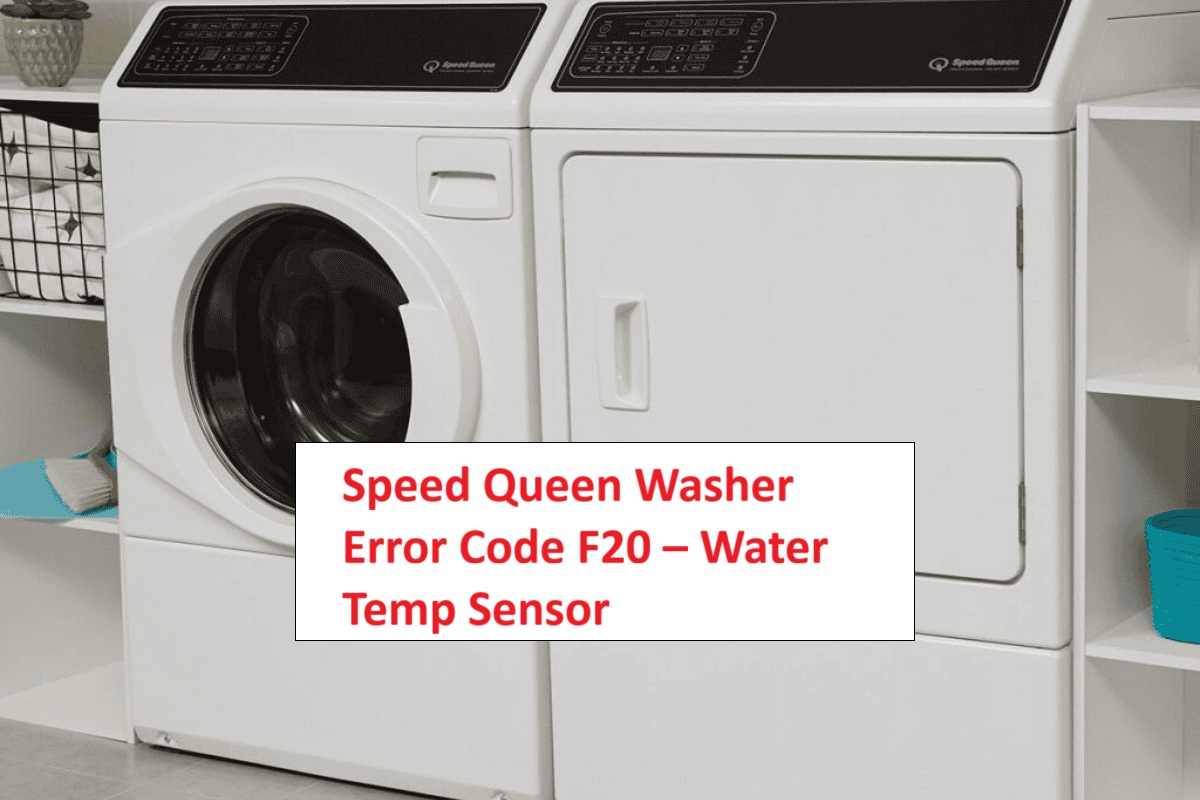
If you’ve come across the Speed Queen Washer Error Code F20, you might be feeling a bit frustrated.
This error typically points to an issue with your washer’s water supply, particularly related to the water temperature sensor.
Don’t worry—you’re not alone! This is a common problem, and many of its causes can be tackled with simple DIY fixes.
One common reason for this error is a clogged filter, which can prevent water from flowing properly.
To fully understand this error and discover all possible causes, we invite you to read through the entire post.
By doing so, you’ll be equipped with the knowledge you need to get your washer back in working order!
What Does the Error Code Means?
The Speed Queen washer error code F20 signals a water supply issue, specifically indicating that the washer isn’t detecting sufficient water flow. This error commonly occurs when the machine fails to fill to the necessary water level within a designated timeframe.
One key component involved in this process is the temperature sensor. This sensor is responsible for monitoring the water temperature to ensure optimal washing conditions. If it malfunctions, it may trigger the F20 error code, resulting in inaccurate readings and inadequate water supply.
To address this issue, start by checking the water supply lines for any kinks or blockages. Make sure the valves are fully open to allow for proper water flow. Next, inspect the temperature sensor to ensure it is functioning correctly. If the sensor is not operating as it should, it can also contribute to the F20 error code. Additionally, check the wiring connections associated with the water sensor for any damage or looseness, as this can affect the sensor’s performance.
Common Causes Behind Error Code
Identifying the Issues Behind the F20 Error Code
The F20 error code indicates a malfunction related to the water temperature sensor, which is essential for regulating the washing process. Communication issues between the control board and the sensor can also lead to similar errors, affecting the washer’s performance.
Faulty Water Temperature Sensor
If you’re seeing the F20 error code on your Speed Queen washer, a faulty water temperature sensor is likely the issue. This sensor is crucial for accurately monitoring the water temperature throughout the wash cycles. When it malfunctions, it can produce incorrect readings, which may cause the washer to stop working altogether.
Sometimes, the sensor may not calibrate properly, leading the machine to think that the water temperature is outside the acceptable range. Additionally, various external factors—like electrical problems—can also impact the sensor’s performance. A faulty water level sensor can result in similar communication issues, so it’s essential to inspect all related components.
To tackle this issue, start by testing the sensor for continuity using a multimeter. This will help you determine if the sensor is functioning correctly. If you find that the sensor is faulty or out of calibration, replacing it is essential to restore your washer’s functionality and clear the F20 error code.
Clogged Water Inlet Filter
A clogged water inlet filter is a common issue that can trigger the F20 error code on your Speed Queen washer. When the filter becomes obstructed, it can impede water flow, resulting in insufficient water pressure necessary for the washer to operate properly. It’s important to inspect the inlet filter regularly, as sediment and mineral deposits can build up over time, leading to potential clogs.
To resolve this issue safely, start by turning off the water supply to your washer. Next, disconnect the hoses from the back of the machine. Take care to have a towel or bucket handy to catch any residual water that might spill out. Once the hoses are detached, locate the inlet filter and carefully remove it. Rinse the filter under running water to thoroughly remove any debris or buildup.
After cleaning, reinstall the filter securely, reconnect the hoses, and then turn the water supply back on. By maintaining a clean inlet filter, you ensure optimal water pressure and help prevent the F20 error code from recurring. Regular maintenance like this can extend the lifespan of your washer and improve its efficiency. If you encounter further issues or the error persists, don’t hesitate to reach out for professional assistance. Your washer deserves the best care! Additionally, a malfunctioning drain pump can also block water removal, leading to similar issues.
Faulty Wiring Connections
Faulty wiring connections can trigger the F20 error code on your Speed Queen washer, disrupting its ability to function properly. When the insulation around wires becomes damaged or frayed, it can lead to unstable connections, resulting in communication issues between the various components of your washer.
As a first step, take the time to inspect the wiring harness and connections. Look for signs of loose or corroded connections, as these can significantly impact the performance of your appliance. Ensure that all connectors are securely attached and examine the wiring for any visible signs of wear or damage.
If you find any damaged wires or connectors, it’s crucial to address these issues promptly. Replacing faulty components will help restore the integrity of the wiring system, ensuring that your washer operates efficiently. Remember, addressing wiring problems early can prevent more serious complications down the line. Additionally, consulting the user manual can provide specific troubleshooting steps that might be beneficial.
Always prioritize safety during your inspection and repairs. If you’re not comfortable performing these checks on your own, don’t hesitate to reach out to a qualified technician for assistance. Your washer’s reliable operation is worth the effort!
Blocked Water Supply Line
When water supply lines become blocked, your Speed Queen washer may show the F20 error code, which signals a water intake issue. This blockage can hinder water flow and reduce supply pressure, making it challenging for your washer to fill properly. Understanding the common causes of blocked water supply lines can help you troubleshoot and resolve the issue effectively. Here’s a breakdown of potential causes, their symptoms, and solutions:
| Cause | Symptoms | Solution |
|---|---|---|
| Kinked Hose | Reduced water flow | Inspect the hose for bends or twists and straighten it if necessary. Make sure it’s not pinched against any surfaces. |
| Sediment Buildup | Slow filling | Check the inlet filters for clogs caused by mineral deposits. Clean them carefully or consider replacing them if they appear damaged. |
| Faulty Inlet Valve | No water intake | Test the inlet valve by ensuring it’s receiving power and check for any blockages. If it’s malfunctioning, you may need to replace it. |
| Frozen Pipes | No water supply | If you suspect frozen pipes, gently thaw them using a hairdryer on a low setting or warm towels. Avoid using open flames, as this can cause damage. |
Additionally, addressing issues related to inadequate water pressure is crucial for ensuring proper washer functionality.
Required Tools to Fix the Error
Essential Tools for Speed Queen Washer Repair
When addressing issues like the F20 error code, having the right tools can significantly simplify the repair process. Additionally, using a multimeter can help you check electrical connections and ensure the power supply is stable, which is crucial for diagnosing problems related to the PF error code.
Basic Tools
Fixing the F20 error code on your Speed Queen washer can be a straightforward process when you have the right tools at your disposal. As someone with over 20 years of experience in appliance repair, I understand that having the proper equipment not only eases the troubleshooting process but also supports ongoing maintenance to keep your washer running smoothly and efficiently.
Here’s a list of essential tools you’ll need, along with their purposes and importance:
| Tool | Purpose | Importance |
|---|---|---|
| Screwdriver | To open the washer panel | Essential for gaining access |
| Multimeter | To test electrical connections | Critical for diagnostics |
| Pliers | To grip and manipulate various parts | Useful for adjustments |
| Wrench | To tighten or loosen bolts | Necessary for securing components |
Additionally, having a multimeter for testing electrical components can significantly enhance your ability to diagnose issues effectively.
Supplies
When dealing with the F20 error code, having the right supplies is crucial for a successful repair. First and foremost, ensure you have a multimeter. This tool is essential for testing both the water supply and the water temperature sensor, enabling you to diagnose the problem accurately.
You’ll also need a comprehensive set of screwdrivers to access the internal components of your washer. Different screws require different types of screwdrivers, so having a variety on hand will save you time and frustration. Pliers are another important tool; they can assist you in loosening stubborn fittings that may be difficult to remove.
It’s wise to have replacement parts available, particularly a new water temperature sensor, especially if your troubleshooting indicates that the current one is malfunctioning. This proactive approach can significantly reduce the time your washer is out of commission.
Additionally, keep some towels nearby to manage any spills that may occur during the repair process. Water can escape during disassembly, so being prepared will help you maintain a clean workspace.
Lastly, a work light can be invaluable. Many of the areas you’ll be working in are tight and poorly lit, so having adequate illumination will make the task much easier and safer. Moreover, ensure you follow a diagnostic process to help identify the root of the issue effectively.
With these supplies at your fingertips, you’ll be well-equipped to tackle the F20 error code efficiently and effectively, ensuring your washer is up and running in no time. Remember, safety is paramount, so take your time and follow all procedures carefully.
Pre-Safety Checklist Before Fixing
Before you dive into addressing the F20 error code on your Speed Queen washer, it’s crucial to prioritize safety—both for yourself and your appliance. By following these essential safety precautions, you can help prevent accidents and ensure a smooth troubleshooting process.
Prioritize safety before troubleshooting your Speed Queen washer to prevent accidents and ensure a smooth repair process.
- Unplug the washer: This is your first step to eliminate any risk of electric shock. Always make sure to disconnect the power supply before starting any repair work.
- Turn off the water supply: This action prevents any potential leaks or flooding that may occur during your repairs. Locate the shut-off valves and ensure they are securely closed.
- Wear safety goggles and gloves: Protect yourself from sharp components or any debris that may be present. Safety goggles will shield your eyes, while gloves will keep your hands safe from cuts or abrasions.
- Check for electrical issues: Be aware that power interruptions can lead to operational problems, so inspect your electrical connections before starting any repairs.
Diagnose the Error Code
To diagnose the F20 error code on your Speed Queen washer, let’s first clarify what this code signifies. The F20 error is typically associated with issues related to the water temperature sensor or its connections. Here’s a step-by-step approach to help you identify and address the problem safely.
- Check Connections: Begin by inspecting the wiring harness connected to the water temperature sensor. Look for any loose or damaged wires that could disrupt the connection. It’s essential to ensure that all connections are secure to prevent any electrical issues.
- Test the Sensor: Using a multimeter, measure the resistance of the water temperature sensor. Refer to your washer’s manual to find the manufacturer’s specifications for normal resistance values. If your measurement falls outside the specified range, it’s likely that the sensor has failed and will need to be replaced.
- Inspect Water Supply: Ensure that your water supply is adequate. Check that the water valves are fully open and that there are no obstructions in the hoses that might restrict water flow.
- Additional Checks: If the connections and the sensor appear to be functioning properly, it might be worthwhile to examine the control board for any faults, as this can also contribute to the F20 error.
Step-by-Step DIY Troubleshooting Guide
Next Steps for Resolving F20 Error Code
Replace Temperature Sensor Assembly
Replacing the temperature sensor assembly in your Speed Queen washer might seem daunting at first, but I assure you, it’s a manageable task that you can confidently handle. With over 20 years of experience in appliance repair, I’m here to guide you through the process step-by-step. Let’s ensure you have a safe and successful installation.
Step-by-Step Guide to Replace Temperature Sensor Assembly:
| Step | Action | Notes |
|---|---|---|
| 1 | Disconnect Power | Always prioritize safety by unplugging the washer. |
| 2 | Access the Assembly | Remove the back panel to access the temperature sensor. Use a screwdriver and keep track of the screws. |
| 3 | Disconnect Sensor Wires | Take a clear picture of the wire connections for reference. This will help you reconnect them accurately later. |
| 4 | Remove Old Sensor | Unscrew the old sensor and gently pull it out. Be careful not to damage any surrounding components. |
| 5 | Install New Sensor | Position the new sensor correctly and secure it in place with screws. Ensure it fits snugly to avoid any issues. |
| 6 | Reconnect Wires | Use your reference photo to reconnect the wires to the new sensor. Double-check that each connection is secure. |
| 7 | Reassemble the Panel | Put the back panel back on and ensure all screws are tightened properly. This will keep the washer components protected. |
| 8 | Restore Power | Plug the washer back in and test its functionality to ensure the new sensor is working correctly. |
Clean Inlet Filter
Cleaning the inlet filter in your Speed Queen washer is a crucial maintenance step that can help resolve issues such as slow filling or error codes like F20. Let’s go through this process carefully to ensure your washer continues to function efficiently.
- Safety First: Begin by unplugging your washer from the electrical outlet and turning off the water supply. This is essential to prevent any electrical hazards or water leaks while you work.
- Locate the Inlet Filter: The inlet filter is typically situated where the water hoses connect to the back of the machine. You may need to gently pull the washer away from the wall for better access.
- Disconnect the Hoses: Using pliers, carefully loosen the hose clamp and disconnect the water hose from the inlet valve. Be prepared for some residual water to spill out, so have a towel handy to catch any drips.
- Inspect the Filter: Once the hose is removed, you will see the inlet filter. Take a moment to inspect it for any debris or mineral buildup. This buildup can restrict water flow and lead to the problems you’re experiencing.
- Clean the Filter: Rinse the filter under warm running water. If you notice stubborn particles, you can use a soft brush, like a toothbrush, to gently scrub the filter. Be careful not to damage it during this process.
- Reassemble: After cleaning, reattach the filter and securely connect the hose back to the inlet valve. Make sure the hose is tightened properly to prevent leaks.
- Final Steps: Turn the water supply back on and plug in your washer. Run a short cycle to ensure everything is functioning correctly and that there are no leaks.
Repair Wiring Connections
Repairing wiring connections in your Speed Queen washer is crucial for addressing error codes such as F20, which typically point to water supply issues. Let’s ensure you’re safe while doing this. First and foremost, unplug the washer to eliminate any risk of electrical shock.
- Unplug the Washer: This is your first step. Always prioritize safety when working with electrical appliances.
- Check Insulation: Carefully inspect the wiring insulation for any signs of damage, such as frays or breaks. Damaged insulation can lead to short circuits or other electrical problems.
- Test Connections: Utilize a multimeter to check the integrity of the connections. A faulty connection can disrupt not only water supply readings but also various functions of your washer.
- Repair as Needed: If you discover any issues, you may need to solder or replace the damaged wires. Ensure that any repairs are solid and secure to prevent future problems.
- Reassemble and Test: Once repairs are complete, reassemble any components you removed and double-check that all connections are secure. Run a test cycle to make sure everything is functioning properly.
Unclog Water Supply Line
When your Speed Queen washer shows the F20 error code, it’s usually a sign that there’s an issue with the water supply line, which may be clogged. Addressing this promptly is important for restoring your washer’s functionality.
First, check the supply valve to ensure it’s fully open; sometimes, it may be partially closed, restricting water flow. Next, take a close look at the water supply hoses. Inspect them for any kinks or blockages that could hinder water flow. To do this safely, disconnect the hoses from the washer and have a bucket handy to catch any residual water that may spill out.
Once the hoses are disconnected, flush them with clean water to clear out any debris that could be causing issues. It’s also wise to check the inlet screens located at the back of the washer. These screens can accumulate mineral deposits and debris over time, leading to reduced water flow. If they appear dirty, carefully clean them using a soft brush and water.
If you notice low water pressure during your checks, it could point to a more significant plumbing issue, so keep that in mind. After you’ve cleared any clogs and cleaned the screens, reconnect everything securely.
Finally, run a test cycle on your washer. Addressing these potential issues often resolves the F20 error code, allowing your washer to operate normally again. Remember, if the problem persists after these steps, it may be time to consult a professional technician for further assistance. Your safety and the proper functioning of your appliance are my top priorities.
Call a Professional If
If you’ve attempted to troubleshoot your Speed Queen washer and the F20 error continues to appear, it’s time to consider calling in a professional. Ignoring persistent issues can lead to more significant problems down the road. A qualified technician can accurately assess the situation and pinpoint underlying issues, such as faulty sensors or electrical problems, which may be beyond your ability to address safely.
| Signs You Need Help | Possible Issues | Professional Assistance Needed |
|---|---|---|
| F20 error persists | Faulty water temperature sensor | Yes |
| Inconsistent cycles | Electrical problems | Yes |
| No water filling | Clogged intake valves | Yes |
| Unusual noises | Mechanical failure | Yes |
| Leaking water | Pipe issues | Yes |
Don’t risk further complications by attempting to solve these problems on your own. Seeking professional help is the safest and most effective way to ensure your washer operates properly and reliably.