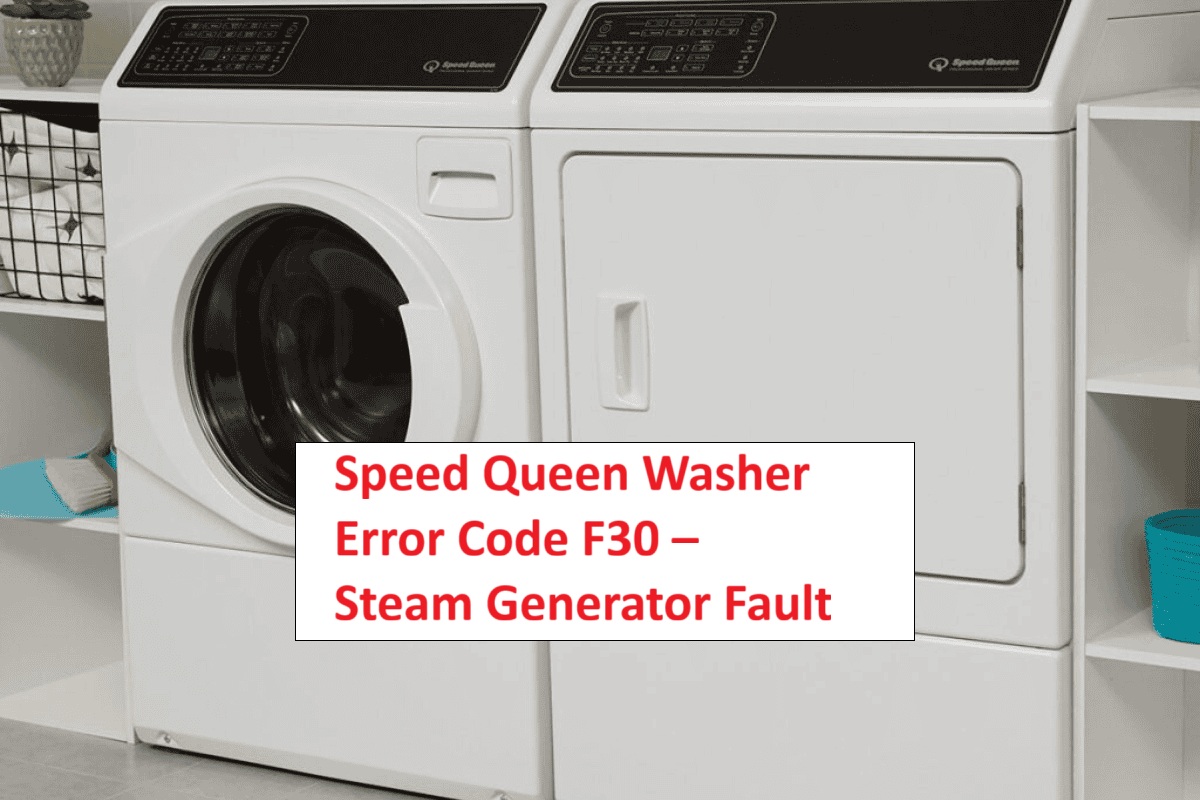
We understand how frustrating it can be when your Speed Queen washer isn’t working as it should.
If you’ve encountered the F03 error code, you’re not alone. This code typically indicates a tachometer signal issue, which means the washer is having trouble detecting the spin speed of the drum. This can disrupt normal operation, leading to incorrect water fill levels that could potentially damage your appliance.
The good news is that this is a common issue, and many of the causes have simple DIY solutions.
One common reason for the F03 error could be a loose or damaged connection in the wiring harness.
However, to truly get to the bottom of this error and explore all possible causes and solutions, we encourage you to read through the entire post.
You’ll find valuable insights that will help you restore your washer’s functionality and get it running smoothly again.
What Does the Error Code Mean?
When your Speed Queen washer displays the error code F03, it signals a problem with the machine’s water level sensing system. Specifically, this error indicates that the washer’s control board is not receiving a proper tachometer signal from the motor. This signal is crucial because it allows the washer to accurately determine the motor’s RPM, which in turn helps manage the water fill levels effectively.
Without this feedback, your washer may struggle to fill with the correct amount of water, leading to issues such as overfilling or underfilling. It’s important to address this error promptly to prevent further complications.
To troubleshoot this issue, start by checking the wiring connections between the motor and the control board for any signs of damage or disconnection. Additionally, inspect the control board itself for any visible faults. If you’re not comfortable performing these checks yourself, it may be best to contact a professional technician who can safely diagnose and resolve the issue.
Understanding the F03 error code equips you with the knowledge needed to take the appropriate steps in restoring your washer’s functionality. Remember, safety first—always unplug the appliance before attempting any repairs.
Common Causes of the Error Code
Troubleshooting the F03 Error Code
Cause 1
If your Speed Queen washer is displaying the error code F03, it typically points to a problem with the water level sensor. This error can stem from a malfunctioning tachometer, which is responsible for measuring the motor speed and drum movement accurately. When the tachometer isn’t working as it should, it can disrupt communication between the sensor and the control board, leading to the appearance of this error code.
Moreover, issues with the sensor’s connections can worsen the situation. Loose or corroded connections may result in intermittent signals or a complete failure to detect the water level. To address the F03 error effectively, start by inspecting the tachometer for any visible damage. It’s also crucial to check all sensor connections to ensure they are secure and free from corrosion.
Taking these steps can help restore your washer to normal operation. Remember, working with appliances can be tricky, so always prioritize safety by unplugging the washer before attempting any inspections or repairs. If you’re unsure about any step, don’t hesitate to reach out to a professional for assistance.
Cause 2
In addition to issues with the water level sensor and tachometer, there are several other common causes that can lead to the F03 error code in your Speed Queen washer. Understanding these causes can help you troubleshoot the problem effectively.
One significant cause is a tachometer malfunction, which can happen due to wear or damage over time. The tachometer is crucial as it measures the motor’s speed, and any issues here can disrupt the washer’s performance. Signal disruption is another potential cause, often resulting from faulty wiring or loose connections. This can hinder the washer’s ability to receive accurate feedback from the motor.
To help you further, here is a table summarizing these causes along with their descriptions and solutions:
| Cause | Description | Solution |
|---|---|---|
| Tachometer Malfunction | Wear or damage affecting function | Replace the tachometer |
| Signal Disruption | Faulty wiring or connections | Inspect and repair wiring |
| Obstructed Components | Dirt or debris in the motor area | Clean and clear obstructions |
| Control Board Failure | Malfunction in the control board | Replace the control board |
| Software Glitches | Outdated or corrupted software | Update or reset software |
Cause 3
When dealing with the F03 error code in your Speed Queen washer, one of the most common culprits is an obstruction within the washer’s components. Over time, debris, lint, or foreign objects can build up in various areas, interfering with the tachometer signal. This disruption prevents the washer from accurately detecting drum movement and speed, resulting in the F03 error code.
To address this issue effectively, I recommend you regularly inspect and clean the interior of your washer, paying special attention to areas around the motor and drive system where blockages are likely to occur. Additionally, it’s important to check the wiring connected to the tachometer. Look for any frayed or damaged wires, as these can also lead to signal issues.
Cause 4
One of the common causes of the F03 error code in your Speed Queen washer is related to issues with the motor control board. If the tachometer, which monitors the motor’s speed, malfunctions, it may not send the necessary signals to the control board effectively. This disruption can lead to incorrect motor speed readings, triggering the F03 error.
Moreover, if there is any damage to the motor control board or faulty connections within it, this can worsen the situation and cause further signal disruptions. When the washer cannot accurately assess the motor’s performance due to these issues, it might halt operations altogether.
To address this problem, start by carefully inspecting the connections between the motor control board and the tachometer. Look for any signs of wear, corrosion, or loose connections that could be affecting performance. If you’re not confident in your ability to troubleshoot these components, it’s wise to seek assistance from a professional technician. They can provide the expertise needed for repair or replacement, ensuring your washer is back in working order safely and effectively.
Required Tools to Fix the Error
Essential Tools for Repairing the F03 Error Code
Basic Tools
Before addressing the F03 error code on your Speed Queen washer, it’s important to ensure you have the right tools ready for the job. Here’s a list of essential tools that will help you diagnose and resolve the issue safely and effectively:
- Multimeter: This tool is crucial for testing electrical connections and verifying that the tachometer is working properly. It can help you identify any electrical faults that may be causing the error.
- Socket Set: A socket set will allow you to remove the necessary panels to access the internal components of your washer. Make sure to have various sizes on hand, as different screws may require different socket sizes.
- Screwdriver: A good-quality screwdriver is essential for securing and unscrewing parts. Having both Phillips and flat-head screwdrivers in your toolbox will cover most of your needs.
- Pliers: Pliers are handy for gripping and manipulating smaller components, especially if you need to reach tight spaces within the washer.
- Flashlight: A flashlight is invaluable for illuminating dark areas inside the washer, making it easier to see what you’re working on.
Having these basic tools at your disposal will empower you to troubleshoot and perform basic maintenance on your washer effectively. With the right equipment and a methodical approach, you can confidently diagnose the F03 error and work towards a resolution. Remember, safety should always be your top priority. Unplug the washer before beginning any repairs to avoid electrical hazards.
Supplies
When addressing the F03 error code on your Speed Queen washer, it’s crucial to have the right supplies at your disposal for a successful repair. Equipped with the proper tools, you not only streamline the repair process but also enhance your washer’s maintenance routine, which can help prevent future errors. Here’s a well-rounded list of what you’ll need:
- Multimeter: This is essential for testing electrical components and ensuring that everything is functioning correctly. A reliable multimeter can help you identify issues such as faulty connections or defective parts.
- Screwdriver Set: Accessing the internal components of your washer will require a good set of screwdrivers. Make sure to have both Phillips and flathead screwdrivers, as different fasteners may be used throughout the machine.
- Replacement Tachometer: If you’ve determined that the tachometer is faulty, having a replacement on hand will allow you to address the issue promptly. This component is critical for the washer’s operation, as it helps regulate the motor’s speed.
- Cleaning Cloth: Keeping connections clean is vital for the optimal performance of your washer. Use a lint-free cleaning cloth to wipe down electrical contacts and connectors, ensuring there’s no debris that could lead to poor performance.
Pre-Safety Checklist Before Fixing
Before diving into the Speed Queen washer error code F03, ensuring your safety is the top priority. Here’s a step-by-step approach to creating a secure working environment:
- Unplug the Washer: Start by unplugging the washer from the electrical outlet. This is a crucial step to eliminate any risk of electrical shock while you’re working on the machine.
- Clear Your Workspace: Make sure the area around the washer is free of clutter. A clean workspace will help you avoid tripping or accidentally knocking over tools during the repair process.
- Wear Protective Gear: Equip yourself with safety goggles and gloves. These will protect you from any debris or sharp edges you might encounter while working on the washer.
- Gather Your Tools: Before you begin, ensure that you have all the necessary tools readily available. Having everything at hand will streamline the repair process and minimize interruptions.
- Consult the User Manual: Take some time to review the user manual specific to your Speed Queen washer model. Familiarizing yourself with the components and functions will empower you to troubleshoot more effectively.
Diagnose the Error Code
Diagnosing the Speed Queen washer error code F03 can seem daunting, but with a methodical approach, you can pinpoint the issue effectively. Here’s a step-by-step guide to help you troubleshoot this specific error code:
- Examine the Tachometer Wiring: Start by checking the wiring connected to the tachometer. Look for any visible signs of damage, fraying, or loose connections. A secure and intact connection is crucial for accurate tachometer readings.
- Inspect the Motor Control Board: Next, take a close look at the motor control board. Check for any burnt components or unusual signs of wear. The control board is the brain of the washer, and any malfunctions here can lead to error codes.
- Test the Motor: It’s essential to ensure the motor is operating correctly. Use a multimeter to test the motor’s continuity and resistance. A malfunctioning motor can disrupt the tachometer signal, triggering the F03 error.
- Utilize Speed Queen Diagnostics: If you have access to the diagnostic mode on your Speed Queen washer, use it. This feature can provide valuable insights into error codes and allow you to run various tests, helping you narrow down the problem further.
Step-by-Step DIY Troubleshooting Guide
Troubleshooting Steps for the F03 Error Code
Fix for Cause 1
To effectively resolve the F03 error code on your Speed Queen washer, it’s crucial to start with the lid switch assembly, as it’s often the main cause. Here’s a step-by-step guide to help you through the inspection process:
- Ensure Safety First: Always unplug the washer before performing any diagnostic or repair work. This prevents any risk of electrical shock.
- Locate the Lid Switch Assembly: This is usually found near the hinges of the washer lid. Once located, visually inspect it for any signs of wear or damage, such as cracks or corrosion.
- Conduct a Signal Test: Using a multimeter, check the lid switch for proper functionality. You should look for continuity when the lid is closed. If the switch fails to show continuity, it’s likely defective and will need to be replaced.
- Replace if Necessary: If your testing confirms the lid switch is faulty, proceed with replacing it. Make sure to use a compatible part to ensure proper operation.
If the lid switch passes these inspections, you may need to delve deeper into the washer’s components that relate to the tachometer signal. This can include checking wiring connections and other related parts. Proper troubleshooting not only resolves the current issue but also helps prevent future problems, ensuring your washer operates efficiently.
Fix for Cause 2
If you’ve ruled out the lid switch as the source of the F03 error code, the next step is to examine the wiring connections related to the tachometer signal. It’s important to ensure your safety first, so begin by disconnecting the washer from the power source.
Next, inspect the wiring for any loose, frayed, or damaged sections that could disrupt the tachometer signal. Pay close attention to the connections; sometimes, a simple loose wire can lead to significant issues. If you find any loose connections, secure them properly. Once you’ve addressed any wiring problems, reconnect everything tightly.
After ensuring that all connections are secure, it’s time to perform a tachometer calibration. This step is crucial to confirm that the tachometer is functioning correctly, which will help prevent future error codes.
Here’s a simplified step-by-step guide for you:
| Step | Action |
|---|---|
| 1 | Disconnect power |
| 2 | Inspect wires for damage |
| 3 | Secure loose connections |
| 4 | Reconnect wiring securely |
| 5 | Perform tachometer calibration |
Fix for Cause 3
While you’ve already checked the wiring and calibrated the tachometer, the F03 error code might also indicate a problem with the motor control board. This component is essential as it sends the tachometer signal, ensuring your washer operates properly. Let’s go through the steps to troubleshoot this issue safely:
- Unplug the Washer: For your safety, always start by unplugging the washer from the electrical outlet and waiting a few minutes to ensure any residual charge dissipates.
- Access the Motor Control Board: Carefully remove the back panel of the washer to gain access to the motor control board. Make sure to keep track of any screws or clips you remove.
- Inspect for Damage: Look for any burn marks, loose connections, or visibly damaged components on the motor control board. These signs can indicate a failure that needs addressing.
- Replace if Necessary: If you identify any damage, or if the board seems to be malfunctioning, consider replacing it with a compatible part. Ensure that the replacement board matches the specifications for your washer model.
Fix for Cause 4
As you continue troubleshooting the F03 error code, it’s crucial to check the wiring for the motor and its connections. Safety should always come first, so start by unplugging the washer. Carefully inspect the wiring harness for any signs of damage, such as frays or loose connections. If you notice any issues, take the necessary steps to repair or replace the damaged wires.
Next, using a multimeter, test the continuity of the wires leading to the motor. This diagnostic technique is essential for identifying any breaks in the circuit that could be causing the error code. Once you’ve completed your inspections and repairs, make sure to reconnect all components securely.
After everything is back in place, plug the washer back in and run a diagnostic cycle. This will help you determine if the F03 error code has been resolved. By following these steps, you can effectively troubleshoot the issue and restore your washer’s functionality. Remember, thoroughness and attention to detail are key when working on appliance repairs.
Call a Professional If
When your Speed Queen washer displays the F03 error code, it’s important to know when to call a professional for help. Here are some clear signs that indicate it’s time to seek expert assistance:
- Persistent Error: If the F03 error continues to show up even after you’ve tried basic troubleshooting steps, such as resetting the machine or checking the power supply, it’s a strong signal that something more complex might be at play.
- Unusual Noises or Vibrations: If you hear strange noises or feel excessive vibrations during the wash cycle, this could indicate a mechanical issue. These sounds often signal problems with the motor, drum, or other internal components that require a technician’s expertise.
- Physical Damage: Inspect your washer for any visible signs of damage, such as frayed wires, cracks in the drum, or loose connections. If you find any, it’s crucial to avoid using the machine and seek professional help to prevent further damage or safety hazards.
- Lack of Confidence in Repairs: If you’re unsure about how to safely troubleshoot or repair the machine yourself, it’s better to call a professional. Appliance repairs can be tricky, and safety should always come first.
Ignoring these warning signs can lead to more severe problems and potentially costly repairs down the line. A qualified technician can provide a thorough diagnosis, ensuring your washer operates efficiently and safely. If you’re ever in doubt, don’t hesitate to reach out for professional help. It’s always better to be safe than sorry when it comes to appliance repairs.