We understand how frustrating it can be when your washer displays an error code, especially when it disrupts your laundry routine.
If your Samsung Washer is showing the error code SC, this means there’s an issue with the steam generator that is likely related to drainage problems.
Don’t worry; this is a common issue, and there are often simple DIY solutions available.
One potential cause of the SC error code could be clogged hoses, which can prevent proper drainage.
To get to the bottom of the issue, we encourage you to read through this entire post.
We will dive deeper into the various causes behind the error and equip you with the necessary tools and steps to resolve it, ensuring your washer runs smoothly again.
What Does the Error Code Means?
When your Samsung washer shows the error code SC, it signifies there’s an issue with the drain system. This problem typically indicates that your washer is having difficulty draining water effectively, which can lead to water accumulating in the drum. Addressing this error quickly is crucial to prevent any potential damage to your appliance.
The SC error code can arise from several common issues, including clogs in the drain hose, a malfunctioning drain pump, or even problems with the washer’s control board. To keep your Samsung washer running smoothly, regular maintenance is key. Begin by inspecting the drain hose for any blockages or kinks that might impede water flow.
The SC error code may stem from drain hose clogs, a faulty pump, or control board issues; regular maintenance is essential.
If the hose appears clear, you may want to check the drain pump for any obstructions or damage. This pump is responsible for removing water from the drum, and if it’s not functioning properly, it can trigger the SC error. In some cases, issues with the control board may also lead to drainage problems, but this is less common. Additionally, addressing drain pump issues early can help you avoid more complex problems down the line.
Remember that maintaining your washer can often help you avoid these issues altogether. By ensuring proper drainage and addressing any potential blockages early on, you can often resolve the problem without needing to call in a professional. Understanding the SC error code empowers you to take control of your appliance’s maintenance, keeping it efficient and prolonging its lifespan.
Common Causes Behind Error Code
Common Causes of SC Error Code
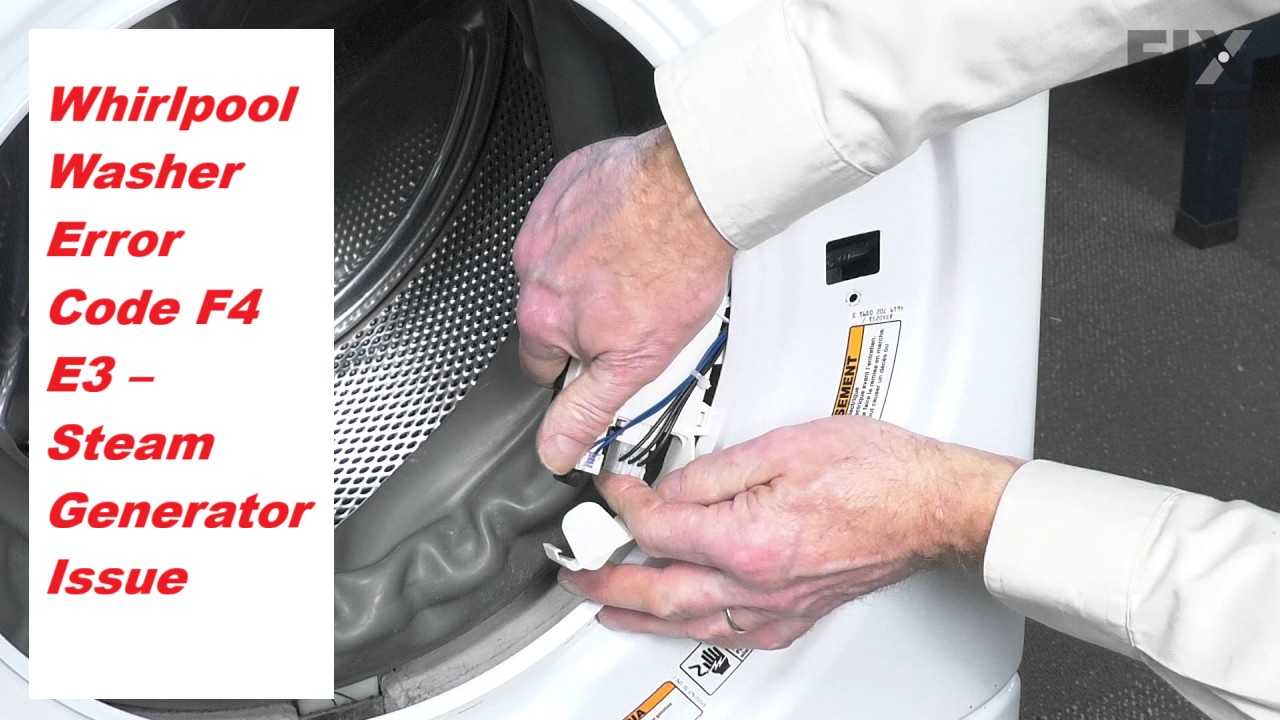
The SC error code in Samsung washers may indicate issues similar to those found in Whirlpool washers, such as steam generator issues that affect water heating and steam cycle performance.
Faulty Steam Generator Connection
If you’re seeing the SC error code on your Samsung washer, it could be due to a faulty connection with the steam generator. This issue typically arises from loose or damaged connections that interrupt communication between the washer and the steam generator.
To tackle this problem effectively, begin with some thorough maintenance of the steam generator. Here’s a step-by-step approach:
- Safety First: Before you start any inspection or repair, unplug the washer to ensure your safety.
- Inspect Connections: Open up the access panel for the steam generator. Look closely at all wiring and connectors. You’re checking for any signs of wear, damage, or disconnection. Loose wires can easily cause communication issues.
- Secure Loose Connections: If you find any loose connections, carefully secure them. Make sure that all plugs are seated properly and that there are no frayed wires.
- Check for Damage: If you notice any damaged wiring or connectors, it’s best to replace those components. Using parts that match the specifications of your washer ensures compatibility and safety.
- Regular Maintenance: Establishing a routine to inspect these connections periodically can help you prevent similar issues in the future. Make it a habit to check the steam generator connections during your regular washer maintenance. Additionally, ensure that all components are functioning correctly, as a motor control problem could also contribute to operational issues.
Clogged Steam Generator Filter
A clogged steam generator filter can lead to the SC error code on your Samsung washer, which indicates an issue with the water flow to the steam generator. When the filter is blocked, it can hinder the performance of your washer, ultimately affecting its efficiency. Regular maintenance of the steam generator is crucial to avoid this problem.
To keep your filter in good shape, I recommend checking it periodically. Here’s a straightforward process to clean the filter safely:
- Unplug the Washer: Always start by disconnecting the washer from power to ensure your safety while working on it.
- Locate the Filter: Refer to your user manual to find the exact location of the steam generator filter in your model.
- Remove Debris: Carefully take out the filter and inspect it for any debris or buildup.
- Rinse the Filter: Use warm water to rinse the filter thoroughly, ensuring all dirt and residue are removed.
- Dry Completely: Allow the filter to dry fully before reinstalling it to prevent any moisture-related issues.
If you continue to experience clogs, it may be worth investigating whether hard water is causing scale buildup. Hard water minerals can accumulate in the filter over time, leading to further blockages. Regularly addressing these maintenance tasks not only helps you avoid the SC error code but also ensures that your washer operates at its best. A malfunctioning drain pump can also disrupt the efficiency of your washer. Remember, keeping your appliance well-maintained can save you time and money in the long run.
Damaged Steam Generator Wiring
Damaged steam generator wiring can cause the SC error code to appear on your Samsung washer, signaling an issue within the water flow system. This problem typically occurs due to normal wear and tear or inadequate maintenance of the steam generator, which can lead to the insulation on the wiring becoming compromised. When this insulation breaks down, it may result in short circuits or disconnections, interfering with the steam generation process.
To effectively troubleshoot this issue, start by carefully inspecting the wiring for any visible signs of damage, such as fraying or exposed wires. If you notice any problems, it’s crucial to address them as soon as possible. Replacing damaged wiring or ensuring that the insulation is intact can help restore the functionality of your steam generator and prevent further complications down the line. Additionally, regular maintenance checks can enhance your steam generator’s performance and help you avoid potential error codes like the SC in the future. Remember, safety should always be your top priority when working on appliances. If you’re unsure or uncomfortable with any repairs, consider reaching out to a qualified technician for assistance.
Faulty Steam Generator Sensor
As a seasoned appliance repair technician with over 20 years of experience, I understand how frustrating it can be when your Samsung washer displays the SC error code. One frequent cause of this issue is a faulty steam generator sensor. This crucial component is responsible for monitoring the temperature and pressure inside the steam generator, and when it malfunctions, it can disrupt the steam production process, resulting in that pesky error code.
Faulty steam sensors can arise from several common issues, including wear and tear from regular use, debris accumulation that interferes with its functionality, or electrical faults that disrupt its operation. If you’ve noticed inconsistent steam production or the SC error code appearing on your washer’s display, it’s essential to take action.
Start by inspecting the steam generator sensor for any visible signs of damage or disconnections. A thorough check can often reveal issues that can be easily remedied. If you discover that the sensor is indeed faulty, replacing it can be a straightforward solution that restores your washer’s functionality and ensures efficient operation of the steam generator. Additionally, make sure to check the door switch failure as it can also affect the washer’s performance.
Always prioritize safety when working on your appliances. If you’re not comfortable performing these checks or replacements yourself, don’t hesitate to seek professional help. Remember, addressing these issues promptly can save you time and prevent further complications down the line. Your washer should work as intended, and with the right approach, you can get it back to doing what it does best!
Required Tools to Fix the Error
Essential Tools for Repairing Samsung Washer Error Code SC
To effectively troubleshoot and repair the Samsung washer error code SC, having the right tools is essential. Additionally, using a multimeter to check electrical connections can help diagnose issues related to power supply and ensure proper operation of the washer.
Basic Tools
When addressing the Samsung Washer error code SC, having the appropriate tools readily available is crucial for a smooth and effective repair. With over 20 years of experience in appliance repair, I’ve found that being well-prepared can save you time and frustration. Here’s a straightforward list of essential tools you’ll need to gather:
- Screwdriver Set – A good screwdriver set, including both flathead and Phillips screwdrivers, is indispensable for accessing the internal components of your washer. These are the primary tools for removing panels and securing screws.
- Multimeter – This versatile tool is essential for testing electrical continuity. It allows you to diagnose any electrical issues with precision, ensuring that you can identify problems accurately.
- Pliers – Having a pair of pliers on hand is helpful for gripping, twisting, and manipulating wires or small components. They are particularly useful when dealing with tight spaces where fingers won’t fit.
- Towel or Cloth – Keep a towel or cloth nearby to catch any water spills that may occur during the repair process. This not only helps keep your workspace clean but also prevents slips and falls. Additionally, it’s important to regularly inspect the lid lock assembly to ensure proper engagement and functionality.
Supplies
Having the right supplies is essential for effectively addressing the SC error code on your Samsung washer. To troubleshoot and resolve this issue, gather the following tools and materials:
- Screwdriver – This will help you access the internal components of your washer safely and efficiently. A Phillips head screwdriver is commonly needed for most Samsung models.
- Multimeter – A multimeter is crucial for testing the electrical connections of the steam generator. This tool allows you to check for continuity and voltage, helping you identify any electrical issues.
- Cleaning Supplies – It’s important to have descaling agents and a soft cloth on hand. These will be useful for cleaning the steam generator and its surrounding areas, ensuring that build-up doesn’t contribute to the error code.
- Troubleshooting Reference – Keep your washer’s manual or a reliable smartphone app handy. These resources are invaluable for understanding error codes, troubleshooting steps, and recommended solutions specific to your model. Regularly checking and cleaning washer components can prevent future issues related to keypad operation.
Pre-Safety Checklist Before Fixing
Before you begin repairs on your Samsung washer that’s showing the SC error code, it’s essential to follow a comprehensive safety checklist. Taking these precautions will help you avoid accidents and ensure a smooth repair process.
- Unplug the Washer: First and foremost, ensure the washer is completely disconnected from the power source. This step is crucial to prevent any risk of electrical shock during your repairs.
- Check for Water Leaks: Carefully inspect the hoses and connections for any signs of leaks. Water leaks not only create hazards but can also complicate your repair efforts.
- Wear Protective Gear: Always wear gloves and safety goggles. This protective gear will shield you from sharp edges and any chemicals you might encounter while working on your washer.
- Clear the Work Area: Take a moment to declutter the space around your washer. A tidy work area minimizes the risk of tripping and allows for easier access during repairs.
- Inspect Power Cords: Ensure that the power cords are not damaged, as faulty wiring can lead to electrical issues during the repair process, similar to the faulty wiring concerns associated with the F0 E0 error code in Whirlpool washers.
Diagnose the Error Code
To effectively diagnose the SC error code on your Samsung washer, it’s important to understand what this code means. The SC error indicates an issue with the steam generator, which is often related to problems with the water supply or a malfunctioning component within the machine.
Start by checking the water supply valves. Make sure there are no clogs or blockages that could restrict the flow of water, as this can lead to insufficient supply for the steam generator. Next, take a close look at the steam generator itself. Inspect for any visible damage, loose connections, or debris that may be interfering with its operation.
When troubleshooting, it’s essential to follow safe practices. Always unplug the washer before performing any inspections or repairs to prevent electrical hazards. If you’re unsure about any steps, consider consulting your user manual or reaching out to a professional technician.
Regular maintenance is key to preventing error codes like the SC from occurring in the first place. Ensure that you’re cleaning filters and checking hoses periodically to keep your washer running smoothly. By catching potential issues early, you can save time, money, and avoid further complications.
Step-by-Step DIY Troubleshooting Guide
Next Steps to Fix the SC Error Code
Reconnect Steam Generator Wires
If your Samsung washer is showing the SC error code, it could be a sign of an issue with the steam generator‘s connections. Let’s walk through the steps to address this safely and effectively.
First and foremost, safety is paramount. Begin by unplugging your washer from the electrical outlet to ensure that you can work without risk.
Next, you’ll need to access the steam generator. This typically involves removing the back panel of the washer. Use a screwdriver to carefully take off the panel, and set it aside in a safe place to avoid any damage.
Once you have access to the steam generator, take a close look at the wires connected to it. Over time, these connections can become loose or may even disconnect entirely, especially if there was recent maintenance or installation work done. Carefully examine each wire for any signs of looseness or disconnection.
If you find any loose wires, firmly reconnect them, making sure that each wire is securely attached to its respective terminal. It’s important to ensure that these connections are tight to prevent any further issues.
After you’ve checked all the connections and made any necessary reconnections, replace the back panel of the washer. Make sure it fits snugly and is secured properly.
Now, plug the washer back in and run a test cycle to see if the SC error code has cleared. If the error persists, it may indicate a more complex issue with the steam generator or its components, which might require further diagnosis and potentially the help of a professional technician.
Clean Steam Generator Filter
Cleaning the steam generator filter is a crucial step in ensuring your Samsung washer operates efficiently, particularly when you encounter the SC error code. Let’s walk through the cleaning process step by step, so you can maintain your appliance effectively:
| Step | Action | Tips |
|---|---|---|
| 1. Power Off | Unplug the washer from the electrical outlet | Always prioritize safety! |
| 2. Locate the Filter | Identify the steam generator filter | Consult your user manual for specific location guidance |
| 3. Clean the Filter | Rinse the filter under warm running water | A soft brush can be used to gently remove stubborn debris |
Once you’ve completed these steps, carefully reassemble any components you removed and plug the washer back in. Regular maintenance of the filter will not only enhance your washer’s performance but also help mitigate future error codes. I recommend checking the filter every few months for optimal results. Taking these proactive steps will keep your washer running smoothly for years to come!
Replace Faulty Steam Sensor
Replacing a faulty steam sensor is crucial for addressing the SC error code and restoring your Samsung washer‘s functionality. Let’s walk through the process step by step to ensure you feel confident and safe while making this repair.
First, you’ll want to identify the type of steam sensor used in your specific washer model. Most commonly, Samsung washers utilize thermistors or pressure sensors for steam detection. You can usually find this information in your user manual or by checking Samsung’s official website for your model.
Before you begin, safety is paramount. Disconnect the power to your washer by unplugging it or turning off the circuit breaker. This will prevent any accidental shocks while you work. Next, locate the steam sensor, which is typically positioned near the steam generator within the washer.
To test the sensor, you’ll need a multimeter—an essential tool for any appliance repair. Set your multimeter to the continuity setting and attach the probes to the sensor’s terminals. You should also check the resistance according to the specifications provided by the manufacturer. If your readings fall outside the acceptable range, it indicates that the sensor has failed and must be replaced.
Now, carefully remove the old sensor. Take note of how it’s connected, as you’ll want to replicate this setup with the new sensor. Install the new steam sensor securely, ensuring that all connections are tight and properly attached. This will help prevent any issues after reassembly.
Once everything is in place, restore the power to your washer. Run a test cycle to confirm that the SC error code is resolved. If everything is functioning correctly, congratulations! Your washer should now operate efficiently again.
Repair Damaged Wiring Insulation
Inspecting and repairing damaged wiring insulation in your Samsung washer is crucial for ensuring safe and efficient operation. As a senior appliance repair technician with over 20 years of experience, I’m here to guide you through the process step-by-step. Let’s make sure you feel confident and secure while working on your appliance.
Steps to Repair Damaged Wiring Insulation
| Step | Action | Tools Needed |
|---|---|---|
| 1 | Unplug the washer | Insulation tape |
| 2 | Open the control panel | Screwdriver |
| 3 | Inspect wiring for damage | Multimeter |
| 4 | Replace or repair insulation | Heat shrink tubing |
Step 1: Unplug the Washer
Safety first! Always disconnect the power supply before you begin any repairs. This will prevent any risk of electrical shock while you work.
Step 2: Open the Control Panel
Using a screwdriver, carefully remove the screws securing the control panel. Gently lift it to access the wiring inside. Be mindful of any clips or additional screws that may be holding it in place.
Step 3: Inspect Wiring for Damage
Examine the wiring closely for any signs of wear, fraying, or exposed copper. A multimeter can help you check for continuity and ensure that there are no breaks in the wires. Take your time with this step; identifying the problem accurately is key to a successful repair.
Step 4: Replace or Repair Insulation
If you find any damaged insulation, it’s essential to repair it using high-quality materials. For minor damage, insulation tape can be used to cover exposed areas. For more significant damage, consider using heat shrink tubing, which provides a more durable and reliable solution. Slide the tubing over the damaged area and apply heat until it tightly conforms to the wire beneath.
Final Checks
Once you have completed the repairs, reassemble the control panel, ensuring all screws are securely in place. Plug the washer back in and perform a test cycle to confirm that everything is functioning properly.
Regular Maintenance
To prevent future issues, make it a habit to regularly check the wiring insulation in your washer. This proactive approach will help ensure your appliance remains safe and efficient, extending its lifespan and performance.
Call a Professional If
If you’ve tried troubleshooting the SC error code on your Samsung washer and haven’t seen any improvement, it’s wise to consider calling a professional. Continuing to use the washer in this state may cause additional damage, leading to even more expensive repairs down the road. By seeking expert assistance, you can ensure that the issue is accurately diagnosed and effectively resolved.
Professional technicians bring valuable experience and specialized tools to the table, allowing them to handle complex problems—including those related to the steam generator. They can carefully examine components such as wiring, the control board, and the steam generator itself to identify the root cause of the issue.
Moreover, a qualified technician can provide you with preventive maintenance tips to help you avoid similar problems in the future. Remember, reaching out for professional help isn’t just about fixing the current issue; it’s also about safeguarding your appliance’s longevity. A knowledgeable technician can save you time, reduce stress, and help prevent costly repairs later on. Don’t hesitate to seek assistance when needed; it’s a smart investment in the health of your washer.