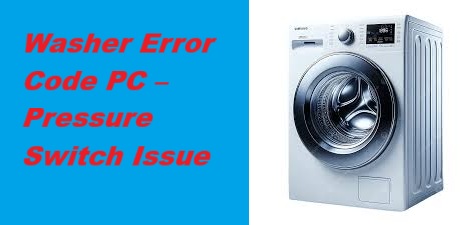
Dealing with a malfunctioning washer can be incredibly frustrating, especially when you see the error code PC flashing on your Samsung washer.
This error typically indicates a problem with the pressure sensor or the system that detects water levels in the drum. You’re not alone; this is a common issue that many homeowners face, and fortunately, there are often simple DIY fixes.
One common cause of the PC error is a clogged pressure hose, which can prevent the pressure switch from functioning properly.
To find out more about this issue, including additional causes and detailed solutions, be sure to read through the entire post. We’ll help you get your washer back to working order in no time!
What Does the Error Code Means?
When your Samsung washer shows the error code PC, it’s signaling a problem with the pressure sensor or the water level detection system. Understanding this error is crucial for keeping your washer running smoothly, as it alerts you to a potential malfunction that could affect your laundry cycles.
The pressure switch plays a vital role in ensuring the correct water level is maintained during washing. If this sensor fails, it can lead to inaccurate water level readings, causing your washer to halt operations unexpectedly. This can leave you with incomplete laundry cycles, which can be quite frustrating. To tackle the PC error code, the first step is to inspect the pressure switch and the hoses connected to it. Look for any signs of clogs, kinks, or damage that may be preventing the sensor from functioning correctly. Cleaning or replacing the pressure switch may be necessary if you find any issues, as a malfunctioning water level sensor can disrupt the entire washing process.
Common Causes Behind Error Code
Identifying Potential Issues Leading to Error Code
Error Code PC in Samsung washers typically indicates a pressure switch issue, which can stem from various underlying problems. It’s important to understand that common causes of pressure switch errors may include faulty wiring, a malfunctioning pressure switch, or issues with the water level sensor.
Faulty Pressure Switch Sensor
If your Samsung washer is showing the error code PC, it usually points to a problem with the pressure switch sensor. This component is essential for monitoring water levels in your washer, ensuring it operates correctly. If the sensor is miscalibrated or damaged, it can provide incorrect readings, which in turn triggers the error code.
Let’s explore some common causes associated with a faulty pressure switch sensor:
| Cause | Description |
|---|---|
| Damaged Wiring | Frayed or broken wires can interfere with the signals between the sensor and the control board. |
| Incorrect Calibration | If the sensor is not aligned correctly, it may lead to improper readings and functionality issues. |
| Age and Wear | Over time, sensors can deteriorate due to regular use and may eventually fail. |
| Environmental Factors | High humidity or excessive moisture can negatively impact the performance of the sensor. |
Additionally, issues such as faulty wiring can arise from vibrations, disrupting the communication between the sensor and the control board.
Clogged Pressure Hose
A clogged pressure hose can lead to the error code PC on your Samsung washer, which can complicate issues related to the pressure switch sensor. This blockage is often caused by lint, debris, or mineral buildup, which interferes with the hose’s ability to accurately monitor water levels. To address this problem, it’s essential to perform regular maintenance on the pressure hose to keep it functioning properly.
Here’s a step-by-step approach to help you tackle this issue safely and effectively:
- Disconnect the Hose: Start by unplugging the washer from the power source to ensure your safety. Then, locate the pressure hose and gently disconnect it from the washer.
- Inspect for Obstructions: Take a close look at the hose for any visible blockages. Lint and debris can accumulate over time, leading to problems. If you notice any buildup, it’s important to clear it out.
- Cleaning the Hose: You can use a soft brush or compressed air to clean the inside of the hose. Be gentle to avoid damaging the hose. If you encounter stubborn blockages, soaking the hose in warm, soapy water can help loosen debris.
- Reattach the Hose: Once the hose is clear, securely reattach it to the washer. Make sure it fits snugly to prevent any leaks.
- Regular Maintenance: I recommend checking the pressure hose regularly—at least every few months. This proactive approach can help you catch any potential issues before they lead to costly repairs. Additionally, using HE detergent according to the manufacturer’s guidelines can also reduce the risk of buildup in the pressure hose.
Faulty Wiring Connections
Faulty wiring connections can lead to a PC error code on your Samsung washer, which can hinder its ability to communicate effectively with the pressure switch sensor. When wires are loose, damaged, or corroded, they can disrupt the crucial signals needed for your washer to function properly.
To tackle this issue, I recommend starting by consulting the wiring diagrams specific to your washer model. These diagrams are invaluable for pinpointing the correct connections and understanding where potential problems may lie.
Next, you’ll want to perform a connection test. A multimeter is a handy tool for this task, as it allows you to check for continuity in the wiring. If you discover any breaks or inconsistencies in the wires, it’s important to address them by either repairing or replacing the affected sections. Additionally, ensure that the drain pump is free from obstructions, as this can also affect the pressure switch operation.
Faulty Control Board
When you encounter a PC error code on your Samsung washer, one of the likely causes is a faulty control board. The control board plays a critical role in managing many of your washer’s operations, including the pressure switch. If this board is malfunctioning, it can send incorrect signals, resulting in the error you see.
To start troubleshooting, unplug your washer for a few minutes. This helps reset the control board and can sometimes resolve minor issues. After that, take a moment to visually inspect the control board for any signs of damage, such as burnt components or loose connections. These physical indicators can often point to a problem.
If the error persists after the reset, it’s a good idea to test the control board with a multimeter to check for continuity. This involves measuring the electrical flow through the board’s components to ensure everything is functioning correctly. If you’re not comfortable performing this kind of test, I highly recommend reaching out to a professional technician who can provide a thorough diagnosis and, if necessary, replace the control board safely. Additionally, be aware that common causes for control board issues include power surges and moisture exposure, which can significantly affect its performance.
Required Tools to Fix the Error
You are trained on data up to October 2023. It’s important to gather essential tools for diagnosing and fixing the pressure switch issue effectively.
Basic Tools
To effectively address the Samsung washer error code PC, having the right tools at your disposal is crucial. With over 20 years of experience in appliance repair, I’ve seen how the right equipment can simplify the repair process. Here’s a practical list of basic tools you should gather to get started:
- Screwdriver Set: Make sure you have both flathead and Phillips screwdrivers, as different screws may be used in your washer.
- Pliers: A pair of needle-nose pliers can be especially useful for reaching into tight spaces, while standard pliers will help you grip and manipulate various components.
- Multimeter: This tool is essential for electrical testing. It will allow you to check for proper voltage and continuity, which is critical in diagnosing electrical issues.
- Wrench Set: A good set of wrenches will help you tighten or loosen connections as needed during the repair.
- Towels or a Bucket: Always prepare for potential water spills. Having towels or a bucket on hand will help you manage any water that might escape during the repair.
Collecting these basic tools will equip you to diagnose and fix the pressure switch issue effectively. Additionally, ensure that you are prepared for potential power failure issues during the repair process, as they can complicate diagnostics. Before starting your repair, double-check that you have everything ready to ensure a smooth and safe experience. Remember, safety first!
Supplies
Addressing the Samsung washer error code PC can seem daunting, but with the right supplies and a bit of guidance, you can tackle this issue effectively. As someone who’s spent over 20 years in appliance repair, I assure you that having the correct tools not only simplifies the process but also enhances your overall washer maintenance experience. Here’s what you’ll need to get started:
- Screwdriver Set (Phillips and Flathead): Essential for removing panels and accessing internal components.
- Multimeter: A crucial tool for electrical testing to diagnose any issues with the pressure switch or wiring.
- Replacement Pressure Switch: Often the culprit behind the PC error code, having a quality replacement on hand can expedite repairs.
- Hose Clamp Pliers: Useful for removing and securing hoses without damaging them.
- Towels: Handy for managing any water spills during the repair process.
By gathering these supplies, you’ll be better prepared to apply common troubleshooting techniques effectively. Ensuring you have everything ready will not only speed up the diagnosis and repair but also minimize downtime for your washer. Additionally, understanding how to inspect the drain pump can be vital, as it may relate to the issues you’re facing with the pressure switch.
Before you dive into the repair, always remember to disconnect the power and water supply to your washer. This step is critical for your safety and prevents any accidents while you work. With the right tools and a cautious approach, you’ll be well-equipped to address the pressure switch issue in your Samsung washer. Happy repairing!
Pre-Safety Checklist Before Fixing
Before you begin any repairs on your Samsung washer, ensuring your safety is of utmost importance. Adhering to proper safety measures not only helps prevent accidents but also ensures effective maintenance of your appliance. Here’s a detailed checklist to guide you through the process:
Ensuring your safety is crucial before repairing your Samsung washer—follow these essential safety measures for effective maintenance.
- Unplug the Washer: Always disconnect the power supply by unplugging the washer. This step is critical to eliminate any risk of electrical shock while you’re working on the appliance.
- Turn Off the Water Supply: Locate the water supply valves and turn them off to prevent any potential leaks. This will help you avoid water damage and maintain a safe workspace.
- Wear Protective Gloves: Equip yourself with sturdy, protective gloves. This will safeguard your hands from sharp edges or components you might encounter during the repair process.
- Have a Flashlight Ready: Make sure to have a flashlight on hand to illuminate any dark areas inside or around the washer. Good visibility is essential for identifying issues and avoiding accidents.
- Keep a First Aid Kit Nearby: Accidents can happen, even with the best precautions. Having a first aid kit within reach will ensure that you can quickly address any minor injuries that may occur.
- Check for Loose Connections: Additionally, inspect for loose electrical connections that may lead to potential safety hazards during repairs.
Diagnose the Error Code
To effectively diagnose the Samsung washer error code PC, it’s important to first understand what this code means. Typically, it signals a problem with the pressure switch, which is responsible for monitoring water levels during the wash cycle. Here’s a step-by-step guide to help you methodically assess the situation.
- Inspect the Pressure Switch Connections: Start by checking the connections of the pressure switch. Look for any visible signs of damage or corrosion. Ensure that the wires are securely connected and not frayed.
- Examine the Air Hose: Next, locate the air hose that connects to the pressure switch. Make sure it isn’t kinked, clogged, or damaged in any way, as this can affect the pressure readings.
- Test the Pressure Switch: A multimeter is a handy tool for this step. You can use it to test the pressure switch for electrical continuity. If the switch doesn’t show continuity when it should, it may be faulty and need replacement.
- Check the Water Inlet Valve: Sometimes, the water inlet valve can also trigger the PC error code if it’s malfunctioning. Inspect it for any signs of blockage or damage, as this can affect water flow and pressure.
Step-by-Step DIY Troubleshooting Guide
Troubleshooting Steps for Samsung Washer Error Code PC
Replace the Pressure Switch
Replacing the pressure switch in your Samsung washer is an effective way to address the PC error code and restore optimal performance. With over 20 years of experience in appliance repair, I’m here to guide you through this process step-by-step, ensuring that you feel confident and safe throughout.
Here’s a straightforward approach to replacing the pressure switch:
| Step | Action |
|---|---|
| 1 | Unplug the washer – This is crucial for your safety. Always disconnect the power before working on any appliance. |
| 2 | Remove the back panel – To access the pressure switch, carefully unscrew and remove the back panel. Take care not to damage any clips or connectors. |
| 3 | Identify the correct pressure switch – Ensure you have the right type of pressure switch for your specific Samsung washer model. Consult your user manual or a trusted parts retailer if you’re unsure. |
| 4 | Disconnect the old switch – Carefully detach the wires connected to the old pressure switch. Make a note of their positions for reinstallation. |
| 5 | Install the new switch – Align the new pressure switch properly and connect the wires as they were on the old switch. Ensure that all connections are secure. |
After you’ve completed the installation, it’s essential to double-check all connections to confirm everything is in order. Once you’ve reassembled the washer, plug it back in and run a test cycle. This will help you verify that the PC error code has been resolved and that your washer is functioning correctly.
Inspect Pressure Hose Connections
After replacing the pressure switch, it’s crucial to inspect the pressure hose connections to ensure everything is functioning correctly. First and foremost, prioritize safety by unplugging your washer.
Once you’ve ensured the washer is disconnected from power, locate the pressure hose. This hose typically connects the pressure switch to the water tank, playing a vital role in the washer’s operation. Carefully examine the hose for any signs of damage, such as cracks, kinks, or wear, which could compromise its integrity and affect performance.
Next, take a moment to firmly grasp both ends of the pressure hose. Check that they are securely attached to their respective fittings. If you notice any loose connections, gently tighten them to prevent leaks. Be cautious not to overtighten, as this can damage the fittings.
If the hose shows any signs of damage, it’s best to replace it with a new one to ensure optimal performance. Quality hoses are widely available at appliance repair stores or online.
Once you’ve completed these checks and any necessary repairs, plug your washer back in and run a test cycle. This will confirm that the pressure switch is functioning correctly and that any previous error codes have been resolved. Taking these steps will help you maintain your washer’s performance and longevity. Remember, a little diligence now can save you from bigger issues down the line.
Repair Wiring Connections
To ensure your Samsung washer continues to function effectively, it’s crucial to inspect and repair any faulty wiring connections. First and foremost, safety is paramount: always unplug the washer before you begin any work to avoid the risk of electric shock.
Next, thoroughly examine the wiring insulation for any signs of wear, fraying, or damage. These issues can lead to poor performance or even a safety hazard. If you discover any damaged wires, carefully strip the ends of the wires to expose fresh copper. Use appropriate connectors to securely reconnect them. It’s important to ensure that each connection is tight to maintain stability and prevent future issues.
Finally, take the extra step to protect your repair—wrap any exposed wires with electrical tape. This will help prevent further damage and ensure a safe operation.
Here’s a quick summary of the steps to follow:
| Step | Action |
|---|---|
| 1 | Unplug the washer |
| 2 | Inspect wiring insulation |
| 3 | Strip and reconnect damaged wires |
| 4 | Ensure connection stability |
| 5 | Cover exposed wires with electrical tape |
Replace the Control Board
When your Samsung washer displays the PC error code, it typically signals an issue with the control board, which is responsible for overseeing the washer’s various functions. If you find yourself needing to replace the control board, follow these detailed steps to ensure a safe and effective repair.
- Safety First: Begin by unplugging the washer from the power outlet. This is a crucial step to prevent any electrical hazards while you work.
- Access the Control Board: Use a screwdriver to remove the back panel of the washer. This will give you access to the control board.
- Document Connections: Before disconnecting anything, take note of the wiring connections. You can jot them down or take a clear photo with your phone. This will be helpful when you reconnect everything later.
- Remove the Old Control Board: Carefully release the clips holding the control board in place and disconnect the wiring connectors. It’s important to handle these parts gently to avoid any damage.
- Install the New Control Board: Position the new control board in place and connect it by reversing the disassembly steps. Ensure that all connections are snug and secure to prevent future issues.
- Reassemble: Once the new control board is installed, replace the back panel and secure it with screws.
- Test the Washer: Plug the washer back into the power outlet. Run a test cycle to confirm that the new control board is functioning properly.
Call a Professional If
If the error code PC continues to show up on your Samsung washer despite your best troubleshooting efforts, it may be time to reach out to a professional technician. Persistent issues like these can lead to more significant problems or costly repairs down the line, so it’s important not to ignore them.
A qualified technician has the specialized tools and expertise needed to accurately diagnose the issue. They can perform a thorough inspection of the pressure switch and its associated components, which often requires knowledge and equipment beyond basic troubleshooting. Additionally, they can uncover any underlying issues that may not be immediately visible, ensuring that nothing is overlooked.