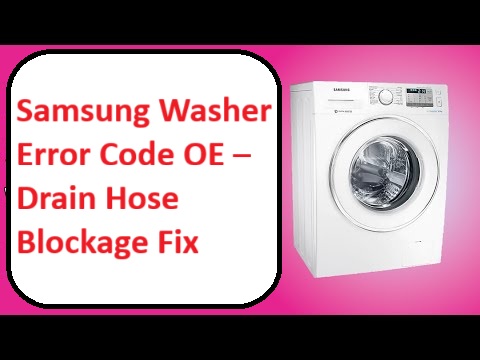
Dealing with the Samsung Washer Error Code OE can be incredibly frustrating, especially when you’re in the middle of laundry day.
This error code usually indicates a drainage problem, meaning your washer is having trouble getting rid of water.
Don’t worry; you’re not alone—this is a common issue many people face, and often the solutions are quite simple and can be tackled on your own.
One frequent cause of this error is a blocked drain hose. It might be kinked or obstructed, preventing proper water flow.
To get to the bottom of this issue, I recommend reading through the entire post.
We’ll cover everything you need to know about the OE error code, including other potential causes and solutions to get your washer back to working order in no time.
What Does the Error Code Means?
When your Samsung washer displays the error code OE, it signals a drainage problem. This code indicates that the washer is having trouble efficiently removing water, which can result in incomplete wash cycles or even water accumulation within the drum. Understanding what this error means is crucial for effective troubleshooting.
Start by checking the drain hose. Look for any kinks or blockages, as these can significantly hinder proper drainage. A clear and unobstructed drain hose is essential for your washer’s performance. Next, inspect the filter for debris. Often, lint, coins, or other small items can accumulate and obstruct water flow. Cleaning the filter is a simple yet effective step in resolving drainage issues.
Check the drain hose for kinks and blockages, and inspect the filter for debris to resolve drainage issues effectively.
If you’ve completed these checks and your washer still shows the OE error code, it may be time to delve deeper into troubleshooting. This could involve assessing the drain pump or looking for potential electrical issues, which might require more advanced knowledge or tools. Regular maintenance can prevent future drainage issues and enhance your washer’s efficiency and lifespan.
Addressing drainage issues promptly not only enhances your washer’s performance but also extends its lifespan. Remember, if you’re ever in doubt or uncomfortable performing these checks yourself, consulting a professional technician is always a wise choice. Your safety and the longevity of your appliance are paramount.
Common Causes Behind Error Code
Transition to Common Solutions for OE Error Code
Understanding the common causes behind the OE error code is essential for effective troubleshooting. Blockages in the drain system can often lead to this error, similar to issues observed in GE washers with the F21 error code.
Kinked Drain Hose
A kinked drain hose can significantly affect your Samsung washer’s performance, often resulting in the OE error code, which indicates a drainage issue. This problem typically occurs when the hose is not routed correctly or is bent too sharply. To prevent these issues, regular maintenance is crucial.
Start by inspecting the entire length of the drain hose for any kinks, twists, or bends that might obstruct water flow. If you discover a kink, gently straighten it out to allow for proper drainage. Additionally, make sure the hose is positioned correctly and secured in place to prevent future kinks from forming. Furthermore, using the correct type of detergent can help minimize suds buildup that may also lead to drainage problems.
Clogged Drain Filter
The drain filter in your Samsung washer is crucial for preventing clogs and ensuring proper drainage. Neglecting to maintain this component can result in decreased washer performance and may even trigger the OE error code. Understanding the common causes of a clogged drain filter can help you take proactive measures to avoid these issues.
Here are some typical culprits behind a clogged drain filter, along with their impacts and solutions:
| Cause | Impact | Solution |
|---|---|---|
| Lint buildup | Slows drainage | Clean the filter regularly, ideally after every 5-10 washes. |
| Small objects | Blockage | Inspect and remove any foreign items, such as coins or buttons. |
| Detergent residue | Hinders flow | Rinse the filter thoroughly to remove any build-up of detergent. |
| Hard water deposits | Clogs filter | Descale the filter periodically, especially if you live in an area with hard water. |
To maintain optimal washer performance and prevent unnecessary error codes, make it a habit to check and clean the drain filter regularly. A clear filter not only enhances the efficiency of your washer but also extends its lifespan. If you encounter persistent issues, don’t hesitate to consult a professional technician for further assistance. Your washer will thank you! Additionally, ensuring proper water flow is vital to prevent further complications in your washing machine’s operation.
Blocked Drain Pump Filter
Maintaining your washer’s drain filter is crucial for its proper functioning, especially if you encounter the OE error code on your Samsung washer. A blocked drain pump filter can stem from a buildup of lint, debris, or foreign objects over time. When the filter isn’t cleaned regularly, it can restrict water flow, making the drain pump work harder than necessary. This increased strain can ultimately trigger the OE error code.
To resolve this issue, follow these steps for effective filter cleaning:
- Safety First: Unplug the washer from the electrical outlet to ensure your safety while performing maintenance.
- Locate the Drain Pump Filter: Typically, the drain pump filter is found at the front bottom of the washer. You may need to open a small access panel to reach it.
- Remove the Filter: Carefully open the cover and remove the filter. Be prepared for some water to spill out, so have a towel or small container handy to catch any excess.
- Clean the Filter: Rinse the filter thoroughly under running water. Make sure to remove all lint and debris. If there are any stubborn clogs, a soft brush can help dislodge them.
- Reinstall the Filter: Once cleaned, reinstall the filter securely and close the access panel.
- Check for Persistence of the Error Code: Plug the washer back in and run a short cycle to see if the OE error code reappears. If the error persists, it may indicate a power failure that needs further investigation.
Faulty Drain Pump
If your Samsung washer is still showing the OE error code despite having cleaned the drain pump filter, you may be facing a faulty drain pump. Common issues such as wear and tear or electrical malfunctions can significantly impact the pump’s performance. To ensure your washer continues to operate efficiently, regular drain pump maintenance is crucial. Additionally, addressing issues like the door lock mechanism can also affect the drain pump’s engagement, so be sure to inspect that as well.
Here are some typical causes of drain pump issues, along with their symptoms and solutions:
| Cause | Symptoms | Solutions |
|---|---|---|
| Blocked Impeller | No drainage | Clear any blockages |
| Worn Bearings | Noisy operation | Replace the pump |
| Electrical Fault | Pump won’t run | Check wiring connections |
| Corroded Components | Leakage | Inspect and replace parts |
| Improper Installation | Pump misalignment | Realign or reinstall the pump |
If you find yourself needing to replace the pump, here are some tips to help ensure a successful repair:
- Safety First: Always unplug the washer before starting any repairs. This prevents electrical hazards during the process.
- Gather Tools: Have the necessary tools on hand, such as screwdrivers, pliers, and a multimeter for electrical tests.
- Follow Manuals: Refer to your washer’s user manual for specific instructions regarding the pump replacement process. This will provide guidance tailored to your model.
- Take Your Time: Don’t rush the repair. Make sure to carefully remove and replace the pump, ensuring all connections are secure.
- Test Thoroughly: After completing the installation, run a test cycle to confirm that the pump operates correctly and that there are no leaks.
Required Tools to Fix the Error
Preparing for the Repair Process
It is essential to gather the right tools and supplies before starting any repairs to ensure efficiency and safety. Additionally, having a multimeter for testing electrical components can help diagnose any underlying issues effectively.
Basic Tools
When addressing the Samsung washer error code OE, it’s crucial to have the right tools at your disposal for a successful repair. This error typically indicates a drainage issue, often due to a blockage in the drain hose. Here’s a practical list of tools you’ll want to gather for effective maintenance:
- Flathead screwdriver – This tool is ideal for gently prying open access panels, allowing you to reach internal components without causing damage.
- Phillips screwdriver – You’ll need this for removing screws that secure various parts of the washer, making it easier to access the drain system.
- Bucket or towel – Having a bucket or towel handy is essential for catching any residual water that may spill out during the repair process. This will help keep your workspace clean and safe. Additionally, ensure that you check for faulty wiring as it can also contribute to drainage issues.
Supplies
Gathering the right supplies is crucial when addressing the Samsung washer error code OE, which often indicates a drainage issue. Proper maintenance requires specific tools to effectively troubleshoot and resolve potential drain hose blockages. Here’s a straightforward list of supplies you’ll need to ensure a smooth repair process:
- Flathead Screwdriver – This tool is essential for loosening any clamps or covers that may be obstructing access to the drain hose, making it easier to inspect and clean.
- Toweling or Rags – These are necessary for managing any residual water that may spill during the disassembly process. It’s always best to be prepared for a little mess!
- Bucket or Container – A bucket will help catch any water that might flow out when you disconnect the drain hose, preventing any potential flooding in your laundry area.
Additionally, ensure that you check water supply lines for kinks or blockages, as this can also affect drainage performance. Having these supplies ready will empower you to tackle the OE error code with confidence and restore your washer’s functionality. Remember to work carefully and methodically to ensure effective results. If you have any questions as you proceed, don’t hesitate to reach out for further guidance. Your safety and the longevity of your appliance are my top priorities!
Pre-Safety Checklist Before Fixing
Before you begin any repairs, it’s crucial to establish a safe working environment. Prioritizing safety not only helps you work more efficiently but also minimizes the risk of accidents. Here is a straightforward checklist to ensure you’re ready to tackle the job safely:
Establishing a safe working environment is essential for efficient repairs and accident prevention.
- Unplug the Washer: Start by disconnecting the power source. This step is vital to eliminate any risk of electrical shock while you’re working on the appliance.
- Wear Personal Protective Gear: Equip yourself with safety goggles and gloves. These items will protect you from potential debris and sharp edges that may be present during the repair process.
- Clear the Area: Take a moment to remove any obstacles around the washer. A clean workspace reduces the risk of tripping or injury, allowing you to focus on the task at hand without distractions. Additionally, ensure that you have a stable power supply to prevent disruptions during repairs.
Diagnose the Error Code
Diagnosing the OE error code on your Samsung washer can seem daunting, but with a methodical approach, you can pinpoint the issue effectively. Here’s a step-by-step guide to help you through the process.
First, check the display panel on your washer. The OE error code indicates a drainage problem, which is often a result of a blocked or improperly configured drainage system.
Next, examine the drain hose. Look for any kinks, blockages, or signs of damage that might prevent water from flowing freely. Ensure that the hose is installed correctly; an incorrect setup can lead to drainage complications.
Don’t forget to check the drain filter as well. Over time, debris and lint can accumulate, obstructing water flow. Cleaning the drain filter is a simple yet crucial step in resolving drainage issues.
If you’ve addressed these areas and the OE error code still appears, it might be time to run the diagnostic mode on your washer. This feature can provide additional insights into what might be going wrong and help you determine if the problem lies within the washer’s components or the drainage system.
Step-by-Step DIY Troubleshooting Guide
Moving Forward: Next Steps to Resolve the OE Error
Unclog the Drain Filter
If your Samsung washer is displaying the OE error code, it usually points to a drainage problem, often attributed to a clogged drain filter. Let’s walk through the steps to address this issue safely and effectively.
- Unplug the Washer: For your safety, always start by unplugging the washer before attempting any maintenance.
- Locate the Drain Filter: The drain filter is typically located at the front bottom of your washer. You may need to remove a small panel to access it.
- Prepare for Water: Place a shallow pan or a towel underneath the drain filter area to catch any residual water that may spill out during the process.
- Open the Filter Cover: Carefully open the filter cover. You may need to press or slide it to access the filter.
- Remove the Filter: Slowly unscrew the filter. Be cautious, as there may still be some water in the filter that could spill out.
- Clean the Filter: Inspect the filter for debris, lint, or any obstructions. Remove any buildup you find, ensuring that the filter is completely clear. Rinse it under running water to ensure thorough cleaning.
- Reinsert the Filter: Once the filter is clean and dry, carefully reinsert it back into its housing and secure it tightly to prevent leaks.
- Close the Cover: Make sure to close the filter cover securely.
- Plug the Washer Back In: After everything is in place, plug the washer back into the electrical outlet.
Clear Kinked Drain Hose
A clogged drain filter is a well-known culprit behind the OE error code, but don’t overlook the possibility of a kinked drain hose disrupting the drainage in your Samsung washer. Here’s how to effectively address this issue:
| Step | Action |
|---|---|
| 1 | Locate the drain hose |
| 2 | Inspect for kinks |
| 3 | Gently straighten |
Start by locating the drain hose at the back of your washing machine. Carefully inspect it for any bends or kinks that might be obstructing water flow. It’s important to ensure that the hose isn’t pinched against the wall or furniture, as this can significantly hinder drainage. If you discover any kinks, gently reposition the hose to allow for an unobstructed flow.
Once you have straightened the hose, run a short wash cycle to verify that the OE error has been resolved and that your washing machine is functioning properly. This straightforward step can often restore your washer to its optimal performance, ensuring that your laundry routine runs smoothly. Remember, maintaining clear drainage pathways is essential for the longevity and efficiency of your appliance.
Inspect the Drain Pump
After ensuring that the drain hose is free from kinks and obstructions, it’s time to turn your attention to the drain pump. First and foremost, for your safety, unplug the washer from the power source. Next, you’ll need to remove the front panel to gain access to the pump.
Once you have access, carefully inspect the pump for any visible debris or blockages. These can significantly hinder the pump’s ability to function correctly. Also, check the pump impeller; it should spin freely without any resistance. If you notice that it’s difficult to turn, this may indicate that the pump requires maintenance or replacement.
If you discover any damage or ongoing issues, make sure to note the model number of your washer. This will help you find the correct replacement parts. When replacing the pump, remember a few key tips: ensure that all connections are secure and properly fitted to prevent leaks, and test the new pump before reassembling the washer.
Taking these steps not only addresses existing drainage problems but also helps prevent future issues, ensuring your washer operates efficiently and effectively. Remember, a little proactive maintenance can go a long way in extending the life of your appliance.
Replace Faulty Drain Pump
Replacing a faulty drain pump in your Samsung washer can seem daunting, but with the right tools and a step-by-step approach, you can tackle this repair confidently. Here’s a straightforward guide to help you through the process.
Tools You’ll Need:
- Screwdriver (typically a Phillips head)
- Bucket
- Towel
- Replacement drain pump (make sure it’s compatible with your washer model)
Safety First:
Before you begin, unplug your washer from the power outlet to ensure your safety throughout the repair process.
Step-by-Step Instructions:
1. Remove the Lower Front Panel:
Using your screwdriver, carefully remove the screws securing the lower front panel of your washer. This will give you access to the drain pump.
2. Prepare for Water:
Place the bucket beneath the drain pump. This is crucial, as water may still be present in the pump and hoses. Use the towel to soak up any spills as you proceed.
3. Disconnect the Pump:
Carefully disconnect the hoses connected to the drain pump. You may need to pinch the hose clamps or loosen them to remove the hoses. Next, disconnect the wiring harness from the pump, taking note of how it connects for reassembly.
4. Remove the Old Pump:
Unscrew the old drain pump from its mount. Keep track of any screws, as you’ll need them for the installation of the new pump.
5. Install the New Drain Pump:
Position the new drain pump in place and secure it by screwing it back into the mount. Reconnect the wiring harness and ensure the connections are secure. Then, reconnect the hoses, making sure they are firmly attached to prevent leaks.
6. Reassemble the Washer:
Once the new pump is in place, reattach the lower front panel by securing it with the screws you removed earlier.
7. Final Checks:
Plug the washer back into the power outlet. Before running a full wash cycle, it’s wise to conduct a test cycle. Check for any leaks and ensure that the washer drains properly, confirming that the error code OE (which indicates a drainage issue) does not appear.
Call a Professional If
If you’ve attempted basic troubleshooting for the OE error code on your Samsung washer and the problem continues, it’s wise to reach out to a professional. Persistent drainage issues don’t just resolve themselves; they can escalate into more significant problems, leading to costly repairs down the line.
A qualified technician has the expertise to swiftly identify the underlying cause, whether it stems from a malfunctioning component or an electrical issue. They come equipped with the right tools and extensive experience to ensure that any repairs are carried out safely and effectively.
It’s essential to remember that trying to fix complex issues beyond your skill level can not only void warranties but may also introduce new problems to your appliance. To protect your washer’s functionality and longevity, seeking professional help is the best course of action.
Timely intervention is crucial; addressing these issues sooner rather than later can save you both time and money in the long run. So, don’t hesitate—consulting a professional technician is a smart and proactive step toward restoring your washer to optimal working condition.