Dealing with a malfunctioning washer can be incredibly frustrating, especially when you’re met with an error code that leaves you scratching your head.
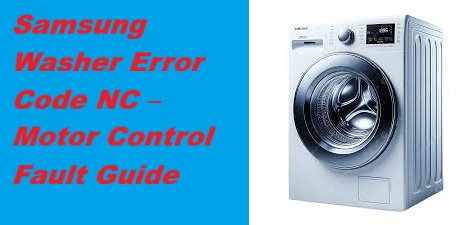
If you’re seeing the Samsung Washer Error Code NC, you’re not alone. This particular code indicates a motor control fault primarily related to insufficient water flow during your wash cycles.
In simple terms, it means that your washer is having trouble getting enough water to run properly.
The good news is that this is a common issue, and many of the causes have straightforward DIY solutions.
One common culprit behind the NC error is a blockage in the water supply, which can easily happen if there’s a kink in the hose or a clogged filter.
To fully understand this error and explore all potential causes and solutions, I encourage you to read through the entire post.
With the right information, you can tackle this issue head-on and get your washer back to working order in no time!
What Does the Error Code Means?
When your Samsung washer displays the error code NC, it signals a problem with the machine’s water supply. This code indicates that the washer isn’t receiving enough water, which can interrupt the washing cycle. To effectively address this issue, let’s go through some essential troubleshooting steps.
First, start by checking the water supply valves. Ensure they are fully open to allow adequate water flow. Next, inspect the hoses connected to your washer for any blockages or kinks. Even a small kink can significantly restrict water flow, so make sure they are straight and unobstructed.
Additionally, take a moment to check the filters located within the hoses. These filters can accumulate debris over time, which can hinder water entry into the washer. If they appear dirty, gently clean them to restore proper water flow. Ensure that you also check the incoming water temperature to confirm it is within the ideal range for effective washing.
If you’ve gone through these steps and the NC error persists, it may be time to consider further diagnostics or seek professional assistance. Understanding these steps empowers you to troubleshoot the issue effectively and helps restore your washer’s functionality in a safe and efficient manner. Remember, taking care of these basic checks can often save you time and money in the long run.
Common Causes Behind Error Code
Common Issues to Consider for NC Error Code
The NC error code may also indicate a motor control unit malfunction, which can lead to operational difficulties similar to those experienced with the F7 E2 error code.
Worn Motor Brushes
If your Samsung washer shows the NC error code, it’s possible that worn motor brushes are to blame. These brushes play a crucial role in transferring electrical power to the motor. When they wear down, it can hinder the motor’s ability to function properly.
To prevent issues like this, regular motor maintenance is essential. When inspecting the brushes, look for signs of excessive wear, such as uneven lengths or noticeably shorter brushes. If you detect any damage, replacing the motor brushes can often clear the NC error code.
Ensure that the new brushes fit snugly and maintain proper contact with the motor for optimal performance. Additionally, regular inspections of the drive belt can help prevent further complications with your washer’s functionality. By keeping a close eye on your motor’s performance and conducting routine inspections, you can help maintain its efficiency and extend its lifespan. Remember, safety is paramount—always disconnect your washer from the power source before performing any maintenance.
Faulty Motor Control Board
A faulty motor control board can indeed trigger the NC error code on your Samsung washer. This critical component manages the motor’s operations and is essential for the washer’s overall performance. When the board malfunctions, it can disrupt communication between the motor and other components, leading to error codes.
To help you troubleshoot this issue effectively, here are some common causes and corresponding solutions:
| Cause | Troubleshooting Technique |
|---|---|
| Power Surges | Inspect your power supply and consider using surge protectors to safeguard your appliance. |
| Overheating | Check the ventilation around your washer and monitor the ambient temperature to ensure it’s not excessively hot. |
| Faulty Connections | Ensure all electrical connectors are secure and free from corrosion or damage. |
| Circuit Board Damage | Perform a visual inspection for any signs of burns, cracks, or other physical damage on the board. |
| Component Failure | Use a multimeter to test for continuity in the board’s circuits and components. |
Addressing issues with the motor control board is crucial for resolving the NC error code effectively. By following these troubleshooting steps, you can identify the problem and take appropriate actions to restore your washer’s functionality. Remember, safety is paramount, so always unplug the appliance before performing any repairs or inspections. Additionally, be sure to check the motor control issues that could lead to further complications if left unresolved.
Damaged Wiring Harness Connections
Damaged wiring harness connections can significantly affect your Samsung washer’s performance, often leading to the NC error code. To tackle this issue, it’s essential to conduct a thorough inspection of the wiring. Begin by looking for any visible signs of damage, such as frayed wires or loose connectors. These issues can compromise the integrity of your connections and disrupt the washer’s functionality.
Pay particular attention to the areas where the wires bend or come into contact with other components, as these locations are more susceptible to wear and tear. If you discover any problems during your inspection, it’s crucial to repair or replace the damaged sections promptly. Doing so will help restore proper function and prevent further complications.
Maintaining solid connections within the wiring harness is vital for the effective operation of the washer’s motor control system. A careful and detailed approach to this inspection can save you from more significant issues down the line and help you avoid costly repairs. Remember, your safety is paramount, so always disconnect the power supply before starting any inspection or repair work on your appliance. Additionally, check the door lock mechanism as it could also be a contributing factor to the error code.
Obstructed Motor Ventilation System
When you encounter the NC error code on your Samsung washer, it’s crucial to consider the motor ventilation system. Restricted airflow in this system is often the culprit, and it can occur due to common issues such as dust buildup, lint accumulation, or foreign objects obstructing the vents.
To ensure your washer operates efficiently, it’s important to regularly inspect and clean the ventilation components. Neglecting this maintenance can lead to overheating, which not only risks damaging the motor but also affects the overall performance of your appliance. Regular maintenance can help prevent drainage issues that may arise from poor motor performance due to overheating.
If you see the NC error code, start by examining the motor ventilation system. Clear any debris that may be blocking the vents and make sure that the airflow is unobstructed. By maintaining a clear ventilation path, you can significantly reduce the risk of this error code appearing and extend the life of your washer.
Required Tools to Fix the Error
Essential Tools for Repairing the Samsung Washer Error Code NC
When addressing the NC error code, it is also important to consider potential issues related to door lock assembly and inspect it for any damage.
Basic Tools
When facing the Samsung washer error code NC, having the right tools at your disposal is crucial for an effective and safe repair. With over 20 years of experience in appliance repair, I understand the importance of being equipped properly. Here’s a comprehensive list of essential tools you should gather before starting your troubleshooting process:
- Screwdriver Set: A variety of flat-head and Phillips screwdrivers will help you access different parts of your washer.
- Multimeter: This is vital for electrical testing to diagnose issues with your washer’s components and wiring.
- Pliers: A good set of pliers is necessary for gripping, twisting, and cutting wires as you work on the machine.
- Wrench Set: Wrenches are indispensable for loosening and tightening bolts, ensuring that all components are securely fastened.
- Vacuum Cleaner or Compressed Air: Cleaning debris from sensitive areas can prevent future issues and maintain optimal performance. Additionally, regular maintenance of the drain pump filter can significantly reduce the chances of encountering error codes like NC.
Supplies
To effectively address the Samsung washer error code NC, it’s crucial to have the right supplies on hand. As someone with over 20 years of experience in appliance repair, I understand that having the proper tools can significantly streamline your troubleshooting process. Here’s a comprehensive supplies checklist you’ll need to tackle the issue efficiently and safely:
- Multimeter: Essential for testing electrical continuity and voltage levels, allowing you to identify electrical faults.
- Screwdriver Set: A variety of screwdrivers will help you remove panels and access the internal components of your washer.
- Pliers: These are handy for gripping and twisting wires, especially when dealing with tight spaces.
- Replacement Parts: Depending on your diagnosis, you may need specific replacement parts. A common culprit for the NC error could be the motor control board, so having that on hand can save you time.
- Work Gloves: Always prioritize safety. Wearing gloves will protect your hands while you work on the appliance.
Before you begin your repair, gather these essential tools. This checklist not only simplifies the troubleshooting process but also empowers you to resolve the error promptly and effectively. With the right supplies, you’ll be well-prepared to restore your Samsung washer to optimal performance. Remember, safety is key—never hesitate to consult a professional if you feel uncertain about any part of the repair process. Additionally, being aware of common causes of error codes can further aid in your diagnostic efforts.
Pre-Safety Checklist Before Fixing
Before you get started on repairs for your Samsung washer, it’s essential to create a safe working environment. Adhering to safety protocols and knowing your emergency procedures can help prevent accidents and ensure a smoother repair process. Here’s a straightforward pre-safety checklist to guide you:
- Unplug the Washer: Always disconnect the washer from the power source to eliminate the risk of electric shock. This is the most critical step before any repair.
- Wear Safety Goggles: Protect your eyes with safety goggles. This is especially important to shield against debris or any unexpected splashes during repairs.
- Check the Floor for Moisture: Make sure the area around the washer is dry. Slips can lead to serious injuries, so it’s wise to clean up any spills beforehand.
- Organize Your Tools: Keep your tools sorted and within reach. An organized workspace minimizes hazards and helps you work more efficiently.
- Have a Fire Extinguisher Handy: In case of emergencies, having a fire extinguisher nearby is a prudent measure. Ensure it’s easily accessible and that you’re familiar with how to use it. Additionally, check that your power supply is stable to avoid power failure issues that could complicate repairs.
Diagnose the Error Code
When your Samsung washer shows the NC error code, it signals a potential issue with the water level sensor or the drain system. Let’s break down how to diagnose this problem effectively and safely.
Start by examining the following components, using the table below to guide your troubleshooting process:
| Component | Possible Issue | Troubleshooting Technique |
|---|---|---|
| Water Level Sensor | Faulty or disconnected | Carefully inspect the wiring and connections to ensure they are secure. |
| Drain Pump | Clogged or malfunctioning | Check for any obstructions and test the pump to see if it operates correctly. |
| Drain Hose | Kinked or blocked | Ensure the hose is straightened and free of blockages; replace if necessary. |
| Control Board | Faulty circuitry | Use a multimeter to test for continuity and proper function. |
| Wiring Harness | Damaged or corroded | Look for any visible signs of wear, damage, or corrosion on the wiring. |
Step-by-Step DIY Troubleshooting Guide
Next Steps for Resolving the NC Error Code
Replace Motor Brushes
Replacing the motor brushes in your Samsung washer is a straightforward process that can significantly improve its performance and resolve error code NC. Before you begin, safety is paramount—start by unplugging the washer to ensure no power is running to the unit.
- Remove the Back Panel: Using a screwdriver, carefully take off the back panel of the washer. This will give you access to the motor.
- Locate the Motor: Once the back panel is removed, find the motor. It’s usually situated near the bottom of the washer, attached securely.
- Detach the Old Brushes: Gently remove the old motor brushes from their holders. Take a close look at their condition. If they are worn down to less than 1/4 inch in length, it’s time to replace them.
- Install New Brushes: Take your new motor brushes and install them, ensuring they fit snugly into their holders. A secure fit is crucial for optimal performance.
- Reassemble the Washer: Put the back panel back in place and fasten it with your screwdriver. Make sure everything is properly aligned before securing it.
- Test the Washer: Plug the washer back in and run a test cycle. This will help confirm that the motor is operating smoothly and that the error code NC has been resolved.
Regular maintenance of your motor, including checking the brushes, is vital for the longevity of your washer. By following these steps, you can avoid potential issues down the line and keep your appliance running efficiently. Remember, a well-maintained washer not only performs better but also extends its lifespan. If you have any further questions or run into complications, feel free to reach out for more guidance.
Repair Motor Control Board
After addressing the motor brushes, you may find that issues can arise from the motor control board. This component is crucial as it regulates the motor’s functions within your washer. To effectively repair the board, follow these steps to ensure safety and accuracy.
Step 1: Disconnect Power
Before you begin any work, make sure to turn off and unplug the washer. This step is essential for your safety and to prevent any electrical hazards.
Step 2: Remove the Control Board
Once the power is disconnected, you can carefully remove the control board from its housing. Take your time with this step to avoid damaging any surrounding components.
Step 3: Inspect the Board
Perform a visual inspection of the board for any burnt traces, damaged capacitors, or other visible signs of wear. Look closely at solder joints and components for any irregularities.
Step 4: Circuit Testing
Using a multimeter, conduct circuit testing on the board’s circuitry. This tool will help you identify any faulty components that may be causing the issue. Check for continuity in the circuit paths and measure the voltage across critical components.
Step 5: Replace Defective Components
If you identify any damaged parts during your inspection or testing, replace them with new components. In some cases, if the damage is extensive, it may be more practical to replace the entire control board.
Step 6: Reassemble and Test
Once repairs are complete, reassemble the washer carefully. Reconnect the power and run a test cycle to verify that everything is functioning correctly.
Here’s a handy reference table for your repair process:
| Step | Action | Tools Needed |
|---|---|---|
| Disconnect Power | Turn off and unplug the washer | None |
| Inspect Board | Look for visible damage | None |
| Circuit Testing | Use multimeter for testing | Multimeter |
Repair Wiring Harness Connections
Inspecting and repairing wiring harness connections is crucial for addressing performance issues with your Samsung washer. To start, ensure your safety by unplugging the washer before working on it.
Next, locate the wiring harness that connects to the motor control board. Take your time to carefully inspect the harness for any signs of damage—look for frayed wires, corrosion, or other wear that could affect performance. Pay close attention to the connectors as well; they should fit securely and align properly. Loose or misaligned connections can lead to electrical issues that compromise the integrity of the wiring harness.
If you spot any problems, it’s important to repair or replace the damaged components immediately. This could involve re-crimping connectors or replacing a section of wire, depending on the extent of the damage. After making any necessary repairs, reconnect the harness securely to ensure a solid connection.
Once everything is back in place, plug the washer back in and run a diagnostic test. This will help confirm that the error code NC has been cleared and that your washer is functioning properly again. Taking the time to thoroughly inspect and repair the wiring harness can significantly enhance your washer’s overall functionality, ensuring it runs smoothly for years to come.
Clear Ventilation System Obstructions
To ensure your Samsung washer runs smoothly and efficiently, it’s crucial to keep the ventilation system clear of any obstructions. Let’s walk through the steps together to achieve this safely.
First and foremost, unplug your washer to ensure your safety before starting any maintenance work. Once it’s unplugged, carefully remove the vent hose from the back of the washer. This hose can accumulate lint and debris over time, so take a moment to inspect it thoroughly. A vacuum with a hose attachment or a specialized brush can be very effective for cleaning out any buildup inside the vent hose.
Next, don’t forget to check the vent duct that leads to the outside of your home. This duct plays a vital role in allowing air to circulate properly. If there are any blockages, such as lint or outside debris, carefully clear them away to improve airflow.
After you’ve cleaned both the vent hose and duct, securely reattach the vent hose to the back of your washer. Once everything is back in place, plug your washer back in and run a short cycle to ensure it operates correctly.
Regular maintenance of your ventilation system is not only important for preventing error codes like NC, but it also significantly extends the lifespan of your washer. By following these steps, you’ll maintain peak performance and enjoy the reliable service your appliance can provide. Remember, a little preventive care goes a long way in keeping your washer running efficiently.
Call a Professional If
If you’ve followed the troubleshooting steps for your Samsung washer and the NC error code is still showing up, it may be time to seek professional assistance. Knowing when to reach out for help is crucial in preventing any additional damage to your appliance.
If you’ve thoroughly checked the motor connections, inspected the wiring harness for any signs of wear or damage, and confirmed that the control board is functioning properly, but the issue persists, don’t hesitate to call in a professional. A qualified repair technician brings a wealth of knowledge and specialized tools to accurately diagnose and resolve complex issues that may not be apparent to the average user.
They have the expertise to assess the motor control system, replace any faulty components, and ensure your washer is running efficiently once again. Remember, addressing these concerns early on can save you both time and money down the line. Your safety and the proper functioning of your appliance should always come first, so don’t delay in seeking help when needed.