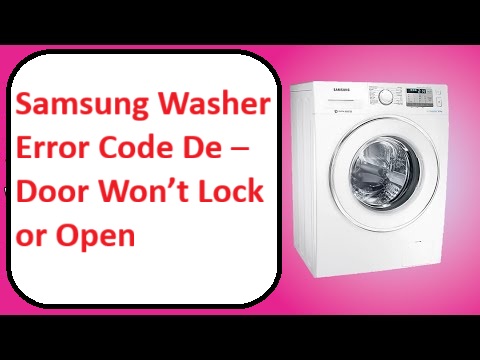
Dealing with your Samsung washer displaying the “De” error code can be incredibly frustrating, especially when you just want to get your laundry done.
This specific error code indicates that there’s a problem with the door latch or seal, which means your washer won’t lock properly, disrupting your washing cycle.
But don’t worry—this is a common issue that many homeowners face, and there are often simple DIY solutions available.
One common cause of the “De” error is a misaligned door latch, which can easily happen over time.
If you want to tackle this issue head-on and regain control of your laundry routine, I encourage you to read through the entire post.
You’ll find more information on the causes of this error and helpful solutions to get your washer back in working order!
What Does the Error Code Means?
When your Samsung washer shows the error code “De,” it usually points to a door-related issue. This means that either the door isn’t securely closed, or there could be a problem with the door lock mechanism itself. Understanding what this error code means is crucial for effective troubleshooting.
First, take a moment to ensure the door is closed tightly. Sometimes, a simple adjustment can fix the problem. If the door appears to be closed correctly but the error persists, it’s important to inspect the door lock mechanism for any visible signs of wear or blockages. Remember, safety is key—always unplug your washer before performing any inspection to prevent electrical hazards. Additionally, check for malfunctioning door latch as this can often lead to similar door-related errors.
Familiarizing yourself with these basic troubleshooting steps can make a significant difference in resolving the issue quickly. Addressing the “De” error promptly not only helps your washer run more efficiently but also extends its lifespan. By following these guidelines, you can feel empowered to tackle common issues with confidence, ensuring your appliance continues to serve you well.
Common Causes Behind Error Code
Understanding the Samsung Washer Error Code De
Error Code De indicates that the door of the Samsung washer is unable to lock or open, which can prevent the wash cycle from starting. This error may arise from issues similar to those in Whirlpool washers, such as door lock assembly issues that hinder proper function.
Faulty Door Latch Assembly
If you’re experiencing the error code De on your Samsung washer, it’s likely due to a faulty door latch assembly. This component is crucial for ensuring that your washer operates properly, as it secures the door during cycles. When the door latch malfunctions, it can hinder the door from locking or opening, which can disrupt your laundry routine.
To effectively troubleshoot this issue, start by visually inspecting the door latch for any signs of damage or wear. Look closely for cracks or deformities that may indicate a problem. Next, check the wiring connections attached to the latch. Ensure that they are secure and free of fraying or corrosion, as these can lead to improper functionality.
You may also want to test the latch using a multimeter to check for electrical continuity. This step is essential to confirm whether the latch is receiving power and functioning as it should. If your troubleshooting efforts don’t resolve the issue, it may be time to consider replacing the door latch assembly altogether. Doing so will help eliminate the error code De and restore your washer to normal operation. Additionally, it’s important to remember that a malfunctioning door lock mechanism can also cause similar issues and should be inspected.
Worn Door Seal
A worn door seal can result in the error code De on your Samsung washer. Over time, the rubber or silicone material of the seal can wear down, leading to gaps that prevent the door from locking securely. It’s crucial to perform regular maintenance on the door seal to prevent this issue from arising.
Start by inspecting the seal for any signs of wear, such as tears, mold, or debris that could interfere with its function. If you spot significant deterioration, it’s time to replace the seal. The replacement process generally involves removing the old seal and carefully installing a new one. Make sure to achieve a snug fit to ensure the door locks properly. Additionally, a malfunctioning door latch may also contribute to the door not locking, so it’s essential to check that component as well.
Faulty Control Board
While a worn door seal is often the culprit behind the Samsung washer error code De, it’s important to recognize that a faulty control board can also trigger this issue. If you’re experiencing symptoms related to the control board, such as erratic behavior, unresponsive buttons, or cycles that don’t complete as expected, it’s essential to take a closer look.
Here’s a handy reference table that outlines common control board symptoms, potential causes, and actionable troubleshooting techniques:
| Control Board Symptoms | Possible Causes | Troubleshooting Techniques |
|---|---|---|
| Erratic behavior | Software glitches | Try resetting the washer by unplugging it for a few minutes before plugging it back in. This can help clear any temporary issues. |
| Unresponsive buttons | Faulty connections | Inspect the connections on the control board for any loose or damaged wires. Secure any loose connections and ensure everything is properly seated. |
| Inconsistent cycles | Malfunctioning components | Run the built-in diagnostic tests, which can often be initiated through a specific combination of button presses. Refer to your user manual for the exact procedure. |
| No power to the machine | Burnt fuses or relays | Check the fuses in your home’s electrical panel and inspect any relays connected to the washer. Replace any burnt fuses to restore power. |
Regular maintenance and checking connections can greatly reduce the likelihood of encountering control board issues in your washer.
Damaged Wiring Harness Connection
While faulty control boards can certainly trigger the Samsung washer error code De, there’s another common culprit that you should consider: damaged wiring harness connections. If you’re encountering this error, it’s crucial to inspect the wiring harness for any signs of wear or damage.
Over time, wiring can suffer from wear and tear, exposure to moisture, or even damage from pests. Such issues can compromise the integrity of the electrical connections, leading to incomplete circuits. This may prevent the door from locking or unlocking as it should.
To effectively troubleshoot this issue, start by carefully examining the wiring harness. Look for frayed wires, loose connections, or any visible signs of damage. If you find any problematic areas, it’s important to address them promptly by either repairing or replacing the affected components. Taking these steps will help restore your washer’s functionality and eliminate the error code De, ensuring your appliance operates safely and efficiently. Remember, safety first—always unplug your washer before performing any inspections or repairs. Additionally, inspecting for damaged wiring can help identify potential issues before they lead to more significant malfunctions.
Required Tools to Fix the Error
Essential Tools for Troubleshooting
In addition to the essential tools mentioned, you may also require a multimeter for checking electrical connections to accurately diagnose any wiring issues related to the door lock mechanism.
Basic Tools
Gathering the right tools is crucial for effectively addressing the Samsung washer error code De. Having the appropriate equipment at your disposal simplifies basic maintenance and routine checks. Here’s a list of essential tools you’ll need:
- Screwdriver Set – A complete set with both flathead and Phillips screwdrivers is necessary for removing various screws throughout the washer.
- Pliers – These are invaluable for gripping and manipulating wires or small components, which is often required during repairs.
- Multimeter – This tool is essential for checking electrical connections and diagnosing potential issues within the washer’s circuitry.
- Flashlight – A bright flashlight can help illuminate dark areas, allowing for a thorough inspection of components that may otherwise be difficult to see.
Having these tools on hand can significantly streamline the process of identifying issues, especially when addressing control board faults, ensuring your washer operates smoothly again. Remember to keep your tools organized for easy access during your repair process, which will save you time and frustration. Always prioritize safety when working with appliances, and do not hesitate to reach out for professional help if you encounter a problem beyond your comfort level.
Supplies
When addressing the Samsung washer error code De, having the right supplies is crucial for making effective repairs. This error code typically indicates an issue with the door lock mechanism, so being prepared can save you time and frustration. Here’s a reliable list of supplies you should gather to troubleshoot the problem efficiently:
- Screwdriver Set – A good quality screwdriver set is necessary for removing any panels or screws that may be obstructing access to the door lock assembly.
- Multimeter – This tool is essential for testing electrical components and connections. It allows you to check for continuity in the door lock circuit, helping you determine if the lock is functioning properly.
- Replacement Door Lock Assembly – If your testing reveals that the door lock is indeed faulty, having a replacement on hand will expedite the repair process. Make sure to choose a compatible part for your specific Samsung washer model.
- Cleaning Supplies – Sometimes, the issue may stem from dirt or debris affecting the lock mechanism. Gather some vinegar and a soft cloth to clean the sensors and contacts, ensuring they are free from obstructions. Additionally, it’s important to check for door latch misalignment, as it can prevent proper operation of the locking mechanism.
Pre-Safety Checklist Before Fixing
Before diving into the repair of your Samsung washer, it’s crucial to prioritize your safety and avoid causing any additional damage. By adhering to the following safety precautions, you’ll set yourself up for successful troubleshooting:
- Unplug the Washer: Always ensure the washer is disconnected from the power source. This step is vital for preventing electrical hazards and ensuring your safety while you work.
- Inspect for Standing Water: Check the area around the washer for any standing water. This is important to avoid slips and to eliminate the risk of electrical issues that can arise from water contact.
- Wear Protective Gear: Equip yourself with gloves and safety glasses. These will protect you from sharp edges or debris that may be present during the repair process.
- Consult the Manual: Take the time to review the washer’s manual. Familiarizing yourself with its content will provide you with essential troubleshooting tips and important safety warnings specific to your model.
- Check for Electrical Issues: Before starting, ensure there are no voltage fluctuations that could affect the washer’s operation during repairs.
Diagnose the Error Code
Diagnosing the Samsung washer error code “De” can be manageable with a systematic approach. As a seasoned appliance repair technician with over 20 years of experience, I’ll guide you through some essential troubleshooting steps to help identify the root cause of the issue.
First and foremost, ensure that the door latch is functioning properly. A malfunction here is often the culprit. Additionally, it’s crucial to check the wiring connections for any signs of damage or loose connections, as these can also lead to the error code.
To assist you further, I’ve compiled a straightforward table outlining common issues associated with the “De” error code and the actions you can take:
| Issue | Action Needed |
|---|---|
| Door latch malfunction | Inspect and, if necessary, replace or repair the latch. |
| Wiring issues | Examine wiring for damage and ensure all connections are secure. |
| Control board error | Try resetting the control board; if the issue persists, consider replacement. |
| Obstruction | Clear any debris or obstacles around the door that may hinder proper closure. |
Step-by-Step DIY Troubleshooting Guide
Next Steps for Resolving the Error Code
Replace Door Latch Assembly
To replace the door latch assembly on your Samsung washer, it’s important to follow a series of straightforward steps to ensure a successful repair. First and foremost, safety comes first: unplug the washer from the electrical outlet to avoid any risk of electric shock.
Next, you’ll need to remove the top panel of your washer to gain access to the door latch assembly. This typically involves unscrewing a few screws at the back of the top panel. Once you have the panel off, identify the type of door latch your specific model uses—this could be either a mechanical or electronic latch. Knowing which type you have is crucial for the replacement process.
Once you’ve identified the latch type, carefully disconnect the wiring harness attached to the old latch. Make sure to take note of where each wire connects, as this will be helpful when you install the new latch. Next, unscrew the old latch from its mounting bracket and remove it.
Now it’s time to install the new latch. Start by securing it in place with the screws and then reconnect the wiring harness according to your earlier notes. It’s vital to ensure that the latch aligns correctly with the door lock mechanism; improper alignment can lead to further issues down the road.
Before you put everything back together, test the operation of the door to ensure it opens and closes smoothly and that the latch engages properly. This step is crucial to verify that the installation was successful.
Once you are satisfied with the latch’s performance, carefully reinstall the top panel of the washer by reversing the steps you followed to remove it. Finally, plug the washer back into the outlet and run a short test cycle to confirm that the problem has been resolved.
Repair Worn Door Seal
Inspecting the door seal on your Samsung washer is crucial for preventing leaks and ensuring your appliance runs smoothly. Before you start, always unplug the washer and remove any clothes to maintain safety.
Begin by visually examining the door seal for any signs of damage such as cracks, tears, or debris build-up. It’s common for lint, dirt, and detergent residue to accumulate in this area, so take a moment to clean it. Use a damp cloth to gently wipe down the seal, making sure there’s no buildup that could compromise its integrity.
Regular maintenance is key. Make it a habit to check the door seal for wear and replace it if you notice significant damage. If you do need to replace the seal, follow these steps: First, ensure you acquire the correct replacement part specific to your Samsung model. Next, carefully remove the old seal by prying it off—be gentle to avoid damaging the door. When installing the new seal, align it properly and make sure it is secured in place.
Once you’ve replaced the seal, it’s a good idea to run a short cycle without any clothes. This allows you to check for any leaks and confirm that the door locks securely. This proactive approach will help you maintain the efficiency of your washer and prevent water damage to your home. Remember, taking care of these small yet significant parts can extend the life of your washer and enhance its performance.
Repair Control Board Issues
After confirming that the door seal is in good condition, you might run into issues with the control board, which can significantly impact your washer’s performance. The first step is to perform control board diagnostics to pinpoint any faults. Take a close look for burnt components or loose connections; these are common culprits. If you discover any inconsistencies, use the appropriate repair techniques to address them.
Here’s a handy reference table outlining some common control board issues and their potential solutions:
| Issue | Possible Solution |
|---|---|
| No power | Inspect the power supply |
| Error codes displayed | Try resetting the control board |
| Unresponsive buttons | Clean the contact points |
| Overheating | Replace the thermal fuse |
| Blinking lights | Reboot the control board |
Diagnosing and repairing the control board can seem daunting, but by following these steps, you’ll be better equipped to tackle the process effectively and safely. Remember, your safety is paramount—always disconnect the power before starting any repairs. If you’re ever in doubt, don’t hesitate to consult a professional technician.
Repair Wiring Harness Connection
When troubleshooting your Samsung washer, a common issue that can lead to error codes like “De” is a faulty wiring harness connection. I’m here to guide you step-by-step through the process of diagnosing and repairing this issue, helping you restore your washer’s functionality with confidence.
Step 1: Safety First****
Before you start, ensure your safety by unplugging the washer from the electrical outlet. This will prevent any accidental shocks while you work.
Step 2: Access the Wiring Harness****
Locate and access the wiring harness. Depending on your model, you may need to remove a few panels to get to the harness. Take your time with this step to avoid damaging any components.
Step 3: Inspect the Wiring****
Once you have access, conduct a thorough inspection of the wiring harness. Look for any signs of loose connections, visible damage, or corrosion. A damaged connection can lead to signal failures and trigger error codes.
Step 4: Clean Corroded Connections****
If you spot any corrosion, use an electrical contact cleaner to gently clean the affected areas. This will help improve the conductivity of the connections.
Step 5: Test for Continuity****
Next, grab a multimeter to check for continuity in the wires. Set the multimeter to the continuity setting and probe the wires. If you discover a break in the continuity, you will need to replace the damaged section of the harness.
Step 6: Make Repairs****
Once you’ve identified any issues, it’s time to make the necessary repairs. Ensure that you secure all connections properly to prevent future problems.
Step 7: Reassemble and Test****
After making the repairs, carefully reassemble any panels you had removed. Plug the washer back in and run a test cycle. Check to see if the door locks correctly and verify that the error code no longer appears.
Call a Professional If
If you’ve tried troubleshooting the Samsung washer error code DE and haven’t seen any improvement, it’s time to consider calling a professional technician. Persistently ignoring issues can lead to more extensive damage or even safety hazards. A qualified expert can accurately diagnose and resolve problems that might not be immediately apparent, ensuring your washer runs smoothly and efficiently.
To help you determine when it’s best to seek professional assistance, here’s a quick reference guide:
| Signs to Call a Pro | Why It’s Important |
|---|---|
| Continuous error codes | This may signal underlying issues that need attention. |
| Unresponsive controls | This could indicate a potential electronic fault. |
| Unusual mechanical sounds | Such sounds might indicate significant damage could occur. |
| Water leaks | Leaks can lead to serious property damage and mold growth. |
Investing in professional repair not only saves you time and frustration but also helps extend the lifespan of your washing machine. When in doubt, don’t hesitate to reach out to a trusted technician who can provide the expertise you need.