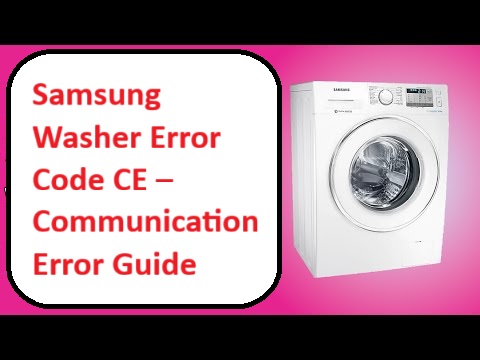
Have you ever felt the frustration of seeing an error code pop up on your Samsung washer? If you’ve encountered the Samsung Washer Error Code CE, you’re not alone.
This code signifies a communication error, which typically means there’s a disconnect between the control board and the drive motor.
But don’t worry—this is a common issue, and many of its causes are straightforward to fix.
One potential reason for this error could be a loose or damaged wire connection. This might sound daunting, but it’s often a simple DIY fix that you can tackle on your own.
I encourage you to read through the entire post to uncover more about this error, including additional potential causes and step-by-step solutions to get your washer back in working order.
What Does the Error Code Means?
When your Samsung washer shows the error code CE, it signals a communication issue between the control board and the drive motor. Understanding what this error means is crucial for effective troubleshooting and restoring your washer’s functionality.
This specific error indicates that the control board is not receiving the correct signals from the motor, which can interfere with the washer’s operation. To start addressing this problem, follow these troubleshooting steps:
- Check Wiring Connections: Begin by inspecting the wiring connections between the control board and the motor. Look for any signs of damage, fraying, or loose connections that may disrupt communication.
- Inspect the Control Board: Next, take a close look at the control board itself. Check for any visible signs of failure, such as burnt components, corrosion, or any unusual physical damage.
- Test the Motor: If the connections and control board appear to be in good condition, the issue may lie with the motor. Testing the motor’s functionality can help determine if it needs repair or replacement.
If these steps do not resolve the error code CE, it may be time to reach out to a professional technician for a thorough diagnosis. In some cases, replacing the control board or motor might be necessary to restore your washer to proper working order. Additionally, understanding the communication issues between machine components can help prevent future errors.
Common Causes Behind Error Code
Identifying and Resolving CE Error Code Issues. It is essential to consider that a faulty temperature sensor can significantly disrupt communication between components, leading to the CE error code.
Loose Wiring Connection
If you’re seeing the CE error code on your Samsung washer, it’s likely due to a loose wiring connection. This issue can hinder communication between the control board and various components, resulting in performance setbacks.
Begin your troubleshooting by inspecting the wire insulation for any signs of wear or damage. Damaged insulation can lead to short circuits, which compromise the stability of your connections. Carefully check all connections to ensure they are secure and free from corrosion. A good practice is to gently tug on each connector to confirm that it is firmly attached.
If you discover any loose wires or faulty connections, take the necessary steps to tighten or replace them. Addressing these wiring issues promptly can help restore your washer’s functionality and prevent future error codes from surfacing. Remember, safety is paramount—always unplug the washer before attempting any repairs, and consult your user manual for specific guidance on your model. With a little patience and attention to detail, you’ll have your washer running smoothly again. Additionally, be mindful of detailed wiring inspections to avoid overlooking potential issues that could lead to further complications.
Faulty Control Board
After checking for loose wiring connections, the next likely cause of the CE error code in your Samsung washer is a faulty control board. This crucial component is responsible for facilitating communication between the different parts of your washer. When it malfunctions, it can easily trigger error codes, leading to confusion and frustration.
To address this issue, you’ll want to perform some electronic component testing on the control board. This will help you identify any faulty components that might be causing the problem. If you discover any damage or failure during your tests, it may be time to consider replacing the control board. Ensure that you select a compatible control board for your specific washer model. Using the wrong board can lead to additional issues down the line, so it’s essential to double-check compatibility.
Safety is paramount, so always disconnect the power supply before attempting any repairs. This step will help you avoid the risk of electric shock. With the right tools and a bit of patience, you can effectively tackle this problem and get your washer back in working order. Remember, if you feel uncertain at any point, it’s perfectly okay to reach out to a professional for assistance. Your safety and the proper functioning of your appliance are what matter most. Additionally, prompt addressing of control board issues can prevent significant complications in your washer’s operation.
Corroded Connector Terminals
Corroded connector terminals are a frequent cause of the CE error code in Samsung washers. When these terminals accumulate corrosion due to moisture and contaminants, they can disrupt electrical communication between components, leading to various operational issues. This corrosion results in rust and oxidation, which can impede the flow of electricity to critical parts of your washer.
To ensure your washer runs smoothly, it’s vital to perform regular maintenance on the terminals. Start by inspecting the connectors for any signs of corrosion, such as discoloration or a powdery residue. If you notice any corrosion, clean the affected areas using a suitable contact cleaner designed for electrical components. Be sure to follow the product instructions carefully for safe and effective results.
After cleaning, check that all connections are secure and free from debris. A loose or dirty connection can lead to further issues down the line. If you find that the corrosion is severe and cleaning does not resolve the problem, you may need to replace the corroded terminals. Additionally, inspect the wiring connections to ensure they are not causing communication failures within the washer.
Software Glitch
While a variety of hardware issues can lead to the CE error code on your washer, a software glitch is frequently the main culprit. These glitches can occur due to outdated firmware or improper software updates that disrupt communication between various components of the machine.
To begin troubleshooting, the first step is to check for any available software updates. Manufacturers often release patches that fix bugs and enhance performance. If you find that your washer’s software is up to date, try resetting the machine. Unplugging it for a few minutes is a simple yet effective way to clear temporary glitches that may be affecting its operation.
Next, ensure that you are using the correct cycle settings. Incorrect configurations can lead to miscommunication between components, triggering error codes like CE. By verifying your settings and making any necessary adjustments, you may resolve the issue. Additionally, be aware that power interruption during the wash cycle can also contribute to communication errors, affecting the washer’s performance.
If you implement these troubleshooting techniques and the CE error persists, it may be time to seek professional assistance. A qualified technician can provide a more in-depth diagnosis and ensure that your washer is functioning safely and efficiently. Remember, taking proper care of your appliance not only extends its lifespan but also ensures your safety and satisfaction.
Required Tools to Fix the Error
Essential Tools for Repairing Samsung Washer Error Code CE
When addressing the Samsung Washer Error Code CE, it’s crucial to have the right tools on hand to ensure an effective repair process. Having a multimeter can help diagnose electrical issues, while screwdrivers are essential for accessing internal components. Additionally, keeping cleaning supplies handy is important to maintain the cleanliness of the control panel. Regular inspections of the keypad for stuck buttons will also aid in preventing future errors.
Basic Tools
When addressing the Samsung washer error code CE, having the right tools is crucial for a successful repair. These tools not only assist in fixing the error but also play a vital role in the regular maintenance of your washer. Here’s a list of essential tools you’ll want to have on hand:
- Screwdriver Set: This will allow you to easily remove screws and access the internal components of your washer. Ensure you have both Phillips and flathead screwdrivers for versatility.
- Multimeter: A multimeter is indispensable for testing electrical connections. It helps diagnose communication issues effectively by checking voltage levels and continuity.
- Socket Wrench: This tool is essential for loosening and tightening bolts securely, especially when working on components that may require a bit more torque.
Equipping yourself with these tools will streamline your repair process, making it easier to troubleshoot and resolve the communication error. Additionally, being familiar with common causes of error codes can enhance your ability to effectively diagnose issues. Remember, consistent maintenance can help prevent future issues, so keep these essential tools readily available for ongoing care of your Samsung washer. Your diligence in upkeep not only extends the life of your appliance but also ensures it operates efficiently.
Supplies
Having the right supplies on hand is crucial when addressing the Samsung washer error code CE. As you embark on troubleshooting this issue, it’s essential to gather specific items that will optimize your efforts and enhance your overall washer maintenance routine. Here’s a concise list of troubleshooting supplies that can make a significant difference:
- Multimeter: This tool is invaluable for checking electrical connections and verifying voltage levels. It ensures that your washer’s electrical components are functioning correctly, which is a key part of diagnosing the CE error.
- Screwdrivers: Both Phillips and flat-head screwdrivers are necessary for accessing the internal components of your washer. Being able to safely open up your appliance is vital for effective troubleshooting.
- Cleaning Solution: A suitable cleaning solution helps remove any buildup or debris that could interfere with the washer’s communication systems. Regular cleaning can prevent issues before they arise. Additionally, checking the wiring harness for any frayed wires or loose connections is essential to ensure proper communication between components.
Pre-Safety Checklist Before Fixing
Before you begin addressing the Samsung washer error code CE, it’s crucial to prioritize your safety and prevent any additional damage to your appliance. Here are some essential safety precautions to follow for a seamless repair experience:
- Unplug the washer: Start by disconnecting the power source. This step is vital to eliminate any risk of electrical shock while you’re working on the machine.
- Check for leaks: Take a moment to inspect the area surrounding your washer for any water leaks. This is important not only for your safety but also to avoid any slipping hazards that could lead to injury.
- Use insulated tools: Ensure that the tools you use are insulated. This will provide an extra layer of protection while you’re handling electrical components, reducing the risk of accidental shocks. Additionally, make sure to check the power supply to confirm that it meets the specifications required for safe operation.
Diagnose the Error Code
Diagnosing the Samsung washer error code CE can seem daunting, but with a methodical approach, you can uncover the root of the issue. First, pay attention to the symptoms—often, the washer may fail to start or could stop unexpectedly during a cycle. Check the display panel for any additional error codes, as these can provide vital clues.
Next, carefully examine the wiring and connections between the control board and the other components. It’s not uncommon for loose or damaged connections to lead to communication errors, which can trigger the CE code. Additionally, ensure that the door lock mechanism is functioning correctly, as any malfunction here can disrupt communication with the control module.
A practical troubleshooting step is to reset the washer. You can do this by unplugging the machine for a few minutes; this simple action often resolves temporary glitches that may trigger the error code.
Step-by-Step DIY Troubleshooting Guide
Next Steps for Resolving the CE Error Code
Tighten Loose Wire Connections
When dealing with the Samsung washer error code CE, one crucial step is to tighten any loose wire connections. First and foremost, prioritize safety by unplugging the washer. This step is essential to prevent any accidental shocks while you work on the appliance.
Once the washer is unplugged, proceed to access the back panel. This is where you’ll find the wiring harnesses that are critical for the washer’s operation. Carefully inspect the wire insulation; look for any signs of wear, fraying, or damage. If you notice any deterioration, it’s important to replace those wires to ensure a stable connection.
Next, examine all the connections closely. Make sure each wire is securely connected by gently tugging on them. If any feel loose, take the time to tighten them properly. Additionally, if you come across any corroded connectors, use a contact cleaner to remove the corrosion and restore a good connection.
After you’ve secured all the connections, reassemble the back panel. Plug the washer back in and run a test cycle to see if the issue is resolved. Remember, ensuring that all wire connections are tight and free of corrosion can significantly improve your washer’s performance and help eliminate communication errors. Your diligence in these small details can make a big difference in keeping your appliance running smoothly.
Replace Faulty Control Board
Once you’ve ensured that all wire connections are secure, the next step is to check the control board for any faults. Safety is paramount, so start by unplugging the washer to eliminate any risk of electrical shock.
Next, you’ll need to remove the back panel to access the control board. As you do this, be on the lookout for any visible signs of damage—this could include burnt components, frayed wires, or signs of corrosion. If you identify any of these issues, it’s time to replace the control board.
To disconnect the faulty board, carefully unplug the connectors attached to it and unscrew it from its mount. Take your time during this process to avoid damaging any surrounding components.
Once the old board is removed, you can install the new one by reversing the steps you just followed. Make sure that all connections are secure before moving on.
After the installation is complete, plug the washer back in and run an error code diagnosis. This will help confirm whether the issue has been resolved. If the error code still appears, it may indicate that further troubleshooting is necessary. Don’t hesitate to consult your washer’s manual or reach out for professional assistance if needed. Remember, it’s always better to be safe than sorry!
Clean Corroded Connector Terminals
Inspecting and cleaning corroded connector terminals is an important step in ensuring your Samsung washer operates efficiently and can help resolve the CE error code. To start, safety is paramount, so unplug the washer before you begin any work.
Next, you’ll want to locate the connector terminals, which are typically found at the control board and the motor. Carefully detach the connectors, and take a moment to examine them for any signs of corrosion, such as discoloration or a white, powdery residue.
To clean the terminals, use a wire brush or a piece of fine-grit sandpaper. Gently scrub the terminals until they regain a shiny appearance. Be sure to avoid excessive pressure, as you don’t want to damage the connectors. If you find that the corrosion is extensive, you might consider applying a corrosion prevention spray after cleaning to help maintain the integrity of the terminals and prevent future buildup.
Once you’ve cleaned the terminals, reconnect them securely, ensuring that they fit tightly. This step is crucial, as loose connections can lead to further issues down the line. Regular maintenance of your washer’s terminals can help prevent problems, extend its lifespan, and keep it running smoothly.
Finally, plug the washer back in and run a cycle to check if the CE error code has cleared. If the error persists, there may be other underlying issues that require further investigation. Remember, consistent care and maintenance can go a long way in keeping your appliance in top shape!
Update Washer’s Software Firmware
To address the CE error code effectively, updating your Samsung washer’s software firmware is often a reliable solution. Here’s a step-by-step guide to help you through the firmware installation process:
| Step | Action | Tips |
|---|---|---|
| 1 | Check for software updates | Visit Samsung’s official website to find the latest updates for your specific model. |
| 2 | Download the latest firmware | Ensure that the firmware you download is compatible with your washer model by cross-referencing model numbers. |
| 3 | Install the firmware on your washer | Carefully follow the on-screen instructions provided during the installation process. |
After you’ve downloaded the firmware, connect your washer to a power source. Begin the installation process; this may take a few minutes, so be patient. Once the installation is complete, restart your washer and verify whether the CE error code has been resolved. If the code persists, additional troubleshooting may be required.
Keeping your washer’s firmware updated is essential for optimal performance and connectivity. By following these steps, you’ll not only enhance the functionality of your appliance but also help prevent future errors. If you have any questions or need further assistance, feel free to reach out. Remember, safety is paramount; always ensure your appliance is unplugged during maintenance when appropriate.
Call a Professional If
If you’ve attempted troubleshooting your Samsung washer and the CE error code continues to appear, it may be time to call in a professional. Understanding when to seek expert assistance is crucial to prevent any further damage to your appliance. If you’ve already tried steps like resetting the machine, checking all connections, or updating the firmware without success, don’t hesitate to reach out for help.
Professionals can accurately identify underlying issues that may not be immediately obvious through standard troubleshooting. With their extensive training and specialized tools, technicians can effectively address complex electrical or communication problems that might be causing the CE error.
Additionally, if your washer is still under warranty, it’s a smart move to consult a professional. Attempting repairs on your own could inadvertently void that warranty. Remember, timely intervention not only saves you money in the long run but also extends the lifespan of your washer. Don’t hesitate to reach out for expert help to ensure your appliance remains in top working condition.