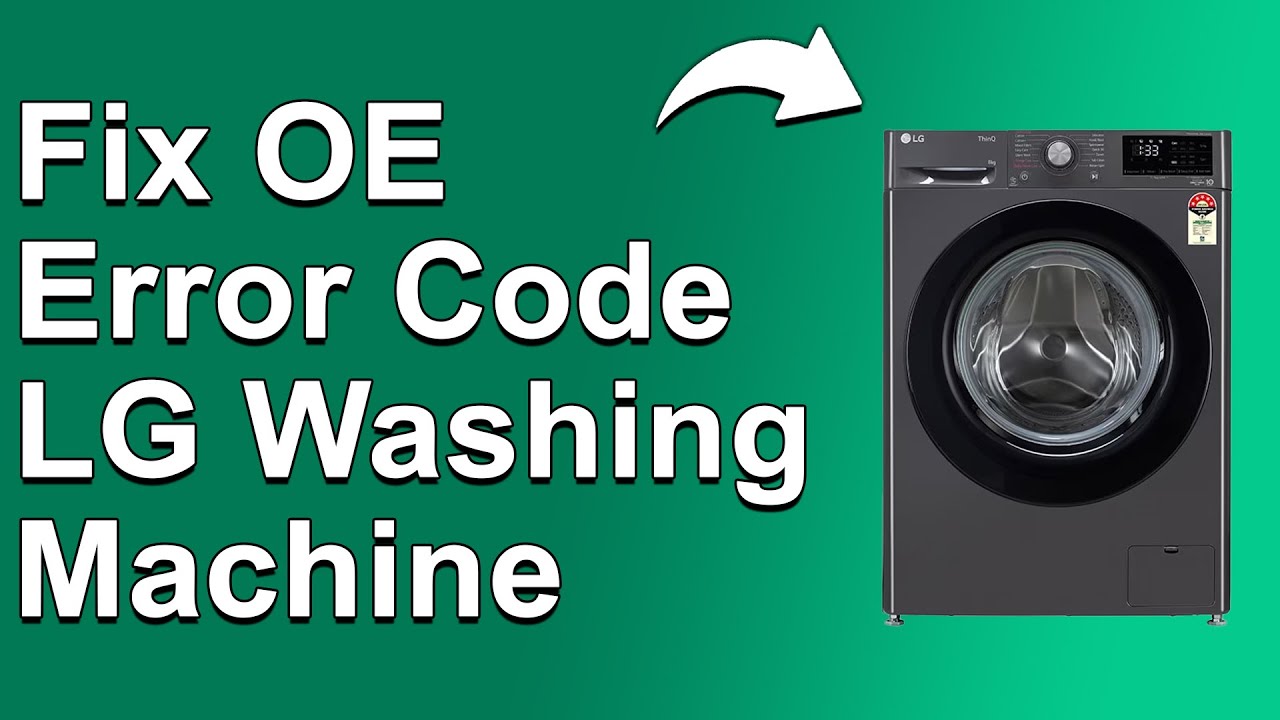
We know how frustrating it can be when your LG washer throws an error code, especially when you’re in the middle of laundry day.
Today, we’re focusing on the LG washer error code OE3, which usually signals a clogged drain filter. In simple terms, this means that your washer is having trouble draining water, and it can really throw a wrench in your laundry routine.
The good news is that this is a common issue, and many of the causes have straightforward DIY solutions.
One common culprit behind the OE3 error is a blocked drain filter, which can easily happen over time.
To get a complete understanding of this error, including more potential causes and how to fix them, we encourage you to read through the entire post.
Let’s get your washer back to working order!
What Does the Error Code Means?
The LG washer error code OE3 signifies a drainage problem, which can interrupt your laundry cycles and lead to further complications if not addressed. Understanding this error code is essential for effective troubleshooting. When you see this error, it indicates that your washer is unable to drain water properly. This can result in extended wash cycles and may even cause damage to your appliance over time.
To tackle this issue, start by inspecting the drain filter for any clogs or debris that may be obstructing water flow. It’s also important to check the drain hose—make sure it isn’t kinked or blocked, as this can hinder proper drainage as well. If you’ve gone through these steps and the error persists, consider examining the pump for any faults or malfunctions. Additionally, ensure that the drain hose is straight to facilitate optimal water flow.
Common Causes Behind Error Code
Identifying Common Causes of the OE3 Error Code
The OE3 error code typically indicates a drain filter issue, which can arise from various factors, such as blockages in the drain hose or debris accumulation. Regular maintenance of the drain filter can prevent common causes like clogs and ensure efficient drainage during operation.
Blocked Drain Hose
If your LG washer is showing the OE3 error code, it’s likely due to a blocked drain hose. This issue can hinder proper drainage, leading to your washing machine not functioning as it should.
First, take a moment to examine the drain hose for any kinks or bends. These can obstruct the flow of water and cause drainage problems. Next, check for any clogs in the hose due to lint, debris, or foreign objects that may have made their way inside. It’s also important to ensure that the hose is securely connected to both the washer and the drain.
If your drain hose is excessively long or not positioned correctly, this can also impact drainage. Keeping the hose in good condition is key to preventing future errors and ensuring your washing machine runs effectively. Remember, maintaining this part of your appliance can save you time and trouble down the road. Don’t overlook it; a little attention can go a long way in keeping your washer in top shape. Additionally, be aware that issues with the drain pump may also contribute to drainage problems, so it’s worth inspecting that component as well.
Faulty Drain Pump
A blocked drain hose isn’t the only reason you might encounter the OE3 error code on your washing machine; a faulty drain pump can also lead to drainage problems. The drain pump plays a crucial role in removing water from your washer. If it fails to work properly, you’ll likely experience issues with draining.
Common causes of a malfunctioning drain pump include wear and tear over time, electrical issues, or debris that may be obstructing the pump. To avoid these complications, it’s important to perform regular maintenance on your drain pump. This includes checking for clogs and ensuring the pump operates correctly. If the pump is not functioning, testing electrical components may help diagnose the issue.
If you discover that your drain pump is beyond repair, you can look into replacement options that are compatible with your specific LG model. Addressing these issues promptly can help you avoid more serious problems down the line, as well as costly repairs. Remember, keeping your washer in good working order not only enhances its performance but also extends its lifespan.
Clogged Drain Filter Screen
The drain filter screen is an essential part of your washing machine that can trigger the OE3 error code when it becomes clogged. To ensure your washer operates at its best, regular maintenance of the drain filter is crucial. Let’s explore some common causes of clogging and how to address them effectively:
| Common Causes | Solutions |
|---|---|
| Lint accumulation | Make it a habit to clean the filter regularly. Aim for once a month, or more often if you do frequent loads. |
| Small objects | Always check your pockets before washing to avoid losing items like coins or tissues that can obstruct the filter. |
| Detergent residue | Use the appropriate type and amount of detergent for your washer. Too much detergent can lead to residue buildup. |
| Fabric fibers | Be mindful not to overload your washer, as this can increase the likelihood of fibers clogging the filter. |
| Foreign debris | Regularly inspect the filter for any foreign debris. If you notice anything unusual, remove it promptly to prevent future issues. |
Additionally, using HE detergent as recommended can help to minimize residue buildup that contributes to clogging.
Faulty Control Board
When it comes to washer maintenance, many people often overlook the significance of the control board, but it’s a crucial component that can lead to issues like the OE3 error code. A faulty control board typically results from failures in its electronic components, which can disrupt the communication between the various parts of your washer. If the control board isn’t working properly, it might not send the correct signals to the drain pump, which can lead to drainage problems.
You might notice symptoms of a malfunctioning control board such as erratic behavior from the washer, or it may fail to start its cycles altogether. To diagnose potential control board issues, start by inspecting the board for any visible damage, such as burnt components or loose connections. Additionally, troubleshooting should start with checking connections and wiring to ensure proper communication between the control board and other components.
If you suspect that the control board is at fault, it’s a good idea to consult a professional repair technician. They have the expertise to accurately assess the situation and replace the faulty board if necessary. This will help ensure that your washer operates efficiently again, getting your laundry routine back on track. Remember, safety first—if you’re unsure about handling electronics, it’s always best to leave it to the professionals.
Required Tools to Fix the Error
Preparing for Repair: Essential Tools Needed
To effectively address the OE3 error code, it’s crucial to gather the right tools before starting the repair process. Additionally, understanding the specifics of door latch mechanisms can aid in preventing future issues.
Basic Tools
Having the right tools on hand is crucial when addressing the LG washer error code OE3. With the right equipment, you’ll find the process not only smoother but also more efficient. Here’s a detailed overview of the essential tools you’ll need to get started:
| Tool | Purpose | Notes |
|---|---|---|
| Screwdriver | To remove access panels | A flathead or Phillips screwdriver will work best. |
| Pail | To catch water during drainage | Keep it close to your workspace to avoid spills. |
| Towels | For cleaning up spills | Have a few on hand to absorb any excess water. |
| Flashlight | To illuminate dark areas | Essential for visibility in tight spaces. |
| Gloves | To protect your hands | Ensure a good grip and shield against sharp edges. |
Equipped with these basic tools, you’ll be well-prepared to tackle the OE3 error code effectively. Remember, safety should always be your top priority, so don’t hesitate to consult the manufacturer’s guidelines before proceeding with any repairs. A malfunctioning drain pump can also contribute to drainage issues, so be sure to check it during your troubleshooting process. Your safety and the proper functioning of your washer depend on it. Happy repairing!
Supplies
When dealing with the LG washer error code OE3, having the right supplies on hand is essential for an effective resolution. Start by gathering some basic repair tools, specifically a screwdriver set and pliers. These tools will allow you to access the drain filter and any other components that might be involved in the error.
It’s also wise to have several towels nearby. When you remove the drain filter, there may be residual water that can spill out, and the towels will help you manage that cleanly.
Next, consider stocking up on cleaning supplies. A mild detergent or vinegar can be very effective for thoroughly cleaning the drain filter. If you encounter any stubborn debris, a small brush can be a helpful addition to your toolkit, allowing you to tackle any buildup effectively. Additionally, ensure that you have a multimeter for checking electrical connections as it can help diagnose potential issues related to power supply interruptions that may affect washer performance.
Pre-Safety Checklist Before Fixing
Before you start working on your LG washer, it’s essential to take some important safety precautions. These steps not only protect you but also ensure your appliance remains in good condition during repairs. Let’s go through these key points together to set the stage for a safe and efficient repair process.
- Unplug the washer: The very first step is to disconnect the power supply. This is crucial to prevent any risk of electric shock while you work on your appliance.
- Turn off the water supply: To avoid any potential leaks or flooding, make sure to shut off the water valves connected to your washer. This will give you peace of mind while you tackle your repairs.
- Organize your tools: A well-organized workspace can make your repair process smoother. Keep your tools in a designated area so you won’t waste time looking for them when you need them most.
- Wear protective gear: Safety should always come first. Equip yourself with gloves and safety glasses to protect against sharp edges and debris that can be present during repairs. Additionally, ensure that you have a well-lit workspace to facilitate your inspection and repairs safely.
Diagnose the Error Code
To effectively diagnose the OE3 error code on your LG washer, it’s essential to understand that this code typically points to a drainage issue. As a seasoned appliance repair technician with over 20 years of experience, I want to guide you through a reliable troubleshooting process. Please follow these steps to ensure your washer operates safely and efficiently.
- Check the Drainage System: Begin by inspecting the drainage system, as this is the most common area where problems arise.
- Error Code Analysis: Conduct a thorough examination of the components involved in the drainage process. Below are potential causes of the OE3 error code along with their corresponding solutions:
| Possible Cause | Solution |
|---|---|
| Clogged Drain Filter | Remove and clean the drain filter thoroughly. If it’s damaged, consider replacing it to ensure proper flow. |
| Kinked or Damaged Drain Hose | Inspect the drain hose for any kinks or damage. If necessary, straighten it out or replace the hose to allow proper drainage. |
| Blocked Drain Pump | Access the drain pump and check for obstructions. Remove any debris that may be hindering its function. |
Throughout this process, remember to always disconnect your washer from the power source before performing any repairs. Safety is paramount, and taking these precautions will help you avoid any accidents.
Step-by-Step DIY Troubleshooting Guide
Next Steps for Troubleshooting the OE3 Error Code
Clear the Drain Filter
Clearing the drain filter is a crucial step in addressing the LG washer error code OE3, as a clogged filter can significantly impede proper drainage. To ensure your safety, it’s important to start by unplugging your washer.
Next, locate the drain filter, which is typically situated at the front bottom of the machine. To prevent water spills, place a shallow pan or some towels beneath the filter access door. Carefully open the filter door and slowly unscrew the filter. This will allow any trapped water and debris to flow out into your pan or towels.
Once the water has drained, take the filter to your sink and clean it thoroughly under running water. Make sure to remove any lint, hair, or foreign objects that may have accumulated. After cleaning, securely reinsert the filter, ensuring it is properly seated to avoid leaks.
Regular maintenance of the drain filter is essential for preventing clogs, so I recommend checking it at least once a month. This proactive approach will help you avoid future drainage issues and keep your washer running smoothly for years to come.
Inspect the Drain Pump
After you’ve cleared the drain filter, the next step is to inspect the drain pump. Begin by unplugging your washer to ensure your safety during the inspection. The drain pump is typically located at the bottom of the machine. Carefully examine it for any visible damage or blockages that could impede its operation.
Next, check the connections to the drain pump. Ensure that they are secure and free from any signs of corrosion. Loose or damaged connections can significantly affect the pump’s performance and may trigger error codes, such as OE3, indicating drainage problems.
If your washer model allows for it, consider removing the pump for a more thorough inspection. Look for any signs of wear or damage, such as cracks or unusual wear patterns. Regular maintenance of the drain pump is crucial—keeping it clean and functioning properly helps prevent future drainage issues that could lead to more significant problems down the line.
Once you’ve completed your inspection and any necessary repairs, carefully reassemble all parts. Plug the washer back in and run a short cycle to ensure everything is functioning correctly. This proactive approach will help keep your washer running smoothly and extend its lifespan.
Check for Debris Buildup
Inspecting for debris buildup is crucial when addressing the OE3 error code on your LG washer. To begin, ensure your safety by unplugging the washer. Gather a towel and a small container to catch any water that may spill during the process.
Next, locate the drain filter, which is typically found at the front bottom of the machine. Carefully remove the filter cover and gently pull out the drain filter. As you do this, allow any trapped water to drain into your container. Take a close look at the filter for any lint, coins, or other debris that could obstruct proper drainage.
Cleaning the filter is simple. Rinse it thoroughly under running water, making sure to remove all obstructions. Once it’s clean, reinsert the filter and secure the cover back in place. Regular maintenance of the drain filter is not only key to resolving the OE3 error but also significantly improves the efficiency of your washer for future loads.
Replace Control Board
If you’ve checked for debris buildup and the OE3 error persists, it may be time to replace the control board in your LG washer to restore its functionality. Safety is paramount, so start by unplugging the washer from the power source.
Next, you’ll need to remove the back panel to access the control board. Use a screwdriver for this task, ensuring you keep your screws organized for easy reassembly. Once the back panel is off, carefully disconnect the wiring harness attached to the control board. It’s a good idea to take a moment to note the positions of the wires, either by taking a photo or labeling them, to simplify the reconnection later.
After you’ve disconnected the wiring, remove any screws holding the old control board in place, and gently lift it out. Now, it’s time to install the new control board. Simply reverse the steps you just completed: secure the new board with screws and reconnect the wiring harness, using your notes or photo as a guide.
Once everything is securely in place, reattach the back panel and plug the washer back in. To ensure the replacement was successful, test the machine by running a few different cycles. If it operates smoothly without errors, you’ve successfully completed the replacement. If you still encounter issues, don’t hesitate to apply additional troubleshooting techniques or seek professional assistance. Your safety and the longevity of your washer are my top priorities.
Call a Professional If
While troubleshooting an LG washer that’s showing the OE3 error code, there are times when the issue may be more complex than a simple fix. If you’ve already checked the drain filter, drain hose, and control board without success, it may be time to consider reaching out to a professional.
When the problem involves intricate internal components or electrical issues, having a trained technician assess the situation is crucial. These experts possess the specialized tools and knowledge needed to accurately diagnose and repair problems that might not be immediately apparent.
Additionally, if you notice any unusual noises, leaks, or if the error code persists despite your troubleshooting efforts, seeking professional help is advisable. An experienced technician can ensure that your washer operates efficiently and safely, which helps prevent further damage and can save you from costly repairs down the line. Remember, when it comes to appliance repairs, don’t underestimate the value of professional expertise. It’s always better to be safe than sorry!