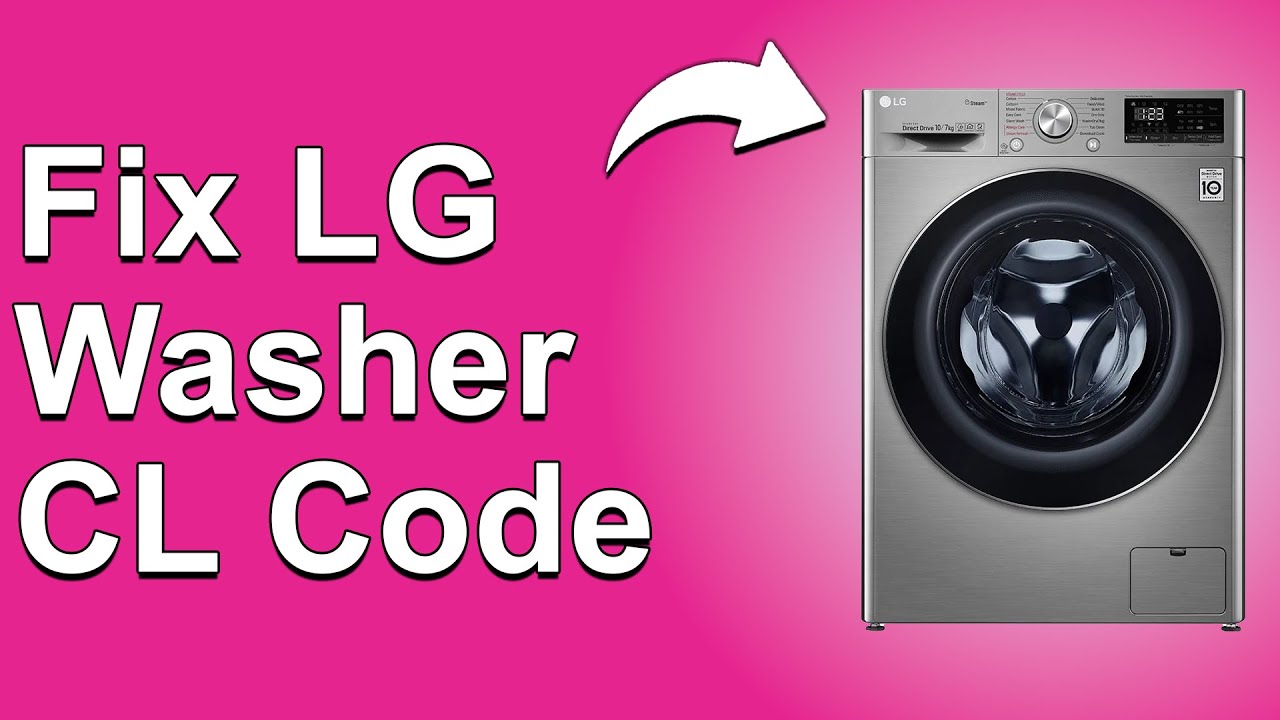
Encountering the LG Washer Error Code LOC can be incredibly frustrating, especially when you’re in the middle of a laundry day. This specific code indicates that the child lock mode is activated, which is designed to prevent little ones from accidentally changing your settings.
While it’s a great safety feature, it can certainly be annoying when you need to make adjustments to your washing cycle.
Rest assured, you’re not alone in facing this issue—many people deal with it, and there are often simple DIY solutions to resolve it.
One common cause of the LOC error is accidentally activating the child lock while trying to use the washer.
To get to the bottom of this, I encourage you to read through the entire post, where you’ll find more information about this error, including other possible causes and effective solutions.
Let’s get your washing machine back in action!
What Does the Error Code Means?
When you encounter the LOC error code on your LG washer, it signifies that the child lock feature is engaged. This feature is designed to prevent accidental changes to the washing cycle, making it particularly useful in homes with small children. When the child lock is activated, the control panel becomes unresponsive, which means you won’t be able to start or adjust your wash cycle.
There’s no need to worry if you see this code—it’s a safety measure rather than an indication of a malfunction. To resolve this issue, you’ll need to deactivate the child lock. You can find the specific button combination needed to reset this feature in your user manual. Once you successfully turn off the child lock, the error code should clear, allowing you to resume using your washer as intended. Remember, always prioritize safety and consult the manual for guidance tailored to your specific washer model. Additionally, understanding door latch mechanisms can help you troubleshoot other issues with your washer in the future.
Common Causes Behind Error Code
Understanding the LOC Error Code in LG Washers: The LOC error code signifies that the child lock mode is activated, preventing any accidental changes to the settings during operation. This feature is designed to enhance safety, particularly in households with young children, ensuring that they cannot disrupt the washing cycle. Additionally, it is crucial to note that the temperature sensor plays a significant role in the overall performance of the washer, as it helps monitor and maintain optimal washing conditions.
Child Lock Accidentally Engaged
If your LG washer is showing the LOC error code, it’s likely that the child lock feature has been unintentionally activated. This safety feature is designed to prevent children from interfering with the controls during a wash cycle. While it’s a valuable function for peace of mind, it can sometimes lead to confusion if engaged by accident.
To disable the child lock, you’ll need to press and hold a specific combination of buttons, which is usually detailed in your user manual. Commonly, this involves pressing and holding the “Temp” and “Spin” buttons simultaneously for several seconds. Each model may vary slightly, so it’s always best to refer to your manual for the precise method. Additionally, if the child lock feature is malfunctioning, it may be due to keypad issues that require further inspection.
Understanding how to disengage this feature can save you time and frustration. While the child lock provides added safety, knowing how to turn it off is crucial for a hassle-free laundry experience. If you have any doubts or if the issue persists, don’t hesitate to reach out to a qualified technician for assistance. Remember, your safety and the proper functioning of your appliance are the top priorities.
Faulty Control Panel Buttons
While the child lock feature can certainly lead to confusion, another frequent culprit behind the LOC error code is faulty control panel buttons. If your washer’s buttons aren’t responding as you expect, it might be due to a buildup of dirt or debris. Keeping your control panel clean is essential for optimal performance; regularly wipe down the buttons and the surrounding area to remove any grime that may hinder their functionality.
Also, be sure to check for any buttons that feel sticky or unresponsive. These can prevent your washer from registering your commands correctly. If you’ve cleaned the control panel but still find that the buttons are inconsistent in their response, it could signify a more significant issue that might require professional repair or replacement. Additionally, faulty wiring in the washer can disrupt communication between components, leading to similar symptoms.
Maintaining your control panel not only helps to avoid errors but also improves your overall laundry experience. Addressing these button issues quickly can help prevent interruptions in your wash cycle, ensuring that your laundry routine runs smoothly. Remember, safety is key—always unplug your washer before performing any maintenance work.
Worn-Out Control Panel Wiring
Worn-out control panel wiring can be a common issue that leads to the LOC error code. This problem often arises from regular use or exposure to moisture, which can deteriorate the wiring over time. To keep your washer running smoothly, it’s crucial to perform regular maintenance on the control panel.
Conducting a thorough inspection of the wiring can help you spot any frayed or damaged wires. This proactive approach is key to ensuring your washer operates efficiently and prevents further complications down the line. Additionally, addressing issues related to door lock mechanisms can also contribute to the overall functionality of your washer.
Here’s a quick reference table to help you diagnose and address common wiring issues:
| Issue | Symptoms | Solution |
|---|---|---|
| Frayed Wiring | Intermittent Error Messages | Replace any damaged or frayed wires |
| Moisture Exposure | Short Circuits | Ensure the control panel area is dry |
| Loose Connections | Unresponsive Buttons | Tighten any loose connections |
Addressing these wiring concerns promptly can save you both time and money. Remember, safety should always come first when inspecting or repairing any appliance. If you’re unsure about any steps, don’t hesitate to consult a professional. Empower yourself with knowledge, and your washer will thank you for it!
Faulty Child Lock Sensor
A faulty child lock sensor is a common issue that can trigger the LOC error code on your LG washer. This problem typically arises when the sensor fails, leading to the child lock feature engaging without being activated. You may find that the control panel becomes unresponsive or shows the error message even though you haven’t turned on the lock.
To troubleshoot this issue effectively, you should begin with sensor testing. Carefully inspect the sensor area for any visible damage, dirt, or debris that might be interfering with its operation. If you’ve eliminated other potential causes, it may be necessary to replace the sensor to restore your washer’s functionality. Regular maintenance is crucial to prevent issues like this, including inspecting the lid switch for signs of wear or damage.
Always consult your washer’s manual for specific instructions and safety precautions before attempting any repairs. Addressing a faulty child lock sensor promptly is essential to eliminate the LOC error code and ensure your washer operates smoothly. Remember, safety first—if you’re ever unsure, it’s wise to consult a professional technician to assist you.
Required Tools to Fix the Error
Essential Tools for Repairing LG Washer Error Code LOC
To effectively address the LOC error, having the right tools on hand is crucial for a successful repair process. Additionally, ensure that you have a multimeter for testing electrical connections, as this can help identify any underlying issues.
Basic Tools
When dealing with the LG Washer error code LOC, having the right tools at your disposal can significantly enhance your troubleshooting experience. Here’s a straightforward overview of essential tools you’ll need to effectively address this issue.
Your toolkit should ideally include the following items:
| Tool | Purpose |
|---|---|
| Screwdriver | To remove screws from the washer panel |
| Multimeter | For testing electrical connections and continuity |
| Pliers | To grasp and manipulate wires securely |
| Flashlight | To illuminate dark or cramped areas |
| Soft Cloth | For cleaning sensitive components and ensuring a safe working environment |
Having these tools ready will empower you to tackle the LOC error code with confidence and precision. Additionally, understanding the lid switch issues associated with washer errors can aid in efficient troubleshooting. Keep this list handy as you work through the troubleshooting steps. Remember, being prepared not only makes your job easier but also helps you maintain safety and efficiency throughout the repair process.
Supplies
When addressing the LG Washer error code LOC, having the right supplies at your disposal is crucial for a smooth and efficient repair process. Here’s a straightforward list of what you’ll need:
- Basic Laundry Supplies: Start with a soft cloth for cleaning surfaces and a container to hold any small parts you might remove during the repair. Keeping everything organized will save you time and hassle.
- Maintenance Essentials: A good screwdriver set is essential for accessing the control panel and any other components. Depending on the situation, you might also need a multimeter to check electrical connections and ensure everything is functioning correctly.
- User Manual: Always have your user manual handy. It contains specific troubleshooting steps tailored to your model, which can be invaluable when diagnosing issues. Additionally, having a thorough understanding of control board fault can help you identify potential issues more effectively.
Pre-Safety Checklist Before Fixing
Before you begin addressing the LG washer error code LOC, it’s essential to follow a thorough pre-safety checklist. Taking the right precautions ensures that you can troubleshoot the problem safely and effectively. Here’s what you need to do:
- Unplug the Washer: Always disconnect the power supply to eliminate any risk of electrical shock while you work on the machine.
- Inspect for Water Leaks: Carefully examine the area around the washer for any signs of water leakage. This will help you avoid slips and falls, and it’s crucial for preventing further water damage.
- Ensure Proper Ventilation: Make sure the space is well-ventilated. This is important to prevent any buildup of fumes, especially if you are using cleaning agents or other chemicals during your repair.
- Wear Protective Gear: Equip yourself with protective gloves and goggles. This safeguards you against sharp edges on the machine and potential exposure to cleaning chemicals.
- Have a Fire Extinguisher Ready: Keep a fire extinguisher within reach in case of any emergencies. It’s better to be prepared, especially when working with electrical appliances. Additionally, be aware that a stable power supply is crucial when troubleshooting any electrical appliance issues to prevent further complications.
Diagnose the Error Code
To effectively diagnose the LG washer error code LOC, it’s essential to first understand what this code means. The LOC error indicates that the child lock mode is activated, which prevents any changes to the washer settings. This is a common safety feature designed to avoid accidental adjustments, especially in households with children.
A frequent misconception is that this error suggests a mechanical failure; however, it’s important to recognize that it is primarily a protective measure. To troubleshoot this issue, begin by checking the control panel for the child lock symbol. To deactivate it, you typically need to press and hold the button designated for the child lock feature—this is often labeled with a lock icon. Make sure to refer to your washer’s manual for the specific procedure, as it can vary by model.
If you’ve followed these steps and the LOC error still persists, it might require a closer look at other components. However, always start with the basics—ensuring that the child lock is properly disabled is key to resolving the issue. Remember, safety comes first, so if you’re unsure or uncomfortable with troubleshooting, don’t hesitate to reach out to a professional technician for assistance.
Step-by-Step DIY Troubleshooting Guide
Troubleshooting the LOC Error Code
Reset Child Lock Feature
Many users find themselves dealing with the frustration of accidentally activating the child lock feature on their LG washer. Fortunately, resetting this feature is a straightforward process.
To begin, locate the “Child Lock” button on your control panel. Press and hold this button for approximately three seconds. You should hear a beep or notice the indicator light turning off, which means the child lock has been deactivated.
If this method doesn’t work, don’t worry. Sometimes a simple power cycle can help reset the system. Turn off your washer and unplug it from the electrical outlet. Leave it unplugged for a few minutes to allow the internal components to reset. Once you’ve waited, plug the washer back in and turn it on.
After completing these steps, check the control panel to ensure that the child lock indicator is no longer illuminated. This should restore normal functionality to your washer, allowing you to use it without any restrictions. Remember, if you continue to experience issues, it may be a good idea to consult your user manual or reach out to a professional for assistance. Your appliance should work smoothly, and I’m here to help you ensure it does!
Replace Control Panel Buttons
When your LG washer’s control panel buttons become unresponsive or damaged, replacing them can restore functionality and save you from costly repairs. Here’s a step-by-step guide to help you through the process safely and effectively.
Step 1: Safety First****
Before you begin, unplug the washer from the electrical outlet to ensure your safety throughout the repair process. This is a crucial step that should never be overlooked.
Step 2: Access the Control Panel****
Using a screwdriver, carefully remove the control panel cover. Take your time with this step to avoid damaging any of the surrounding materials. It’s important to handle everything gently to maintain the integrity of your washer.
Step 3: Remove the Old Buttons****
Once the cover is off, locate the old control panel buttons. Disconnect them by gently unscrewing or unclipping them. As you do this, make a note of their positions for easier reassembly later on. This will help you avoid any confusion when installing the new buttons.
Step 4: Install the New Buttons****
Now, take your new buttons and install them in the same positions as the old ones. Ensure they are aligned correctly to guarantee optimal functionality. A proper alignment will help prevent any future issues with responsiveness.
Step 5: Reattach the Control Panel Cover****
Once the new buttons are securely in place, reattach the control panel cover. Make sure it is fastened tightly to avoid any loose parts that could lead to further damage.
Step 6: Test Your Work****
After reassembling everything, plug the washer back in and test the buttons. If they respond as intended, congratulations! You’ve successfully replaced them.
Step 7: Regular Maintenance****
To prevent future issues, regularly check the buttons for any signs of wear or damage. Keeping an eye on these components can extend the life of your washer and maintain its performance.
Repair Control Panel Wiring
Diagnosing and repairing control panel wiring issues in your LG washer is a crucial step in restoring its functionality and preventing future complications. Let’s take this process step-by-step to ensure your safety and effectiveness.
Step 1: Safety First
Before you begin any repair work, unplug the washer from the power source. This is vital to ensure your safety while working on the control panel.
Step 2: Accessing the Control Panel
Next, you’ll need to access the control panel. Depending on the model of your LG washer, this may involve removing screws or clips that secure the panel in place. Keep all screws in a safe spot to avoid losing them during the process.
Step 3: Inspecting the Wiring
Once the control panel is accessible, carefully inspect the wiring for any visible damage. Look for signs of frayed or disconnected wires. These are common issues that can lead to malfunction.
Step 4: Testing with a Multimeter
Using a multimeter, check for continuity in the wiring harness. This tool will help you determine if there are any breaks in the wiring that could be causing issues. If you find any breaks, you’ll need to address them accordingly.
Here’s a quick reference table to help you identify common wiring issues and the appropriate actions to take:
| Issue | Action |
|---|---|
| Frayed Wires | Replace damaged wires |
| Loose Connections | Reconnect securely |
| Broken Circuit | Repair or replace circuit |
| Corroded Connectors | Clean or replace connectors |
Step 5: Reassembly and Testing
After addressing any wiring issues, carefully reassemble the control panel. Make sure everything is securely in place before plugging the washer back in. Once reconnected to power, test the washer to ensure it’s functioning properly.
Inspect Child Lock Sensor
To ensure your LG washer runs smoothly, it’s crucial to inspect the child lock sensor, particularly if you’re experiencing issues with the control panel or are seeing unexpected error codes. Follow these steps for a safe and effective inspection:
- Unplug the Washer: Safety comes first. Always unplug the washer before you begin any inspection or repair work.
- Locate the Child Lock Sensor: Typically, the child lock sensor can be found on the control panel of your washer. Familiarize yourself with its location to streamline the process.
- Inspect the Sensor: Examine the child lock sensor closely for any visible signs of damage, such as cracks or wear. Additionally, check for any debris or lint that might be obstructing its function.
- Clean the Area: Use a soft cloth to gently clean around the sensor. Removing any buildup will help ensure that the sensor can operate effectively.
- Reconnect the Washer: Once you’ve completed your inspection and cleaning, plug the washer back in.
- Test the Child Lock Feature: After reconnecting, test the child lock feature to determine if it is functioning as intended.
If the problem persists, it’s a good idea to consult your user manual for further troubleshooting steps. Alternatively, don’t hesitate to reach out to a professional for assistance. Regularly checking the child lock sensor can help you avoid future issues and keep your washer in top working condition. Remember, proactive maintenance is key to a reliable appliance!
Call a Professional If
If you’ve attempted to troubleshoot the LG washer error code LOC and haven’t found a solution, it’s time to reach out to a professional. Ensuring child safety is incredibly important, and having a washer that operates correctly is essential for a safe home environment. A qualified technician is equipped to diagnose and resolve underlying issues that may go beyond basic troubleshooting.
Signs You Need Professional Help
| Signs You Need Professional Help | Description |
|---|---|
| Persistent Error Code | If the error code LOC keeps coming back despite your efforts, it indicates a deeper problem. |
| Unresponsive Controls | When buttons or controls fail to respond as they should, it could signal an electrical or software issue. |
| Unusual Noises or Smells | Strange sounds or odors during operation can be signs of mechanical failure or overheating, which require immediate attention. |
Don’t jeopardize the safety of your appliance or the well-being of your family. Seeking professional assistance ensures that your LG washer is repaired correctly and safely, so you can focus on what truly matters. Remember, it’s always better to be safe than sorry when it comes to appliance repairs!