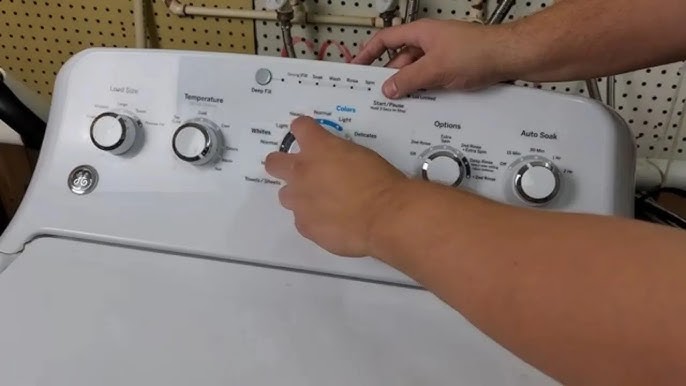
We’ve all been there—your GE washer suddenly displays the PF error code, and frustration kicks in. This code stands for “Power Failure,” which means your washer detected an interruption in power.
But don’t worry; this is a common issue, and many of its causes can be easily fixed with a little DIY effort.
One common reason for the PF error is a temporary power outage or a loose power cord connection.
If you want to learn more about this error and discover additional causes and solutions, be sure to read through the entire post.
With the right information, you’ll be able to tackle this issue and get your washer back up and running in no time!
What Does the Error Code Mean?
If you’ve come across the PF error code on your GE washer, you’re dealing with a power failure indication. This error typically arises from a power interruption or a voltage fluctuation during the wash cycle. Your washer needs a consistent power supply to operate correctly, and any disruptions can interfere with its performance.
When the PF error code pops up, it means your machine has experienced an unexpected loss of power or a significant voltage change. This can lead to incomplete cycles or other operational issues that might leave your laundry unfinished.
To mitigate these electrical inconsistencies, it’s important to take immediate action. Start by checking your home’s electrical system to ensure there are no underlying issues. Using a surge protector is a wise choice as it helps maintain a stable voltage supply, which can prevent the PF error from occurring in the future. By taking these steps, you can ensure your GE washer continues to run smoothly and efficiently, minimizing the risk of further problems down the line. If the issue persists, it may be beneficial to consult a professional technician to investigate any deeper electrical issues.
Common Causes of the Error Code
Troubleshooting the PF Error Code
Cause 1
One common cause of the GE washer error code PF is a power interruption during the wash cycle. This can happen for various reasons, such as a power outage or complications within your home’s electrical system. If you find yourself facing this error, here are some steps to help you troubleshoot effectively:
- Power Outage: First, check if there’s a power outage in your area. You can do this by contacting your utility company or asking neighbors if they’re experiencing the same issue.
- Circuit Breaker: Next, inspect your circuit breaker panel. Look for any tripped breakers that may need to be reset. If you find one that has tripped, reset it and see if that resolves the issue.
- Loose Connections: Ensure all electrical connections to the washer are secure. This includes checking the power cord and outlet for any signs of wear or damage.
- Extension Cords: It’s important to avoid using extension cords with your washer. They can lead to voltage drops that might disrupt the washer’s operation. Always plug the washer directly into a wall outlet.
Cause 2
One of the common causes of the GE washer error code PF, besides power interruptions, is issues with the washer’s control board. If you encounter this error, it’s important to assess both the power supply and the control board itself, as either can disrupt the normal operation of your washer and lead to a false power failure alert.
Here’s a breakdown of potential problems that could be at play:
| Problem Type | Description |
|---|---|
| Power Supply Issues | This includes inconsistent voltage or unexpected outages, which can lead to operational issues. |
| Circuit Board Problems | Look for damaged components or faulty solder joints that could hinder your control board’s performance. |
| Loose Connections | Ensure that all connections between wires are secure, as poor contact can lead to malfunction. |
| Software Glitches | Sometimes, faulty programming or updates may need to be addressed to restore functionality. |
| Environmental Factors | Excessive moisture or extreme temperatures can adversely affect your appliance’s components. |
Cause 3
While power interruptions and control board issues can certainly lead to the GE washer error code PF, it’s essential to consider additional factors that might be at play. Here are some common causes to investigate:
- Loose Connections: Start by examining all wiring and connectors. A loose connection can disrupt the power supply to your washer, leading to error codes.
- Damaged Power Cord: Inspect the power cord for any visible signs of wear or damage. A compromised power cord can hinder the washer’s operation and trigger error codes.
- Tripped Circuit Breaker: Check your home’s circuit panel to see if the breaker for your washer has tripped. If it has, simply reset it by flipping the switch back on.
- External Electrical Issues: Be aware of any fluctuations in your household voltage. If there are issues with your power supply, it can affect how your washer operates.
If you come across the PF error code, try performing a power cycle by unplugging the washer for a few minutes before plugging it back in. This can sometimes reset the system and resolve the issue. Always prioritize safety when working with electrical appliances, and don’t hesitate to consult a professional if you’re uncertain about any steps.
Cause 4
After you’ve checked for loose connections, damaged power cords, tripped circuit breakers, and any external electrical issues, it’s time to explore some additional common causes behind the GE washer error code PF. One frequent culprit is a brief power interruption that might not be immediately noticeable. In such situations, performing a power reset can often restore functionality. To do this, simply unplug your washer for around five minutes, then plug it back in. This process can help clear the error and reset the system.
Another factor to consider is a malfunctioning control board. This component is crucial for the operation of your washer, and if it’s not functioning correctly, it may need inspection or replacement. If you’ve tried the power reset and are still experiencing issues, I recommend consulting a qualified technician for a thorough diagnosis.
Required Tools to Fix the Error
Essential Tools for GE Washer Error Code PF Troubleshooting
Basic Tools
Before you address the GE washer error code PF, it’s crucial to have a few essential tools at your disposal. Being well-equipped can significantly streamline your repair process, making it easier to troubleshoot and identify the underlying issue efficiently.
Here’s a list of the fundamental tools I recommend you gather before starting:
- Screwdriver Set – You’ll need this for loosening and tightening screws, ensuring you can access various components of your washer.
- Multimeter – This tool is vital for checking electrical connections and verifying your power supply, which is often a key factor in error codes like PF.
- Flashlight – Proper visibility is essential when inspecting your washer, especially in those hard-to-see areas. A good flashlight can make a big difference.
- Pliers – These will help you grip and manipulate components safely during your repair, allowing you to work more effectively.
With these basic tools at your side, you’ll be well-prepared to diagnose and resolve the PF error code. Remember, staying organized and having the right equipment can save you both time and frustration during the repair process. Always prioritize safety and take your time to ensure a thorough job. Happy repairing!
Supplies
When addressing the GE washer error code PF, having the right supplies is key to resolving the issue efficiently and safely. First and foremost, a multimeter is essential. It will allow you to check the electrical supply to the washer and confirm that there are no interruptions, such as from a power outage. This tool is invaluable for diagnosing any underlying electrical issues that may be causing the error.
Next, make sure you have a quality screwdriver set on hand. Accessing the washer’s control panel may require removing screws, and having the right tools will facilitate a thorough inspection of the internal wiring.
Additionally, consider having a backup power source, such as a surge protector or an uninterruptible power supply (UPS). These devices can help safeguard your washer against future power fluctuations that could trigger similar error codes.
Lastly, don’t forget a flashlight. Adequate lighting is crucial when you’re working inside the washer, as it allows you to see any potential issues clearly and ensures your safety during repairs.
With these supplies ready, you’ll be well-prepared to tackle the PF error code and restore your washer to working order. Remember, taking your time and following safety protocols is vital in any appliance repair situation.
Pre-Safety Checklist Before Fixing
Ensuring your safety is crucial as you prepare to address the GE washer error code PF. Before diving in, it’s important to follow these safety precautions to maintain electrical safety and avoid potential hazards:
- Unplug the Washer: Start by disconnecting the power supply. This is your first line of defense against electrical shock. Always remember that safety begins with cutting off the power.
- Check for Water Leaks: Take a moment to inspect the area around the washer for any signs of leaks. Water on the floor can create slippery conditions, increasing the risk of falls. A dry workspace is a safe workspace.
- Use Proper Tools: Ensure you have the right tools at your disposal. Using the correct tools not only makes the job easier but also minimizes the risk of accidents or damage to your appliance. If you’re unsure which tools you’ll need, take a moment to do some research or consult with a fellow technician.
- Wear Protective Gear: Equip yourself with gloves and safety goggles. These will protect you from sharp edges, debris, and any potential hazards while you work on your washer. Safety gear is your best friend in appliance repair.
Diagnose the Error Code
To effectively diagnose the GE washer error code PF, it’s important to understand what this code signifies: a power failure during the wash cycle. This can occur due to several factors, such as power surges, unstable electrical connections, or even issues with the washer’s power supply.
Start your troubleshooting process by checking your home’s circuit breaker. Ensure that the breaker is in the “on” position and hasn’t tripped. Next, verify that your washer is securely plugged into the outlet. A loose connection can easily lead to power interruptions.
Inspect the power cord for any visible damage, such as fraying or cuts, which could affect power delivery. Additionally, check if the outlet is functioning correctly by plugging in another device. If the outlet is not working, you may need to consult an electrician.
If you’ve gone through these initial steps and the error persists, consider internal faults within the washer. A malfunctioning control board can sometimes trigger this error code as well. It’s wise to document any specific patterns or occurrences related to the PF error, as this information can be invaluable to a technician if you need to seek professional assistance.
Step-by-Step DIY Troubleshooting Guide
Moving Forward: Addressing Error Code PF
Fix for Cause 1
If you’ve encountered the PF error code on your GE washer, it usually signifies a power failure or a disruption during a wash cycle. Here’s a straightforward guide to help you perform a power cycle and reset the error:
- Unplug the washer from the wall outlet to ensure your safety. This step is crucial because it allows you to safely reset the machine without any risk of electric shock.
- Wait for 5 minutes. This pause is important as it gives the internal components a chance to fully reset and clear any temporary issues.
- Plug the washer back in to restore power. Make sure the connection is secure to avoid any future disruptions.
- Select a wash cycle and start the washer. Keep an eye on the display to see if the PF error code comes back.
If the error persists after these steps, it may be indicative of a more complex issue that requires further diagnosis. Remember, ensuring the washer is properly plugged in and that there are no interruptions in power supply is essential for optimal operation. If you’re unsure or uncomfortable with any of these steps, don’t hesitate to reach out to a qualified appliance repair technician for assistance. Your safety and the longevity of your appliance are always the top priorities.
Fix for Cause 2
While a power failure is a common cause of the PF error code, there are additional factors that could lead to its occurrence. First, check if there has been a recent power outage in your area. If the outage was brief, it’s possible that your washer requires an electrical reset. To perform this reset, simply unplug the washer from the wall outlet and leave it disconnected for at least five minutes. This allows the internal components to discharge completely, helping to clear any lingering error codes.
Once the waiting period is over, plug the washer back in. Turn it on and run a short cycle to see if the PF error still appears. If the error code resurfaces, it’s important to check the power cord and the outlet for any signs of damage. Look for frayed wires or scorch marks on the outlet, which could indicate an electrical issue. Always ensure your washer is securely connected to a stable power source to avoid further complications.
Fix for Cause 3
After verifying that the power source is functioning properly and there are no electrical issues, it’s important to consider another possible reason for the PF error code: the water supply. Here’s a step-by-step guide to help you reset the power and check the water supply effectively:
- Disconnect the Washer: Begin by unplugging the washer from the power outlet. Leave it unplugged for about 5 minutes to allow for a complete power reset.
- Inspect Water Supply Hoses: Examine the water supply hoses connected to your washer. Look for any kinks, twists, or blockages that could impede water flow. Even a small obstruction can cause the machine to malfunction.
- Check Water Faucets: Make sure that the water faucets supplying your washer are fully open. This ensures that the washer is receiving adequate water pressure. If the pressure is too low, it can trigger the PF error.
- Reconnect the Washer: After completing the above steps, plug the washer back into the power supply. Turn it on and see if the PF error code continues to appear.
Fix for Cause 4
To effectively address the PF error code on your washer, it’s essential to consider potential issues with the control board. Start by unplugging your washer for about 10 minutes; this will allow the control board to reset. After waiting, plug the washer back in and check if the PF error code still appears.
If the error persists, the next step is to inspect your circuit breaker. Head to your home’s electrical panel and check to see if the breaker dedicated to your washer has tripped, which can happen during a power outage. If it has, reset it by flipping the breaker off and then back on.
Should the control board still be unresponsive after these steps, it may require replacement. In this case, I highly recommend reaching out to a qualified professional for further assistance. Your safety and the proper functioning of your appliance are paramount.
Call a Professional If
If your GE washer continues to display the PF error code even after you’ve attempted various troubleshooting solutions, it may be time to seek assistance from a professional technician. Some issues can be complex and require specialized skills and tools that only an experienced technician can provide. Here are some signs that indicate it’s best to call for professional help:
- You’ve exhausted all troubleshooting methods without any improvement.
- The PF error code reappears consistently, even after performing resets.
- You hear strange noises or notice leaks while the washer is running.
- There may be potential damage to electrical components, such as the control board.
It’s important not to risk causing further damage or creating safety hazards by attempting more intricate repairs on your own. A qualified technician can perform a thorough diagnosis of the problem and implement effective solutions to restore your washer’s functionality safely and efficiently. Remember, your safety and the longevity of your appliance are top priorities.