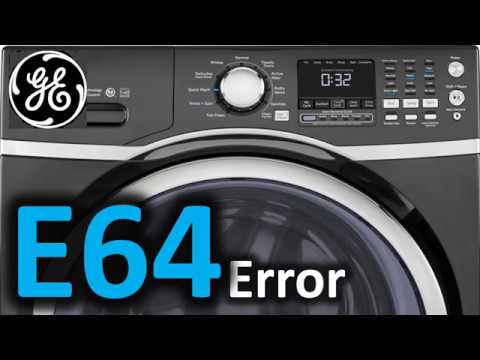
Dealing with a malfunctioning GE washer can be incredibly frustrating, especially when you see the E64 error code pop up. This specific code indicates a problem with the non-volatile memory of your washer, which is essentially the brain of the machine.
It often arises due to glitches in the control board or issues with power supply, but don’t worry—this is a common problem that many people face, and there are often simple DIY solutions available.
One common cause of the E64 error is a temporary power fluctuation that affects the control board.
If you want to get your washer back to working order, it’s important to read through the entire article. We’ll cover various causes behind this error and provide you with effective troubleshooting steps to resolve the issue.
Let’s dive in and help you get your laundry routine back on track!
What Does the Error Code Mean?
Have you come across the GE Washer error code E64? This error points to an issue with the non-volatile memory (NVM) in your washer’s control system. When you see the E64 error code, it usually means that the washer is having trouble accessing or saving important operational data. This can disrupt various functions and affect the overall performance of your appliance.
To tackle this issue, you can try performing an NVM reset. This is a straightforward process that involves disconnecting the power supply for a short while. Here’s how to do it safely:
- Unplug the Washer: Start by unplugging the washer from the wall outlet. If the plug is hard to reach, you can also turn off the circuit breaker that supplies power to the washer.
- Wait: Leave the washer unplugged for about 5 to 10 minutes. This allows the control board to reset itself.
- Restore Power: After the waiting period, plug the washer back in or turn the circuit breaker back on.
- Check for Error Code: Turn on the washer and see if the E64 error code reappears.
If the error code remains, it may indicate a more significant issue within the washer’s electronic components that requires further diagnostics. In such cases, it’s advisable to consult with a professional technician who can provide an in-depth assessment and necessary repairs. Remember, safety is paramount, so always ensure you’re handling electrical components with care.
Common Causes of the Error Code
Transitioning to Troubleshooting Solutions
Cause 1
One common cause of the GE washer error code E64 is related to issues with the machine’s internal wiring or connections. When wiring becomes faulty, it can disrupt communication between key components, which may lead to errors in the NVM (Non-Volatile Memory). If connections are loose or damaged, the washer might struggle to perform an electronic reset effectively, resulting in persistent error codes.
Additionally, corrosion or general wear on the connectors can worsen these problems, complicating the machine’s operation even further. To address this issue, I recommend carefully inspecting all wiring and connections for any signs of damage or wear. If you find any loose connections, gently tighten them. If you notice any damaged or corroded components, consider replacing them to restore functionality.
If you’ve gone through these steps and the error persists, it may be time to consult a professional technician. They can provide a thorough inspection and ensure that your washer is repaired safely and effectively, helping you avoid potential complications down the line. Remember, safety first! Always unplug the washer before attempting any repairs.
Cause 2
Another potential cause of the GE washer error code E64 is related to issues with the control board. When the control board is not functioning properly, it can result in memory errors that trigger this error code. Here are some common reasons why you might experience control board issues:
- Electrical Surges: Power fluctuations, such as those caused by lightning or issues with your home’s electrical system, can damage the control board. This damage may hinder its ability to perform necessary memory corrections.
- Loose Connections: If you notice poor wiring or loose connectors, these can disrupt the signals that the control board relies on. This interruption can lead to a failure in resetting the error.
- Corrosion or Damage: Exposure to moisture can lead to corrosion on the control board. This corrosion can significantly impact the board’s functionality, often resulting in memory errors.
If you suspect that the control board is the source of the problem, it’s crucial to carefully inspect and diagnose the issue before deciding on a replacement. Always prioritize safety by unplugging the washer before attempting any checks or repairs. If you’re not comfortable working with electrical components, it’s best to consult with a professional technician. Your safety and the longevity of your appliance are paramount.
Cause 3
While control board issues can certainly trigger the GE washer error code E64, it’s important to understand that other factors can also contribute to this problem. One major cause is a faulty wiring connection. If the wiring is loose or damaged, it can disrupt communication within the washer’s system, leading to inconsistent signals and ultimately resulting in the E64 error code.
Another potential culprit is a malfunctioning memory module. When the memory module fails to properly store or recall data, it may require a memory reset to get back on track. Additionally, power fluctuations or surges can corrupt the non-volatile memory (NVM), which may also lead to this error.
To prevent these issues, regular maintenance and checks on the wiring are crucial. Make sure to inspect connections for any signs of wear or damage, and address any problems promptly to ensure your washer operates smoothly and efficiently. Remember, keeping your washer in good condition not only prolongs its lifespan but also enhances its performance. Stay safe and take action to keep your appliance running well!
Cause 4
If you’re facing the GE washer error code E64, it’s important to understand some common causes that could be behind this issue. With the right interpretation of the error code, you can effectively troubleshoot and resolve the problem. Here are three potential causes to consider:
- Faulty Control Board: The control board is the brain of your washer. If it malfunctions, it can disrupt the non-volatile memory (NVM), leading to the E64 error. A damaged control board might require replacement, so it’s wise to check for any visible signs of wear or damage.
- Loose Connections: It’s crucial to examine the wiring and connectors within your washer. Loose or damaged connections can cause communication failures between components, which might trigger the error code. Make sure all connections are secure and free from corrosion.
- Power Fluctuations: Sudden power surges or outages can impact your washer’s memory, leading to various errors, including E64. If you suspect power issues, consider using a surge protector to safeguard your appliance. You may also need to perform an NVM reset, which can often resolve memory-related errors.
Required Tools to Fix the Error
Essential Tools for Repairing GE Washer Error Code E64
Basic Tools
When addressing the GE washer error code E64, having the right tools is crucial for an effective and safe repair process. As an experienced appliance technician, I’ve found that assembling a basic troubleshooting kit can make all the difference. Here are three essential tools you’ll need:
- Screwdriver Set – A comprehensive set that includes both flathead and Phillips screwdrivers is necessary. These will allow you to safely remove the washer’s panels and access internal components without damaging anything.
- Multimeter – This invaluable tool is essential for testing electrical components. It helps diagnose issues related to the NVM (Non-Volatile Memory) error effectively. Familiarize yourself with how to use a multimeter, as it can provide insights into whether certain parts are functioning correctly.
- Pliers – A pair of needle-nose pliers is perfect for handling small parts and ensuring secure connections during your repair. They offer precision when maneuvering in tight spaces, which is often needed in appliance repairs.
Supplies
Having the right supplies is crucial for effectively addressing the GE washer error code E64. As someone with over 20 years of experience in appliance repair, I can assure you that preparing adequately will make the troubleshooting process smoother.
First, you’ll need some basic hardware tools. A set of screwdrivers—both Phillips and flathead—along with pliers will allow you to access the washer’s internal components safely and efficiently. It’s also essential to have a multimeter on hand. This tool is invaluable for testing electronic components and diagnosing issues with the control board or wiring.
If you discover that certain parts are faulty, it’s wise to have replacement parts ready. A new control board may be necessary, depending on what you find. Additionally, if you need to repair any electronic components, a soldering iron will come in handy for making secure connections.
Safety should always be your top priority. Be sure to wear safety gear such as gloves and goggles to protect yourself while working on the washer.
With these supplies gathered, you will be well-equipped to tackle the error code E64 and restore your washer’s functionality. Remember, taking the time to prepare not only enhances your efficiency but also ensures your safety throughout the repair process.
Pre-Safety Checklist Before Fixing
Before you get started on addressing the GE washer error code E64, it’s crucial to put safety first. Taking the right precautions will not only keep you safe but also ensure a smooth repair process. Here’s a straightforward pre-safety checklist to guide you:
Before tackling the GE washer error code E64, prioritize safety with essential precautions for a smooth repair.
- Disconnect Power: Always unplug the washer from the electrical outlet. This step is essential to prevent any risk of electrical shock while you’re working on the appliance.
- Use Personal Protective Equipment (PPE): Equip yourself with safety goggles and gloves. These items are important for shielding yourself from any sharp edges or potential exposure to electrical components.
- Check for Water Leaks: Take a moment to inspect the area around the washer for any signs of water leaks. Addressing this issue upfront can prevent slipping hazards and keep your workspace safe.
Diagnose the Error Code
With safety measures firmly in place, let’s dive into diagnosing the GE washer error code E64. This code points to an issue with the non-volatile memory (NVM) of your washer, which plays a crucial role in storing settings and functions.
To get started, first check the connections to ensure everything is securely in place. A loose connection can sometimes trigger this error. Next, examine the control board closely; it should also be securely attached. If you’re comfortable using one, a multimeter can be an invaluable tool here. Verify the voltage levels to ensure they are within the manufacturer’s specifications.
One of the simplest yet effective troubleshooting steps is to reset the control system. Unplug the washer for about 30 seconds, which can often clear minor glitches, and then plug it back in. After doing this, observe if the error code reappears.
If E64 persists, it may indicate a more complex issue, potentially involving the control board or memory module. Keep a log of when the error occurs, as patterns can emerge that provide insight into the underlying problem.
This diagnostic approach is essential before moving on to specific repair steps. Remember, safety should always be your top priority, and if you ever feel uncertain, don’t hesitate to reach out to a professional technician for assistance.
Step-by-Step DIY Troubleshooting Guide
Troubleshooting Steps for E64 Error Code
Fix for Cause 1
If you encounter the E64 error code on your GE washer, addressing the underlying issues promptly is crucial for restoring its function. Here are some practical steps to assist you in troubleshooting this error code effectively:
- Check the Power Supply: Begin by confirming that your washer is securely plugged into a functioning outlet. Inspect the power cord for any signs of damage. A loose or faulty connection can easily trigger the E64 error.
- Inspect Wiring Connections: Open the control panel and examine the wiring connections for any wear, fraying, or disconnections. Faulty wiring can lead to memory errors that may cause this error code. If you notice any issues, consider consulting a professional for repairs.
- Perform Regular Maintenance: It’s essential to keep your washer clean, especially around the control board. Dust and debris can accumulate and interfere with its operation. Regularly wipe down surfaces and ensure proper airflow to maintain optimal performance.
Fix for Cause 2
When dealing with the E64 error code on your GE washer, it’s crucial to consider the possibility of a faulty control board. This is a common issue that can disrupt your washer’s operation. To begin troubleshooting, first, unplug your washer for at least five minutes. This will allow the non-volatile memory (NVM) to reset, which can sometimes clear transient errors.
Once you’ve waited, plug the washer back in and put it into diagnostic mode. This step is essential to determine if the E64 error still appears. If the error persists, it’s time to take a closer look at the control board itself. Check for any visible signs of damage, such as burnt components or loose connections, as these can indicate a failure.
Next, you may want to use a multimeter to test the control board. This tool will help you verify that all functions are working correctly. If you discover any faults during your testing, replacing the control board is likely necessary. Taking these steps should help resolve the E64 error and restore your washer to proper working order. Remember, safety comes first, so always ensure the washer is unplugged when working on it.
Fix for Cause 3
When it comes to resolving the E64 error code, it’s crucial to carefully examine the wiring and connections leading to the motor control unit, as these are often the root of the issue. Here’s a step-by-step guide to help you troubleshoot effectively and safely:
- Inspect Wiring: Begin by visually checking all wires connected to the motor control unit. Look for signs of damage, such as fraying or exposed copper, which can lead to electrical shorts or signal loss.
- Check Connections: Ensure that all connectors are firmly attached and that there is no corrosion present. Loose or corroded connections can interrupt the signals necessary for the motor control unit to function properly. If you notice any corrosion, it’s advisable to clean the connectors gently with electrical contact cleaner.
- Perform an Error Reset: Once you’ve secured all connections, you can reset the system. Unplug the washer from the power source for at least 5 minutes. This allows the non-volatile memory (NVM) to reset, potentially clearing the error code and restoring functionality.
Fix for Cause 4
After addressing the wiring and connections in the previous steps, we now turn our attention to another possible cause of the E64 error code—memory issues within the washer’s control system. Performing a memory clearing procedure can often help reset the system and resolve the error.
Begin by unplugging your GE washer from the power outlet for at least five minutes. This step is crucial as it allows any residual power to dissipate, which is necessary for a proper reset. Once the waiting period is over, plug the washer back in.
Now, to initiate the memory clearing sequence, press and hold the “Start” button for three seconds. After that, turn the cycle selector dial to any wash cycle and press “Start” again. This action should trigger the memory clearing process.
If the E64 code continues to appear after these steps, it may indicate a deeper issue, such as a malfunctioning control board. At this point, considering a replacement of the control board might be necessary, or you may wish to seek professional assistance to further diagnose the problem. Remember, safety is paramount, so if you’re ever unsure, don’t hesitate to consult a qualified technician.
Call a Professional If
If you encounter the GE washer error code E64 and basic troubleshooting doesn’t resolve the issue, it’s wise to consult a professional. Here are three specific situations where reaching out for professional help is the most prudent course of action:
- Persistent Error: If the E64 error code keeps resurfacing even after you’ve attempted multiple resets, this signals that there may be a more complex issue at play. A trained technician can identify the underlying problem and provide the appropriate fix.
- Visible Damage: Should you observe any noticeable damage to the control board or wiring, it’s crucial to avoid attempting a DIY repair. Tampering with damaged components can lead to further complications or even pose safety risks. A professional will have the expertise to assess and repair the situation properly.
- Warranty Considerations: If your washer is still under warranty, it’s essential to have repairs carried out by a certified technician. This ensures that any work done won’t void your warranty, allowing you to take full advantage of the coverage you’ve paid for.
In these scenarios, enlisting the help of a qualified technician is the safest and most effective way to address the issue. Attempting to troubleshoot complex problems without the right expertise can lead to further damage and increased repair costs. Trust in a professional to ensure your appliance is serviced correctly and safely.