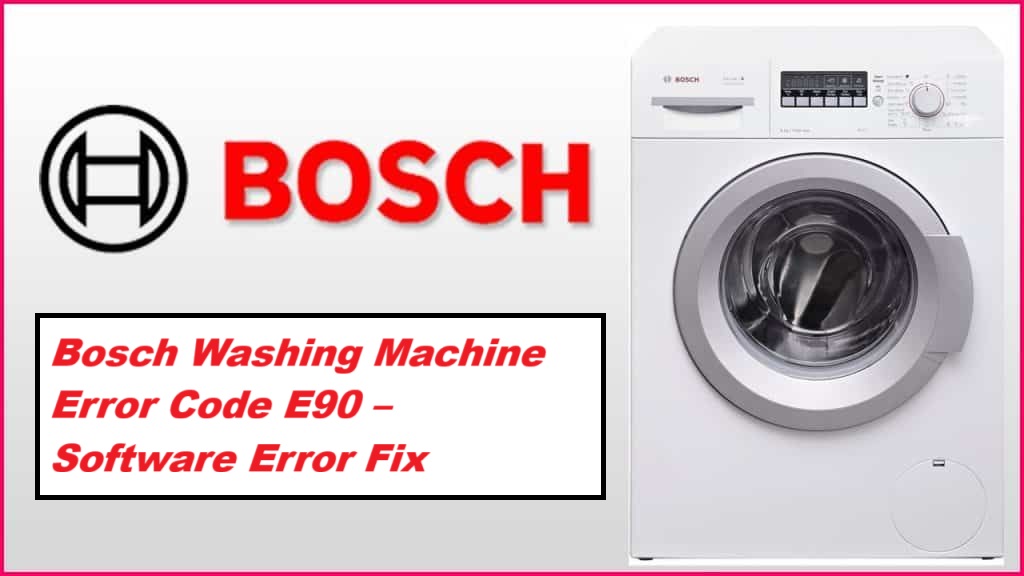
If you’re dealing with the Bosch washing machine error code E90, you’re not alone, and it can definitely be frustrating. This error typically indicates a communication issue between the software and the control board of your washing machine.
While it might sound complicated, don’t worry—this is a common problem and often has simple DIY solutions.
One common cause of the E90 error is a loose connection or a faulty wire. It’s worth checking if everything is securely connected before diving deeper into troubleshooting.
To help you tackle this issue, I encourage you to read through the entire post. We’ll cover everything you need to know about the E90 error, including more potential causes and effective solutions that you can try at home.
What Does the Error Code Means?
When your Bosch washing machine shows the error code E90, it usually points to a communication issue between the control board and other internal components. This error can hinder the machine’s performance and may lead to complications such as unexpected water leaks. Water leaks can often be linked to faulty hoses or loose connections, which can further complicate the communication issue. To reduce the likelihood of these problems, it’s essential to regularly inspect your hoses for signs of wear and tear, ensure that all connections are securely fastened, and clean the filter to keep your machine running at its best. Additionally, if you experience persistent issues, consider checking for loose electrical connections that might be affecting the communication between components.
Common Causes Behind Error Code
Identifying the E90 Error Code Causes
Error Code E90 in Bosch washing machines typically signifies a software malfunction, which can arise from several factors. One potential cause could be a malfunctioning control board, which may misinterpret the system’s status and trigger the error.
Corrupted Software Update
If your Bosch washing machine is showing the error code E90, this typically points to a corrupted software update. This issue can occur when there is a software glitch during the update process, or if the firmware installation was incomplete. When the machine tries to execute commands based on this faulty code, you might experience operational failures.
Several factors can contribute to firmware corruption, such as power interruptions or network connectivity problems while the update is being applied. To address this, I recommend starting with a simple reset of your machine. Unplug the appliance for a few minutes, then plug it back in and see if the error persists. If the E90 error continues to show, it may be necessary to reinstall the firmware. This process can be a bit technical, so if you’re not comfortable doing it yourself, I strongly advise reaching out to Bosch customer support for expert assistance. Taking prompt action to resolve these corrupted updates is essential for restoring the functionality of your washing machine and ensuring it operates safely and efficiently. Additionally, if the error persists, consider checking for EEPROM memory communication issues as they can complicate the firmware installation process.
Faulty Control Board
While a corrupted software update is often the first suspect for the E90 error code, it’s important to consider that a faulty control board may also be at fault. If you find yourself facing this issue, start by ensuring that the software is installed correctly. If reinstalling the software doesn’t resolve the error, it might be time to take a closer look at the control board.
A malfunctioning control board can hinder communication between various appliance components, resulting in operational failures and the triggering of the E90 code. If you suspect the control board is the problem, think about a replacement. However, before making that decision, check that all connections are secure and free from any corrosion, as these can often be the culprits behind communication issues. Additionally, be aware that loose connections can interfere with communication and exacerbate the problem.
If you’re not particularly experienced with electronics, I highly recommend consulting a qualified technician. They can provide a thorough diagnosis and carry out any necessary repairs, helping you avoid further complications down the line. Remember, safety first! Taking the right steps ensures your appliance will be back to working order in no time.
Wiring Harness Connection Issues
A faulty control board isn’t the only reason you might see the E90 error code on your Bosch washing machine; wiring harness connection issues are also frequently involved. When there are problems with the electrical wiring, it can disrupt the power supply to various components, causing the machine to misbehave.
Loose or corroded connections within the wiring harness can hinder the effective transmission of signals, which may lead to unexpected error codes. Furthermore, damaged wires can create short circuits, complicating the situation further.
To tackle this issue, I recommend taking the following steps:
- Safety First: Always unplug your washing machine before inspecting any internal components to prevent electric shock.
- Visual Inspection: Carefully examine the wiring harness for any visible signs of damage, such as frayed wires or burnt areas.
- Check Connections: Ensure that all connections are tight and secure. If you find any loose connections, gently reattach them.
- Clean Corrosion: If you notice any corrosion on the connectors, you can clean them using a soft brush and electrical contact cleaner. This will help improve conductivity. Additionally, a faulty pressure switch can also lead to similar error codes, so it’s wise to consider that possibility during your inspection.
Unresponsive User Interface
When the user interface of your Bosch washing machine stops responding, it can often trigger the E90 error code. This code signifies a communication issue between the control board and the user inputs. There are a few common reasons why this may happen.
Firstly, a software glitch might be the culprit, preventing the interface from recognising your commands and leading to a frozen display. Additionally, if a software update has gone awry, it could disrupt normal functions, causing the machine to misinterpret your inputs. Another factor to consider is the potential build-up of dust or moisture around the control panel, which can negatively impact the user interface’s performance. To address this issue, you can start by resetting the machine. This often resolves minor glitches. If the problem continues, you might want to consider reinstalling the software, as this can help rectify any corruption that may have occurred during updates.
It’s also important to remember that cleaning the keypad can enhance the responsiveness of the user interface. If the interface remains unresponsive after these steps, it may be time to seek professional help. A trained technician can diagnose more complex electrical or software issues that could be affecting the user interface’s functionality. Remember, safety first—always ensure the appliance is unplugged before attempting any repairs.
Required Tools to Fix the Error
Essential Tools for Troubleshooting the E90 Error Code
In addition to using a multimeter and screwdrivers, it is also crucial to have a motor control system in mind while diagnosing the E90 error code.
Basic Tools
Having the right tools at your disposal is crucial when addressing the Bosch washing machine error code E90. With over 20 years of experience in appliance repair, I can assure you that having the right equipment not only makes the diagnosis more straightforward but also ensures a safer repair process. Here’s a straightforward list of the essential tools you’ll need:
| Tool | Purpose | Additional Notes |
|---|---|---|
| Multimeter | To measure the power supply | Check for proper voltage levels |
| Screwdriver set | To access internal components | Both Phillips and flathead types needed |
| Remote control | To reset machine functions | Important for diagnostics |
| Wire cutters | For repairing or replacing wiring | Always handle with care |
Equipped with these tools, you can confidently troubleshoot and repair your washing machine, restoring it to smooth and efficient operation. Always prioritise safety and follow proper procedures while carrying out any repairs. Remember, if you’re ever unsure about a step, seeking professional assistance is a wise choice. Additionally, ensure that you are aware of any potential thermistor problems that could affect the overall performance of your washing machine.
Supplies
To effectively address the Bosch washing machine error code E90, it’s crucial to gather the right supplies alongside your tools. First, ensure you have a reliable water pressure gauge. This will allow you to check if your water supply meets the machine’s requirements, as low water pressure can trigger this error. Confirming this is essential for troubleshooting.
Next, stock up on a quality detergent that is specifically compatible with your washing machine model. An inadequate detergent supply can lead to operational issues, so choose wisely to avoid further complications.
Additionally, have a bucket or some towels on hand to manage any spills that may occur during the troubleshooting process. By preparing these supplies, you’ll be well-equipped to tackle the E90 error and restore your washing machine’s functionality swiftly and safely. Remember, taking these precautions not only ensures a more efficient repair process but also helps maintain the longevity of your appliance. Moreover, if you encounter door lock mechanisms issues, it may be beneficial to inspect them as part of your troubleshooting efforts.
Pre-Safety Checklist Before Fixing
Before you embark on fixing your Bosch washing machine displaying the E90 error code, it’s crucial to complete a thorough pre-safety checklist. Ensuring electrical safety and handling your appliance correctly is fundamental to preventing accidents. Here’s a detailed guide to help you prepare:
- Unplug the machine: First and foremost, disconnect the washing machine from the power supply. This step is vital to eliminate the risk of electrical shock while you work on the appliance.
- Inspect for leaks: Carefully examine the area around the washing machine for any signs of water leaks. Even a small amount of water can create a hazardous environment, so addressing any leaks beforehand is essential.
- Gather necessary tools: Before you start the repair, collect all the tools and replacement parts you’ll need. Being fully prepared not only streamlines the repair process but also reduces the time spent in potentially unsafe conditions. Additionally, ensure you have the proper tools needed for the repair, as this can significantly impact the outcome of your troubleshooting efforts.
Diagnose the Error Code
Once you’ve ensured your safety by unplugging the machine and checking for any leaks, it’s time to tackle the E90 error code. Begin by referring to your Bosch washing machine’s manual for specific diagnostic procedures tailored to your model. The E90 code typically suggests a software-related issue, so interpreting this error correctly is essential to uncovering the underlying cause.
If your machine has a built-in diagnostic mode, utilise this feature. It can be invaluable in pinpointing the exact malfunction. As you go through this process, keep a note of any additional error codes that may surface, as they can offer further insight into the problem at hand.
Next, focus on inspecting the connections and components associated with the control board. These elements can often be culprits in software errors, so a thorough examination is critical. Remember, a precise diagnosis is key before you embark on any troubleshooting steps. By following these guidelines, you’ll be well on your way to resolving the issue safely and effectively.
Step-by-Step DIY Troubleshooting Guide
Moving Forward: Troubleshooting the E90 Error Code
Reinstall the Software Update
To address the E90 error code on your Bosch washing machine, reinstalling the software update can often help restore its functionality. Here’s a step-by-step guide to assist you through the process safely and effectively.
- Download the Firmware: Begin by visiting Bosch’s official website to download the latest firmware update for your specific washing machine model. This is crucial, as using the correct update ensures compatibility.
- Prepare the USB Drive: Once downloaded, transfer the firmware onto a USB drive. Make sure the drive is formatted to FAT32, as this is the required format for your washing machine to recognise the update.
- Power Down the Machine: Before proceeding, unplug your washing machine from the power socket. This not only ensures safety but also prepares the machine for the update process.
- Enter Update Mode: With the machine unplugged, plug it back in while holding down the start button. This action will put the washing machine into update mode.
- Insert the USB Drive: Insert the USB drive containing the firmware into the designated USB port on your washing machine.
- Follow On-Screen Instructions: After the USB is inserted, follow any on-screen prompts that appear. This will guide you through the firmware reinstallation process. Be patient, as this may take several minutes.
- Final Steps: Once the installation is complete, safely remove the USB drive. Restart your washing machine to see if the E90 error code has been resolved.
If the error persists after the reinstallation, it may indicate a more complex issue that requires further troubleshooting. Don’t hesitate to consult a professional appliance technician if needed—sometimes, a hands-on evaluation is the best way to ensure your machine gets back to working order.
Inspect Control Board Connections
If you’re still encountering the E90 error code after reinstalling the software, it’s essential to inspect the control board connections as the next step in your troubleshooting process. Begin by ensuring your safety: unplug your Bosch washing machine from the mains supply.
Once it’s disconnected, carefully remove the control panel to access the control board. Take your time to examine all connection points for any loose or damaged wires, as these can often lead to communication failures within the machine. It’s important to check that all connectors are securely attached and free from any signs of corrosion.
If you do come across any loose connections, gently but firmly push them back into place. For any damaged wires, replacing them is crucial to restore proper functionality. After thoroughly inspecting and addressing any connection issues, reassemble the control panel, plug your machine back in, and run a test cycle.
This methodical inspection could very well resolve the E90 error and get your washing machine back in optimal working condition. Remember, taking these steps not only improves your appliance’s performance but also enhances its longevity.
Repair Wiring Harness Connections
When addressing the E90 error code on your washing machine, inspecting the control board connections is crucial, but don’t overlook the wiring harness connections. To ensure your safety, always start by unplugging the machine.
Next, locate the wiring harnesses that connect to the control board and examine each one thoroughly. Look for any signs of wear such as frayed wires, corrosion, or loose connections. It’s essential to be meticulous here, as even minor issues can lead to significant problems.
Using a multimeter can greatly assist you in diagnosing wiring issues. Check for continuity through each wire to ensure they are functioning correctly. If you identify any damaged wires, take care to replace them with new ones of the same gauge and type to maintain the integrity of the system.
Once you have addressed any issues, reconnect all harnesses securely, ensuring that each connection is tight and properly seated. After completing this thorough inspection and repair, plug the machine back in and run a diagnostic test. This should help clear the E90 error and restore your washing machine’s functionality.
Reset User Interface Settings
After you’ve examined the wiring harness connections, the next important step in resolving the E90 error code on your Bosch washing machine is to reset the user interface settings. Here’s how to do it safely and effectively.
- Unplug the Machine: Begin by disconnecting the washing machine from the power supply. Leave it unplugged for at least five minutes. This pause helps to clear any temporary software settings that may be causing the error.
- Replug and Reset: Once the time has elapsed, plug the machine back into the power source. Then, press and hold the “Start/Pause” button for approximately 10 seconds. This step is crucial as it reinitialises the user interface.
- Check Display: After you release the button, take a moment to observe the display. It should return to its normal state without the E90 error code.
- Run a Short Cycle: To ensure everything is functioning correctly, run a short wash cycle. Monitor the display during this time to confirm that the error code does not reappear.
If the E90 code continues to show up even after these steps, it may indicate a deeper issue that requires further diagnostics or the expertise of a professional technician. It’s always wise to consult your user manual for specific instructions that pertain to your washing machine model, as there may be nuances to consider.
Call a Professional If
When you encounter the Bosch washing machine error code E90, it’s important to know when to seek professional help. If you’ve already attempted basic troubleshooting—like resetting the machine or checking connections—and the issue persists, it may be time to consult an expert. Additionally, if you feel unsure about software troubleshooting or notice any unusual behaviour from the machine, don’t hesitate to reach out for professional assistance.
Here’s a quick guide to help you determine when to call a professional:
| Signs to Call a Professional | Actions Taken | Recommended Next Steps |
|---|---|---|
| Persistent E90 Error | Reset attempts have failed | Contact a qualified technician |
| Unusual Noises | Manual checks have been performed | Schedule a service visit |
| Software Glitches | DIY fixes have proven ineffective | Consult Bosch customer support |
Engaging a professional technician ensures that your washing machine receives the proper care it requires, preventing further damage and ensuring safety during the repair process. Remember, your appliance is an investment, and addressing issues promptly with the right expertise can save you time and money in the long run.