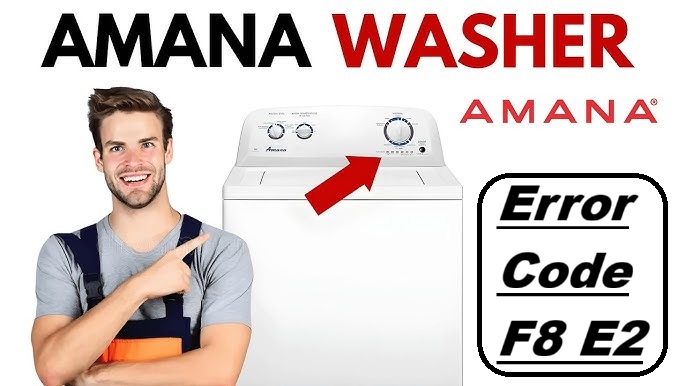
Dealing with an error code on your Amana washer can be incredibly frustrating, especially when you rely on it to keep your laundry clean and fresh.
If you’ve encountered the F8 E2 error code, you’re not alone—this is a common issue among many users. Essentially, this code indicates a communication problem between the washer’s user interface (UI) board and the rest of the machine.
Rest assured, this is a common error, and there are often simple DIY solutions available to resolve it.
One common cause of the F8 E2 error is a loose or faulty connection between the UI board and the control board.
To get a comprehensive understanding of this issue and explore more potential causes and solutions, I encourage you to read through the entire post. It will equip you with the necessary knowledge to tackle this problem effectively!
What Does the Error Code Means?
When you see the error code F8 E2 on your Amana washer, it signals an issue with the water supply. This problem typically stems from insufficient water flow, which can be caused by a clogged filter or hoses that are kinked or damaged. To help avoid this error, it’s essential to perform regular maintenance on your washer.
Start by checking and cleaning the water inlet screens to ensure they aren’t blocked. Inspect the hoses for any signs of wear and tear, and make sure there are no kinks that could disrupt water flow. Additionally, double-check that your water supply valves are fully open to allow for optimal water flow into the machine. A cold water fill issue may also arise if there are problems with the inlet valve or water pressure.
Common Causes Behind Error Code
Potential Causes of F8 E2 Error Code. One common reason for the F8 E2 error code is a malfunctioning Door Lock Assembly, which can disrupt communication between the door and display board.
Faulty Wiring Connections
Faulty wiring connections can often trigger the F8 E2 error code on your Amana washer. When insulation around the wiring deteriorates or sustains damage, it can disrupt the stability of electrical connections. This may lead to intermittent signals between the user interface (UI) board and other essential components of your washer.
To address this issue, start by carefully inspecting all wiring harnesses. Look for any loose connections or frayed wires that could interfere with communication. It’s important to ensure that all connectors are securely fastened; even slight movement can create contact issues and lead to further malfunctions.
If you discover any signs of wear or damage, replacing the affected wiring is critical for restoring proper function. Additionally, ensure that there are no corroded terminals which can also disrupt electrical signals. It’s a straightforward process that can significantly improve your washer’s performance and reliability. By promptly addressing these connection problems, you can help prevent more complicated issues down the line and maintain the efficiency of your appliance. Remember, safety first—always disconnect your washer from the power source before attempting any repairs.
Damaged UI Board Components
Damaged components on the user interface (UI) board of your Amana washer can trigger the F8 E2 error code. This issue often arises from several factors, including power surges, excessive moisture, or even manufacturing defects. When key components like resistors, capacitors, or microcontrollers fail, communication between the UI and the washer’s control system is disrupted. As a result, the F8 E2 error indicates that the washer cannot function as intended.
To troubleshoot this problem, begin by inspecting the UI board for any visible signs of damage. Look for burn marks, corrosion, or other irregularities that could signify component failure. If you find any damaged components, it may be necessary to replace the entire UI board to fully resolve the issue. This approach not only addresses the error code but also restores your washer to its proper working condition. Additionally, issues with the control panel can also lead to similar error codes, so be sure to assess all related components.
Always remember to unplug the washer before performing any inspections or repairs to ensure your safety. If you’re not comfortable handling electrical components, it might be best to consult a professional technician. They can provide a thorough diagnosis and ensure that the repair is done correctly. Your safety and the longevity of your appliance are paramount.
Loose Connector Pins
If you’re facing the F8 E2 error code on your Amana washer, a common issue to check for is loose connector pins. These pins play a crucial role in maintaining communication between the user interface (UI) board and other components of your washer. When they become loose, it can result in erratic behavior or even a complete malfunction. To ensure your washer operates smoothly, regular inspection and maintenance of these connections are key. Additionally, cleaning the keypad and performing a reset can often resolve issues related to the UI board.
Here’s a handy troubleshooting guide to help you address issues related to loose connector pins:
| Symptoms | Solutions |
|---|---|
| Intermittent error messages | Inspect all connections for a snug fit. Ensure that each pin is properly seated. |
| Frequent disconnections | Reseat the pins carefully. If any pins are damaged, consider replacing them to ensure a reliable connection. |
| No response from UI | Check for signs of corrosion or dirt on the pins and connectors. Clean them gently using a contact cleaner if necessary. |
Software Glitch in UI
Loose connector pins can lead to communication errors in your washer, but another frequent culprit behind the F8 E2 error code is a software glitch in the user interface (UI). These glitches often occur when the software is outdated or if updates were interrupted during installation. If your washer hasn’t received the latest software updates, it may struggle to communicate effectively, which can trigger these error codes.
To keep your washer performing optimally, it’s important to regularly check for software updates. You can do this by visiting the manufacturer’s website or navigating through your washer’s settings. If you notice any available updates, make sure to install them promptly.
Sometimes, simply resetting the washer can resolve these glitches. To perform a reset, unplug the washer from the power outlet for a few minutes, then plug it back in. This action can refresh the system and often clears minor software issues. Additionally, regular inspection of connections is recommended to prevent communication errors from developing.
If you find that the error persists after trying these steps, I recommend reaching out to customer support. They can provide you with more detailed troubleshooting guidance tailored to your specific model and situation. Remember, addressing these issues promptly can help maintain the longevity and efficiency of your appliance.
Required Tools to Fix the Error
Gather Your Tools for Repair To effectively address the F8 E2 error, it’s crucial to have the right equipment on hand, including a multimeter for testing electrical components and a screwdriver set for accessing internal components.
Basic Tools
When addressing the F8 E2 error code on your Amana washer, having the right tools at your disposal can significantly streamline the repair process. Here’s a straightforward guide on what you’ll need to effectively diagnose and fix the issue:
- Screwdriver Set: A variety of screwdrivers, including both Phillips and flathead, will enable you to remove panels and access vital components, such as the user interface (UI) board.
- Multimeter: This essential tool is crucial for testing electrical connections. It helps you verify that components such as wires, switches, and the control board are functioning correctly, ensuring your washer operates safely and effectively.
- Pliers: A good pair of pliers will assist you in gripping and manipulating wires or connectors, especially in tight spaces where your fingers may not fit.
Having these basic tools ready will empower you to tackle the F8 E2 error code with confidence, guiding your washer back to optimal performance. Always prioritize safety by unplugging the machine before beginning any repairs, and don’t hesitate to consult the user manual or seek professional help if you encounter any challenges. Additionally, remember that control board issues can often lead to error codes like F8 E2, so thorough inspections are vital. Your diligence and attention to detail will make all the difference in restoring your appliance.
Supplies
In addition to the essential tools we’ve discussed, having the right supplies on hand can greatly enhance your repair process. Being well-prepared is key to tackling any issues that arise, and these items are particularly useful not just for repairs but also for maintaining your washer and organizing your laundry room effectively:
- Microfiber cloths: These are invaluable for cleaning and wiping down various components of your washer. Their soft texture will not scratch surfaces, making them perfect for delicate parts.
- Electrical contact cleaner: This is a must-have for keeping electrical connections in good shape. It helps to clean and protect against corrosion, which is a common issue that can lead to failures in your washer.
- Zip ties: These handy tools are great for keeping your cables organized and secure while you work. Proper cable management not only makes repairs easier but also reduces the risk of accidental damage or interference with moving parts. Additionally, ensure that you regularly check the temperature sensor as it plays a crucial role in the washer’s operation and can prevent future errors.
Pre-Safety Checklist Before Fixing
Before you begin repairs on your Amana washer, ensuring your safety is paramount to avoid any potential hazards. Here’s a straightforward checklist to help you prepare:
- Wear safety goggles to shield your eyes from any flying debris or sharp edges.
- Use insulated gloves to protect yourself from electrical shock and prevent injuries while handling various parts of the washer.
- Disconnect the power by turning off the circuit breaker that supplies electricity to your washer. This step is crucial to prevent any accidental energizing during your repairs. Additionally, make sure the area around the washer is dry and clutter-free to minimize electrical hazards.
Diagnose the Error Code
Diagnosing the F8 E2 error code on your Amana washer requires a methodical approach. This error often indicates an issue with communication between the control board and the user interface (UI). Let’s break down the steps you should take to identify and resolve the issue safely.
- Check the Control Panel: Start by inspecting the control panel for any visible signs of malfunction. Look for any unresponsive buttons or unusual displays that may indicate a problem.
- Inspect Wiring Connections: Carefully examine the wiring connections to the UI board. Loose or damaged wires can frequently trigger the F8 E2 error. Use appropriate tools to gently tug on the wires to ensure they are secure. If you notice any fraying or damage, it may be time to repair or replace the affected wiring.
- Look for Corrosion: Corrosion at the connectors can disrupt communication between the control board and the UI. Inspect the connectors for any signs of rust or corrosion. If you find any, clean the connectors using a suitable electronic cleaner or replace them if necessary.
- Test the Components: If the wiring and connectors appear to be in good condition, you may need to test the components connected to the UI board. This can include the control board itself. If you have access to a multimeter, check for continuity and proper voltage.
- Consult the Manual: Always refer to your washer’s user manual for specific guidance on troubleshooting the F8 E2 error code. It might provide additional insights or particular steps related to your model.
- Seek Professional Help: If you’ve gone through these steps and haven’t resolved the issue, it might be time to call in a professional. Sometimes, the problem can be more complex and requires specialized tools or knowledge.
Step-by-Step DIY Troubleshooting Guide
Next Steps for Resolving F8 E2 Error Code
Inspect Wiring for Damage
Inspecting the wiring for damage is a vital part of addressing the F8 E2 error code on your Amana washer. To start, ensure your safety by unplugging the machine. Carefully examine the wiring insulation for any signs of wear, fraying, or breaks. It’s important to note that damaged insulation can create electrical shorts, which may trigger the error code you’re encountering.
Pay close attention to areas where wires may bend or come into contact with other components, as these are often the most common points of failure. Using a multimeter, you can test for continuity in any wires that look suspicious. If you discover any damaged wires, they will need to be replaced to restore proper function.
After you finish your inspection and make any necessary repairs, plug the washer back in and see if the error code still appears. This methodical approach not only enhances your understanding of the appliance but also empowers you to tackle similar issues in the future. Remember, safety first—take your time and don’t hesitate to consult a professional if you’re unsure about any step in the process.
Repair UI Board Connections
After thoroughly checking the wiring for any signs of damage, the next crucial step is to address the UI board connections, as these can also lead to the F8 E2 error code. To start, make sure to unplug your washer for safety. Then, carefully open the control panel to access the UI board.
Inspect all connection points closely for any signs of corrosion or loose connections. It’s important to apply a firm, even pressure to each connector to ensure they are seated properly. If you discover any connection issues, you might need to clean the contacts using isopropyl alcohol. This will help remove any corrosion or grime that could be interfering with the electrical connection.
Once you’ve cleaned the connections, reconnect everything securely. After you’ve checked all the connections and made sure they are in good condition, reassemble the control panel. Plug the washer back in and run a diagnostic cycle to see if the error code persists. This systematic approach can often resolve the issue and get your washer back in working order. Remember, safety first—always disconnect the power before working on any electrical components.
Replace Loose Connector Pins
Replacing loose connector pins in your Amana washer is an important step to enhance its performance and eliminate the frustrating F8 E2 error code. Let’s walk through this process together, step-by-step.
First, you need to identify the types of connector pins used in your washer’s User Interface (UI) board. Typically, you’ll encounter either standard or locking pins. Having the right tools is essential, so gather a small screwdriver and a pair of needle-nose pliers before you start.
Begin by carefully disconnecting the affected connector. Inspect the pins closely for any signs of looseness or damage. If you find any pins that are not seated properly, use your needle-nose pliers to gently re-seat them back into their respective slots. This can often resolve connectivity issues without the need for replacement.
However, if you discover that any pins are damaged, you’ll need to replace them. Make sure to source new pins that match the original connector types to ensure compatibility. Once you’ve secured all connections and replaced any damaged pins, reconnect the harness.
Finally, run a test cycle on your washer to confirm that the error code has been cleared and that everything is functioning smoothly. This careful approach not only resolves the immediate issue but also helps prevent future problems. Remember, safety is paramount, so always unplug your washer before beginning any repairs. Happy washing!
Reset UI Software Settings
If you’re encountering the F8 E2 error code even after inspecting the connector pins, resetting the User Interface (UI) software settings can often help resolve the issue. Here’s how to safely execute the reset procedure:
- Unplug the Washer: Start by disconnecting your washer from the power outlet. Allow it to remain unplugged for at least 5 minutes. This pause will give the UI software a chance to reset.
- Reconnect Power: After the waiting period, plug the washer back into the power source.
- Initiate the Reset: Press and hold the “Start/Pause” button for about 3 seconds. This action will trigger the UI software reset.
- Check for Confirmation: Observe the control panel lights. When they illuminate, it indicates that the reset has been successfully completed.
- Run a Test Cycle: To ensure that the F8 E2 error code has cleared, run a short wash cycle. Monitor the machine for any recurrence of the error.
If the F8 E2 code appears again after following these steps, it may indicate a deeper issue that requires further troubleshooting. Don’t hesitate to reach out for professional assistance if needed. Remember, safety is paramount, so always ensure the washer is unplugged before performing any maintenance.
Call a Professional If
When you face ongoing issues with your Amana washer, it’s often best to call in a professional rather than trying to handle repairs on your own. Experienced technicians have the expertise needed to diagnose complex problems that may not be immediately obvious, ensuring that your washer is repaired correctly and safely. Attempting to fix the machine yourself might not only void any existing warranties but could also lead to further damage.
Here are some signs that indicate it’s time to contact a professional:
| Signs to Call a Professional | Potential Risks | Benefits of Professional Services |
|---|---|---|
| Persistent error codes | Risk of further damage | Guaranteed repairs |
| Unusual noises | Possible safety hazards | Access to expert knowledge |
| Inconsistent performance | Potential warranty voiding | Saves you time and effort |
| Water leaks | Additional repair costs | Offers peace of mind |
Don’t hesitate to reach out for professional help. Trained technicians can efficiently restore your washer’s functionality, allowing you to get back to your laundry routines without the stress of dealing with malfunctions. Remember, when it comes to appliance repairs, safety and reliability should always be your top priorities.