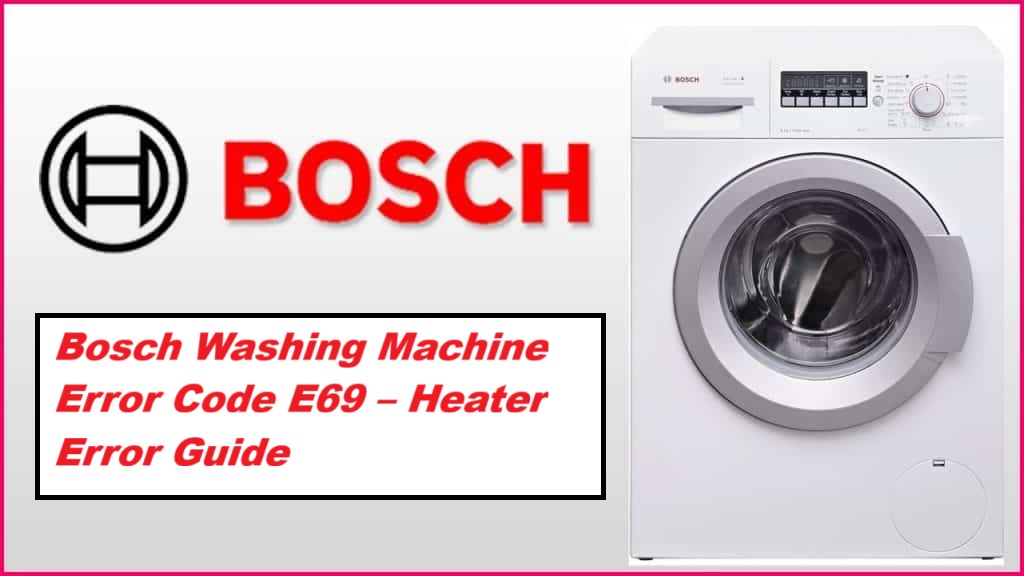
We’ve all been there—your Bosch washing machine stops mid-cycle, and before you know it, the dreaded error code E69 is flashing at you.
This code indicates a heater malfunction, which might sound daunting, but don’t worry; it’s a common issue and often has straightforward solutions.
Simply put, this means that your machine isn’t heating water as it should, which can disrupt your laundry routine.
One common cause of the E69 error is a faulty heating element.
The good news is that many of the potential issues behind this error can be tackled with DIY solutions.
To fully understand this error and discover all the possible causes and fixes, we encourage you to read through the entire post.
Together, we can get your washing machine back to working order in no time!
What Does the Error Code Means?
Have you come across the E69 error code on your Bosch washing machine? This message signifies a heater malfunction, which can significantly impact the machine’s energy efficiency. When the heater isn’t functioning properly, your washing machine may struggle to achieve the necessary water temperature, leading to less effective cleaning and increased energy usage. This situation can ultimately affect your electricity bills.
To tackle this issue, I recommend first consulting your user manual, which will provide specific instructions on how to reset your machine or test the heating element. If these steps don’t resolve the problem, it’s wise to reach out to a professional technician for further assistance. Addressing the E69 error promptly is essential for maintaining your washing machine’s efficiency and extending its lifespan. Remember, taking care of these issues early on can save you both time and money down the line. Additionally, be aware that a malfunctioning heater relay can also disrupt the proper functioning of your washing machine, leading to similar issues.
Common Causes Behind Error Code
Common Issues Leading to Error Code E69
Error Code E69 typically points to issues with the heating element or associated components. Additionally, EEPROM memory communication issues can also contribute to erratic appliance behavior, which further complicates the diagnosis.
Faulty Heating Element
If your Bosch washing machine is showing the error code E69, it often points to a faulty heating element. This component plays a crucial role in heating the water to the correct temperature, which is essential for effective cleaning. When the heating element malfunctions, it can result in poor wash performance and increased energy usage, both of which can affect the overall efficiency of your machine.
There are several common reasons why a heating element may fail. One major cause is mineral build-up, particularly if you live in an area with hard water. Over time, this build-up can insulate the heating element, preventing it from functioning properly. Additionally, normal wear and tear can contribute to the deterioration of this vital component. Regular inspections of the drainage system can also help ensure that other related components are functioning properly.
To help prevent issues with your heating element, it’s important to follow a regular maintenance routine. This includes checking your washing machine periodically for any signs of wear and tear. If you notice any odd sounds or a decrease in washing performance, it may be time to inspect the heating element. Cleaning it from time to time can also help maintain its efficiency.
Wiring Issues or Connections
A malfunctioning heating element isn’t the only culprit behind the E69 error code on your Bosch washing machine. Wiring issues or connection problems could also be to blame. To start, inspect the wiring harness that connects to the heating element. Look out for any signs of fraying, corrosion, or loose connections, as these can disrupt the power supply. A faulty connector might also prevent the heating element from receiving the necessary voltage, which is crucial for its operation.
Additionally, it’s important to ensure that the wiring is securely attached to the control board. A loose connection here can lead to erroneous readings and further complications. If you notice any damaged wires, replacing them promptly is essential to restore proper functionality. Addressing these electrical concerns is vital for effectively resolving the E69 error and ensuring your washing machine operates safely and efficiently. Remember, safety comes first, so if you’re unsure about any steps, it’s always best to consult a professional. In some cases, a power interruption can exacerbate wiring issues, so ensure you have a stable power supply to avoid further complications.
Blocked Water Inlet Filter
The E69 error code on your Bosch washing machine can be attributed to several issues, but one of the most common culprits that often goes unnoticed is a blocked water inlet filter. This filter plays a crucial role in ensuring that water flows smoothly into your machine through the inlet valve. When it becomes clogged with debris or mineral deposits, it can restrict water flow, resulting in insufficient water pressure. This, in turn, may prevent your washing machine from heating the water properly, triggering the E69 error.
To maintain optimal performance and prevent such issues, it’s advisable to regularly inspect and clean the water inlet filter. By doing so, you can ensure that water flows freely into your machine, allowing for efficient washing cycles. Additionally, a faulty water level sensor can also lead to similar issues if not addressed, so ensure all components are functioning properly. If you’ve noticed that your machine is filling slowly or that the washing cycles are inconsistent, it’s worth checking the water inlet filter before moving on to more complex repairs. Remember, a little preventive maintenance can go a long way in extending the life of your appliance and ensuring its reliability.
Faulty Thermistor Sensor
When your Bosch washing machine displays the E69 error code, it often indicates a problem with the thermistor sensor. This component is crucial for accurately monitoring the water temperature during cycles. If the thermistor fails, it can provide incorrect temperature readings, leading to performance issues.
To begin troubleshooting, I recommend performing a thermostat calibration. This step ensures that your washing machine is accurately measuring the temperature. If the calibration appears to be correct, the next step is to test the heating element. A faulty heating element can also contribute to misleading temperature reports, which may cause the thermistor to trigger the E69 error.
Additionally, checking for obstructions in the washer drum is essential, as foreign objects can affect the overall performance and potentially lead to similar error codes. Depending on your findings from these tests, you may need to replace either the thermistor or the heating element. By addressing these potential faults, you can restore your Bosch washing machine’s functionality and prevent future heating-related issues. Always remember to ensure the appliance is unplugged before attempting any repairs for your safety. If you’re ever in doubt, don’t hesitate to consult with a professional technician.
Required Tools to Fix the Error
Essential Tools for Repair
Gathering the right tools is crucial for effectively addressing issues with your Bosch washing machine. Additionally, utilizing a multimeter for testing electrical components can help diagnose potential faults.
Basic Tools
Before diving into troubleshooting the Bosch washing machine error code E69, it’s essential to prepare adequately by gathering the right tools. This preparation is key to ensuring a smooth and effective repair process.
Start with a basic toolkit that should include a comprehensive screwdriver set, pliers, and a multimeter. These tools are fundamental for accessing the machine’s internal components and checking critical electrical connections. You may also find a socket wrench useful for removing screws or bolts that secure the heater assembly, which is often involved in this type of fault.
Don’t forget to have a flashlight handy. This will help illuminate any dark areas inside the machine, making it easier to see what you’re working on.
Additionally, I recommend creating a troubleshooting checklist. This simple yet effective tool will help you keep track of each step you’ve completed, allowing you to stay organised and focused during the repair. This approach not only enhances your efficiency but also increases your chances of successfully resolving the error. Moreover, ensure that you are aware of any common causes of heater errors, as this knowledge can streamline your troubleshooting process.
Supplies
Gathering the right supplies is crucial for effectively addressing the E69 error in your Bosch washing machine. To start, you’ll need a multimeter to test the heating element and confirm it’s functioning correctly. This tool will allow you to measure resistance and ensure that the element is not faulty.
You’ll also need a set of screwdrivers and pliers, which are essential for accessing the internal components of your machine. Having these tools at hand will make the process much smoother and safer.
A soft cloth is another handy item to have, as it can be used to clean away any detergent residue that may have built up. This residue can sometimes interfere with the machine’s performance, so a quick clean can help improve efficiency.
It’s important to check the water supply pressure, as low pressure can lead to heating issues. Ensure that the water valves are fully open and that there are no kinks in the hoses.
Finally, it’s wise to have replacement parts, such as a new heating element, on standby. This can significantly speed up your repairs and minimize downtime for your washing machine. Additionally, inspecting hoses for kinks can prevent further complications during the heating process.
With these supplies in hand, you’ll be well-equipped to tackle the E69 error and restore your washing machine’s functionality. Remember, safety first—always disconnect the power before starting any repairs.
Pre-Safety Checklist Before Fixing
Ensuring your safety is the top priority when tackling the Bosch washing machine error code E69. Before you embark on any repairs, please observe the following essential safety precautions to protect both yourself and your appliance:
Always prioritize safety when addressing Bosch washing machine error code E69; follow essential precautions for a secure repair process.
- Unplug the Machine: Always disconnect the power supply by unplugging the machine from the socket. This is crucial to prevent the risk of electric shock during your repair work.
- Wear Protective Gear: Equip yourself with appropriate protective gear, including gloves and safety goggles. This will help shield you from any potential hazards while working on the appliance.
- Gather Diagnostic Tools: Before you begin, ensure you have the necessary tools at hand. A multimeter for testing electrical components and a set of screwdrivers for disassembly are essential for this repair.
- Check for Water: Inspect the machine’s drum and hoses to confirm that there’s no water present. This precaution will help you avoid any unexpected spills or accidents while you work. Additionally, ensuring that the drain pump is functioning correctly can prevent further complications during repairs.
Diagnose the Error Code
Once you’ve ensured your safety, let’s dive into diagnosing the Bosch washing machine error code E69. This error often relates to heating issues, so it’s essential to approach the problem methodically.
Start by examining the control panel for any additional error messages or blinking lights. These can provide valuable clues about related issues that may be contributing to the E69 error.
Next, take a multimeter to test the heating element for continuity. A faulty heating element is a common cause of this error code. If you find that it’s not functioning correctly, it will need to be replaced.
Following that, inspect the wiring harness connected to the heating element. Look for any signs of visible damage, frayed wires, or loose connections, as these can severely impact the heater’s performance.
If everything appears in order, try resetting the machine. You can do this by unplugging it for a few minutes and then plugging it back in. Sometimes, a simple reset can clear temporary glitches.
Make sure to document your findings as you go. This information can be vital for future repairs or when consulting with a technician if the problem persists. Remember, accurate diagnosis not only saves you time but also helps in avoiding unnecessary costs.
Above all, prioritise your safety and don’t hesitate to reach out to a professional if you feel unsure at any stage of the process.
Step-by-Step DIY Troubleshooting Guide
Next Steps in Troubleshooting the E69 Error Code
Replace Heating Element
If your Bosch washing machine is displaying the E69 error code, it usually indicates an issue with the heating element. This can significantly affect your machine’s ability to reach the correct washing temperatures, leading to subpar cleaning results. Fortunately, replacing the heating element is a task you can tackle with some basic tools and careful attention to detail.
To begin, ensure that your safety is a priority. Unplug the washing machine from the mains and turn off the water supply to prevent any accidents. Next, you will need to remove the back panel of the machine to gain access to the heating element.
Once the panel is off, locate the heating element. You will see wires connected to it—take care to disconnect these wires gently, and it’s a good idea to make a note of their positions for reassembly. After disconnecting the wires, unscrew the old heating element. When you have it out, take the new element and insert it into the same position, ensuring it fits snugly and securely.
Reconnect the wires according to your notes, making sure each connection is firm. Before you put the back panel back on, it’s wise to run a quick test to confirm that the new heating element is functioning correctly and heating up as it should.
Once you’re satisfied that everything is working well, replace the back panel, plug the machine back into the mains, and turn the water supply back on.
Repair Wiring Connections
To effectively resolve the E69 error code, it’s crucial to check and repair the wiring connections, as faulty wiring can significantly impact the heating element’s performance. With over 20 years of experience in appliance repair, I want to guide you through this process step-by-step, ensuring safety and clarity.
| Step | Action |
|---|---|
| 1 | First and foremost, unplug the washing machine from the power supply. This is a vital safety precaution. |
| 2 | Carefully inspect the electrical wiring for any visible signs of damage, such as fraying, breaks, or corrosion. |
| 3 | Use a multimeter to test for continuity in the wiring. This will help you determine if there are any breaks in the circuit that could be causing the issue. |
| 4 | If you find any loose connections, secure them tightly. For any damaged wires, make sure to replace them with new ones of the same gauge to ensure safe operation. |
After ensuring that all connections are secure and free from corrosion, plug the machine back in and run a test cycle. If wiring issues were indeed the root of the E69 error code, this should resolve the problem.
Clean the Water Inlet Filter
Cleaning the water inlet filter is a crucial step in ensuring your Bosch washing machine operates efficiently. A clogged filter can severely restrict water flow, leading to potential error codes such as E69. Let’s walk through the process together to make sure you do it safely and effectively.
Step 1: Safety First****
Before you start, unplug your washing machine from the mains and turn off the water supply. This prevents any accidents and ensures your safety while you work.
Step 2: Locate the Filter****
The water inlet filter is typically located at the back of the machine, where the water hose connects. You may need to pull the machine away from the wall to access it comfortably.
Step 3: Remove the Hose****
Carefully detach the water hose from the machine. Be prepared for some residual water to spill out, so it’s wise to have a cloth or small container handy to catch any drips.
Step 4: Unscrew the Filter Cap****
Once the hose is removed, you’ll see the filter cap. Unscrew this cap and take out the filter.
Step 5: Clean the Filter****
Rinse the filter under running water to wash away any debris or buildup. Inspect the filter for any signs of damage, such as cracks or wear, which could affect water pressure or the compatibility of your detergent.
Step 6: Reassemble****
After cleaning, reinsert the filter and screw the cap back on securely. Reattach the water hose, ensuring it is tightly fastened to avoid leaks.
Step 7: Restore Power and Water Supply****
Once everything is back in place, turn the water supply back on and plug your washing machine back into the mains.
Regularly cleaning the water inlet filter is a straightforward yet effective way to prevent future issues and maintain optimal washing performance. By following these steps, you’ll ensure your Bosch washing machine runs smoothly for years to come. If you encounter any difficulties or persistent issues, don’t hesitate to consult a professional technician.
Replace Faulty Thermistor Sensor
When your Bosch washing machine displays the E69 error code, it commonly indicates a faulty thermistor sensor. This component is crucial for accurately regulating the water temperature during wash cycles.
To replace the thermistor, begin by ensuring your safety—unplug the washing machine from the electrical outlet. Next, locate the thermistor, which is typically situated near the heating element. Carefully detach any connectors attached to the old sensor, taking note of how they are connected for reinstallation. Gently remove the faulty thermistor from its housing.
Before installing the new thermistor, it’s advisable to perform a calibration. This step ensures that the new sensor will provide accurate temperature readings, which is essential for the efficient operation of your washing machine. Refer to your user manual for specific calibration instructions, as these can vary by model.
Once the new thermistor is ready to be installed, follow the sensor replacement procedures detailed in your user manual for a precise and secure installation. After fitting the new thermistor, reconnect all components carefully and plug the machine back in.
Finally, run a test cycle to ensure that the E69 error code has been resolved and that your washing machine is functioning correctly. This thorough approach will help ensure that your appliance operates efficiently, giving you peace of mind as you do your laundry. If you encounter any issues during the process, don’t hesitate to consult a professional for assistance.
Call a Professional If
If you find yourself facing the E69 error code and the usual troubleshooting steps haven’t brought about a solution, it’s time to consider calling in a professional. This particular error often signifies a malfunction within the heater, which can be intricate to diagnose and rectify. Trying to handle the repair on your own may inadvertently cause more damage or even void your warranty.
A qualified technician will possess the necessary tools and expertise to carry out a thorough and effective repair, ensuring that your washing machine runs smoothly and efficiently once more. They can also offer valuable maintenance tips that can help you prevent similar issues in the future.
Don’t hesitate to seek professional help—investing in expert service not only resolves the current problem but also contributes to the longevity of your appliance. Prioritising safety and functionality is essential, so when in doubt, it’s always best to consult with an experienced technician. Your washing machine deserves the best care!