If you’re dealing with a frustrating error code on your Samsung washer, you’re definitely not alone.
The specific error code we’ll be addressing today is the 35E1, which indicates an EEPROM memory fault. In simple terms, this means that there’s a problem with the washer’s memory that’s affecting its ability to function properly.
Rest assured, this is a common issue that many users encounter, and there are often straightforward DIY solutions.
One common cause of the 35E1 error could be a temporary glitch in the system, which might be fixed by simply resetting the washer.
To fully understand this error and explore all potential causes and solutions, I encourage you to read through the entire post.
We’ll cover everything you need to know to get your washer back in working order!
What Does the Error Code Means?
When you come across the Samsung washer error code 35E1, it signals an issue with the door lock mechanism. This error typically means that the door isn’t locking correctly, which can prevent the washer from starting or completing its cycles.
The eeprom, or electrically erasable programmable read-only memory, is crucial in this situation. It stores important control settings and operational data for your washer. If the eeprom is not functioning as it should, it may fail to properly communicate the status of the door lock, resulting in this error code.
The eeprom is vital for storing control settings; if it malfunctions, it can misreport the door lock status, causing error code 35E1.
To address this issue safely, start by checking the door latch and the wiring connections for any signs of damage. Look for loose wires or any visible wear that could interfere with the locking mechanism. In some cases, performing a reset on your washer might clear the error and get your appliance back to working order. Additionally, if you suspect a malfunctioning door lock assembly, this could disrupt EEPROM programming and lead to the error.
However, if the error persists after these steps, it’s wise to seek professional assistance. A trained technician can diagnose any underlying component failures and ensure your washer is operating safely and efficiently. Remember, your safety is paramount, so don’t hesitate to reach out for help if needed.
Common Causes Behind Error Code
Common Issues Leading to Error Code 35E1
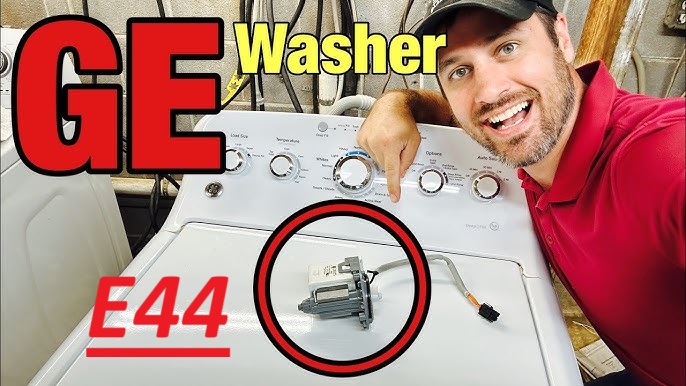
Error code 35E1 in a Samsung washer is often attributed to issues such as faulty wiring, control board malfunctions, or power fluctuations. These problems can disrupt the operation of the washer and lead to persistent error codes. It’s important to note that similar to the GE Washer error code E64, an NVM memory error can also arise due to these underlying issues, indicating a need for thorough diagnostics and potential resets.
Corrupted EEPROM Software Update
A corrupted EEPROM software update can cause your Samsung washer to display error code 35E1. This issue arises when the communication between the control board and the machine’s components is disrupted. If the software integrity checks fail, it’s likely that the update process encountered an error or wasn’t completed properly.
Common reasons for this problem include power interruptions during the update, using an incorrect firmware version, or data corruption. To resolve this issue, you may need to employ EEPROM recovery methods. This could involve reinstalling the firmware or restoring a previous version to ensure that your washer functions correctly. Additionally, be aware that power failure issues can also result in similar errors due to instability in electrical supply.
To prevent future updates from becoming corrupted, regularly perform software integrity checks. This proactive measure helps maintain smooth operation and reduces the likelihood of encountering the error code 35E1 again. Remember, keeping your washer’s software up to date is crucial for optimal performance and reliability. If you need further assistance, don’t hesitate to reach out for professional help.
Faulty EEPROM Chip
While software issues can certainly trigger error code 35E1, it’s essential not to overlook the possibility of a faulty EEPROM chip. The EEPROM, or Electrically Erasable Programmable Read-Only Memory, plays a critical role in your washer by storing essential settings and operational data. When this chip fails, it can disrupt its functionality and lead to error code 35E1.
Several factors can contribute to an EEPROM malfunction, including manufacturing defects, electrical surges, or even wear and tear over time. If you suspect that the EEPROM may be the culprit, it’s crucial to diagnose the issue accurately. In many cases, replacing the faulty EEPROM can resolve the problem and restore your washer’s performance. Additionally, faulty wiring connections can further complicate the diagnosis, so it’s essential to inspect all related components during troubleshooting.
If you find yourself in this situation, I recommend consulting a professional technician who has experience with appliance repairs. They can ensure that the replacement is done correctly, minimizing the risk of further complications. Remember, when it comes to appliance repairs, safety and proper procedure should always be your top priorities.
Loose EEPROM Connections
If your Samsung washer is showing the error code 35E1, it could indicate that there are loose connections related to the EEPROM (Electrically Erasable Programmable Read-Only Memory). These connections are crucial for ensuring the EEPROM functions correctly and maintains communication with the control board. Over time, factors like vibrations from the washer or improper installation can cause these connections to loosen, leading to potential communication errors.
To address this issue, I recommend performing a thorough check on the EEPROM connections. Begin by safely disconnecting the power to your washer to ensure your safety while working on it. Once powered down, carefully inspect the EEPROM connections for any signs of looseness or corrosion. If you find any loose connections, gently reestablish them to ensure a secure fit. Additionally, if you notice any corrosion, it may be necessary to clean the contacts or replace the affected components to restore functionality. It’s important to maintain stable connections, as this can prevent recurring error codes and save you from more extensive repairs down the line. By addressing these loose connections promptly, you can help ensure your washer operates smoothly and efficiently. Always prioritize safety first, and if you feel unsure about any steps, don’t hesitate to seek professional assistance. Performing regular maintenance can help prevent keypad issues that may arise from dirt or moisture buildup.
Damaged Circuit Board Connections
Loose EEPROM connections can cause a variety of issues, but damaged circuit board connections are another frequent culprit behind the 35E1 error code in your Samsung washer. If you suspect this is the case, troubleshooting the connections should be your first priority. Taking a close look at the circuit board for any signs of damage or corrosion can save you both time and effort in the repair process. Below is a handy reference table outlining some common circuit board issues and their solutions:
| Issue | Solution |
|---|---|
| Cracked solder joints | Carefully repair the circuit board |
| Burnt traces | Replace the damaged components |
| Loose connectors | Re-seat or replace the connectors |
| Corroded connections | Clean and re-solder as necessary |
| Physical damage | Replace the entire circuit board |
Additionally, damaged wiring can disrupt communication with the control board, leading to error codes.
Required Tools to Fix the Error
Essential Tools for Repairing Samsung Washer Error Code 35E1
To effectively address the EEPROM memory fault indicated by error code 35E1, it’s important to have the right tools on hand. This includes using a multimeter to diagnose electrical issues, particularly when checking for drive belt failure that may contribute to broader problems within the washer.
Basic Tools
When you encounter the Samsung washer error code 35E1, having the right tools at your disposal is crucial for a smooth and efficient repair process. Here’s a straightforward list of the basic tools you’ll want to gather to effectively address this issue:
| Tool | Purpose | Importance |
|---|---|---|
| Screwdriver | To access internal components | Essential for disassembly |
| Multimeter | To check electrical connections | Critical for diagnostics |
| Pliers | To grip and maneuver small parts | Useful for adjustments |
| Socket Wrench | For loosening and tightening screws | Key for securing components |
| Cleaning Cloth | To keep areas free of dust and debris | Helps maintain cleanliness |
Equipping yourself with these essential tools will not only facilitate your repair efforts but also enhance your confidence in resolving the error code quickly and safely. Additionally, having a multimeter to check electrical connections will greatly assist in diagnosing issues effectively. Remember, a well-prepared technician is a successful technician!
Supplies
Gathering the right supplies is crucial for effectively addressing the Samsung washer error code 35E1. With over 20 years of experience in appliance repair, I can assure you that having the proper tools will make the process smoother and safer.
Start with a multimeter; this handy device will allow you to test electrical connections and ensure that the EEPROM is functioning as it should. It’s an essential tool for diagnosing electrical issues in your washer.
Next, a comprehensive screwdriver set is vital. Different screws may secure the internal components of your washer, and having the right tools will help you access these parts without damaging them.
You may also want to have a soldering iron on hand. If you discover any broken connections during your inspection, this tool will allow you to make necessary repairs effectively.
To protect sensitive electronic components from static damage, consider wearing an anti-static wrist strap. This simple precaution can save you from potential mishaps while working on your washer.
Lastly, keep a flashlight within reach. Good visibility is key when you’re working in tight spaces, and a flashlight will help you see what you’re doing without straining your eyes. Additionally, ensure you understand common causes of error codes to better identify the problem at hand.
With these tools at your disposal, you’ll be well-equipped to diagnose and resolve the EEPROM memory fault in your Samsung washer efficiently and safely. Remember, taking the time to gather the right supplies can make all the difference in your repair experience.
Pre-Safety Checklist Before Fixing
Before you dive into addressing the Samsung washer error code 35E1, ensuring your safety is of utmost importance. Here are some essential safety precautions to follow, which will help you maintain electrical safety during your repair:
- Unplug the Washer: Always disconnect the washer from the power supply before beginning any repairs. This step is crucial to prevent the risk of electrical shock.
- Use Proper Tools: Make sure you have the appropriate tools for the job. Using the right tools not only makes the repair easier but also minimizes the chance of accidents.
- Inspect the Work Area: Keep your workspace dry and organized. A clutter-free environment reduces trip hazards and allows for safer maneuvering while you work.
- Wear Protective Gear: Donning gloves and safety goggles is a wise choice. These protective items shield you from sharp components and any debris that might be present during the repair. Additionally, it’s important to ensure safety by following proper procedures to avoid potential hazards associated with electrical repairs.
Diagnose the Error Code
When dealing with the Samsung washer error code 35E1, it’s important to approach the diagnosis with safety as your top priority. Begin by unplugging the washer to ensure your safety while examining the internal components.
Start your troubleshooting by checking the connections to the control board and the EEPROM (Electrically Erasable Programmable Read-Only Memory). Look for any loose or damaged wires that might disrupt communication between these components. A secure connection is vital for proper functionality.
Next, inspect the control board for any visible signs of damage, such as burnt components or burnt marks. This could indicate an electrical issue that needs addressing. Additionally, it’s a good idea to follow your washer maintenance tips to ensure that the appliance is clean and free of any debris. Sometimes, accumulated lint or dirt can trigger error codes.
If you find that both the connections and the control board appear intact, consider performing a reset on the washer. To do this, simply unplug it for a few minutes. This reset can help clear temporary glitches that may cause the error code 35E1 to appear.
Step-by-Step DIY Troubleshooting Guide
Steps to Resolve Samsung Washer Error Code 35E1
Reinstall EEPROM Software Update
If your Samsung washer is showing the error code 35E1, one effective way to address this issue is by reinstalling the EEPROM software update. This process can often restore proper functionality to your appliance. Below are the detailed steps to guide you through the EEPROM recovery method safely and effectively:
| Step | Action | Notes |
|---|---|---|
| 1 | Power off the washer | For your safety, unplug the washer completely. This ensures no power is running through the unit while you perform the update. |
| 2 | Download the latest EEPROM | Visit the official Samsung support site. Make sure to select the correct model of your washer to guarantee compatibility with the software you download. |
| 3 | Transfer to USB drive | Ensure your USB drive is formatted correctly and the file you downloaded is compatible with your washer. Double-check the size and format of the file to avoid any issues during installation. |
| 4 | Connect USB & power on | Insert the USB drive into the designated port on your washer. Then, restore power to the unit and follow the on-screen instructions carefully to complete the installation process. |
Replace Faulty EEPROM Chip
When your Samsung washer displays the error code 35E1, it often indicates an issue with the EEPROM chip, which may need to be replaced to restore proper functionality. As a first step, ensure your safety by powering off the washer and unplugging it from the electrical outlet.
Next, you’ll need to access the control panel to reach the EEPROM chip. Carefully remove the control panel, taking note of how the EEPROM chip is oriented before you take it out. This is crucial for the reinstallation process.
When searching for a replacement EEPROM chip, make sure to look for options that are specifically compatible with your washer model. You can verify compatibility by cross-referencing part numbers either in your user manual or through reliable online resources.
Once your new EEPROM chip arrives, insert it into the socket in the same orientation as the old one. After securing the chip, reassemble the control panel carefully. Plug the washer back in and power it on to see if the error code has been resolved.
If the issue persists or you’re unsure about any step, don’t hesitate to consult a professional technician. Your safety and the reliable operation of your appliance are paramount.
Secure Loose EEPROM Connections
Since a loose connection can trigger the 35E1 error code, securing the EEPROM connections is a crucial step in troubleshooting your Samsung washer. Start by unplugging the washer to ensure your safety. Next, carefully remove the control board cover to access the EEPROM connections. Take a close look at these connections for any signs of looseness or damage.
If you notice any loose connections, you may need to reinforce them using soldering techniques. First, ensure your soldering iron is properly heated, then gently apply solder to the joint to create a strong and stable connection. Be cautious not to overheat the area, as this could damage the control board.
After securing the connections, allow everything to cool before reassembling the control board cover. Once you have put everything back together, plug the washer back in and run a test cycle to see if the error code persists. If it does, further investigation may be required to identify the root cause of the issue.
Repair Circuit Board Connections
Repairing circuit board connections in your Samsung washer can effectively resolve the 35E1 error code. Let’s walk through the process step-by-step to ensure you approach this repair safely and confidently.
Step-by-Step Guide to Repairing Circuit Board Connections
- Unplug the Washer: Always start by disconnecting the power. This is a crucial safety step to prevent any electrical hazards while you work on the appliance.
- Access the Control Board: Carefully remove the panel that covers the control board. This usually involves unscrewing a few screws. Take your time to avoid damaging any components.
- Inspect the Circuit Board: Once you have access, visually inspect the circuit board for any signs of damage such as burn marks, cracked solder joints, or any components that appear loose or out of place.
- Test Connections: Using a multimeter, check for continuity between connections. This will help you identify any broken or faulty connections. If you’re not familiar with how to use a multimeter, I recommend looking up some tutorials or guides that explain this process in detail.
- Repair Faults: If you discover any faulty connections, you can repair them by re-soldering the joints. If you’re not comfortable with soldering, another option is to use conductive adhesive. Be sure to follow the product instructions carefully for the best results.
- Reassemble the Washer: After making your repairs, carefully reassemble the washer. Ensure that all components are securely in place and that no tools or loose parts are left inside.
Quick Reference Table:
| Step | Action |
|---|---|
| 1. Unplug the washer | Disconnect power before repairs |
| 2. Inspect board | Look for physical damage or loose connections |
| 3. Test connections | Use a multimeter for continuity checks |
| 4. Repair faults | Re-solder or use conductive adhesive |
| 5. Reassemble | Put everything back together securely |
Call a Professional If
If you’ve attempted to troubleshoot your Samsung washer and the error code 35E1 continues to appear, it may be time to call in a professional. This particular error suggests a potential issue with the EEPROM memory, which can be tricky to diagnose and repair.
A qualified technician has the expertise to evaluate whether the problem originates from the control board or other internal components. Trying to fix this on your own without the right knowledge could potentially cause further damage or even void your warranty. By engaging a professional, you can ensure that the issue is accurately identified and resolved efficiently.