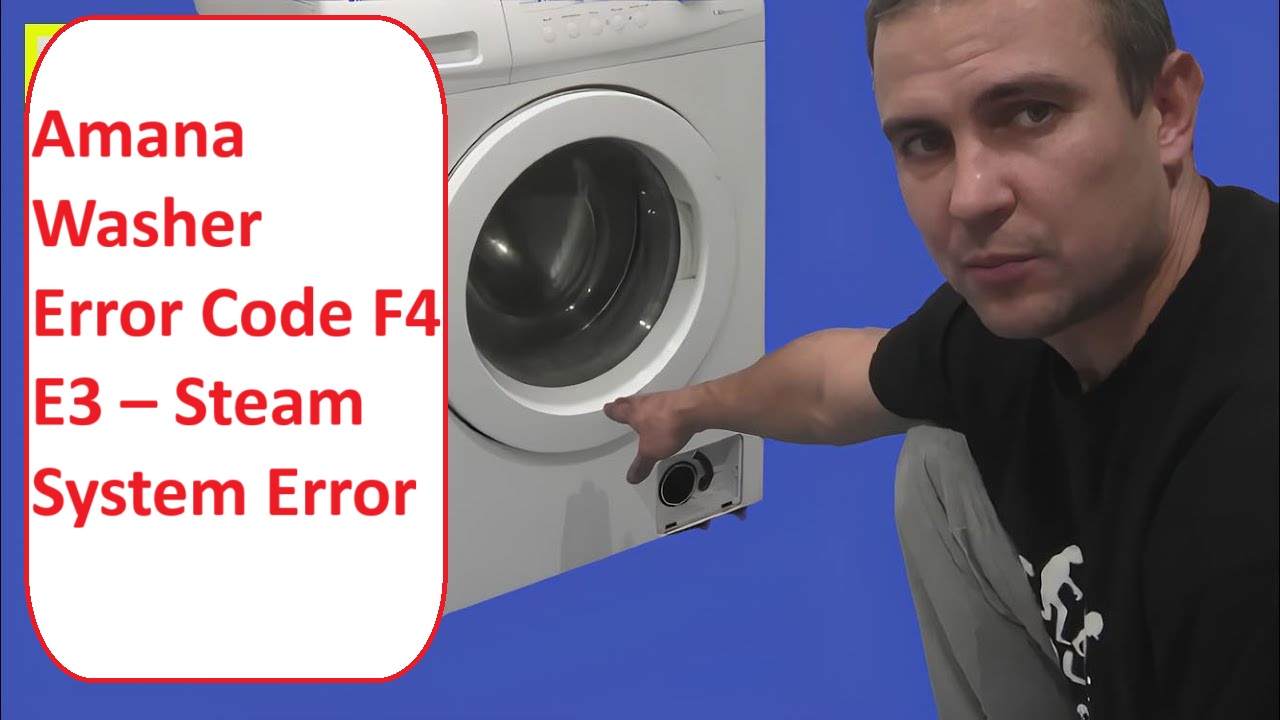
We understand how frustrating it can be to deal with appliance issues, especially when your Amana washer displays the Error Code F4 E3.
This specific code indicates a steam system error that is often related to problems with sensing the water level.
Don’t worry; you’re not alone in facing this issue—many users encounter it, and there are often simple DIY solutions available.
One common cause of this error could be a blockage in the water level sensing system. This can prevent your washer from accurately detecting how much water is in the drum.
We encourage you to read through the entire post, as it will provide you with more detailed information about this error, including other possible causes and steps to troubleshoot effectively.
What Does the Error Code Means?
When you see the error code F4 E3 on your Amana washer, it signals an issue with the water level sensing system. Essentially, this means your washer is having trouble accurately detecting the water level during its cycles. Let’s walk through some effective troubleshooting steps you can take to resolve this issue.
First, check the pressure switch hose—this is a small but crucial component. Look for any clogs or leaks, as these can interfere with the water level sensing process. A blockage in this hose can prevent the washer from detecting the water level correctly.
Next, take a moment to verify that the wiring connections related to the pressure switch are secure. Sometimes, loose or damaged wires can disrupt the signal being sent to the control board.
If these initial steps don’t resolve the error, it might be time to inspect the pressure switch itself. Over time, these components can wear out or fail, leading to inaccuracies in water level detection. Regular maintenance, including checking connections to the steam generator, can help prevent this error from occurring.
Understanding the meaning behind error codes like F4 E3 is essential in pinpointing the problem and taking informed action. By following these troubleshooting tips, you can help restore your washer’s functionality and ensure it operates safely and efficiently. If you continue to experience issues, it may be wise to consult a professional technician who can provide further assistance. Remember, safety first—always disconnect your washer from power before performing any repairs.
Common Causes Behind Error Code
Identifying Common Causes of F4 E3 Error. One potential issue could be related to motor control system issues, which can also lead to communication failures and operational disruptions in washers.
Faulty Steam Valve Assembly
A faulty steam valve assembly can trigger the F4 E3 error code on your Amana washer. This component plays a crucial role in regulating steam flow during washing cycles. If the wrong type of steam valve is installed or if the valve has experienced wear and tear, it may malfunction, resulting in this error code.
To maintain your washer’s efficiency, it’s important to perform regular inspections of the steam valve assembly. Look for any signs of damage, corrosion, or loose connections. A malfunctioning valve might fail to open or close correctly, disrupting the steam process and affecting your wash results.
If you suspect that the steam valve assembly is the source of the problem, you can test its functionality. This typically involves checking for continuity with a multimeter, ensuring that the valve opens and closes as intended. Should testing reveal that the valve is indeed faulty, replacing it is a reliable solution to restore your washer’s performance.
Addressing issues with the steam valve assembly promptly can help ensure that your washer operates efficiently and effectively, prolonging its lifespan and maintaining the quality of your laundry. Always prioritize safety when working on appliances, and don’t hesitate to consult a professional if you’re unsure about any steps in the troubleshooting process. Additionally, be aware that a faulty motor control unit can lead to similar operational difficulties, so thorough diagnostics are essential.
Clogged Steam Hose
If you’re dealing with the F4 E3 error code on your Amana washer, a clogged steam hose could be the issue. Over time, lint, mineral deposits, or debris can accumulate in the steam hose, disrupting the flow of steam. This problem often arises from insufficient maintenance or infrequent inspections of the steam system.
To address this, first ensure your safety by disconnecting both the power and water supply to the washer. Next, inspect the steam hose for any blockages. If you notice any buildup, take the time to clean it thoroughly. A soft brush or cloth can help remove stubborn debris. It’s also important to regularly check for clogged filters that may affect steam flow and overall washing performance.
If you are contemplating any upgrades to your steam system, make sure that the new components are compatible with your current setup and designed for optimal performance. Regular maintenance is key; it not only helps prevent clogs but also improves the overall efficiency of your washer.
Defective Pressure Switch
While a clogged steam hose can lead to the F4 E3 error code, a defective pressure switch is often a key player in this issue as well. The pressure switch is crucial for accurate steam generation; it continuously monitors the pressure levels within your washer. When this component malfunctions, it can cause the machine to misread pressure levels, triggering the error code.
To troubleshoot the problem, start by inspecting the pressure switch for any visible signs of damage or wear. Look for cracks, discoloration, or other abnormalities. Next, examine the electrical connections; check for any corrosion or loose wires that could impact performance. Using a multimeter, test the continuity of the pressure switch. If the multimeter indicates that it’s faulty, you will need to replace it. Additionally, ensure that there are no loose wiring connections that could disrupt communication between the pressure switch and the control board.
Faulty Control Board Connection
When you encounter the F4 E3 error code, it’s crucial to inspect the control board connection. A faulty connection can severely hinder communication between the various components of your appliance. Common culprits for poor connections include loose wires, corrosion, or physical damage. Addressing these issues is essential for effectively resolving the error.
Here’s a breakdown of typical connection issues and their solutions:
| Issue | Solution |
|---|---|
| Loose Wires | Carefully tighten the connections to ensure they are secure. |
| Corroded Connectors | Gently clean the connectors with a suitable cleaner or replace them if necessary. |
| Physical Damage | Thoroughly inspect the area for any signs of damage and repair as needed. |
Additionally, it is important to remember that loose connections can interrupt communication between components, leading to further issues if not addressed promptly.
Required Tools to Fix the Error
Essential Tools for Repairing Your Amana Washer
To effectively address the F4 E3 steam system error, you will need the right tools to ensure a successful repair. Additionally, having a replacement door switch on hand can be crucial in case similar issues arise in the future.
Basic Tools
Before diving into resolving the Amana washer error code F4 E3, it’s crucial to gather the right tools to ensure a smooth and efficient repair process. Having the proper equipment not only simplifies basic maintenance but also enhances your troubleshooting capabilities. Here’s a list of essential tools you’ll need:
- Screwdrivers: Both flathead and Phillips screwdrivers are necessary for accessing various internal components of the washer. Make sure to have a set that fits snugly to avoid stripping screws.
- Multimeter: This tool is indispensable for testing electrical connections and diagnosing issues. It allows you to check for continuity, voltage, and resistance, helping you pinpoint the source of the problem.
- Pliers: A good pair of pliers can be very helpful for gripping or twisting wires as needed. They can assist in removing stubborn connectors or securing loose wiring.
- Flashlight: Working inside your washer can sometimes mean dealing with dimly lit areas. A reliable flashlight will help you see clearly as you troubleshoot, ensuring you don’t miss any crucial components.
Equipped with these tools, you’ll be well-prepared to tackle the F4 E3 error code and restore your Amana washer to optimal operation. Additionally, it’s important to understand that the door latch mechanism plays a critical role in ensuring proper function during operation. Remember to prioritize safety by unplugging the machine before starting any repairs. With careful preparation and the right approach, you can save yourself both time and frustration during the repair process.
Supplies
When you’re ready to tackle the Amana washer error code F4 E3, having the right supplies is crucial for a smooth repair process. With over 20 years of experience in appliance repair, I can assure you that being well-prepared will help you avoid any unnecessary interruptions. Here’s a comprehensive checklist of what you’ll need:
- Multimeter: This essential tool will allow you to test electrical components for continuity and ensure they are functioning properly. It’s a key instrument for diagnosing issues effectively.
- Screwdriver set: A variety of screwdrivers will be necessary for removing the washer panels. This will give you access to the internal components that may need attention.
- Replacement parts: Depending on your diagnosis, you may need to replace faulty components, such as the steam valve or a wiring harness. It’s best to have these on hand to avoid delays.
- Towels: Keep a few towels nearby to soak up any residual water that might spill during the repair. This will help maintain a clean workspace and prevent slipping.
Before you begin your repair, take a moment to gather these supplies. This preparation will empower you to troubleshoot the issue with confidence and efficiency, ensuring that you can resolve the F4 E3 error code without unnecessary complications. Remember, safety is always a priority, so make sure to unplug the washer before starting any repairs. Additionally, being aware of common causes like drive belt failure can help you better understand potential issues that may arise during your repair process.
Pre-Safety Checklist Before Fixing
Before you get started on fixing the F4 E3 error code on your Amana washer, it’s crucial to prioritize your safety. With over 20 years of experience in appliance repair, I can assure you that taking the right precautions will ensure a smoother repair process. Here are some essential safety steps to follow:
- Unplug the Washer: Always disconnect the washer from the power source. This step is vital to prevent any risk of electrical shock while you’re working on the appliance.
- Turn Off the Water Supply: To prevent leaks or potential flooding during your repairs, make sure to shut off the water supply to the washer. This will help you avoid any mess and keep the area safe.
- Wear Protective Gear: Equip yourself with safety goggles and gloves. These will protect you from sharp edges and any cleaning chemicals you might encounter during your maintenance work.
- Keep the Area Clear: Ensure that children and pets are kept away from the work area. This will help prevent any accidents while you’re focused on the repair.
- Check for Power Interruptions: It’s also wise to check for power interruptions in your home, as these can impact the washer’s performance and lead to error codes.
Diagnose the Error Code
To effectively diagnose the F4 E3 error code on your Amana washer, it’s important to understand what this code means. The F4 E3 error indicates a problem with the steam system, which can significantly impact your washer’s performance. Let’s explore some common causes and troubleshooting steps you can take:
| Error Code | Possible Cause |
|---|---|
| F4 E3 | Faulty steam valve |
| F4 E3 | Blocked steam system |
| F4 E3 | Wiring issue |
- Check the Steam Valve: Start by inspecting the steam valve. Ensure it’s functioning properly and not stuck or damaged. A malfunctioning steam valve can disrupt the steam process.
- Inspect the Steam System: Next, examine the steam system for any clogs or obstructions. Look for debris or buildup that could be restricting steam flow. Cleaning any blockages can often resolve the issue.
- Examine Wiring: Lastly, check the wiring connected to the steam system. Look for any signs of wear, fraying, or disconnections. Damaged wiring can lead to communication failures within the system.
Step-by-Step DIY Troubleshooting Guide
Next Steps for F4 E3 Error Resolution
Replace Steam Valve Assembly
Replacing the steam valve assembly in your Amana washer can effectively resolve the F4 E3 error code and restore your machine’s functionality. Here’s a step-by-step guide to help you through the process safely and effectively.
- Safety First: Start by unplugging your washer from the electrical outlet and turning off the water supply to prevent any accidents.
- Access the Steam Valve Assembly: Remove the access panel on the back or bottom of your washer, depending on your model. This will give you access to the steam valve assembly.
- Disconnect the Wiring: Carefully disconnect the wiring harness connected to the steam valve. Take note of where each wire connects to ensure correct reconnection later.
- Remove the Old Valve: Unscrew the steam valve from its mounting bracket. Keep track of any screws or fasteners, as you’ll need them for the new valve.
- Inspect the New Assembly: Before installation, thoroughly inspect the new steam valve assembly for any visible defects or damage. This is crucial to ensure proper operation.
- Install the New Valve: Position the new steam valve in place and secure it with the screws you removed earlier. Make sure it is firmly attached to prevent any leaks.
- Reconnect the Wiring: Reconnect the wiring harness, ensuring each wire is attached to the correct terminal. Double-check your connections to avoid any electrical issues.
- Reassemble the Washer: Once everything is in place, replace the access panel and ensure it is secured correctly.
- Final Steps: Turn on the water supply and plug your washer back in.
- Test the Washer: Run a test cycle to confirm that the steam valve replacement has successfully resolved the F4 E3 error and that your washer is functioning properly.
Clean the Steam Hose
Cleaning the steam hose in your Amana washer is an important step to ensure your appliance operates at its best and to prevent the F4 E3 error code from recurring. Here’s a step-by-step guide to help you through the process safely and effectively.
- Safety First: Begin by unplugging your washer from the electrical outlet and turning off the water supply. This is crucial to prevent any accidents while you work on the appliance.
- Disconnect the Steam Hose: Carefully detach the steam hose from the washer. As you do this, take a moment to inspect the hose for any visible blockages or damage.
- Prepare a Cleaning Solution: Mix a solution of warm water and a mild detergent. This combination is effective for breaking down any buildup inside the hose.
- Clean the Hose: Use a flexible cleaning brush if you have one, or simply swish the soapy water around inside the hose to dislodge any debris. Make sure you’re thorough, as any residue left behind could affect steam production.
- Rinse Thoroughly: After cleaning, it’s essential to rinse the hose well with warm water. Ensure that no soap residue remains, as this can lead to issues with steam generation later on.
- Reattach the Hose: Once you’ve cleaned and rinsed the hose, reattach it securely to the washer. Double-check that there are no leaks at the connection points.
- Regular Maintenance: Incorporating regular maintenance of the steam hose into your routine will not only help prolong the life of your washer but also enhance its overall efficiency.
Inspect Pressure Switch Wiring
Inspecting the pressure switch wiring in your Amana washer is a vital step in diagnosing the F4 E3 error code. To ensure your safety, start by unplugging the washer from the power source. Next, locate the pressure switch, which is typically positioned near the steam system.
Once you’ve found the pressure switch, take a close look at the wiring connected to it. Look for any signs of wear, fraying, or disconnection. It’s important to ensure that the connectors are securely attached and free from any corrosion, as these issues can lead to erratic behavior or faults in the washer’s operation.
To further assess the condition of the wiring, you can use a multimeter to test for continuity. This will help confirm that the wires are functioning properly. If you identify any damage or suspect a faulty connection, it’s wise to replace the wiring. Doing so will help maintain a stable and reliable connection, which is crucial for the proper operation of your washer.
After you’ve completed your inspection and any necessary repairs, plug the washer back in and run a test cycle. This will allow you to check if the F4 E3 error code has been resolved. Remember, taking the time to thoroughly inspect and address wiring issues can save you from more significant problems down the line. If the error persists after your efforts, it may be beneficial to consult a professional technician for further assistance.
Repair Control Board Connection
After verifying the pressure switch wiring, it’s essential to turn our attention to the control board connection, as it can also play a significant role in triggering the F4 E3 error code. To ensure your safety, the first step is to unplug the washer from the power source.
Once you’ve done that, carefully remove the control board cover to access the internal connections. Take a close look at each connector; you’re looking for any signs of corrosion, loose wires, or burnt spots. These issues can lead to poor connections and might be the root cause of your error code. If you discover any damaged components, it’s important to replace them to restore proper function.
Next, make sure to re-seat all connections securely. This step is crucial to eliminate any potential connection issues that could arise from loose contacts. After you’ve confirmed that everything is tight and secure, replace the control board cover and plug the washer back in.
Finally, run a test cycle to see if the F4 E3 error code still appears. If it does persist, it may indicate that further diagnosis is required to identify the underlying issue. Remember, safety first—always ensure the washer is unplugged while you’re working on it. Your diligence in following these steps will help you tackle this problem effectively.
Call a Professional If
If you continue to face persistent issues with your Amana washer after attempting to troubleshoot the F4 E3 error code, it may be time to consider reaching out to a professional technician. Engaging in further repairs without the right expertise can often lead to additional complications or even damage to your appliance.
A qualified technician can provide a thorough diagnosis to identify the exact problem, whether it’s related to the control board, the steam system, or another component. They have the specialized knowledge and tools necessary to effectively resolve the issue. Moreover, expert repair services ensure that any underlying problems are addressed, significantly reducing the likelihood of future errors.