Dealing with an error code on your washer can be incredibly frustrating, especially when it disrupts your laundry routine.
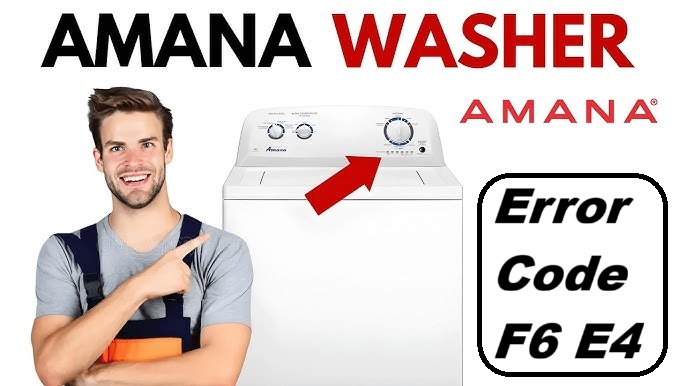
If your Amana washer is showing the error code F6 E4, you’re not alone. This code indicates an over-temperature issue, which simply means that the washer is detecting a temperature that is higher than normal.
The good news is that this is a common problem with several simple DIY solutions.
One frequent cause of this error is a communication failure between the control unit and the user interface. However, there are other factors that could be contributing to the issue.
To get a better understanding of how to address this error and explore more potential causes, I encourage you to read through the entire post. You’ll find helpful tips and guidance to get your washer back in working order!
What Does the Error Code Means?
When your Amana washer shows the error code F6 E4, it points to a communication problem between the central control unit and the user interface control. Essentially, this means that the washer isn’t able to send or receive signals as it should, which can disrupt its normal operation.
To troubleshoot this issue safely and effectively, start by examining the wiring connections between the control board and the user interface. Look for any loose or damaged wires, as these can often cause communication failures.
Start by checking the wiring connections between the control board and user interface for any loose or damaged wires.
Next, it’s a good idea to reset the system. To do this, disconnect the power to the washer for a few minutes. Once the time has passed, reconnect the power and see if the error code reappears.
If the F6 E4 error persists despite these steps, the control board may need to be tested for faults. This can often require specialized equipment, so if you’re not comfortable doing this yourself, it’s best to consult a professional technician for a thorough diagnosis. Remember that issues related to NVM corruption can also affect communication between components.
Addressing this error promptly is essential, as it can help prevent further complications down the line. Remember, safety is paramount, so always ensure that the washer is unplugged before inspecting any internal components.
Common Causes Behind Error Code
Identifying the Root Causes of Error Code F6 E4. A common issue that may lead to overheating is a clogged drain pump, which can prevent proper water drainage and trigger the error code.
Faulty Temperature Sensor
A faulty temperature sensor can lead to the F6 E4 error code on your Amana washer, causing disruptions in your washing cycles. Understanding the role of the temperature sensor is essential, as it can be either a thermistor or a thermocouple, both of which are critical for accurately monitoring the water temperature.
If you encounter this error code, the first step is to inspect the temperature sensor for any visible signs of damage or loose connections. If you find that the sensor is indeed malfunctioning, replacement may be necessary.
Before you begin the replacement process, ensure your washer is unplugged to guarantee your safety. Start by carefully detaching the faulty sensor, taking note of how it is connected. Then, connect the new sensor according to the manufacturer’s guidelines.
After you’ve installed the new sensor, running a diagnostic cycle is crucial. This will help confirm that the error code has been resolved and that your washer is functioning properly again. Addressing the temperature sensor issue promptly will help restore your washer’s peak performance, allowing you to get back to your laundry routine without hassle. Additionally, prompt troubleshooting can help restore washer functionality in case of similar issues.
Clogged Drain Hose
One common reason you might encounter the F6 E4 error code on your Amana washer is a clogged drain hose. When the drain hose is blocked, it can restrict the flow of water, leading to overheating during wash cycles. To address this issue, start by inspecting the drain hose for any visible kinks, bends, or obstructions. You may find lint, debris, or even small garments trapped within the hose.
To resolve the clog, carefully detach the hose from both the washer and the drainage point. Once removed, use a flexible brush or a garden hose to clear any blockages that may be present. It’s also important to ensure that the hose is installed at the correct height and angle to allow for proper water drainage.
Additionally, be sure to check for any malfunctioning heater sensor issues, as they can also contribute to overheating problems in the washer. After you’ve cleared the blockage, run a wash cycle to ensure that the error code no longer appears and that water flows freely through the drain. By following these steps, you can effectively tackle this common issue and keep your washer running smoothly. Remember, regular maintenance and inspections can help prevent future clogs.
Faulty Control Board
If you’ve already taken care of a clogged drain hose and the F6 E4 error code continues to show up, you might be facing an issue with the control board. This component is essential as it oversees various functions and facilitates communication between different parts of your washer. When it malfunctions, it can lead to overheating and other operational problems.
To help you identify potential control board issues, here are some common symptoms to look out for:
| Symptoms | Possible Control Board Issues |
|---|---|
| Machine won’t start | Control board may not be sending signals |
| Erratic cycle behavior | Faulty control board functions |
| Inconsistent temperature | Failure to detect overheating |
| Random error codes | Potential software corruption or failure |
If you’re comfortable with basic electrical testing, using a multimeter on the control board can provide valuable insights into its functionality. This step can help confirm whether the control board is indeed faulty, allowing you to take the appropriate actions. Remember, safety is paramount, so ensure that the appliance is unplugged before attempting any tests or repairs. Additionally, a malfunctioning Door Lock Assembly can disrupt communication between the door and display board, leading to further complications.
Faulty Wiring Connection
When addressing the F6 E4 error code in your Amana washer, it’s important to recognize that faulty wiring connections can often be a hidden culprit. Begin by carefully inspecting the wiring insulation for any signs of damage, such as fraying or cracking. These issues can compromise the integrity of the connections and may lead to overheating, which is a significant safety concern.
Make sure that all connections are secure and free from corrosion. Loose or damaged wires can not only affect the performance of your washer but also pose serious risks. If you discover any compromised wiring, it’s crucial to replace it immediately to ensure safe operation.
Additionally, take the time to visually inspect the connectors and terminals for any signs of melting or wear. These visual cues can indicate underlying problems that need to be addressed. By tackling these wiring issues head-on, you can help resolve the F6 E4 error and restore your Amana washer’s functionality, ensuring it operates safely and efficiently for years to come. Remember, safety first – when in doubt, consult a professional technician to assist with repairs. Furthermore, regular maintenance can help prevent issues like thermistor failure from occurring in the first place.
Required Tools to Fix the Error
Gather Essential Tools for Troubleshooting
When troubleshooting the Amana Washer Error Code F6 E4, it’s crucial to have the right tools on hand to diagnose and fix the issue effectively. Additionally, using a multimeter for testing electrical components can help identify faults accurately.
Basic Tools
Proper tools are essential for effectively addressing the Amana washer error code F6 E4. Having the right equipment not only simplifies the repair process but also ensures that basic maintenance is performed accurately. Here’s a list of essential tools you’ll need to tackle this issue:
- Multimeter – This is crucial for testing electrical components and connections. It allows you to check for continuity and voltage levels, helping you identify any electrical faults in your washer.
- Screwdriver Set – A set of screwdrivers will enable you to remove and secure various panels and screws. Look for both flathead and Phillips options, as washers may use different types.
- Pliers – Pliers are handy for gripping and twisting wires or small parts. They can help you safely handle components without damaging them.
- Wrench Set – A good wrench set will facilitate loosening or tightening plumbing connections. This is particularly important if you need to access hoses or valves during the repair process.
Gathering these basic tools will equip you for addressing the issue with your washer effectively. Additionally, having a surge protector on hand can help prevent future power interruptions that may lead to error codes like PF. Remember to always prioritize safety when working with electrical appliances. Disconnect the power supply before beginning any repair to avoid accidents, and take your time to understand each step of the process. With the right tools and precautions, you can confidently work towards resolving your washer’s error code.
Supplies
To effectively address the Amana washer error code F6 E4, you’ll need some essential supplies that will facilitate the repair process. Having the right tools not only makes the task easier but also contributes to maintaining your washer in optimal condition. Below is a detailed list of items you should have on hand:
- Multimeter – This tool is crucial for testing electrical components, allowing you to diagnose issues with precision.
- Screwdriver Set – A variety of screwdrivers will be necessary for removing panels and securing parts. Ensure you have both Phillips and flathead options.
- Replacement Parts – Depending on your specific model, you may need replacement components like a thermostat or temperature sensors. It’s important to source parts that are compatible with your washer model.
- Towels or Rags – Keep a few towels or rags handy to manage any spills and maintain a clean workspace in your laundry area. Regular maintenance can prevent issues such as the E64 NVM memory error from occurring in the future.
Pre-Safety Checklist Before Fixing
Before you start addressing the Amana washer error code F6 E4, it’s crucial to conduct a thorough safety checklist to ensure a secure repair environment. Taking these precautions seriously will not only protect you but also streamline your repair process. Here’s a step-by-step guide to follow:
- Unplug the Washer: Always disconnect the power source before starting any repair work. This is essential to prevent the risk of electric shock while you’re working on the appliance.
- Inspect for Leaks: Take a moment to carefully check all hoses and connections for signs of water leaks. Any leaks can create a slippery surface or lead to further damage, making it a safety hazard.
- Wear Protective Gear: Equip yourself with gloves and safety goggles. These will safeguard you from potential sharp edges and debris that can cause injury during the repair.
- Clear the Work Area: Ensure that the space around the washer is free of clutter. A clean work area allows you to move around easily and reduces the risk of accidents.
- Understand Emergency Procedures: Familiarizing yourself with emergency procedures for electrical hazards is crucial in case something unexpected occurs during the repair process.
Diagnose the Error Code
To effectively diagnose the Amana washer error code F6 E4, let’s take a step-by-step approach to identify the issue. First, check the water temperature settings on your washer. Make sure they are correctly set for the cycle you are using, as incorrect settings can lead to temperature-related problems.
Next, take a look at the temperature sensor. This component is crucial for monitoring the water temperature. Inspect it for any visible signs of damage or malfunction. If you have a multimeter handy, you can test the resistance of the temperature sensor; it should fall within the manufacturer’s specified range. This step is vital, as a faulty sensor can trigger the error code.
Inspect the temperature sensor for damage and test its resistance to ensure it’s functioning correctly, as a faulty sensor can trigger the error code.
Additionally, examine the wiring and connections associated with the temperature sensor. Look for any signs of wear, corrosion, or loose connections, as these can also cause issues. Ensuring that all electrical connections are secure and in good condition is a key part of the troubleshooting process.
If everything appears to be in order and you’re still facing the error code, consider resetting your washer. A reset can clear any temporary glitches that may have mistakenly triggered the F6 E4 code. To do this, simply unplug the washer for a minute, then plug it back in and try running a cycle again.
Step-by-Step DIY Troubleshooting Guide
Next Steps in Troubleshooting the F6 E4 Error Code
Replace Temperature Sensor
Replacing the temperature sensor in your Amana washer is a manageable task that can help eliminate the F6 E4 error code. To start, prioritize safety by unplugging the washer from the wall. Once it’s disconnected, you’ll want to locate the temperature sensor, which is usually positioned near the heating element or drum.
Next, it’s important to identify the specific type of temperature sensor that is compatible with your model. Most commonly, you’ll encounter either a thermistor or a thermocouple. Carefully detach the old sensor by unclipping the wiring harness; take your time with this step to avoid damaging any components.
When you’re ready to install the new sensor, ensure that it is properly seated and securely connected. A helpful tip is to apply a small amount of dielectric grease on the connectors. This not only helps with conductivity but also protects against corrosion over time, ensuring a longer lifespan for your new sensor.
After you have installed the new temperature sensor, plug the washer back in and run a test cycle. Keep an eye out for any error codes during this cycle. Following these steps will bring you one step closer to having a fully operational washer. Remember, if you encounter any issues or feel unsure at any point, don’t hesitate to seek professional help. Your safety and the efficiency of your appliance are paramount.
Repair Clogged Drain Hose
After you’ve checked the temperature sensor, another frequent cause of the F6 E4 error code is a clogged drain hose. Here’s a clear, step-by-step guide to help you maintain your hose effectively:
| Step | Action |
|---|---|
| 1 | Unplug the washer for safety. |
| 2 | Locate the drain hose; it’s usually at the back of the washer. |
| 3 | Carefully inspect the hose for any kinks or visible blockages. |
| 4 | Detach the hose from the washer and clean it thoroughly. You can use a long brush or a mixture of vinegar and baking soda to help remove any buildup. |
| 5 | Reattach the hose securely and test the washer to ensure it’s functioning correctly. |
Make sure the drain hose is not submerged in water and is free from any debris. Regular checks on the drain hose can help prevent clogs and ensure your washer operates at its best. If you continue to experience issues, it may be time to look deeper into the machine or consult a professional for further assistance. Remember, your safety is paramount, so always take precautions when working with electrical appliances.
Repair Faulty Control Board
Diagnosing a faulty control board might feel daunting at first, but with a methodical approach, you can resolve the issue confidently and safely. Start by unplugging the washer to eliminate any risk of electric shock—safety should always be your top priority.
Next, you’ll need to access the control board, which typically involves removing the screws from the panel. Take your time with this step to avoid damaging any components. Once you have the board in view, carefully inspect it for any signs of burnt components or other visible damage. Look for discoloration, melted areas, or broken connections, as these are common indicators of failure.
Using a multimeter is crucial for this troubleshooting process. Set it to the continuity setting and test the various connections on the control board. This will help you determine if power is being properly transmitted through the board. If you find any discrepancies, it’s a strong indication that the control board may need to be replaced.
Before you make a purchase, consult your user manual for any error codes your washer may have displayed. This can provide valuable insight and confirm that the control board is indeed the source of the problem.
Once you’ve acquired the replacement control board, carefully install it, ensuring all connections are secure. Reassemble the panel and double-check that everything is back in its place. Now, plug the washer back in and perform a test cycle to ensure everything is functioning properly.
Inspect Wiring Connections
Before you begin any repairs on your Amana washer, it’s crucial to thoroughly inspect the wiring connections. Loose or damaged wires can trigger error codes like F6 E4, so addressing these issues upfront can save you time and frustration.
Start by unplugging the machine to ensure your safety. Once it’s unplugged, examine all visible wires for signs of wear, fraying, or any other damage. Pay particular attention to the connections at the control board and motor, as these areas are often the culprits behind electrical issues.
Here’s a step-by-step guide to help you through the process:
| Step | Action |
|---|---|
| 1. Unplug the washer | Always ensure your safety by disconnecting power before inspection. |
| 2. Inspect wiring | Look for any signs of damage or looseness in the wires. |
| 3. Tighten connections | Secure any loose wires to ensure a solid connection. |
| 4. Test continuity | If you’re comfortable, use a multimeter to check for continuity in the wires. |
| 5. Reassemble and plug | After your inspection and repairs, restore power and test the washer’s function. |
Taking the time to troubleshoot your wiring connections carefully can prevent future issues and keep your washer running smoothly. Remember, safety is your top priority, so don’t hesitate to seek professional help if you’re unsure about any steps in this process.
Call a Professional If
If you’ve gone through the troubleshooting steps for your Amana washer and the F6 E4 error is still showing up, it may be time to reach out to a professional for assistance. Knowing when to seek expert help is crucial for resolving issues effectively.
Start by checking the wiring connections, resetting the machine, and ensuring that the water levels are correct. If you’ve done all this and the error continues, don’t hesitate to make that call. Furthermore, if your washer has been overheating consistently, or if you hear strange noises or notice leaks, these are clear indicators that a technician should inspect the machine.
Professionals can diagnose problems that may not be easily identifiable at first glance, such as faulty sensors or issues with the circuit board. Attempting to fix complex issues without the right expertise can potentially complicate the problem further. Therefore, it’s best to trust a qualified technician to safely and effectively restore your washer’s functionality. Your appliance’s longevity and performance depend on it, and getting the right help can save you time and money in the long run.