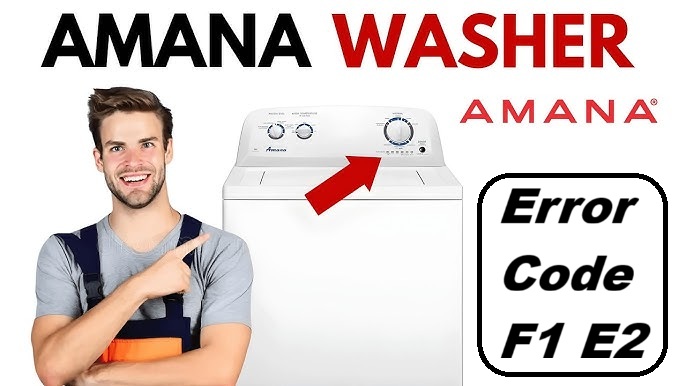
If you’re facing the Amana Washer Error Code F1 E2, you’re not alone—this frustrating issue often pops up for many users.
This error signifies a memory problem related to the water level sensing system in your washer. In layman’s terms, it means that the machine is having trouble detecting the correct water levels, which can throw a wrench in your laundry plans.
The good news is that this is a common issue, and in many cases, it can be resolved with some straightforward DIY fixes.
One frequent cause of this error is a loose or damaged connection in the water level sensor.
To fully understand what’s going on and how to tackle it, I encourage you to read through the entire post.
We’ll dive deeper into the causes and solutions, helping you get your washer back to running smoothly in no time!
What Does the Error Code Means?
When you come across the Amana washer error code F1 E2, it usually points to an issue with the water level sensing system in your appliance. This error indicates that the washer is having trouble accurately detecting the water level during the wash cycle, which can hinder its performance.
To effectively tackle this problem, it’s essential to prioritize regular maintenance of your washer. Start by inspecting the hoses for any kinks or blockages, as these can obstruct water flow and affect sensor readings. Additionally, ensure that the water inlet valve is operating correctly; if it’s malfunctioning, it could lead to improper water levels. Regular checks on the water level sensor can help prevent future issues and ensure efficient washer operation.
Common Causes Behind Error Code
Identifying Common Causes of the F1 E2 Error Code. Common causes of the F1 E2 error code include a malfunctioning control board due to power surges or moisture exposure, loose connections interrupting communication between components, a faulty door lock assembly, and defective control boards affecting error code interpretation. Additionally, power surges can lead to erratic control board behavior, while moisture exposure may cause corrosion or short circuits.
Faulty Control Board Connection
A faulty control board connection is a common issue that can trigger the Amana washer’s error code F1 E2. This code signifies that there are communication problems within the appliance, often due to a defective control board or a compromised wiring harness.
To tackle this issue effectively, first, you’ll want to conduct a thorough inspection of both the control board and the wiring harness. Begin by examining the control board for any visible signs of damage, such as burnt areas or corrosion. These indicators can suggest that the board is no longer functioning properly and may need to be replaced.
Next, turn your attention to the wiring harness. Look for frayed wires or loose connections, as these can also lead to communication failures. If you spot any damage, it’s crucial to replace the affected components to restore functionality.
Once you have ensured that the connections between the control board and the wiring harness are secure, you should find that the error code resolves itself, allowing your washer to operate correctly once again. Additionally, the door lock mechanism must be functioning properly for the washer to operate effectively.
Loose Wiring Connection
After inspecting the control board and wiring harness, it’s essential to consider loose wiring connections as a potential culprit for the F1 E2 error code. Loose connections can disrupt communication between the various components of your washer, which can lead to memory errors and other operational issues.
To ensure that your connections are stable, start by carefully examining all the wiring techniques used during assembly. Look for any signs of frayed wires or connectors that may not be seated properly. These small details can significantly impact your washer’s performance.
If you do discover any loose connections, re-secure them gently. It’s crucial to ensure that they fit snugly but avoid applying excessive force, as this can cause further damage. Making it a habit to regularly check these connections can help prevent future problems and keep your appliance running smoothly. Additionally, ensure that the door switch failure is not contributing to any operational issues, as this can also affect overall performance.
Taking a proactive approach to ensuring wiring integrity will not only enhance the reliability of your washer but also help you avoid unnecessary error codes down the line. Remember, a little preventive maintenance goes a long way in keeping your appliance in top shape.
Corroded Connector Terminals
Corroded connector terminals can significantly contribute to the F1 E2 error code in your Amana washer, as they disrupt the essential electrical flow needed for proper operation. When these terminals corrode, it can lead to poor connectivity, resulting in communication failures within the washer’s control system.
To prevent issues related to corrosion, it’s crucial to perform regular maintenance on your connectors. Start by inspecting the terminals periodically for any signs of corrosion or debris. If you notice any buildup, use a soft brush or cloth to gently clean the terminals, ensuring they are free from dirt and moisture. This simple step can help maintain reliable connections.
Additionally, consider applying a corrosion prevention spray that is specifically designed for electrical components. This will provide an extra layer of protection and help ward off future corrosion issues. Regularly checking the temperature sensor can also prevent overheating and potential error codes.
Faulty Memory Chip
If your Amana washer shows the F1 E2 error code, it may indicate a problem with the memory chip. These chips, which can be EEPROM or flash memory, play a crucial role in how your washer operates. When a memory chip malfunctions, it can cause incorrect readings and lead to error codes like the one you’re experiencing.
Common reasons for memory chip failure include electrical surges, overheating, or sometimes even manufacturing defects. If you suspect that the memory chip is at fault, you have a couple of options. One approach is memory chip repair, which often involves either reprogramming the existing chip or replacing it altogether. It’s also important to check for EEPROM memory communication issues, as they can exacerbate the problem.
However, working with electronic components can be tricky, and if you’re not comfortable with this type of repair, I highly recommend reaching out to a professional technician. They have the expertise to properly diagnose the issue and perform the necessary repairs. By getting the right help, you can restore your washer’s functionality and stop those frustrating error codes from popping up again. Always prioritize safety and proper techniques when dealing with appliance repairs!
Required Tools to Fix the Error
Essential Tools for Troubleshooting the Amana Washer
Having the right tools is crucial for effectively diagnosing and resolving issues with your Amana washer, especially when dealing with memory errors. Additionally, it is recommended to use a multimeter for testing electrical connections during the troubleshooting process.
Basic Tools
When addressing the Amana washer error code F1 E2, having the right tools is crucial for a successful and safe repair. With over 20 years of experience in appliance repair, I can assure you that being prepared will make the troubleshooting process much smoother. Here’s a concise list of essential tools you should gather before you start:
- Screwdriver Set: Having a variety of screwdrivers, including both Phillips and flathead, will allow you to effectively remove and secure the components of your washer. This is important for accessing the internal parts that may need your attention.
- Multimeter: This tool is indispensable for testing electrical connections and diagnosing faults. It will help you check for continuity and voltage issues, which are common culprits when dealing with error codes.
- Pliers: Use pliers for gripping and manipulating wires or small components during your repair. They provide the extra leverage you might need to work with tighter spaces.
With these basic tools on hand, you can confidently troubleshoot and resolve the F1 E2 error code, ensuring your Amana washer returns to optimal function. Additionally, it’s important to prioritize a stable power supply to avoid recurring issues during operation. Remember to prioritize safety by unplugging the washer before you begin any repairs.
Supplies
Gathering the right supplies is crucial for effectively tackling the Amana washer error code F1 E2. To troubleshoot and repair this issue successfully, you’ll need a few specific repair supplies and diagnostic tools. Here’s a detailed list of what you’ll require:
- Multimeter: This essential diagnostic tool allows you to test electrical connections and components, helping you pinpoint where the problem may lie.
- Screwdriver Set: A comprehensive screwdriver set is necessary to access the washer’s internal parts. You’ll likely encounter various screw types, so having a range of sizes will make your task easier.
- Wire Strippers: If you find any damaged wiring during your inspection, wire strippers will be invaluable for repairing or replacing those wires safely and effectively.
- Safety Gloves: Always prioritize safety by wearing gloves. This protects your hands from sharp edges and electrical components.
- Flashlight: A good flashlight will help illuminate dark areas inside the washer, allowing you to see any potential issues more clearly.
Additionally, ensure you have the necessary tools to check for motor control system issues that may relate to your washer’s performance.
Having these items ready will streamline your repair process and empower you to quickly identify and resolve the issue causing the error code. Before you begin, take a moment to double-check your supplies and ensure you have everything you need. Remember, safety comes first, so always disconnect the washer from power before starting any repairs.
Pre-Safety Checklist Before Fixing
Before you start tackling repairs on your Amana washer that’s displaying the F1 E2 error code, ensuring your safety is paramount. Implementing the right safety measures not only helps prevent accidents but also streamlines the troubleshooting process. Here’s a straightforward checklist to follow:
Before fixing your Amana washer’s F1 E2 error, prioritize safety with essential precautions.
- Unplug the Washer: Always disconnect the power supply before beginning any repairs. This is crucial to prevent the risk of electrical shock.
- Check for Water Leaks: Carefully inspect the area surrounding the washer for any signs of water leaks. Addressing this can help avoid slips and falls, making your workspace safer.
- Wear Protective Gear: Equip yourself with gloves and safety glasses. This protective gear will shield you from sharp edges and any debris that may be present during the repair process. Additionally, ensure that the door latch mechanism is in proper working condition, as it is essential for safe operation during repairs.
Diagnose the Error Code
With safety measures firmly in place, let’s delve into diagnosing the F1 E2 error code on your Amana washer. This error often points to issues that can typically be resolved with a bit of careful troubleshooting. Here’s a structured approach to help you identify the problem effectively:
Step-by-Step Troubleshooting for F1 E2 Error Code
| Step | Action | Expected Outcome |
|---|---|---|
| Check Connections | Begin by inspecting the wiring to the control board. Loose or damaged connections can easily trigger the F1 E2 error. Ensure all wires are securely connected and show no signs of wear or fraying. | Identify any loose or damaged connections that may need repair. |
| Reset Memory | To reset the washer’s memory, disconnect the power by unplugging the machine or turning off the circuit breaker for at least 5 minutes. This action can clear temporary glitches that may cause the error code to appear. | Clear temporary errors and allow the washer to reset its systems. |
| Run Diagnostics | Utilize the built-in diagnostic tests available on your washer. These tests can help confirm whether the error persists after checking connections and resetting the memory. Follow the specific instructions for your model to initiate the diagnostics. | Confirm if the error code reappears, which will help pinpoint the underlying issue. |
Safety First
Always prioritize your safety when performing any maintenance. If you feel uncomfortable or unsure at any point, it’s wise to consult a professional technician. Remember, your appliance’s longevity and your safety go hand in hand!
Step-by-Step DIY Troubleshooting Guide
Next Steps for Troubleshooting F1 E2 Error
Inspect Control Board Connections
Inspecting the control board connections is a crucial step in diagnosing the Amana washer error code F1 E2. To ensure your safety, always start by unplugging the washer. Once it’s disconnected from power, remove the access panel to gain access to the control board.
Begin your inspection with a careful visual check for any loose or damaged connections. It’s important to ensure that each wire is securely connected, as a poor connection can lead to malfunctions. Gently disconnect and then reconnect each wire, ensuring a snug fit. This step is vital for the washer’s proper operation.
While you have access to the control board, take a moment to look for signs of corrosion or burnt components. These indicators can point to underlying electrical issues that may need to be addressed. Using a multimeter to test for continuity in the wiring can also be beneficial. This will help you confirm that the connections are functioning as they should.
If you discover any faulty connections or damaged wires during your inspection, it’s essential to rectify these issues before moving on to further troubleshooting. Remember, a secure reassembly of the access panel is important, so make sure everything is put back in place before plugging the washer back in. By following these steps, you’ll be well on your way to resolving the error code effectively and safely.
Tighten Loose Wiring Connections
After you’ve inspected the control board connections, the next crucial step is to tighten any loose wiring connections. To ensure your safety, start by unplugging the washer. This is a vital precaution before you proceed.
Take a close look at the wiring harnesses and connections. Use a screwdriver to gently tighten any screws or clips that secure the wires in place. It’s important to pay special attention to connectors that may have worked themselves loose over time. Maintaining tight wiring connections is essential for ensuring stability; loose wires can lead to intermittent faults and error codes, such as F1 E2, which can disrupt your washer’s operation.
Once you’ve tightened all the connections, take a moment to double-check your work. Make sure everything is secure before plugging the washer back in. This simple maintenance step can often resolve issues and significantly enhance the performance of your appliance. Remember, a little diligence now can save you from bigger problems down the line.
Replace Corroded Terminals
When corrosion affects the terminals in your Amana washer, it can lead to connectivity issues and trigger error codes such as F1 E2. To restore proper electrical conductivity and resolve these issues, follow these straightforward steps:
| Step | Action |
|---|---|
| 1 | Unplug the washer |
| 2 | Access the terminal area |
| 3 | Inspect for corrosion |
| 4 | Clean or replace terminals |
First and foremost, safety is paramount—always unplug your washer before performing any repairs. Once it’s unplugged, you can access the terminal area. Carefully inspect the terminals for any signs of corrosion, which may appear as a white, powdery substance or greenish discoloration.
For minor corrosion, you can use a wire brush or fine-grit sandpaper to gently clean the terminals. Be sure to remove any residue thoroughly, as even small amounts of corrosion can impede electrical flow. However, if you encounter severe corrosion or damage to the terminals, the best course of action is to replace them entirely. This replacement will significantly enhance electrical conductivity and help eliminate the error code.
Replace Faulty Memory Chip
To address the F1 E2 error in your Amana washer, it may be necessary to replace a faulty memory chip. Here’s how to do it safely and effectively.
First and foremost, ensure your safety by unplugging the washer from the electrical outlet. This step is crucial to prevent any electrical hazards while you work on the appliance.
Next, you’ll need to access the control panel. Use a screwdriver to remove the screws securing the control panel in place. Once the screws are removed, gently lift the panel to reveal the circuit board underneath.
Locate the memory chip, which is usually a small, rectangular component on the circuit board. Take care when handling the chip; you can use a chip puller or a flathead screwdriver to carefully detach it from the board. Make sure to apply even pressure and avoid damaging any surrounding components.
Once the old memory chip is removed, take your new memory chip and align it with the socket on the board. Firmly but gently press the new chip into place to ensure a snug fit.
After replacing the memory chip, reassemble the control panel by securing it with the screws you previously removed. Finally, plug the washer back into the outlet.
Once everything is reassembled, it’s important to use proper troubleshooting techniques to verify that the error code has been cleared. If you still encounter issues, it may be wise to consult a professional technician who can provide further assistance.
Call a Professional If
If you’ve attempted to troubleshoot your Amana washer and the F1 E2 error code continues to appear, it’s time to consider reaching out to a professional technician. This error often points to underlying issues that may require specialized knowledge and tools to resolve. Before making that call, take a moment to check if your washer is still under warranty; this can significantly reduce your repair costs.
| Situation | Action Required | Why Call a Professional? |
|---|---|---|
| Error code persists | Consult a repair expert | They can identify and diagnose complex issues that may not be apparent. |
| Controls are unresponsive | Consult a repair expert | This could indicate a potential wiring or control board issue. |
| Water leaks | Consult a repair expert | Addressing leaks promptly is critical for safety and to prevent further damage. |
| Continuous error notifications | Consult a repair expert | Persistent errors often require advanced troubleshooting that goes beyond basic fixes. |