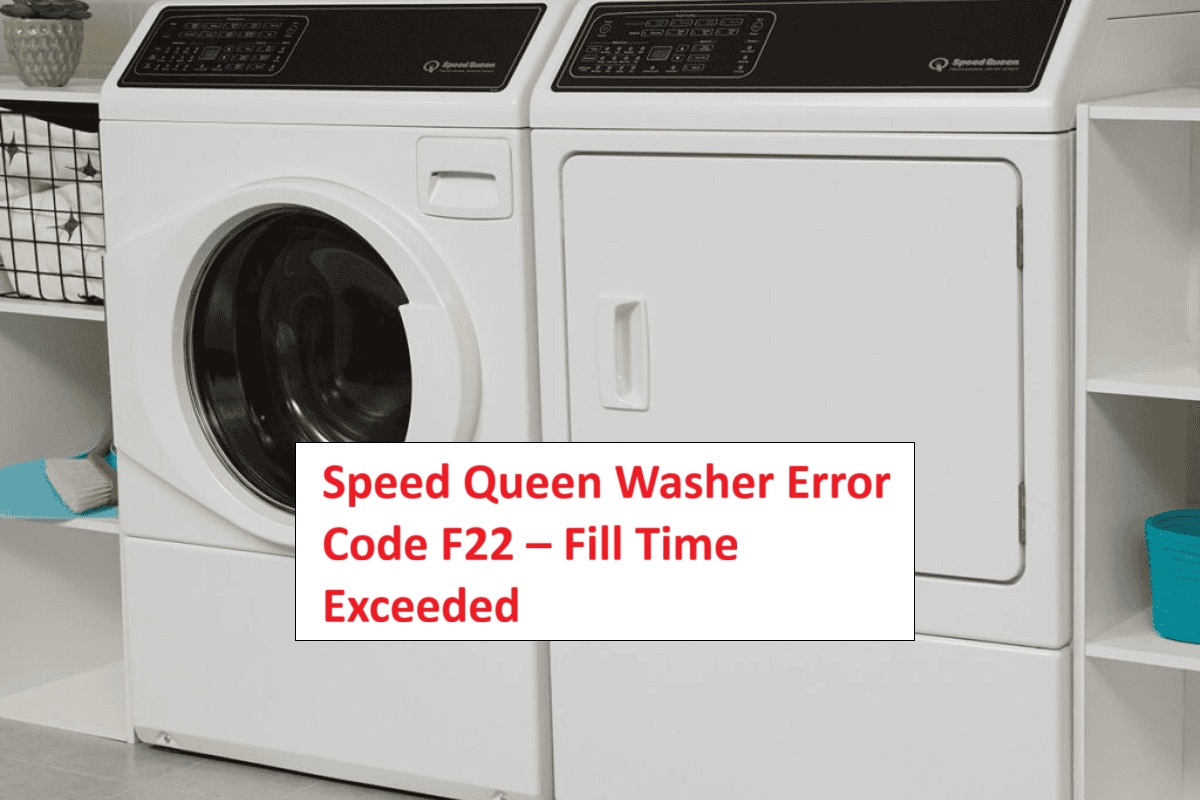
If you’re frustrated by your Speed Queen washer displaying the F22 error code, you’re not alone. This code means that your washer is taking too long to fill with water, which can be really inconvenient.
The good news is that this is a common issue, and there are often simple DIY solutions to get your washer back up and running.
One common cause of the F22 error is a clog in the hoses that supply water to your machine.
But don’t worry—this is just one of several possible reasons for the error. To get to the bottom of this issue, I encourage you to read through the entire post.
We’ll explore all the common causes and their solutions, so you can tackle the problem head-on and restore your washer’s functionality.
What Does the Error Code Means?
The F22 error code on your Speed Queen washer signals a problem with the water fill process. This code is crucial as it indicates that the machine is unable to fill with water within the expected time frame. To effectively troubleshoot this issue, follow these actionable steps:
- Check the Water Supply: Ensure that the water supply to your washer is turned on and flowing properly. Sometimes, a simple valve issue or a shut-off can lead to this error.
- Inspect the Inlet Hoses: Look at the water inlet hoses for any kinks, bends, or clogs that could be restricting water flow. Straightening out or replacing damaged hoses can often resolve the issue.
- Examine the Inlet Filters: These filters can get clogged with debris over time. Carefully remove and clean them to ensure that water can flow freely into the machine.
If you’ve gone through these steps and the F22 error persists, the water inlet valve may be faulty and could require replacement. Additionally, ensure that there are no obstructions in the drain hose that might affect the filling process. Remember, understanding the F22 code empowers you to effectively diagnose and address the issue with your washer, ensuring it operates smoothly and efficiently. Always prioritize safety when working with appliances, and if you’re ever in doubt, don’t hesitate to consult a professional.
Common Causes Behind Error Code
Common Issues Leading to F22 Error Code
The F22 error code indicates a problem with the washer’s filling process, which may be linked to several underlying issues. A malfunctioning drain pump can block water removal, disrupting the fill cycle.
Clogged Water Supply Hose
A clogged water supply hose is a frequent issue that can trigger the Speed Queen washer error code F22. When the hose gets blocked, it restricts the water flow into your machine, which can lead to an extended fill time and ultimately result in that error code.
To ensure smooth operation, it’s important to regularly check your water supply hose for any kinks, bends, or obstructions. These physical issues can significantly impede water flow. Additionally, over time, mineral deposits or debris can build up inside the hose, further restricting the water supply.
To prevent these problems, make it a habit to inspect your hose periodically. Look for any signs of wear, and if you notice persistent clogs or damage, consider replacing it. By keeping an eye on your water supply hose and maintaining it properly, you can help ensure your washer operates at peak performance, avoiding frustrating error codes like F22 down the line. Regular maintenance can help prevent drainage issues and keep your washer running smoothly for years to come. Your washer deserves the best care, and with a little attention, you can keep it running smoothly for years to come.
Faulty Water Inlet Valve
Faulty water inlet valves are a common culprit behind the Speed Queen washer error code F22. These valves play a crucial role in controlling the water flow into your machine. When they malfunction, you may notice prolonged fill times, which can be frustrating. One frequent cause of this issue is insufficient water pressure, which can prevent the valve from opening as it should.
To ensure your washer operates correctly, check that your home’s water pressure falls within the required range, typically between 20-120 psi. If your water pressure is too low, it may be time to consult a plumber to address the issue. Regular maintenance of the water inlet valves is also key. Take a moment to inspect them for signs of wear and tear, such as leaks or corrosion. If you find that the valve is stuck or visibly damaged, it may require replacement. Additionally, blocked inlet valves can also disrupt water flow, leading to similar fill time issues.
Blocked Water Filter Screen
If you’re facing the F22 error code on your Speed Queen washer, a common culprit may be a blocked water filter screen. This screen plays a crucial role in keeping debris from entering your washer. However, over time, it can accumulate dirt and grime, which can restrict water flow. When the water filter screen becomes clogged, it can impede the washer’s ability to fill properly, resulting in the F22 error code. It’s important to note that issues like water supply problems can also lead to similar errors and should be checked.
To address this issue, it’s essential to incorporate regular checks and maintenance of the water filter screen into your routine. Here’s a step-by-step guide to help you safely clean it:
- Disconnect the Water Supply: Before you start, ensure that you turn off the water supply to the washer to prevent any leaks or spills.
- Locate the Filter Screen: Typically, the filter screen is located where the water supply hose connects to the washer. You may need to unscrew the hose to access it.
- Remove the Filter: Carefully pull out the filter screen. Take note of its orientation for easy reinstallation.
- Clean the Filter: Rinse the filter screen under running water. Use a soft brush if necessary to dislodge any stubborn debris. Ensure it is free of buildup before proceeding.
- Reinstall the Filter: Once clean, securely put the filter back in its original position and reconnect the water supply hose.
- Test the Washer: Turn the water supply back on and run a test cycle to ensure that the washer fills properly and the error code has cleared.
Faulty Pressure Switch
When your Speed Queen washer displays the F22 error code, one common culprit could be a faulty pressure switch. This vital component is responsible for regulating the water level in your machine. If it fails, it may hinder the washer from filling correctly.
To troubleshoot, start by testing the pressure switch to ensure it’s functioning properly. It’s also wise to inspect the hose connected to the switch for any blockages, as these can cause inaccurate readings that lead to operational issues. If your testing indicates that the pressure switch is indeed faulty, you will need to replace it.
Before you begin any repairs, always make sure to disconnect the power to the washer to ensure your safety. Follow the manufacturer’s instructions carefully when replacing the component. By addressing this issue promptly, you can restore your washer’s performance and eliminate the F22 error code, ensuring your appliance operates smoothly once again. Additionally, check for any faulty wiring connections that could also contribute to the issue.
Required Tools to Fix the Error
Essential Tools for Repairing the F22 Error
To effectively address the F22 error code, having the right tools is essential for diagnosing and repairing the issue. Additionally, understanding the common causes of fill time issues, such as blockage in the drain system, can help in troubleshooting the problem effectively.
Basic Tools
Fixing the F22 error code on your Speed Queen washer requires some essential tools to ensure a smooth and safe repair process. As a seasoned appliance repair technician, I recommend starting with a basic toolset that includes a screwdriver, an adjustable wrench, and pliers. These tools will allow you to access the internal components of your washer with ease.
In addition, a multimeter is invaluable for performing electrical diagnostics. It will help you check for proper voltage connections, which is crucial when troubleshooting any electrical issues. I also advise wearing gloves during the repair process to protect your hands from sharp edges and other potential hazards.
Before you begin, take a moment to inspect your tools for any signs of wear and tear. Keeping your tools in good condition not only improves efficiency but also reduces the risk of injury. Remember, preparation is key when tackling repairs. Additionally, ensuring that all wiring connections are secure can help prevent communication errors during the repair.
With the right basic tools and a cautious approach, you’ll be well-equipped to address the F22 error code effectively. Always prioritize safety and don’t hesitate to consult your washer’s manual or a professional if you encounter challenges beyond your expertise. Happy repairing!
Supplies
Having the right supplies ready is essential for effectively addressing the F22 error code in your Speed Queen washer. First, ensure you have a high-quality laundry detergent that is suitable for your machine; using the correct type and amount can prevent potential fill time issues that may trigger the F22 error.
Next, gather some essential maintenance supplies. A multimeter will be valuable for performing electrical checks to diagnose any issues, while a hose clamp can help secure water lines and prevent leaks. It’s also wise to have a bucket handy for draining any excess water that may be present during repairs. A screwdriver will be necessary for accessing internal components, so keep one or two in your toolkit.
Regular maintenance supplies should not be overlooked. Items such as white vinegar or a specialized washer cleaner can help maintain your machine’s performance, keeping it in peak condition and reducing the likelihood of encountering the F22 error in the future. Additionally, using surge protectors can help maintain a stable voltage supply and prevent power-related issues that may contribute to error codes.
Pre-Safety Checklist Before Fixing
Before you dive into troubleshooting the F22 error code on your Speed Queen washer, it’s vital to prioritize your safety. Here’s a straightforward checklist that will help you ensure a safe working environment before you begin:
- Unplug the washer: Always disconnect the power source first. This step is crucial to prevent any risk of electrical shock while you’re working on the appliance.
- Turn off the water supply: Locate the valves connected to your washer and turn them off. This will help you avoid any unexpected leaks that could cause water damage or create a hazardous situation.
- Inspect hoses and connections: Take a few moments to examine the hoses and connections for any signs of wear, damage, or leaks. Look for cracks, abrasions, or loose fittings. Addressing these issues now can save you from more significant problems later on. Additionally, ensure that the power supply is stable to avoid further complications during troubleshooting.
Diagnose the Error Code
To effectively diagnose the F22 error code on your Speed Queen washer, it’s important to understand that this code signals an issue with the washer’s water supply. Here’s a straightforward approach to troubleshooting this problem.
- Check the Water Supply Valves: Start by ensuring that the water supply valves connected to your washer are fully open. If they’re partially closed, this can restrict water flow and trigger the F22 error.
- Inspect the Hoses: Next, examine the hoses that supply water to the washer. Look for any kinks, clogs, or signs of damage. A blocked or damaged hose can prevent water from flowing properly, leading to the error code.
- Examine Inlet Screens: It’s also crucial to check the inlet screens located at the water connection points on your washer. These screens can become clogged with debris over time, hindering water intake.
- Consider the Water Inlet Valve: If all the above checks appear normal, it may indicate a malfunctioning water inlet valve. This component controls water flow into the machine, and if it’s faulty, it may need to be replaced.
Step-by-Step DIY Troubleshooting Guide
Transition to Troubleshooting Steps
Clear Hose of Kinks
A clear hose is crucial for the proper operation of your Speed Queen washer. Kinks in the hose can hinder water flow, which may trigger the error code F22. To ensure your washer performs at its best, begin by examining the hose for any visible bends or twists. If you spot any kinks, take a moment to carefully straighten them out, making sure the hose lies flat against the wall or floor. It’s important to check both the inlet and outlet hoses, as blockages in either can impede water flow.
In addition to straightening the hose, I recommend performing routine maintenance. Regularly inspect the hoses for signs of wear or damage, and replace them if necessary. This proactive approach will help prevent future issues and maintain the efficiency of your washer.
Once you’ve adjusted the hoses, run a short cycle to verify that water fills correctly. This will confirm that you’ve resolved the issue. Remember, the efficiency and longevity of your washer depend on proper hose management. By following these steps, you’re not only addressing a potential problem but also empowering yourself to keep your appliance running smoothly.
Replace Water Inlet Valve
Replacing the water inlet valve is an essential step if your Speed Queen washer is displaying the F22 error code. Let’s walk through the process together, ensuring that you’re safe and confident every step of the way.
- Safety First: Begin by unplugging the washer from the wall outlet to eliminate any risk of electrical shock. Next, turn off the water supply to the washer to prevent any leaks during the repair.
- Access the Valve: To reach the water inlet valve, you will need to remove the back panel of your washer. Use a screwdriver to carefully take off the screws securing the panel and set it aside.
- Check Water Pressure: Before proceeding, it’s a good idea to check the water pressure to ensure it falls within the ideal range of 20 to 120 psi. Low water pressure can lead to further issues, so this is an important step.
- Disconnect the Old Valve: Carefully disconnect the inlet hoses and the electrical connections from the valve. Take your time with this to avoid damaging any components.
- Purchase the Right Replacement: When you’re ready to buy a new valve, make sure to verify that it is compatible with your specific washer model. This will help you avoid any unnecessary complications down the line.
- Install the New Valve: Once you have the correct replacement, install the new water inlet valve by reconnecting the electrical wires and hoses. Ensure that all connections are secure to prevent leaks.
- Reassemble the Washer: After installing the new valve, put the back panel back on and secure it with screws.
- Final Steps: Turn the water supply back on and plug the washer back into the electrical outlet. It’s now time to run a test cycle to ensure that the F22 error code has been resolved.
Following these steps will help you successfully replace the water inlet valve and restore your washer’s functionality. If you encounter any issues or have further questions, don’t hesitate to reach out for guidance. Safe repairs lead to long-lasting results!
Clean the Filter Screen
When your Speed Queen washer displays the F22 error code, it’s often an indication that the filter screen requires cleaning. Maintaining your filter is crucial—not only does it help clear potential blockages, but it also contributes to the longevity of your appliance. Here’s a straightforward guide to effectively clean the filter screen:
| Step | Action |
|---|---|
| 1. | Turn Off: Begin by disconnecting the power supply to ensure your safety. |
| 2. | Locate: Identify the location of the filter screen, which is typically found near the front of the washer behind a small access panel. |
| 3. | Clean: Carefully remove the filter screen and rinse it thoroughly under warm water. Make sure to remove any lint, debris, or buildup that may have accumulated. |
Once you have cleaned the filter, reassemble it securely and reconnect the power supply. It’s a good practice to run a test cycle to confirm that the issue has been resolved. Regularly cleaning the filter will not only keep your washer operating efficiently but also help prevent future error codes. Remember, a little maintenance goes a long way in extending the life of your appliance.
Inspect Pressure Switch Wiring
Inspecting the pressure switch wiring is a critical step in diagnosing the F22 error code on your Speed Queen washer. To ensure your safety, start by unplugging the machine from the wall. Once it’s powered down, locate the pressure switch, which is typically found near the top of the washer tub.
Carefully examine the wiring connections. Look for any signs of damage, such as frayed wires or corrosion, as these can indicate potential wiring issues that may be causing the error code. Gently tug on the wires to ensure they are securely attached; loose connections can also lead to problems.
If you find any damaged wires, it’s important to replace them promptly to avoid further issues. Once you’ve completed your inspection and reconnected any loose wires, plug the washer back in. Run a test cycle to check if the F22 error code has cleared. If the code persists, you may need to delve deeper into the condition of the pressure switch itself.
Call a Professional If
If you’ve followed all the troubleshooting steps for the F22 error code on your Speed Queen washer and still can’t find a solution, it may be time to call in a professional. It’s crucial to recognize when expert assistance is necessary to prevent any further damage to your appliance.
Start by ensuring that you’ve thoroughly checked the water supply, inspected the hoses for any blockages or leaks, and examined the pressure switch wiring. If these steps haven’t resolved the issue, don’t hesitate to reach out for help. Persistent problems could indicate deeper issues, such as a malfunctioning control board or faulty valves, which require specialized knowledge and tools to diagnose and repair correctly.
Moreover, if you’re not entirely comfortable with performing advanced diagnostics or repairs yourself, seeking professional help is the safest option. An experienced technician can accurately identify the problem and restore your washer to its optimal performance. Remember, prioritizing the longevity of your appliance often means knowing when to seek assistance. Your washer deserves the best care, and sometimes, that means relying on a professional’s expertise.