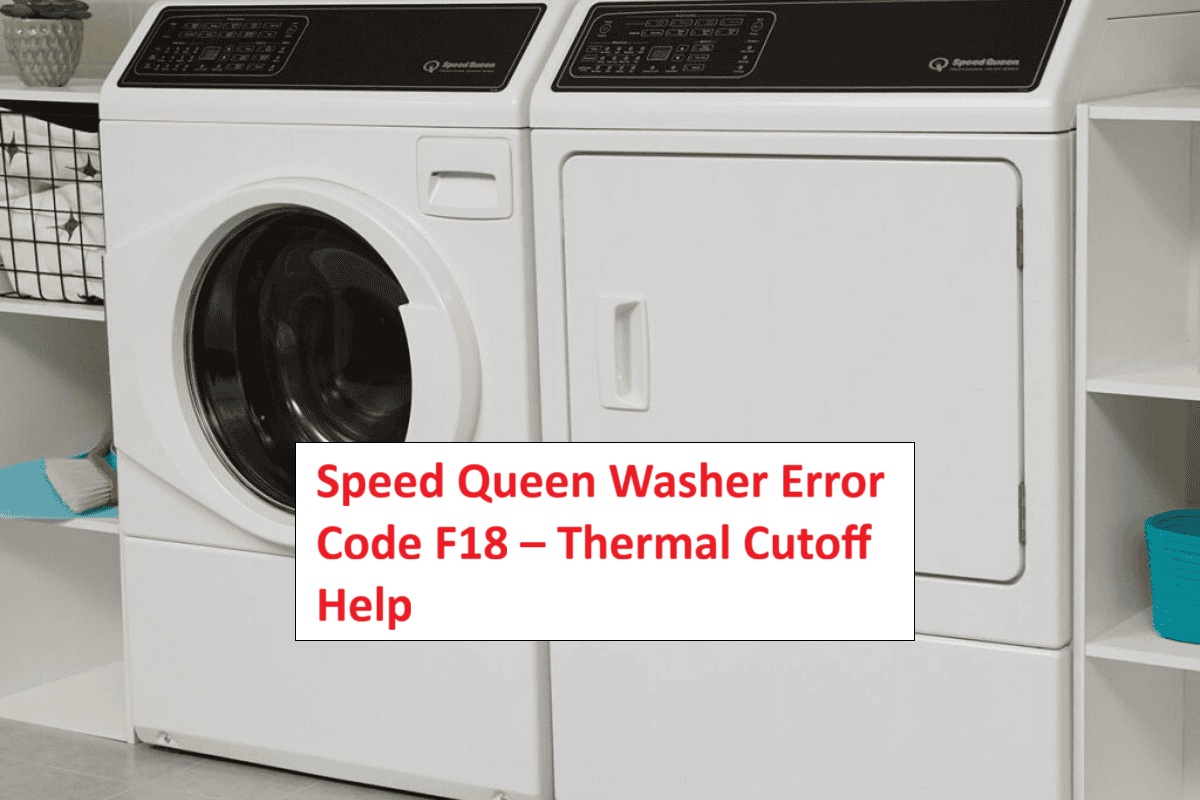
We understand how frustrating it can be when your Speed Queen washer shows the F18 error code. This particular code indicates a drainage issue, which typically points to a problem with the thermal cutoff switch that helps manage the motor’s temperature.
You’re not alone in facing this common problem, and the good news is that many underlying causes have straightforward DIY fixes.
One common cause of the F18 error is a clogged drain hose, which can easily happen and is relatively simple to address.
We encourage you to read through the entire post to learn more about this error, including additional potential causes and solutions to get your washer running smoothly again.
What Does the Error Code Means?
The Speed Queen washer error code F18 signifies a drainage problem, indicating that the water isn’t being effectively pumped out of the drum. Understanding this error code is crucial for proper troubleshooting and ensuring your washer operates smoothly.
When you see the F18 code, it usually means that the washer is unable to remove water, which can result in extended cycle times and potential mold growth in the drum. To tackle this issue, begin with some fundamental troubleshooting steps:
- Inspect the Drain Hose: Check for any kinks, bends, or clogs that could be obstructing the water flow. Ensure that the hose is properly positioned and not elevated above the recommended height.
- Clean the Pump Filter: A dirty or clogged pump filter can prevent proper drainage. Locate the filter (usually at the bottom front of the washer), remove it, and clean it thoroughly to ensure there’s no debris blocking it.
- Clear the Drain: Make sure that the drain itself is free from any blockages. This includes checking the plumbing connections and ensuring that water can flow freely through the drain.
Additionally, inspect the drainage system for blockages, as obstructions can contribute to the F18 error. If you’ve completed these steps and the F18 error persists, it may indicate a more serious issue, such as a malfunctioning pump or control board. In such cases, further inspection or replacement may be necessary.
Common Causes Behind Error Code
Common Issues Leading to F18 Error Code
The F18 error code can be triggered by several factors, including overheating or electrical issues within the washer. Additionally, malfunctioning heater sensors can also lead to operational failures, affecting the washing cycle and triggering error codes.
Overheating Motor Issue
If your Speed Queen washer shows the F18 error code, it usually points to an overheating motor issue. This can happen for a few reasons, such as overloading the washer, worn-out bearings, or obstructions that interfere with the motor’s operation. When a motor overheats, it activates the thermal protection feature, which automatically shuts down the washer to prevent any damage.
To resolve this issue, start by checking the load size. If you’ve packed in too many clothes, it can put extra strain on the motor. Aim to keep loads within the manufacturer’s recommended capacity. Next, inspect the bearings for signs of wear. Worn bearings can create additional friction, leading to overheating. Additionally, ensure that nothing is blocking the motor’s path, such as lint or other debris.
If you’ve addressed these factors and the F18 error persists, it may be time to seek help from a qualified technician. They can perform a thorough diagnosis and recommend any necessary repairs. Taking prompt action on overheating issues is crucial for maintaining your washer’s performance and extending its lifespan. Remember, safety first—always disconnect the washer from power before attempting any inspections or repairs. A blown thermal fuse can also lead to similar shutdown issues, so consider checking this component.
Faulty Temperature Sensor
A faulty temperature sensor can often trigger the F18 error code in your Speed Queen washer. This sensor is essential for ensuring that the water temperature is accurately measured during your wash cycles. When it malfunctions, it can misread the temperature, which may lead to improper washing performance and trigger that pesky error code.
To diagnose the issue, I recommend using a multimeter to check the functionality of the sensor. If the readings indicate that the sensor is defective, replacing it is typically the best course of action. Make sure to follow the manufacturer’s guidelines when installing the new sensor to ensure it works correctly and safely. Additionally, inspect the wiring connections to ensure there are no loose or damaged components that could affect the sensor’s performance.
Once you’ve replaced the sensor, it’s a good idea to recalibrate the temperature settings. This will help confirm that your washer is operating efficiently and effectively. Addressing a faulty temperature sensor promptly not only restores your washer’s functionality but also prevents further complications down the line. Remember, safety first—always unplug your washer before attempting any repairs or replacements.
Worn-Out Wiring Connections
When addressing the F18 error code, it’s essential to consider that worn-out wiring connections could be a hidden cause of the issue. Over time, vibrations and heat can take a toll on your washer’s wiring, leading to loose or corroded connections. Here’s a step-by-step approach to help you troubleshoot this problem effectively.
Start with a comprehensive inspection of the wiring. Carefully examine all visible wires for any damage, such as fraying or signs of wear. Pay particular attention to the terminals and connectors, as these areas are often the most susceptible to failure.
If you notice any issues, it’s crucial to take action to repair the connections. This may involve tightening loose connections, replacing corroded terminals, or, in more severe cases, rewiring specific sections of the wiring harness.
Ensuring that all electrical connections are solid and secure can significantly improve your washer’s performance and eliminate the F18 error code. By addressing these wiring issues, you can help your Speed Queen washer run smoothly and efficiently once again. Remember, safety comes first—always unplug the machine before you start any inspection or repair work. Additionally, malfunctioning door latch can also contribute to operational issues, so it’s wise to check that component as well.
Clogged Drain Pump Filter
When your Speed Queen washer displays the F18 error code, it often indicates an issue related to a clogged drain pump filter. This blockage can hinder proper water drainage, which may lead to overheating and trigger the error message. To avoid this problem, regular maintenance of your drain pump filter is crucial.
To clean the filter safely and effectively, start by unplugging the washer to ensure your safety. Next, locate the filter access panel, typically found at the bottom front of the machine. Before you open it, lay down a towel to catch any residual water that may spill out during the process.
Unscrew the filter cap carefully, and allow any trapped water to drain into the towel. Once the water has drained, remove the filter and rinse it under running water, ensuring that you eliminate any debris, lint, or buildup. It’s essential to check for any signs of damage to the filter as well. After cleaning, let the filter dry completely before reinstalling it.
Implementing regular filter cleaning as part of your washer maintenance routine can significantly enhance its performance and help prevent future error codes. By taking these proactive steps, you can keep your laundry routine running smoothly and avoid unnecessary disruptions. Remember, a well-maintained filter not only improves efficiency but also extends the lifespan of your washer. Additionally, addressing blockages in the drain system can help prevent similar issues from arising in the future.
Required Tools to Fix the Error
Essential Tools for Repairing the F18 Error Code
To effectively address the F18 error code, it is crucial to have the right tools on hand. Additionally, utilizing a multimeter to check electrical connections can help identify underlying issues contributing to the error.
Basic Tools
Repairing the Speed Queen washer error code F18 may seem daunting, but with the right tools and a bit of know-how, you can tackle the issue confidently. Here’s what you’ll need to get started:
- Multimeter: This is your go-to tool for testing electrical components. It will help you check for continuity and verify that connections are intact. Understanding how to use a multimeter is crucial for diagnosing electrical issues reliably.
- Socket Set: A good socket set will allow you to loosen and tighten nuts and bolts effectively. Make sure you have a range of sizes, as washers can have various fasteners.
- Screwdriver Set: Different screw types may be used in your washer, so a set that includes Phillips, flathead, and possibly Torx screwdrivers will be necessary for accessing internal parts safely.
- Safety Gloves and Goggles: Your safety is paramount. Wearing gloves will protect your hands from sharp edges and electrical hazards, while goggles will shield your eyes from dust and debris.
- Flashlight: A reliable flashlight is essential for illuminating dark spaces within your washer. This will help you see better as you work, especially when dealing with tight or hidden areas.
- Vacuum or Compressed Air: Keeping your washer clean can prevent many issues. Use a vacuum or compressed air to remove dust and debris from the interior, ensuring it operates at optimal performance. Additionally, regular inspections of the lid lock assembly can prevent communication failures and motor issues.
Supplies
Having the right supplies on hand is crucial for effectively addressing the Speed Queen washer error code F18. To tackle this issue, you’ll need a few key tools and materials. A multimeter is essential for testing electrical components and ensuring everything is functioning properly. Make sure you have a good set of screwdrivers to access the internal parts of the machine, as well as replacement thermal cutoff fuses, which are often the culprit behind this error.
In addition to these basics, having a pair of pliers can be helpful when dealing with tight spaces or stubborn connections. A flashlight is also a wise addition; it allows you to see clearly inside your washer while you troubleshoot.
When performing maintenance on your washing machine, don’t forget to prioritize safety. Wearing safety gloves will protect your hands from sharp edges or electrical components, and having a towel on hand is wise for managing any spills or leaks that may occur during the repair process. Additionally, ensure you understand the PF error code to prevent further issues with your washer’s power supply.
With the right supplies gathered, you’ll be well-equipped to diagnose and resolve the F18 error efficiently, smoothing out the repair process and minimizing downtime. Always consult your user manual for specific parts and tools that may be applicable to your model, as this can save you time and ensure you’re using the correct components. Empower yourself with this knowledge, and you’ll tackle your washer’s challenges with confidence.
Pre-Safety Checklist Before Fixing
Before addressing the F18 error code on your Speed Queen washer, ensuring your safety is paramount. Adhering to proper safety precautions enables you to troubleshoot effectively while minimizing any risks. Here’s a comprehensive checklist to consider before you begin:
Before tackling the F18 error on your Speed Queen washer, prioritize safety with essential precautions for effective troubleshooting.
- Unplug the washer: Always disconnect your washer from the power source to prevent the risk of electric shock. This is the most crucial step before performing any repairs.
- Wear safety glasses: Protect your eyes from potential debris or unexpected splashes that may occur during the repair process. Safety glasses are a small investment for your well-being.
- Use gloves: Wearing gloves can help guard against skin irritation caused by cleaning agents or sharp edges inside the washer. It’s better to be cautious, especially when handling components that might have rough surfaces.
- Clear the area: Make sure there is enough space around the washer. A clutter-free workspace not only enhances safety but also allows you to work comfortably and efficiently.
- Review the manual: Take some time to familiarize yourself with the troubleshooting guidelines specific to your Speed Queen washer model. Understanding the machine’s functions and error codes will provide valuable insights as you work through the problem.
- Check for electrical connection issues: Inspecting the wiring for loose or damaged connections can prevent potential malfunctions related to the door latch mechanism.
Diagnose the Error Code
With safety measures firmly established, let’s delve into diagnosing the F18 error code in your Speed Queen washer. First, gather the essential diagnostic tools: a multimeter and a wiring diagram specific to your model.
Begin by checking the thermal cutoff switch, which frequently causes this error. Using your multimeter, test for continuity to ensure the switch is functioning properly. If there’s no continuity, the switch may need to be replaced.
Next, carefully inspect the wiring. Look for any visible damage, such as frayed wires or loose connections, which could also lead to this error. A thorough visual inspection can often reveal issues that might not be immediately obvious.
Utilize systematic troubleshooting techniques. Test each component in the circuit step by step, documenting your findings as you go. This information will be crucial in determining the next steps and ensuring the repair is effective.
Step-by-Step DIY Troubleshooting Guide
Troubleshooting Steps for F18 Error Code
Inspect Motor for Overheating
Inspecting the motor for overheating is a crucial step in diagnosing the F18 error code on your Speed Queen washer. Before you begin, make sure to unplug the machine for your safety. Start by visually inspecting the motor for any signs of damage or wear. It’s also important to check that the thermal insulation surrounding the motor is intact, as this plays a key role in preventing overheating.
Overheating can often be linked to inadequate motor maintenance, so take the time to clean any dust or debris that may have accumulated around the motor area. This simple step can significantly enhance its performance and longevity.
Here’s a quick reference guide to common causes of motor overheating and their corresponding solutions:
| Common Overheating Causes | Solutions |
|---|---|
| Dust accumulation | Clean the motor area |
| Worn bearings | Replace the bearings |
| Insufficient lubrication | Ensure proper lubrication |
| Faulty wiring | Inspect and repair wiring |
| Overloaded machine | Reduce the load |
Replace Faulty Temperature Sensor
Replacing a faulty temperature sensor in your Speed Queen washer is an effective way to address the F18 error code and restore your machine to optimal performance. Before you begin, ensure your safety by unplugging the washer from the electrical outlet.
To locate the temperature sensor, look near the heating element or in the drum area, as its position can vary based on the specific model of your washer. Once you’ve found the sensor, carefully disconnect the wiring harness. This usually involves gently pulling the connector apart, taking care not to damage any surrounding wires. Next, remove the sensor by unscrewing it from its housing—you may need a screwdriver for this step.
When selecting a replacement temperature sensor, it’s crucial to ensure that it matches the specifications of the original part. This compatibility is key for proper functioning. Once you have the new sensor, install it by reversing the steps you took to remove the old one. Secure it tightly in its housing and reconnect the wiring harness, making sure the connection is firm and secure.
After everything is reassembled, plug your washer back in and run a test cycle. This will allow you to confirm that the F18 error code has been resolved and that your washer is operating correctly. By following these guidelines, you can successfully replace the temperature sensor and enhance the performance of your Speed Queen washer. Remember, taking your time and being cautious during this process is essential for a successful DIY repair.
Repair Damaged Wiring Connections
Damaged wiring connections can trigger the F18 error code in your Speed Queen washer, making it essential to address this issue without delay. Let’s walk through a practical approach to resolve it safely and effectively.
Start by unplugging the washer to ensure your safety while working on it. Next, remove the back panel to gain access to the wiring harness. Conduct a thorough inspection of the wiring. Look for any signs of damage, such as frayed wires, exposed copper, or loose connections. If you discover any issues, it’s important to repair them properly.
For any damaged sections, carefully strip away the insulation around the affected areas. Then, use heat shrink tubing or electrical tape to secure the connections. Make sure that all connections are snug and secure to prevent future problems.
Once you have completed the repairs, reassemble the back panel of the washer. Plug the appliance back in and run a test cycle to ensure that the F18 error code has been resolved. This straightforward process not only restores your washer’s functionality but also helps prevent similar issues in the future.
Clear the Drain Pump Filter
After ensuring that any wiring issues have been addressed, the next crucial step in troubleshooting the F18 error code in your Speed Queen washer is to clear the drain pump filter. This task is straightforward but essential for the proper functioning of your machine, so let’s walk through it together.
- Safety First: Unplug the washer from the electrical outlet. This step is vital to ensure your safety while working on the appliance.
- Locate the Drain Pump Filter: The drain pump filter is typically situated at the front bottom of the machine. You may need to remove a small panel or cover to access it.
- Prepare for Water: Before you open the filter, place a shallow pan or a towel underneath to catch any residual water that may spill out during the process.
- Open the Filter Cover: Gently open the filter cover. This may require a little effort, so be patient and ensure you’re not using excessive force.
- Unscrew the Filter: Slowly unscrew the filter. As you do this, be prepared for some water to escape. Let it drain completely into your pan or towel.
- Clean the Filter: Once removed, inspect the filter for any debris or clogs. It’s common for lint, small fabric pieces, or other foreign materials to accumulate here. Rinse the filter under running water until it’s clean. Make sure no obstructions remain.
- Reinstall the Filter: After cleaning, securely reinsert the filter back into its housing and close the filter cover. Ensure it’s tightened properly to avoid any leaks during operation.
- Test the Washer: Plug the washer back in and run a short cycle to see if the F18 error code has been resolved. Monitor the machine closely for any unusual sounds or movements.
If you continue to see the F18 error code after these steps, it may indicate a deeper issue that requires further investigation. Don’t hesitate to reach out for professional assistance if needed. Remember, regular maintenance can help prevent these issues in the future!
Call a Professional If
If you’ve tried troubleshooting the F18 error code on your Speed Queen washer and the issue remains unresolved, it may be time to call in a professional technician. Recognizing when to seek help can save you time and prevent additional damage to your appliance.
First, ensure you’ve thoroughly checked the drain pump filter and confirmed that there is proper drainage. If these steps have not resolved the error, don’t hesitate to reach out for professional assistance.
It’s also important to be aware of any unusual sounds, leaks, or overheating during operation, as these could be signs of more serious issues that require expert attention. Attempting to tackle complex electrical or mechanical problems without the right expertise can be risky, both for your safety and the longevity of your washer.
A qualified technician can accurately diagnose and repair your appliance, ensuring it operates safely and efficiently. Don’t take unnecessary risks—when in doubt, it’s best to consult with a professional who has the experience to handle these situations. Your washer deserves the best care, and so do you.