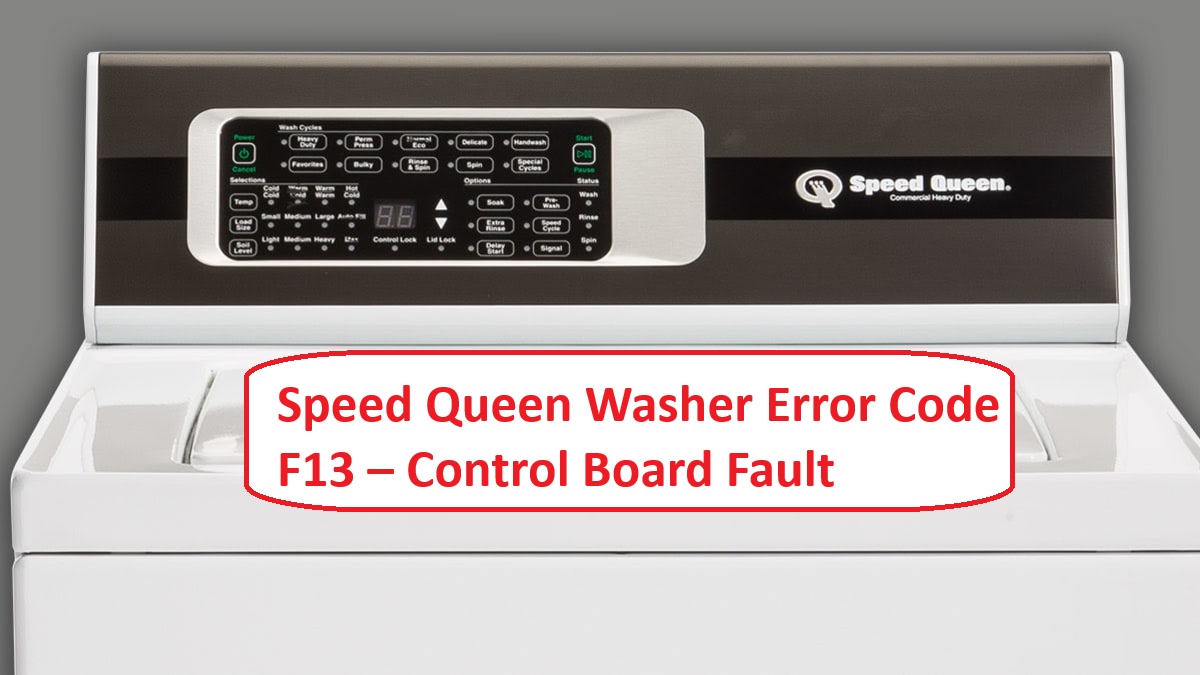
We understand how frustrating it can be when your Speed Queen washer suddenly displays the F13 error code. This code indicates a control board fault, which is usually related to the water level sensing system.
It can throw a wrench in your laundry routine and affect the cleaning performance of your machine. But don’t worry—this is a common issue, and many of its causes come with simple DIY solutions.
One common cause of the F13 error is a faulty pressure switch, which is responsible for detecting the water level in your washer.
If you want to know more about this error, including other potential causes and how to troubleshoot them, we recommend reading through the entire post.
By understanding this issue, you can get your washer back to its best in no time!
What Does the Error Code Means?
The Speed Queen washer error code F13 indicates an issue with the water level sensing system in your machine. Essentially, this code means that your washer is unable to detect the correct water level, which can interrupt the wash cycle and affect cleaning performance. Fortunately, there are some straightforward troubleshooting steps you can take to resolve this issue.
First, check the water supply. Ensure that the water faucets are turned on fully and that the water is flowing properly into the machine. Low water pressure can sometimes cause this error.
Next, inspect the pressure switch and its associated hoses. These components can become blocked or damaged over time, leading to incorrect water level readings. If you find any blockages, clear them out. If the hoses are cracked or worn, consider replacing them to ensure a proper seal.
Additionally, examine the connections to the control board. Loose or damaged wires can cause miscommunication between the components. Make sure all connections are secure and free from corrosion. If you suspect a malfunctioning pressure switch, it may need to be tested or replaced to resolve the error.
Understanding the meaning behind error codes like F13 can help you diagnose and resolve issues efficiently, allowing you to get your washer back in working order. If you’re unsure about any steps, or if the problem persists after troubleshooting, consult the user manual or reach out to a professional for further assistance. Your safety and appliance functionality are paramount, so don’t hesitate to seek help when needed.
Common Causes Behind Error Code
Troubleshooting F13 Error Code on Speed Queen Washer
The F13 error code indicates a control board fault, which may require thorough diagnostics to resolve. Regular checks on the main control board can help prevent this issue from recurring.
Faulty Wiring Connections
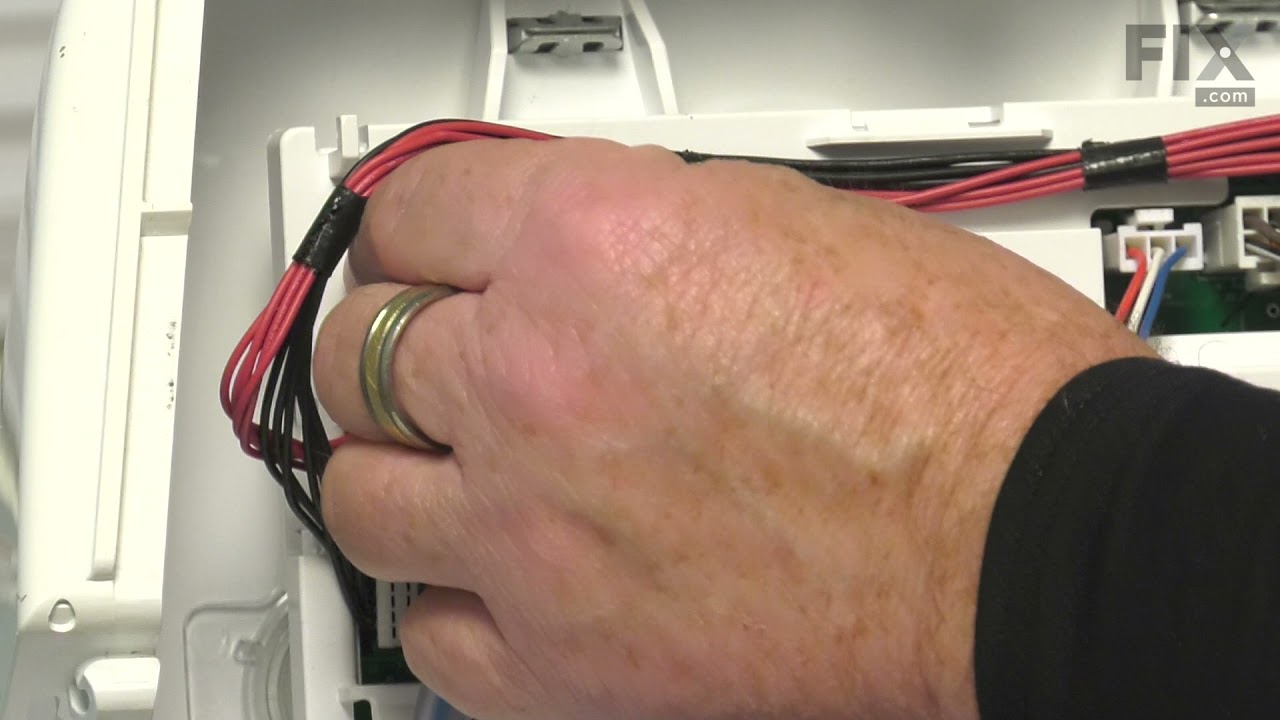
If you come across the F13 error code on your Speed Queen washer, it’s likely due to faulty wiring connections. To address this issue effectively, the first step is to consult the wiring diagram specific to your model. This diagram is crucial as it outlines all the essential connection points within your washer.
Begin by thoroughly inspecting the wiring for any loose or damaged connections. These types of issues can hinder communication between the control board and other vital components of the machine. Pay special attention to connections that may have become loose during use or installation; it’s not uncommon for these to come undone.
If you identify any problematic wires, securing them or replacing them as necessary could rectify the error. It’s also important to ensure that all connectors are fitted snugly and are free of any obstructions, which can also cause communication breakdowns. Additionally, addressing a motor control issue may further enhance the reliability of your washer’s performance.
Taking the time to address faulty wiring connections promptly is key. Not only can it resolve the F13 error code, but it can also prevent further damage to your washer, ensuring it operates smoothly and efficiently. Remember, safety is paramount, so always unplug your washer before conducting any repairs or inspections.
Corroded Control Board Connectors
When troubleshooting the F13 error code on your Speed Queen washer, it’s important to consider more than just faulty wiring connections. One common culprit is corroded control board connectors. This corrosion often arises from electrical issues and can severely disrupt communication between the washer’s components. Factors like moisture and heat can accelerate this problem, leading to oxidation, which impairs connectivity.
To help prevent this issue, I recommend regular maintenance of your control board. Start by visually inspecting the connectors for any signs of corrosion—look for discoloration or a flaky texture. If you do find corrosion, using an appropriate electrical contact cleaner can help restore functionality. Be sure to follow the product instructions carefully to ensure safe and effective cleaning.
However, if the corrosion is severe or widespread, you may need to consider replacing the affected connectors or even the entire control board. Addressing these issues promptly is key to preventing further complications with your washer. Remember, maintaining your appliance not only extends its lifespan but also ensures it operates safely and efficiently. Additionally, regular inspections of the drive belt and other components can help to prevent unexpected failures. If you’re ever in doubt, don’t hesitate to consult a professional technician for assistance.
Damaged Control Board Components
Damaged control board components can often trigger the F13 error code, which may lead to operational failures in your Speed Queen washer. If you find yourself facing this issue, it’s important to conduct control board diagnostics to identify the root cause effectively.
Common issues that might be at play include burnt resistors, faulty capacitors, or damaged traces on the control board. When these electronic components fail, they disrupt communication between the control board and other parts of your washer. This can manifest as erratic behavior or, in some cases, complete inoperability.
To tackle this problem, start by visually inspecting the control board for any clear signs of damage, such as burnt areas or bulging components. Using a multimeter to test specific components can also help pinpoint the issue. If you discover any damaged parts, replacing the control board is usually necessary to restore your washer’s functionality and prevent future complications. Additionally, inspecting the washer’s control board for visible damage and observing washer behavior during cycles are key diagnostic steps.
Always prioritize safety when working on electrical appliances. If you’re unsure at any step of the process, don’t hesitate to consult a professional technician. Your safety and the reliable operation of your washer are paramount.
Loose Control Board Screws
While there are several potential causes for the F13 error code in your washer, one common issue that is often overlooked is loose control board screws. These screws play a crucial role in securing the control board, which is essential for maintaining stable connections and ensuring your washer operates properly. When these screws become loose, it can lead to intermittent faults and trigger the F13 error.
As part of your DIY troubleshooting and routine maintenance, it’s a wise idea to periodically check the tightness of these screws. A simple tightening can often resolve issues without the need for a costly replacement of the control board. However, it’s vital to prioritize safety: always disconnect the power from your washer before attempting any repairs to prevent electrical hazards. Additionally, common causes of control board issues can include power surges and moisture exposure, which may also need to be addressed.
If you’ve securely tightened the screws and the F13 error persists, it may be time to look deeper or consult with a professional technician. Addressing loose screws is a straightforward yet important step in ensuring your Speed Queen washer operates at its best. By taking these proactive measures, you can enhance the longevity and performance of your appliance.
Required Tools to Fix the Error
Essential Tools for Speed Queen Washer Repair
Having the right tools is crucial for effectively diagnosing and repairing any issues with your Speed Queen washer. It’s important to include a multimeter for testing electrical components to ensure accurate diagnosis and repairs.
Basic Tools
When addressing the Speed Queen washer error code F13, having the right tools at your disposal is essential for a smooth repair process. Let’s break down what you’ll need:
- Multimeter: This is crucial for testing electrical components within your washer. It helps you determine if parts such as sensors or connections are functioning correctly.
- Screwdriver Set: Make sure you have both flathead and Phillips screwdrivers. These will enable you to access the control board and other internal components without damaging any parts.
- Pliers: A good pair of pliers will assist you in gripping and twisting wires, which can be particularly useful when dealing with tight spaces.
- Socket Set: Depending on your specific model, a socket set may be necessary for removing screws or bolts that hold the washer together. This will allow you to access areas that might otherwise be difficult to reach.
- Flashlight: Good visibility is key when working on appliances. A flashlight will help you see into the darker corners of your washer, making it easier to identify issues.
Additionally, using a multimeter for testing electrical connections will ensure that you accurately diagnose the cause of the F13 error code. Having these basic tools on hand will not only facilitate effective troubleshooting but also enable you to perform necessary maintenance with confidence. With the right equipment, you’ll be well-prepared to diagnose and resolve the F13 error code efficiently and safely. Remember, taking your time and ensuring safety throughout the repair process is paramount. Happy repairing!
Supplies
Gathering the right supplies is crucial for effectively addressing the Speed Queen washer error code F13. To start, a multimeter will be your best friend in diagnosing any electrical issues that may be causing the error. It allows you to measure voltage and resistance, helping you pinpoint the problem accurately.
Next, a good set of screwdrivers is essential for accessing the control board and other internal components. Make sure you have both flathead and Phillips-head screwdrivers in various sizes to tackle different screws you may encounter.
If repairs are necessary, having replacement parts on hand is vital—particularly the control board, as it can often be the source of the F13 error. Be sure to source high-quality parts that are compatible with your specific model.
Consider keeping a flashlight handy as well. Good visibility in tight spaces can make the repair process much smoother, allowing you to see what you’re working on without straining.
Once you’ve completed your repairs, it’s a good idea to have laundry detergent ready. Running a test cycle after your work is essential to verify that everything is functioning correctly and that the error code has been resolved. Additionally, being aware of EEPROM memory communication issues can help in understanding potential underlying problems related to control board faults.
Lastly, don’t overlook the importance of maintenance supplies. Regularly using cleaning solutions designed for washers can help prevent future errors and prolong the life of your appliance. With these tools and supplies, you’ll be well-prepared to tackle the F13 error effectively and safely.
Pre-Safety Checklist Before Fixing
Before you start any repairs on your Speed Queen washer, it’s crucial to prioritize safety. Not only does this ensure your well-being, but it also helps maintain the integrity of your appliance. Here’s a straightforward pre-safety checklist to follow:
- Unplug the washer: Always disconnect the power source before beginning any repairs. This step is vital to prevent electric shock and ensure a safe working environment.
- Check for leaks: Take a moment to inspect the area around the washer for any signs of water leaks. Even a small leak can create hazardous conditions, so addressing any water issues beforehand is essential.
- Gather tools and materials: Make sure you have all necessary tools and replacement parts at hand before you start. This preparation will help you avoid interruptions and keep the repair process smooth and efficient.
- Ensure a consistent power supply: A stable electrical connection is key to preventing issues like the PF error code that can disrupt washer operation.
Diagnose the Error Code
If you’ve come across the F13 error code on your Speed Queen washer, it’s important to address the issue promptly to get your appliance back in working order. Start by carefully examining the control board connections; look for any loose or damaged wires that could be contributing to the problem.
A useful approach is to run a diagnostic test cycle, which can help uncover any underlying issues. During this cycle, keep an ear out for any unusual sounds or movements, as these may point to specific component failures that need attention.
Additionally, refer to your washer’s manual for any manufacturer-specific advice regarding the F13 error. This can provide you with more tailored guidance. By systematically evaluating these factors, you’ll be well-equipped to pinpoint the root cause of the error and take the necessary steps to resolve it safely and effectively. Remember, diagnosing these issues can sometimes be complex, but with patience and careful observation, you can tackle this challenge successfully.
Step-by-Step DIY Troubleshooting Guide
Moving Forward with Essential Checks
Inspect Wire Insulation Integrity
When dealing with the F13 error code on your Speed Queen washer, it’s crucial to inspect the integrity of the wire insulation. This step is vital as damaged wire insulation can lead to electrical malfunctions and safety hazards. Here’s a straightforward guide to help you through the process:
| Step | Action | Notes |
|---|---|---|
| 1 | Unplug the washer | This is your first and most important step for safety. Always ensure the appliance is disconnected from power. |
| 2 | Access the control board | Carefully remove the back panel of the washer. Take your time to avoid damaging any clips or connectors. |
| 3 | Examine wire insulation | Look closely at the wires for any signs of wear, such as cracks, cuts, or fraying. Pay special attention to areas where the wires may rub against each other or metal surfaces. |
| 4 | Test for continuity | Using a multimeter, check each wire for continuity to ensure they are functioning properly. If you find any breaks in the circuit, those wires will need to be addressed. |
| 5 | Repair or replace wires | If you discover damaged insulation, repair the wires with electrical tape or replace them entirely. Ensure all connections are secure before reassembling the washer. |
Tighten Loose Control Board Screws
Tightening loose control board screws can effectively resolve the F13 error code in your Speed Queen washer, helping to restore its proper functionality. To start, ensure your safety by unplugging the washer from the power source.
Next, remove the control panel. This involves unscrewing the retaining screws; be sure to follow the manufacturer’s guidelines for your specific model. With the control panel off, take a moment to visually inspect the control board for any loose screws.
Using a screwdriver, carefully tighten each screw using standard tightening procedures. It’s important to be cautious here; overtightening can lead to damage. Once you’ve secured all the screws, reattach the control panel and plug the washer back in.
After everything is back in place, conduct a test cycle to see if the F13 error code has been resolved. Regular maintenance of the control board, like tightening screws when needed, not only prevents future issues but also extends the lifespan of your appliance. Remember, taking these small steps can make a big difference in keeping your washer running smoothly.
Replace Damaged Control Board
Replacing a damaged control board in your Speed Queen washer is a practical solution to restore its functionality and clear persistent error codes, such as F13. With over 20 years of experience in appliance repair, I want to guide you through this process with clear, actionable steps. Remember, safety is paramount. Let’s walk through the essential steps to ensure a successful control board replacement:
| Step | Description |
|---|---|
| 1. Safety | Start by unplugging the washer from the wall outlet and allow it to sit for a few minutes to discharge any residual power. This is crucial for your safety. |
| 2. Access | Carefully remove the back panel of the washer, which will allow you to access the control board. Make sure to keep track of any screws or fasteners. |
| 3. Disconnect | Gently unplug the connectors from the old control board. It’s helpful to take a photo of the connections beforehand to ensure you reconnect everything correctly. |
| 4. Install | Position the new control board in place and reconnect all the connectors. Double-check that each connection is secure to avoid any operational issues. |
Once you’ve completed these steps, reattach the back panel securely. Plug the washer back into the outlet and run a test cycle to ensure everything is functioning properly. This process should effectively resolve the error codes and restore your washer’s performance.
If you encounter any issues during the replacement, don’t hesitate to consult your washer’s manual or reach out to a professional for further assistance. Remember, taking your time and ensuring safety will lead to successful repairs.
Clean Corroded Connectors
After replacing the control board in your washer, it’s crucial to ensure that all electrical connections are in excellent condition. Safety should always be your first priority, so start by unplugging your washer from the wall outlet.
Next, locate the connectors associated with the control board and carefully inspect them for any signs of corrosion or damage. Corroded connectors can lead to poor connectivity and may contribute to error codes like the F13. To clean the connectors, use a wire brush or fine-grit sandpaper. Gently scrub away the corrosion, taking care not to damage the metal underneath. If you remove too much material or scratch the surface, it could worsen the connection.
Once you’ve cleaned the connectors, it’s a good idea to apply a corrosion prevention spray. This will help guard against future corrosion and ensure a reliable connection. After the spray has dried, reconnect the cleaned connectors and double-check that they are secure.
Finally, plug your washer back in and run a test cycle to verify that everything is functioning smoothly. This process not only improves connectivity but can also resolve issues like the F13 error code, ultimately enhancing your washer’s performance. Remember, maintaining clean connections is an essential part of keeping your appliance running efficiently.
Call a Professional If
If you encounter the F13 error code on your Speed Queen washer and the troubleshooting steps haven’t resolved the issue, it’s time to consider calling a professional. This error typically points to a potential fault with the control board, which can be tricky to diagnose and repair on your own.
A qualified service technician brings a wealth of experience and specialized tools to accurately assess the problem. They can identify any underlying issues that may not be immediately visible, ensuring that your washer is restored to its optimal functionality.
Attempting to fix the issue yourself can sometimes lead to further complications or even safety risks, especially with complex electronic components like the control board. By opting for professional repair services, you not only save yourself time and frustration but also gain peace of mind knowing that your appliance is in capable hands.
If you’ve tried troubleshooting and the problem persists, don’t hesitate to reach out for expert help. Your washer is an important part of your home, and getting it back in working order is essential.