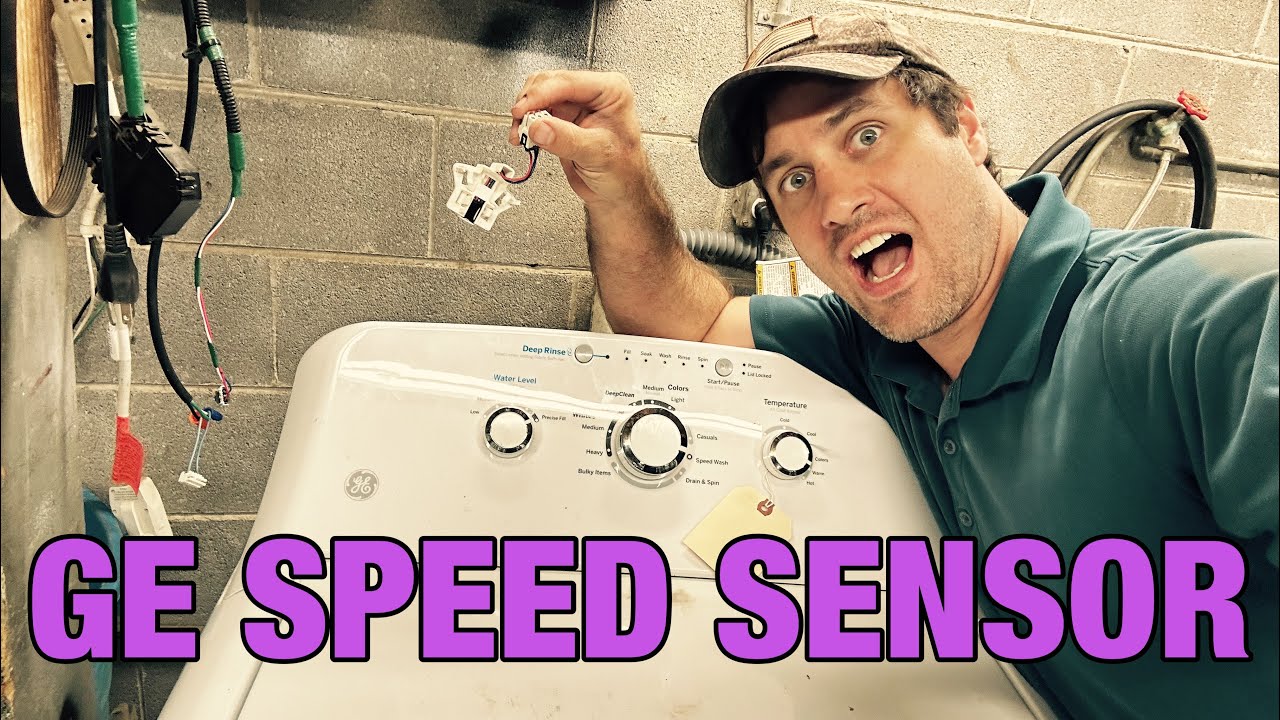
We’ve all been there—you’re in the middle of a laundry day, and suddenly your GE washer throws up an error code. If you’re seeing error code E33, you’re not alone, and it can be incredibly frustrating.
This error typically indicates a problem with the spin speed sensor, which is crucial for your washer’s operation. But don’t worry, this is a common issue, and in many cases, the solutions are simpler than you might think.
One common cause of the E33 error is a loose or faulty connection in the wiring related to the spin speed sensor.
Thankfully, this is something you can check and potentially fix on your own!
To get the full picture and explore all possible causes and solutions for this error, I encourage you to read through the entire post.
Together, we’ll find a way to get your washer back to working order in no time.
What Does the Error Code Mean?
Have you come across the GE washer error code E33? This code points to an issue with the spin sensor function, which plays a crucial role in monitoring how fast the drum spins during the spin cycle. When the spin sensor detects any inconsistencies in the drum’s rotation, it activates the E33 error code, indicating that something isn’t quite right. This can result in your laundry not spinning or drying effectively.
Understanding what this error code means is vital for troubleshooting your washer correctly. Typically, an E33 error suggests that the spin sensor is not accurately reading the drum’s speed. This may necessitate a closer inspection or even a replacement of the sensor.
Timely attention to this issue can help restore your washer’s efficiency and prevent further complications down the line. If you’re comfortable with appliance repair, you can start by checking the connections and wiring to the spin sensor. Otherwise, it may be wise to consult a professional technician to ensure your washer is safe and operating properly. Remember, addressing these issues promptly can save you both time and money in the long run.
Common Causes of the Error Code
Identifying Common Causes of the E33 Error Code
Cause 1
One common cause of the GE washer error code E33 is a malfunctioning water level pressure switch. This switch is essential for accurately regulating the operation of the spin speed sensor. When it fails, the washer struggles to detect the correct water level, which can result in communication problems with the wiring harness.
Here’s a quick breakdown of the components involved and their potential issues:
| Component | Potential Issue | Effect on Washer |
|---|---|---|
| Water Level Pressure Switch | Malfunction or blockage | Incorrect water level reading |
| Spin Speed Sensor | Inaccurate speed detection | Error code E33 triggered |
| Wiring Harness | Damaged or loose connection | Loss of signal to components |
Cause 2
While a malfunctioning water level pressure switch is indeed a common cause of the GE washer error code E33, it’s important to recognize that several other factors can contribute to this issue. One key factor to consider is the maintenance of your washer. Regular cleaning and servicing are critical; neglecting these tasks can lead to debris buildup in the spin speed sensor, which can impair its functionality.
Additionally, wiring issues are another potential culprit. Damaged or corroded connections can disrupt the operations of the sensor, leading to error codes. To help ensure your washer runs smoothly, it’s a good practice to perform thorough error code diagnostics. This process can help you identify problems early on, allowing you to address them before they escalate into more serious issues.
Always take the time to inspect the wiring harness for any signs of wear or damage, and ensure that all connections are secure. By proactively addressing these common causes, you’ll not only restore your washer’s performance but also minimize the chances of encountering future error codes. Remember, a well-maintained appliance is key to longevity and reliable operation.
Cause 3
Another common cause of the GE washer error code E33 is related to the control board. When the control board malfunctions, it can interrupt the communication between the spin sensor and other crucial components of the washer. This disruption can lead to inaccurate readings, preventing the washer from determining the correct spin speed.
Moreover, issues can arise from faulty wiring connections between the control board and the spin sensor. Loose or damaged wiring may result in intermittent signals or a complete loss of communication, which can trigger the E33 error.
To diagnose this issue, start by inspecting the control board for any visible signs of damage, such as burnt components or corrosion. Next, check all wiring connections for integrity, ensuring they are secure and free from wear. If you encounter any abnormalities or feel uncertain about the repair process, I recommend consulting a professional technician. They can provide a thorough evaluation and ensure that your washer is safely restored to proper working condition.
Cause 4
If you’ve checked that the control board and wiring connections are functioning correctly, the next likely culprit for the GE washer error code E33 could be a malfunctioning spin sensor. This vital component monitors the drum’s rotation speed. If the spin sensor fails, the washer won’t be able to determine whether it’s spinning as it should, which can trigger the E33 error code.
Regular maintenance of your washer is key to preventing issues with the spin sensor. Over time, debris can accumulate, or the sensor may wear out, leading to performance problems. To troubleshoot this issue effectively, start by inspecting the spin sensor for any signs of damage or disconnection. Look for frayed wires or loose connections that could affect the sensor’s operation.
Understanding the meaning behind error codes is crucial for effective troubleshooting. When you see E33, remember that it points directly to the spin sensor’s functionality. If your inspection reveals that the sensor is indeed faulty, replacing it is often the best solution to restore your washer’s normal operation. This approach not only resolves the immediate issue but also helps ensure your appliance runs smoothly for years to come. Always prioritize safety when working on your washer, and don’t hesitate to consult a professional if you’re unsure about any steps in the process.
Required Tools to Fix the Error
Essential Tools for Troubleshooting
Basic Tools
When addressing the GE washer error code E33, having the proper tools at your disposal is crucial for an effective repair process. Below is a list of essential tools that will assist you in diagnosing and fixing the spin speed sensor issue with confidence:
| Tool | Purpose |
|---|---|
| Screwdriver | To remove panel screws |
| Multimeter | To check electrical signals |
| Pliers | For gripping and bending wires |
| Socket wrench | To remove bolts |
| Voltage tester | To ensure safe electrical checks |
Supplies
Having the right supplies is crucial for effectively addressing the GE washer error code E33. First and foremost, ensure you have a reliable multimeter on hand. This tool is essential for testing the spin speed sensor and examining the electrical connections. You’ll also need a comprehensive screwdriver set to access the internal components of the washer safely.
As you prepare for the repair process, don’t overlook the importance of having a bucket or some towels ready to manage any water that may leak, especially if you’re dealing with drainage issues. It’s always best to be prepared for unexpected spills.
Additionally, having a replacement spin speed sensor readily available can significantly streamline your repair process, saving you valuable time. Before you begin, also take a moment to verify that your water supply is properly connected and functioning. Low or inadequate water flow can often contribute to the E33 error, so it’s an important step not to skip.
With these tools and precautions in place, you’ll be well-equipped to tackle the E33 error efficiently and safely. Remember, taking the time to prepare and ensure you have everything you need will help you feel more confident and capable during the repair.
Pre-Safety Checklist Before Fixing
Before troubleshooting your GE washer and addressing the E33 error code, it’s vital to ensure a safe working environment by completing a pre-safety checklist. Prioritizing safety precautions and electrical safety is non-negotiable. Here’s a straightforward checklist to follow:
- Unplug the Washer: Always disconnect the washer from the power source to eliminate the risk of electrical shock. This step cannot be overstated—safety first!
- Check for Water Leaks: Inspect the area around the washer for any water leaks. It’s crucial to eliminate slipping hazards, as water on the floor can lead to accidents.
- Wear Protective Gear: Equip yourself with gloves and safety goggles. This will protect you from any debris or sharp edges you might encounter during the repair process.
- Clear the Area: Make sure the workspace around the washer is free of any obstacles. A clutter-free environment not only enhances safety but also allows you to work more effectively.
Completing this checklist will set you up for a safe and efficient repair process. Remember, taking the time to prepare is just as important as the repair itself. Stay safe and good luck with your troubleshooting!
Diagnose the Error Code
To effectively diagnose the E33 error code on your GE washer, it’s essential to understand what this code represents. The E33 error code indicates a problem with the spin speed sensor, which is crucial for the washer’s performance. Here’s a step-by-step guide to help you troubleshoot this issue safely and effectively.
- Check Connections and Wiring: Start by unplugging the washer to ensure safety. Once it’s disconnected, examine the wiring harness and connectors associated with the spin speed sensor. Look for any loose connections, frayed wires, or signs of damage that could interrupt the sensor’s signal.
- Inspect the Spin Speed Sensor: After checking the wiring, locate the spin speed sensor. Depending on your washer model, it may be situated near the motor or drum. Visually inspect the sensor for any debris, wear, or physical damage. Clean any obstructions that may be affecting its performance.
- Use Error Code Interpretation: The E33 code can often point to specific issues, so refer to your washer’s manual for detailed guidance regarding potential causes. This will help you narrow down the problem more efficiently.
- Gather Relevant Data: Before you proceed with any repairs, collect all pertinent information about your washer’s performance and any other error codes that may have appeared. This data will be invaluable in diagnosing the issue accurately.
- Proceed with Troubleshooting: Once you have completed the above steps and identified any issues, you can begin troubleshooting or consider reaching out to a professional technician if you’re not comfortable with repairs.
Step-by-Step DIY Troubleshooting Guide
Next Steps in Troubleshooting GE Washer Error Code E33
Fix for Cause 1
When your GE washer displays the error code E33, it typically points to a problem with the water level sensor. Don’t worry; this is a common issue that can often be resolved with some straightforward troubleshooting steps. Here’s how to safely address this situation:
- Unplug the washer: Always start by disconnecting the washer from the power source to ensure your safety while working on it.
- Inspect the wiring: Take a close look at the wiring harness connected to the water level sensor. Look for any signs of damage, such as frayed wires or loose connections. A secure and intact connection is crucial for proper sensor function.
- Clean the sensor: Carefully access the water level sensor and clean it thoroughly. Remove any debris, mineral buildup, or lint that may be obstructing its function. A clean sensor is vital for accurate water level readings.
- Reassemble and test: After you’ve made the necessary checks and cleaned the sensor, reassemble any parts you removed, plug the washer back in, and run a quick test cycle. Keep an eye on whether the error code reappears.
Fix for Cause 2
If your water level sensor appears to be working correctly, the next step in troubleshooting the E33 error code is to examine the pressure switch and its connecting hose. Start by ensuring your safety: unplug the washer from the power source.
Locate the pressure switch, which is typically found near the control panel. Carefully inspect the hose connected to it for any signs of damage, such as cracks or blockages that could disrupt air pressure. If you notice any issues with the hose, it’s important to replace it to ensure proper functionality.
Next, check the connections to the pressure switch itself. Make sure they are secure and free from any corrosion, as this can interfere with the switch’s operation. After addressing any problems you find, reconnect everything securely, plug your washer back in, and run a test cycle.
Observe whether the washer drum spins without triggering the error code again. If it operates normally, you’ve likely resolved the issue. However, if the E33 error persists, it may require a deeper investigation into the motor control system, which could involve more advanced diagnostics or professional assistance. Remember, safety first—if you’re ever unsure, don’t hesitate to consult a qualified technician.
Fix for Cause 3
When troubleshooting the E33 error code on your washer, it’s important to carefully check the wiring harness and connections related to the control board. Regular maintenance of your washer not only ensures optimal performance but also helps prevent error codes from occurring. Here’s a straightforward process to inspect the wiring:
- Unplug the washer: Safety is paramount. Always disconnect the power before you begin any inspection.
- Remove the control panel: This will give you access to the wiring harness where potential issues may lie.
- Inspect for damage: Look closely for any signs of wear, such as frayed wires, loose connections, or corrosion. These are common culprits behind error codes.
- Reconnect any loose wires: If you find any loose connections, securely reconnect them. If you encounter damaged components, it’s crucial to replace them to ensure safe operation.
Once you’ve completed these steps, plug your washer back in and run a test cycle. This process should help resolve the E33 error, leading to improved efficiency and reliability in your washer. Remember, proper maintenance is key to keeping your appliance running smoothly!
Fix for Cause 4
To effectively resolve the E33 error code on your washer, it’s essential to carefully examine the pressure switch and its related components. Start by unplugging the washer for safety—this is a crucial step before you begin any troubleshooting.
The pressure switch is usually located at the back of the control panel. Once you’ve accessed it, inspect the wiring connections for any signs of damage or corrosion, as these can impede proper function. Next, you’ll want to test the pressure switch with a multimeter. When the switch is activated, it should display continuity; if it does not, the switch is likely faulty and will need to be replaced.
In addition to checking the switch, ensure the pressure hose is free from any blockages and is securely connected. A clear and properly attached hose is vital for the pressure switch to operate correctly.
Regular maintenance of your washer can help prevent these issues from recurring. After completing the checks and any necessary repairs, plug the washer back in and run a cycle to ensure that the E33 error code no longer appears. By following these steps, you can effectively troubleshoot and resolve this issue, ensuring your washer runs smoothly.
Call a Professional If
When your GE washer displays the error code E33, it’s important to know when it’s time to call a professional for help. Tackling complex issues without the proper expertise can sometimes worsen the problem or even create safety risks. Here are some clear signs that you should reach out to a qualified technician:
- Multiple Attempts Without Success: If you’ve tried various troubleshooting steps and the error code remains, it’s a strong indication that the issue may be beyond basic fixes.
- Persistent Error After Inspection: If the error continues even after you’ve checked all wiring and connections, there may be an underlying issue that requires professional diagnostics.
- Unusual Noises or Smells: If you notice any strange sounds or odors during operation, this could signal a serious problem that needs immediate attention.
- Discomfort with Electrical Components: If you’re not confident in handling electrical parts or disassembling the unit, it’s best to leave it to the pros. Safety should always come first.
In these cases, a skilled technician can accurately diagnose the problem and implement the right solution, helping your washer get back to peak performance. Remember, seeking professional help is often the most efficient and safe approach, allowing you to avoid unnecessary risks and potential further damage. Don’t hesitate to reach out for assistance when needed; it’s a wise choice for your appliance and your peace of mind.