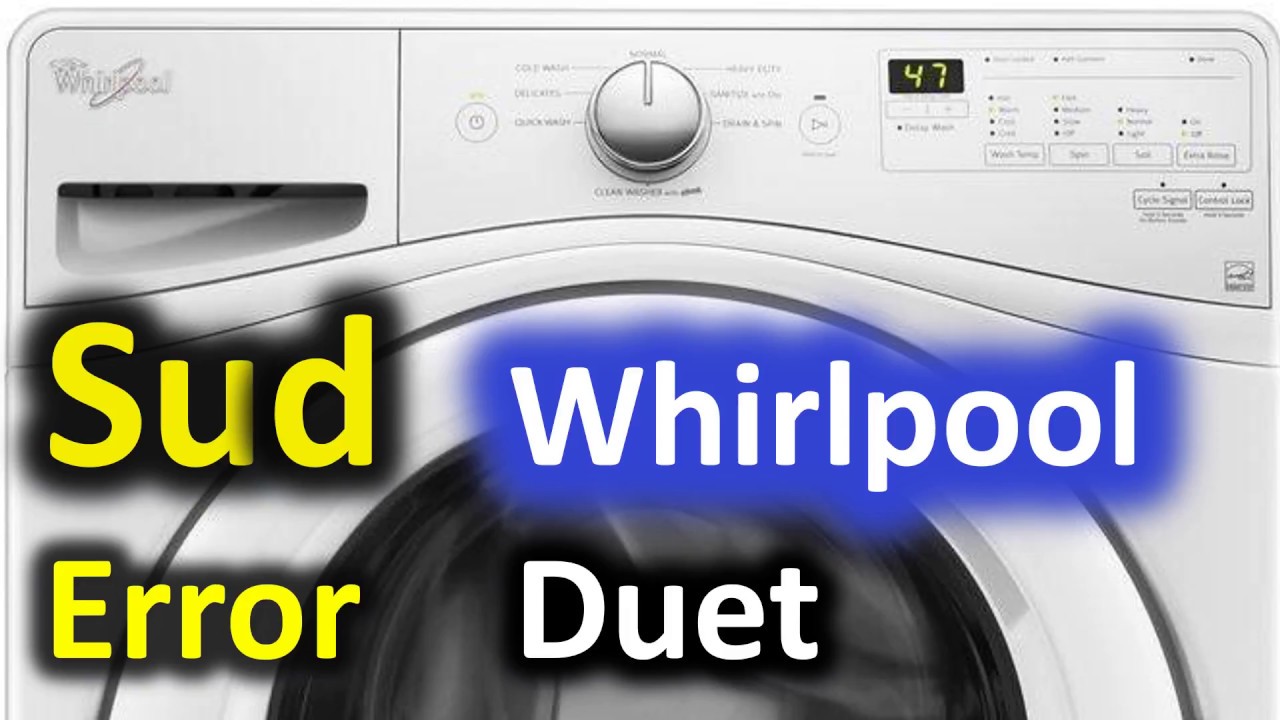
We’ve all been there—your Whirlpool washer stops mid-cycle, and you’re greeted with the flashing SD error code. It’s enough to make anyone feel frustrated! This code indicates a suds lock, which usually happens when there’s too much detergent or the drum is overloaded.
Don’t worry; you’re not alone in facing this issue, and it’s actually quite common. Many of the causes have simple DIY solutions that you can tackle at home.
One common reason for the SD error is using too much detergent. If you’ve recently increased the amount you normally use, that could be the culprit.
To get the full scoop on this error and learn about other potential causes and solutions, make sure to read through the entire post. Your laundry will be back on track in no time!
What Does the Error Code Mean?
When your Whirlpool washer shows the error code SD, it means that there’s an issue with too many suds during the wash cycle. This situation creates a condition known as “suds lock,” which prevents the washer from completing its cycle. The water sensor detects the excess suds and sends a signal to the control board to stop operations. This precaution protects your machine from potential damage and ensures proper rinsing of your clothes.
To resolve the SD error, it’s important to take a few steps. Start by reducing the amount of detergent you use in future loads. Make sure to use only HE (high-efficiency) detergent, as it’s specifically formulated for modern washers to produce fewer suds. Always check the manufacturer’s recommendations for the correct amount of detergent based on the size of your load.
Common Causes of the Error Code
Troubleshooting the SD Error Code
Cause 1
While there are several factors that can cause the SD error code on your Whirlpool washer, one of the most frequent culprits is an overloaded washing drum. When you cram too many items into the drum, it can hinder proper agitation and rinsing during the wash cycle. This not only prevents the clothes from getting clean but can also lead to the formation of excess suds, which the washer struggles to manage effectively.
Another common reason for the SD error is improper detergent usage. Using too much detergent or selecting a non-HE (high-efficiency) detergent can result in excessive suds that overwhelm the machine’s sensors. To help prevent the SD error code from occurring, always adhere to the manufacturer’s guidelines regarding load capacity and detergent type. Keeping your washer drum within its designated limits not only ensures optimal performance but also helps you avoid issues related to suds lock detection.
Cause 2
While an overloaded drum and improper detergent usage are common causes of the SD error code, it’s important to consider additional factors that may contribute to the problem. One significant issue could be a malfunctioning drain pump. If the pump is not operating correctly, it can result in excess water accumulating in the drum, which may trap detergent foam during the wash cycle.
Another key aspect to keep in mind is the type of detergent being used. Non-HE (high-efficiency) detergents can lead to an excessive buildup of suds, which may trigger the SD error. Always ensure that you are using the correct type and amount of detergent specified for your washer model to avoid these issues.
Additionally, a clogged drain hose can be a contributing factor to suds lock. If the drain hose is obstructed, it can hinder proper drainage and exacerbate foam-related problems. Regular maintenance, including checking for clogs and ensuring the drain pump is functioning properly, can help prevent these complications. By staying vigilant and taking these steps, you can keep your washer running smoothly and avoid the frustrations of error codes.
Cause 3
One common reason for encountering the SD error code in your washer is related to its installation and setup. A washer that isn’t level can lead to improper drainage and excessive sudsing, which may trigger the suds lock feature. To ensure your machine operates efficiently, make sure all four feet are adjusted evenly. A leveling tool can help you confirm that the washer is set up correctly.
Another crucial factor to consider is the type and amount of detergent used. Always opt for the right detergent specified by the manufacturer, as using the wrong type or too much detergent can quickly lead to suds buildup. For best practices, adhere to the manufacturer’s guidelines on detergent usage.
Regular maintenance is also key to preventing suds issues. This includes cleaning the drum and checking the hoses for any clogs or damage. By paying attention to these factors, you can keep your washer running smoothly and significantly reduce the likelihood of encountering the SD error code. Remember, a little proactive care goes a long way in ensuring your appliance remains in good working order.
Cause 4
When you encounter the SD error code on your washer, one of the most frequent causes is selecting the incorrect wash cycle for your laundry load. Each wash cycle is engineered with specific water levels and agitation speeds tailored to different fabric types and soil levels. If you choose a cycle that doesn’t align with your laundry’s needs—such as selecting a gentle cycle for heavily soiled items—the suds sensor may detect an excessive amount of suds, which can trigger this error.
Additionally, overusing detergent can also contribute to an overflow of suds, leading the washer to misinterpret the actual water level in the drum. It’s crucial to check that you’re adhering to the detergent guidelines provided by the manufacturer and selecting the correct cycle for your laundry.
If you continue to see the SD error despite making these adjustments, it could indicate a malfunctioning suds sensor that might require further inspection or replacement. Remember, when troubleshooting appliances, safety is paramount, so if you’re unsure about any steps, it’s always wise to consult with a professional technician.
Required Tools to Fix the Error
Essential Tools for Whirlpool Washer Error Code SD Repair
Basic Tools
Having the right tools is crucial for effectively addressing the Whirlpool washer error code SD. Ensuring proper maintenance of your washer will help it run smoothly, and the right equipment will make troubleshooting much more manageable. Based on my 20 years of experience in appliance repair, here are three essential tools you’ll need on hand:
- Screwdriver Set: A complete set of both flat-head and Phillips screwdrivers is vital. These will enable you to remove panels and access internal components safely. When working with your washer, make sure to use the appropriate screwdriver to avoid stripping screws.
- Multimeter: This indispensable tool allows you to test electrical components, ensuring they are functioning correctly. A multimeter can help you identify issues such as faulty wiring or malfunctioning sensors, which are common culprits for error codes like SD.
- Bucket: Having a bucket nearby is a wise precaution. It can catch any water that may spill during your repairs, helping to keep your laundry area clean and safe. Water spills can create slippery surfaces, so it’s always better to be prepared.
Supplies
When dealing with the Whirlpool washer error code SD, it’s crucial to gather the right supplies to facilitate an effective repair. Having the necessary items on hand not only streamlines the process but also ensures you can tackle the issue with confidence. Below is a straightforward reference table that outlines the supplies you’ll need:
| Supply Item | Purpose | Notes |
|---|---|---|
| High-Efficiency Detergent | Prevent suds buildup | Always use HE detergent to avoid excess suds. |
| Water Supply Check | Ensure proper water flow | Inspect faucets and hoses for any blockages or leaks. |
| Measuring Cup | Measure detergent accurately | Helps prevent overuse, which can lead to suds issues. |
| Clean Cloth | Wipe down components | Essential for keeping areas clean and free of detergent residue. |
Pre-Safety Checklist Before Fixing
Before you begin troubleshooting your Whirlpool washer displaying the SD error code, it’s crucial to prioritize your safety. Taking a few essential precautions will help ensure a smooth and safe repair process. Here’s a straightforward checklist to follow:
- Unplug the Washer: Always disconnect the power supply before starting any repairs. This step is vital to avoid the risk of electrical shock.
- Inspect the Area: Make sure your workspace is dry and organized. A clutter-free environment will reduce the chance of tripping hazards while you’re working.
- Wear Protective Gear: Equip yourself with gloves and safety goggles. These items will protect you from sharp edges and any potential exposure to cleaning chemicals that may be present.
Diagnose the Error Code
To effectively diagnose the SD error code on your Whirlpool washer, it’s essential to first grasp its significance: the SD code points to a drainage issue, typically caused by an excess of suds. Here’s how to address it step by step:
- Check Your Detergent: Start by examining the type and amount of detergent you’re using. High-sudsing detergents, especially those not designed for high-efficiency (HE) washers, can trigger this error. Always follow the manufacturer’s recommendations on detergent usage.
- Inspect the Drain Hose: Next, take a look at the drain hose. Ensure there are no clogs or kinks that might obstruct proper drainage. The hose should be free from obstructions and installed at the correct height to allow for efficient water flow.
- Observe Load Size: Consider the size of your laundry load. Overloading the washer can lead to excessive suds buildup. Aim to wash smaller loads, as this can help mitigate suds production.
- Internal Components Check: If you’ve ruled out the above factors and the SD code persists, it may be time to delve deeper. Inspect the washer’s internal components, particularly the pressure switch and drain pump. A malfunctioning pressure switch can falsely signal that there is too much suds, while a faulty drain pump may impede water removal.
Step-by-Step DIY Troubleshooting Guide
Transition to Troubleshooting Steps
Fix for Cause 1
How can you effectively tackle the Whirlpool washer error code SD? The first step is to ensure you’re using the correct amount of detergent. Excessive suds can trigger this error, often indicating that something needs attention. Here’s a comprehensive guide to help you troubleshoot:
- Check the Washer Drum: Start by inspecting the drum for any obstructions or excessive residue. If you notice any buildup, clean the drum thoroughly. This not only helps with performance but also prevents future issues.
- Examine the Detergent Dispenser: Remove the detergent dispenser and give it a good clean. Sometimes, detergent can build up in this area, leading to improper flow and excessive suds. A clean dispenser ensures that detergent is distributed evenly during the wash cycle.
- Select the Right Cycle: Make sure to choose a wash cycle that is compatible with high-efficiency (HE) detergent. These cycles are specifically designed to minimize suds and optimize cleaning performance. Using the correct cycle can make a significant difference in how your washer operates.
Fix for Cause 2
Once you’ve tackled the detergent-related issues, it’s crucial to consider other potential reasons for the Whirlpool washer error code SD. A frequent culprit is an incorrect cycle selection. Always ensure that you’re choosing a cycle that suits the type of load you’re washing. For instance, if you’re dealing with heavily soiled items, opt for a cycle specifically designed for that purpose, as standard cycles may not rinse out detergent effectively.
Next, evaluate the load size. Overloading your washer can result in trapped suds, leading to the error code. If your washer continues to show the error message, try running a rinse and spin cycle with no clothes inside to help eliminate any excess suds.
Additionally, inspect the drain hose for any kinks or clogs. A blocked drain hose can restrict water flow, contributing to suds retention. By following these steps, you can effectively address detergent-related issues and restore your washer to optimal functionality. Remember, maintaining your appliance not only prolongs its life but also ensures it runs efficiently.
Fix for Cause 3
When troubleshooting the Whirlpool washer error code SD, it’s crucial to systematically address the potential causes to resolve the issue effectively. One prevalent reason for this error is excessive suds, often stemming from improper washer maintenance. Here’s how you can tackle this problem safely and efficiently:
- Check Detergent Type: Always use High-Efficiency (HE) detergent specifically designed for modern washers. HE detergents are formulated to produce fewer suds, which is essential for optimal washer performance and to prevent error codes.
- Reduce Detergent Amount: If you’re already using HE detergent, consider reducing the amount you’re using. Many users unknowingly use too much detergent, which can easily lead to suds lock and trigger the SD error code. A good rule of thumb is to start with the manufacturer’s recommended amount and adjust from there based on your laundry load and soil level.
- Run an Error Code Reset: If you’ve checked your detergent and made adjustments, you can attempt to reset the washer’s error code. Unplug the machine for about five minutes, then plug it back in. This simple reset can sometimes clear the error if it was a temporary glitch.
Fix for Cause 4
To effectively address the Whirlpool washer error code SD, it’s essential to look beyond the usual suspect of excessive suds. Start by examining the detergent you’re using; ensure it’s a high-efficiency (HE) formula and that you’re using the correct amount for the size of your load. Using too much detergent can lead to an excess of suds, which triggers the SD error code.
Next, inspect the washer’s drain pump and hose for any clogs or obstructions that might impede proper water drainage. A clogged drain can cause water to back up, resulting in more suds than normal. If your washer has a filter, be sure to clean it as well, as debris can also contribute to drainage issues.
Overloading the washer is another common cause of this error. Make sure you’re loading your washer according to the manufacturer’s guidelines to allow for adequate movement and cleaning of your clothes.
Regular maintenance is key to preventing future error codes. This includes cleaning the drum and seals to eliminate any buildup that might affect washer performance.
After you’ve addressed these areas, run a short cycle to check if the error code continues to appear. By following these steps, you can confidently troubleshoot and maintain your washer, ensuring it operates smoothly for years to come. If the problem persists after these checks, it may be time to consult a professional technician for further assistance.
Call a Professional If
If your Whirlpool washer is displaying the SD error code and your attempts at basic troubleshooting haven’t resolved the issue, it may be time to call in a professional. Engaging a qualified technician can provide the expertise needed to properly care for your appliance. Here are three situations where seeking professional help is crucial:
- Recurrent Error Code: If the SD code continues to appear despite your troubleshooting efforts, this suggests there may be a more serious underlying problem that needs expert attention.
- Mechanical Issues: If you’re hearing unusual noises or noticing leaks, these signs can indicate mechanical failures that require the assessment of a trained technician. Ignoring these symptoms could lead to more significant damage.
- Replacement of Parts: If you suspect that critical components such as the control board or the pump are malfunctioning, a professional can provide a precise diagnosis and perform the necessary replacements safely and effectively.
It’s important not to risk further damage to your washer. By reaching out to a professional, you can save time and potentially reduce repair costs in the long run. Remember, ensuring the safety and functionality of your appliance is paramount, and a trained technician can help achieve that.